Architecture Journey
Architecture in IBM DevOps Solution Workbench is about making thoughtful design choices early on. This journey walks you through how to structure your system, while highlighting where development naturally connects to the design process.
Start with a system architecture design project
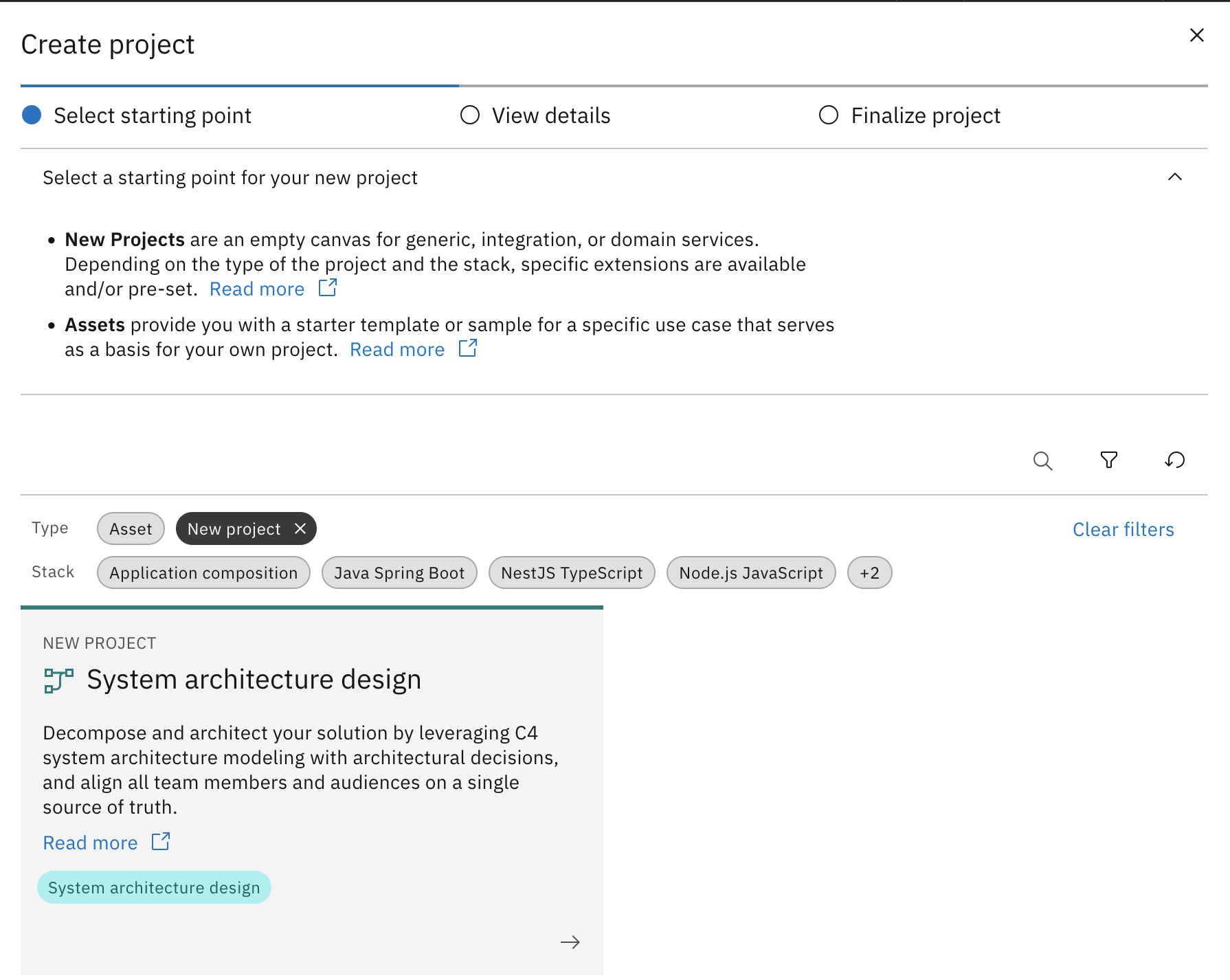
The journey begins by creating a System Architecture Design project - a collaborative workspace for modeling, documenting, and evolving the architecture of your system.
This project type supports version-controlled modeling, decision management, and reuse - providing a strong foundation for consistent design and team alignment.
Model the system architecture
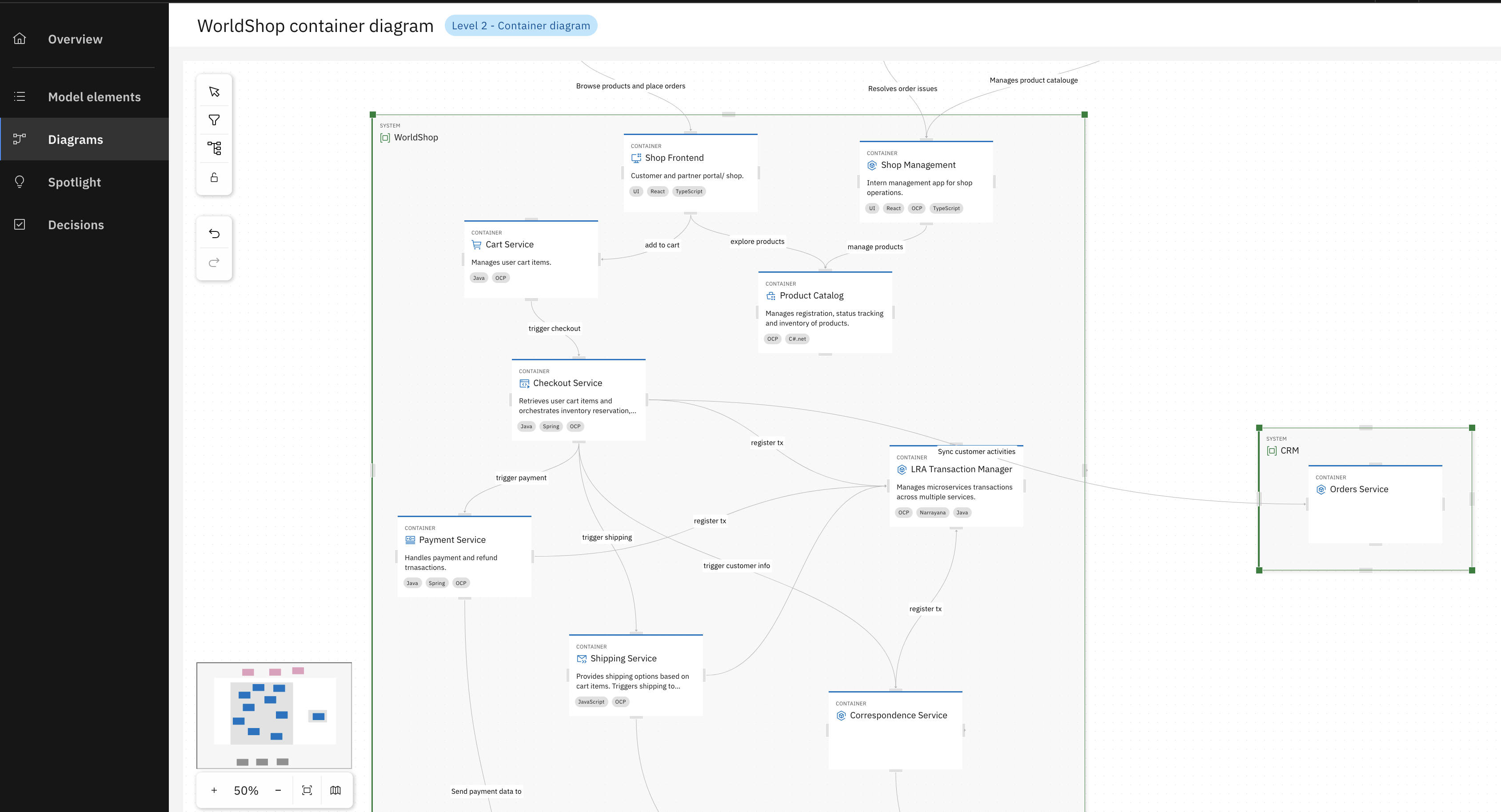
The system architecture is shaped through intuitive visual modeling, defining components, services, and communication flows. These diagrams create a shared visual foundation that helps everyone understand the system clearly.
This step enhances architectural clarity, aligns stakeholders, and separates concerns early - providing a common language and foundation for everyone involved in the system’s design and development.
Modeling profiles
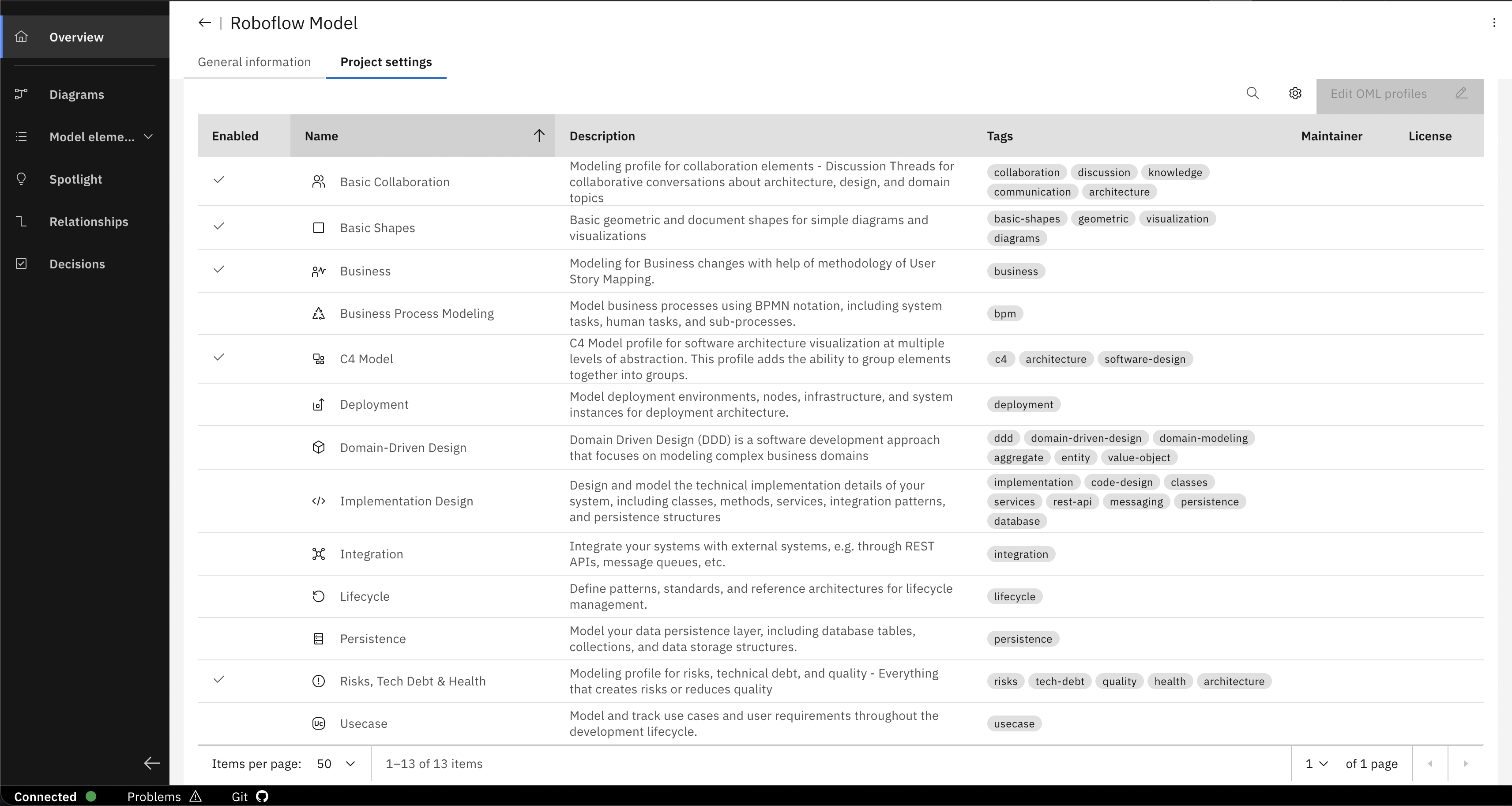
Modeling profiles group elements by specific concerns or domains - like C4 for architecture, DDD for domain design, or BPMN for processes.
Model any concept or domain: use the provided standard profiles, combine them, or create entirely custom profiles tailored to your needs.
With the flexibility to define your own element types, properties, and relationships, you're not bound to any predefined vocabulary - ensuring your modeling language matches your domain and organizational practices.
Document decisions with AI assistance
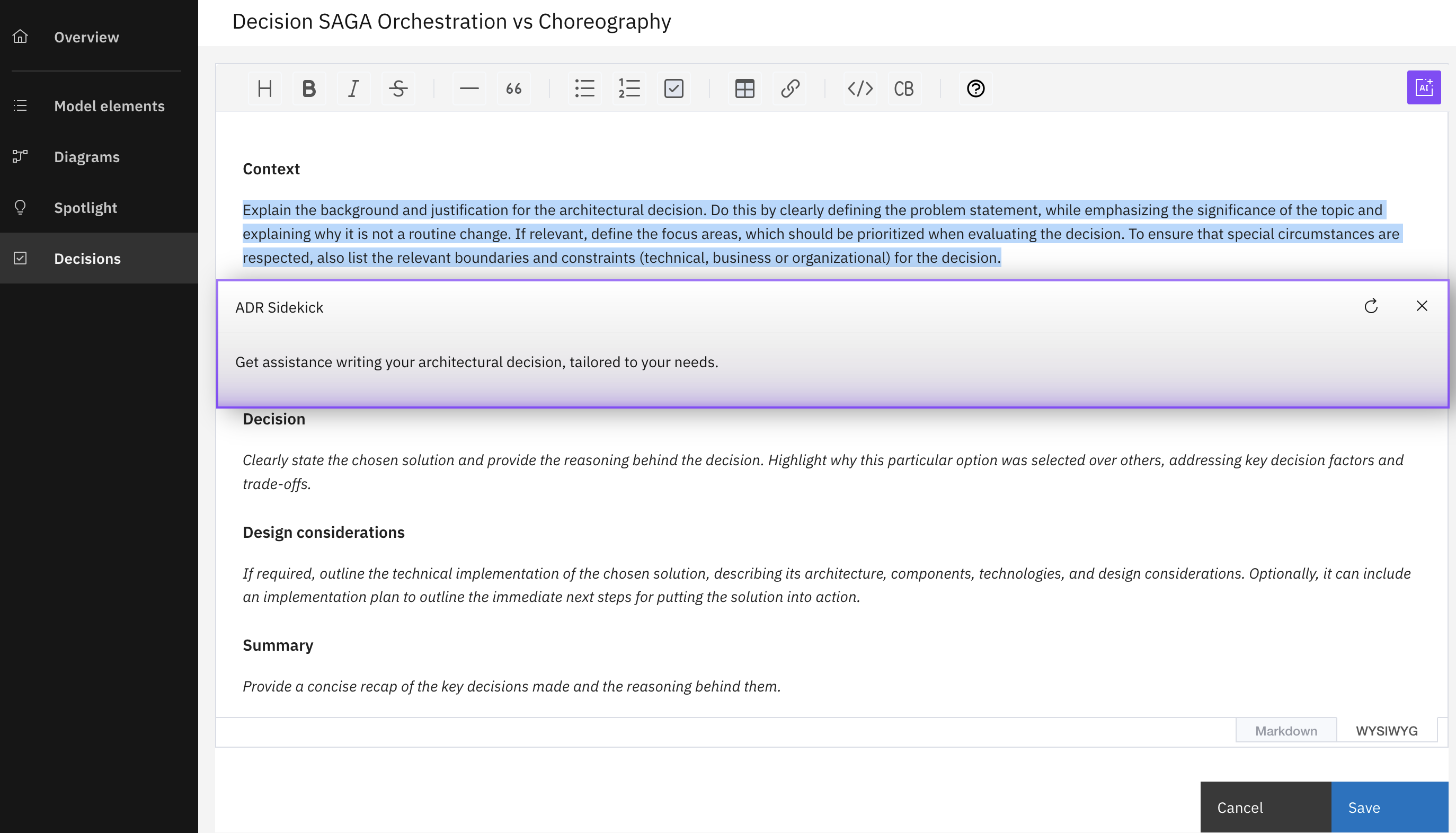
With the ADR Sidekick, architectural decisions are easier to document and manage. This Gen-AI assistant can draft, summarize, and improve decisions based on templates and your modeling context.
These decisions are traceable and linked to model elements, helping teams maintain transparency and avoid knowledge silos.
Connect to implementation projects
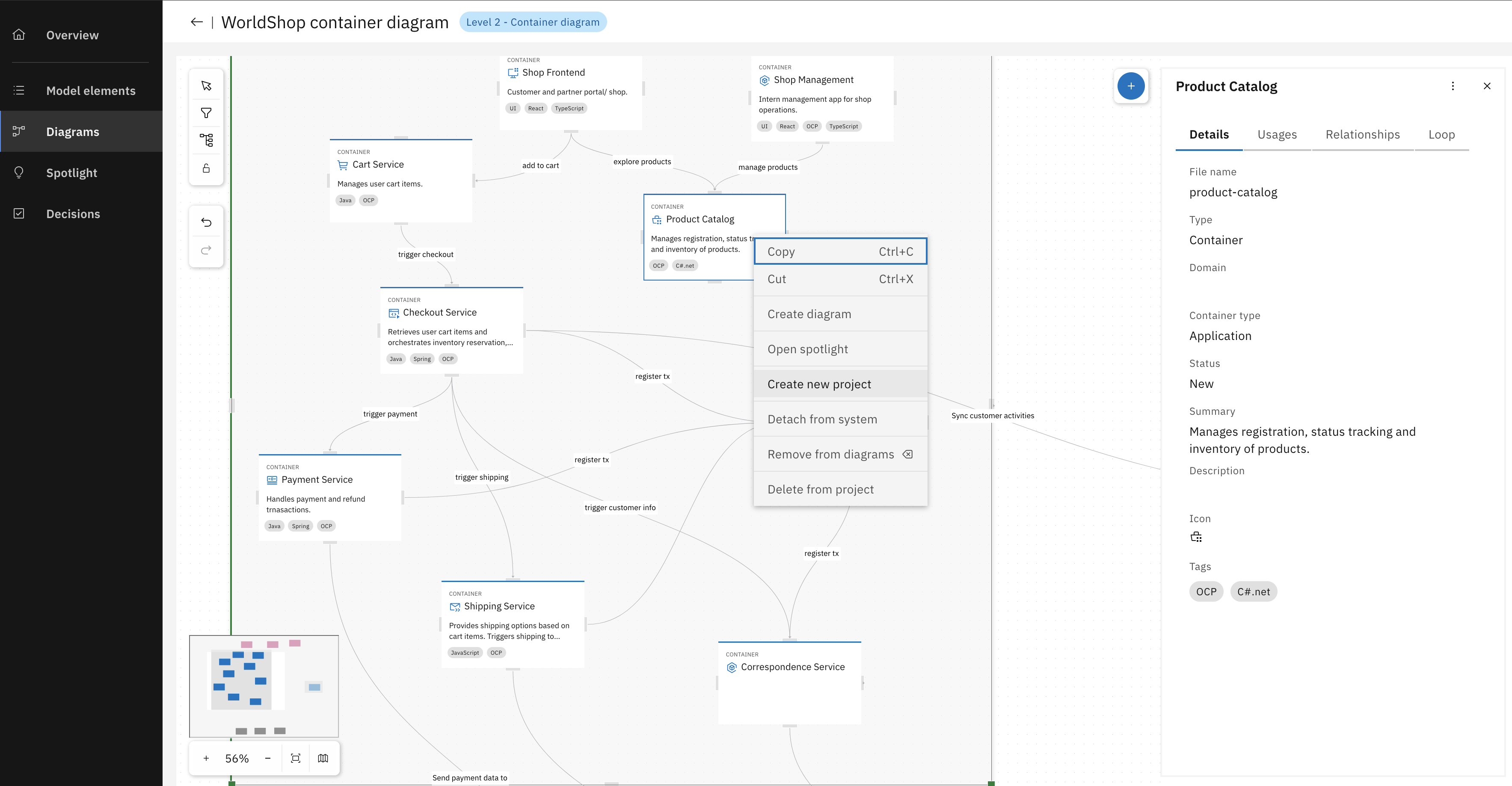
As your model stabilizes, you can link architecture containers to real implementation projects or create them directly from within the diagram. This ensures a living connection between design and development.
Developers can trace design intent, stay within architectural boundaries, and work without losing alignment or duplicating decisions.
Define context and architecture rules
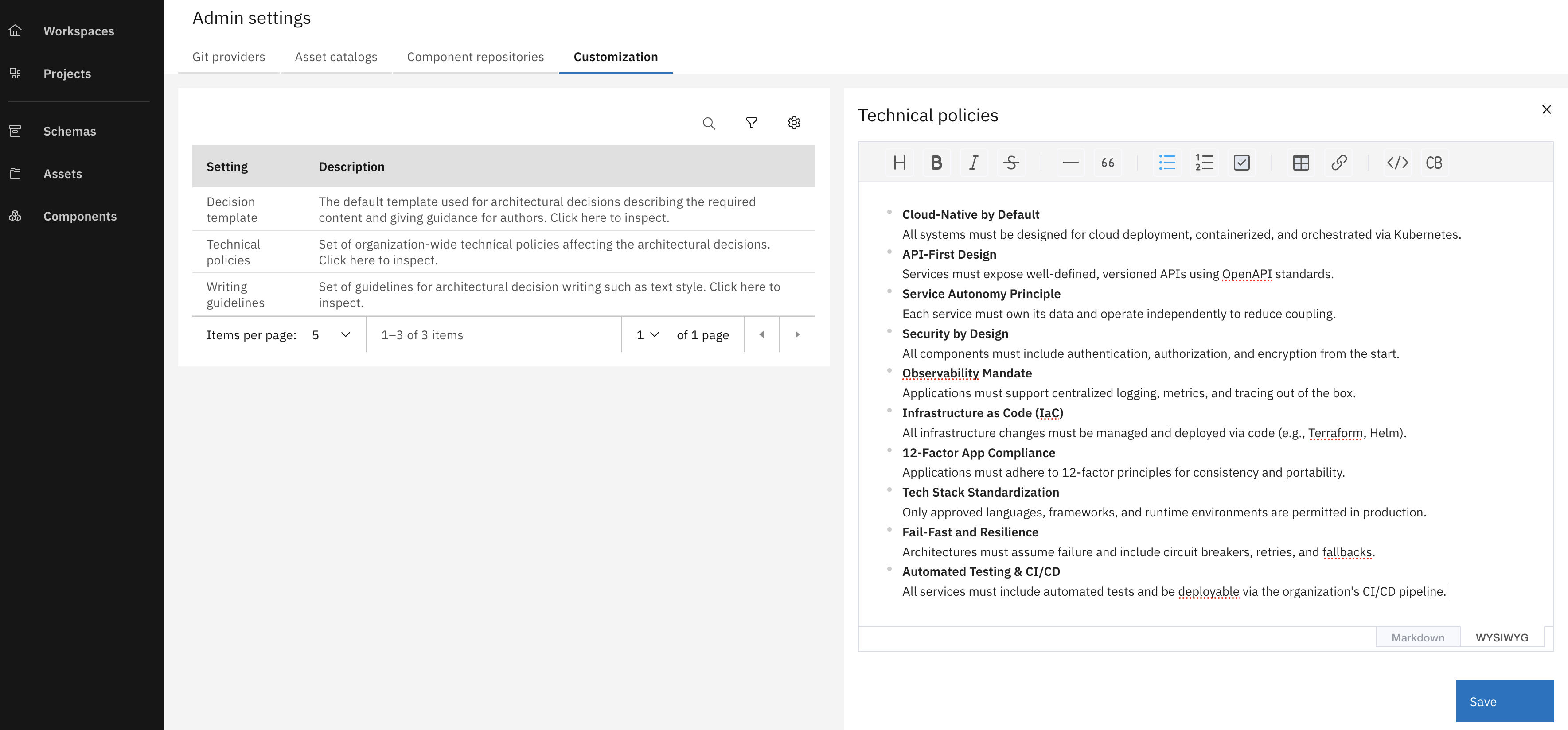
The architecture context and rules are defined to guide the system’s structure, naming conventions, and modeling consistency. These shared guidelines help keep everyone aligned and enforce consistency throughout the architecture.
Setting up reusable architecture rules helps ensure every model remains structured and aligned as the design evolves.
→ Learn how to use the advanced project management capabilities
Create and share reusable assets
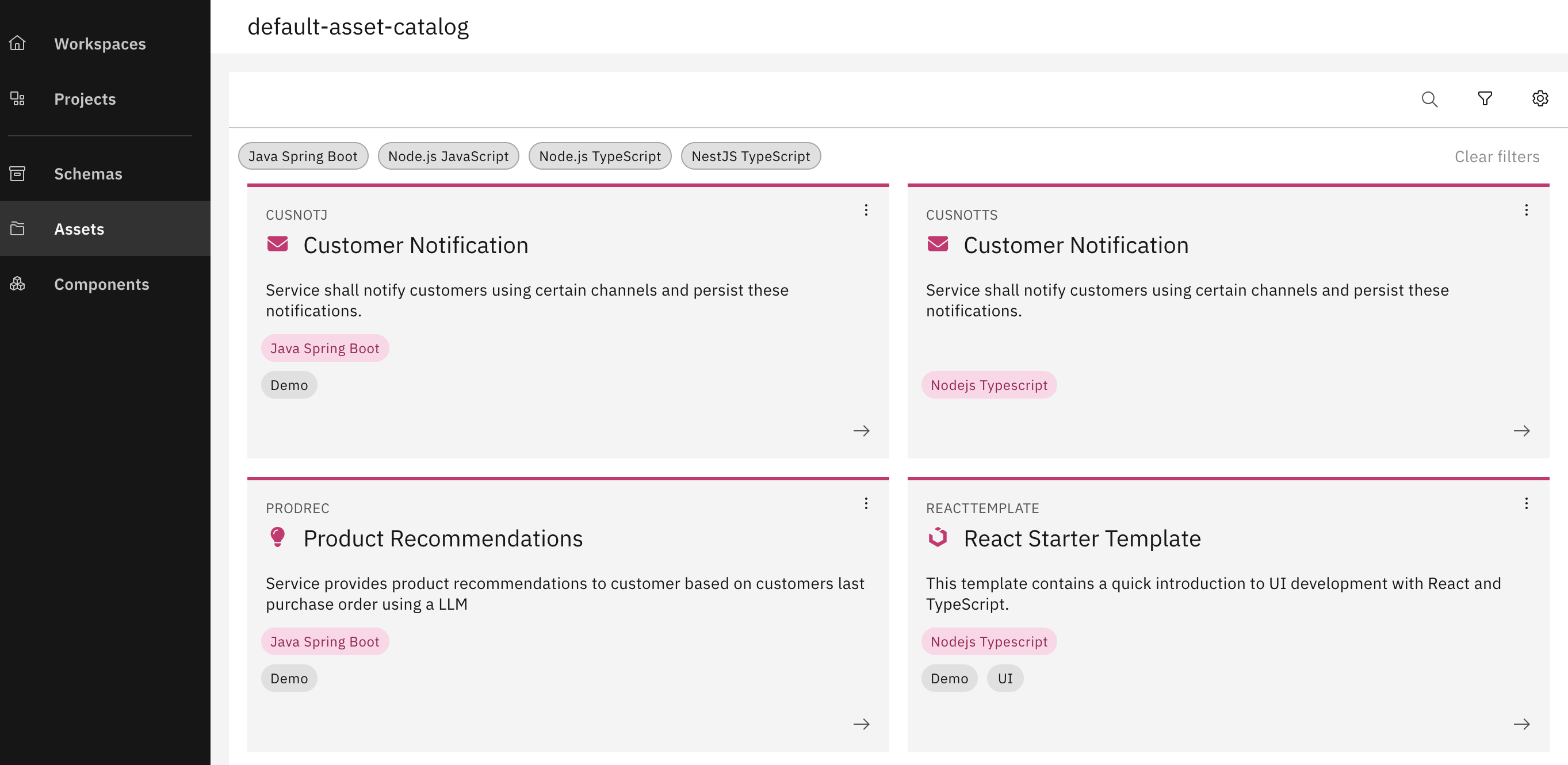
Reusable Assets combine modeling, code, and configuration into shareable service projects. They help maintain standards and avoid repeated work across teams.
Assets can capture architectural patterns or represent modular building blocks. They’re shared through Asset Catalogs, making them discoverable and adaptable across teams.
Once consumed, assets can be customized, versioned, and reshared - ensuring architectural reuse and scale.
Define deployment visually
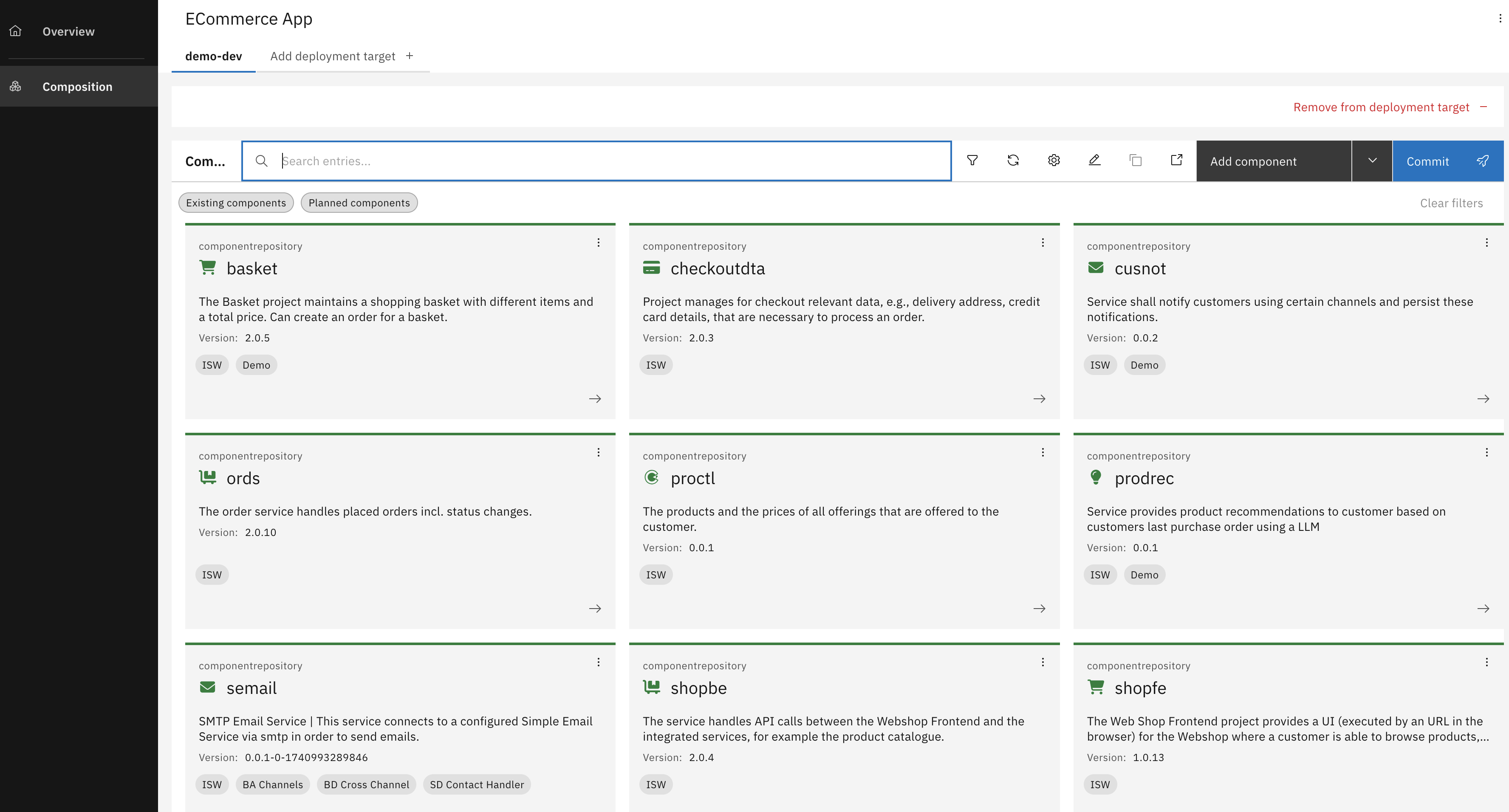
With Composition Projects, you can visually define how services are deployed, configured, and orchestrated - including network topology, environment settings, and GitOps automation.
The platform offers a consolidated interface for managing deployments, reducing DevOps overhead and enhancing collaborative control.
This journey turns architecture into a living, collaborative asset - connected to implementation, decisions, and deployment - enabling you to design with confidence and deliver with clarity.