Unit 4: Decisions, Customization, and Spotlight
In this Unit you will learn to improve your diagrams using spotlight and custom fields. You'll also work with Architecture Decision Records (ADRs) to capture and document a real-world change: Extending RoboFlow's order handling to support both customer and internal orders.
Outline
This unit helps you move beyond foundational modeling and dives into specialized IBM DevOps Solution Workbench features designed for sharper architectural communication and more robust decision tracking. You will learn to:
- Improve clarity in diagrams using Spotlight and Custom Fields
- Create, manage and link architecture decisions and Architecture Decision Records (ADRs)
Prerequisites
- Have a system architecture design project ready in place
- Have a diagram with model elements and at least one layer created
Exercise
- Estimated time: 20 Minutes
- Exercise goal: You'll be able to improve your diagrams using spotlight and custom fields. Also you can create and manage ADRs
Spotlight
Clear architectural communication requires focus. The Spotlight feature allows you to isolate and highlight specific elements or paths in your diagrams, helping you explain architectural flows and dependencies effectively.
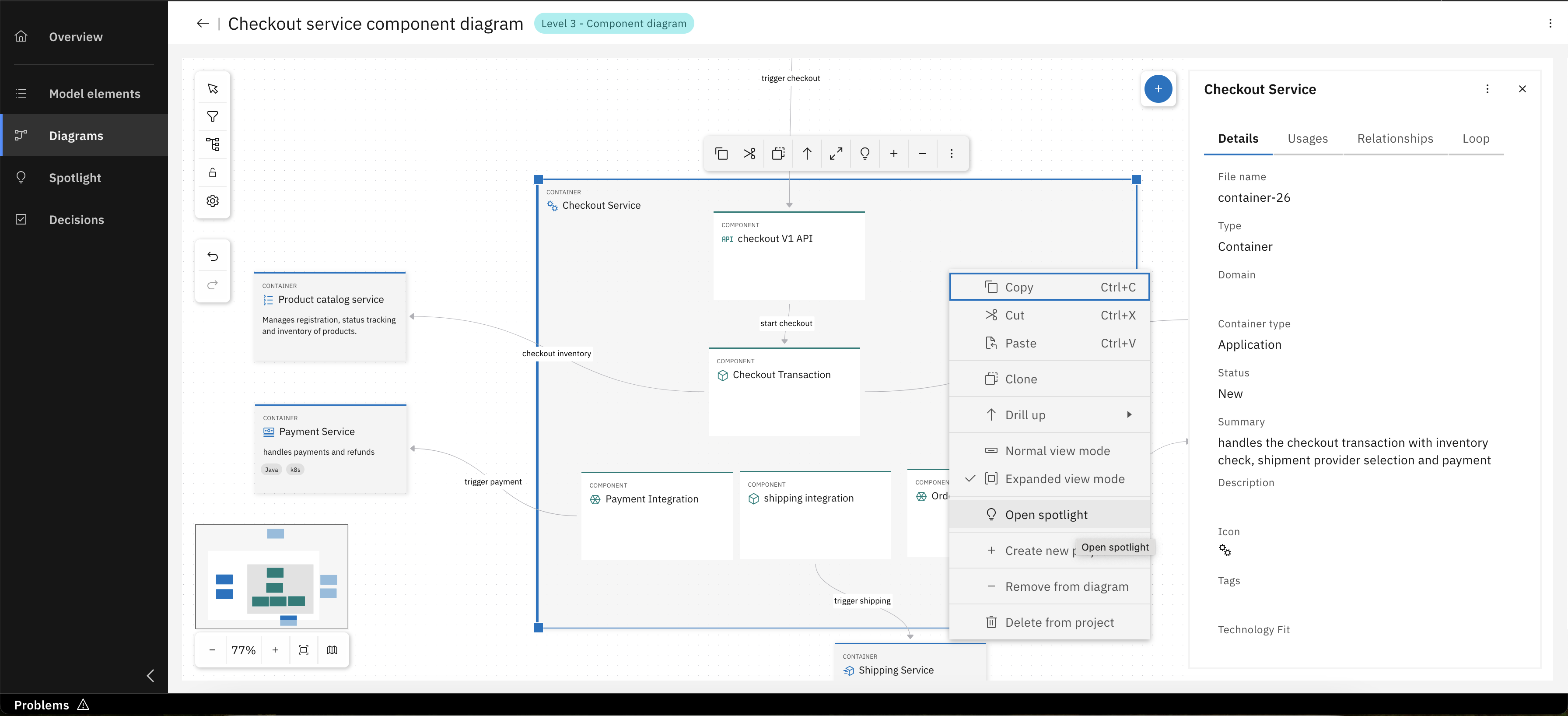
Click "Open spotlight" from an elements context menu (e.g., "Checkout Service Container")
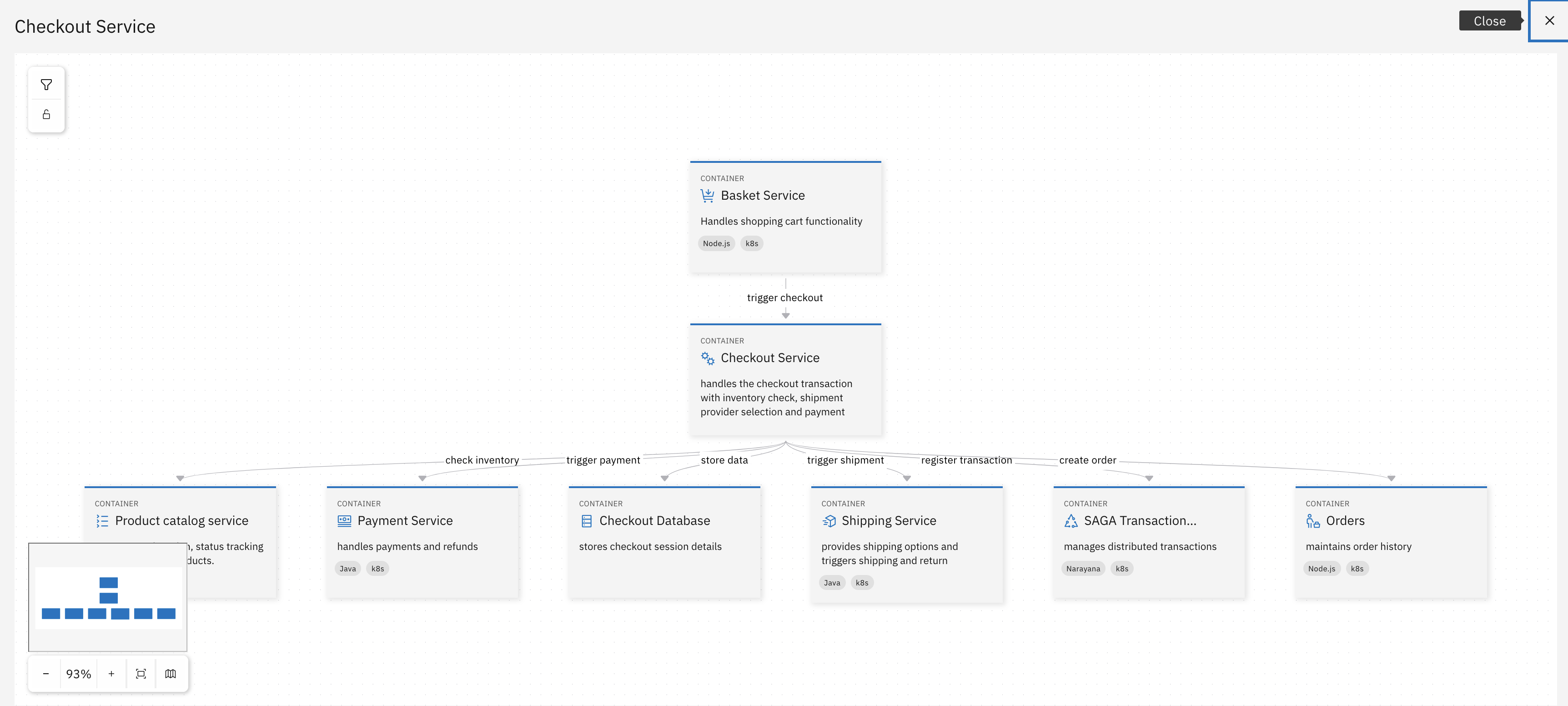
Review dependencies and connections for the Checkout Service container
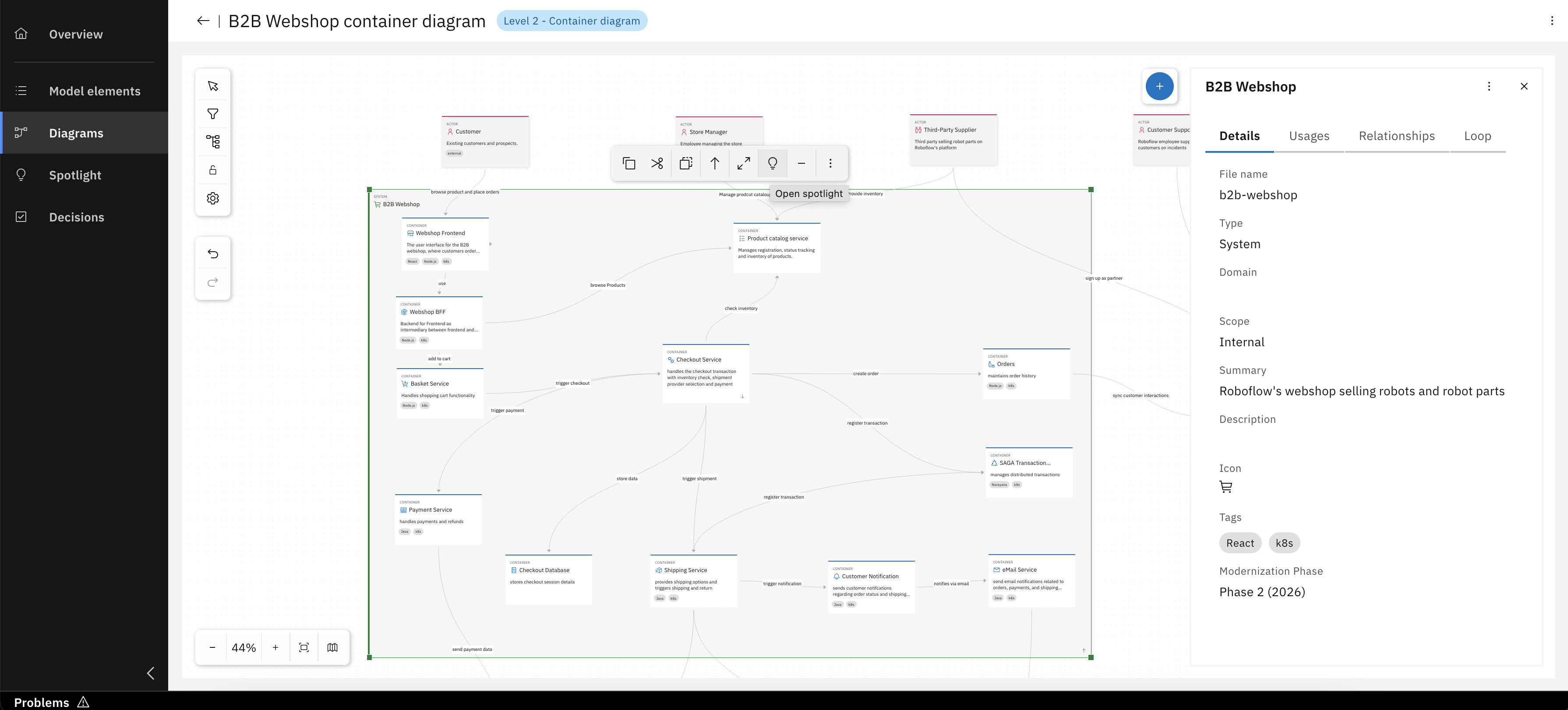
You can also open Spotlight for the B2B Webshop system to analyze its dependencies and connections
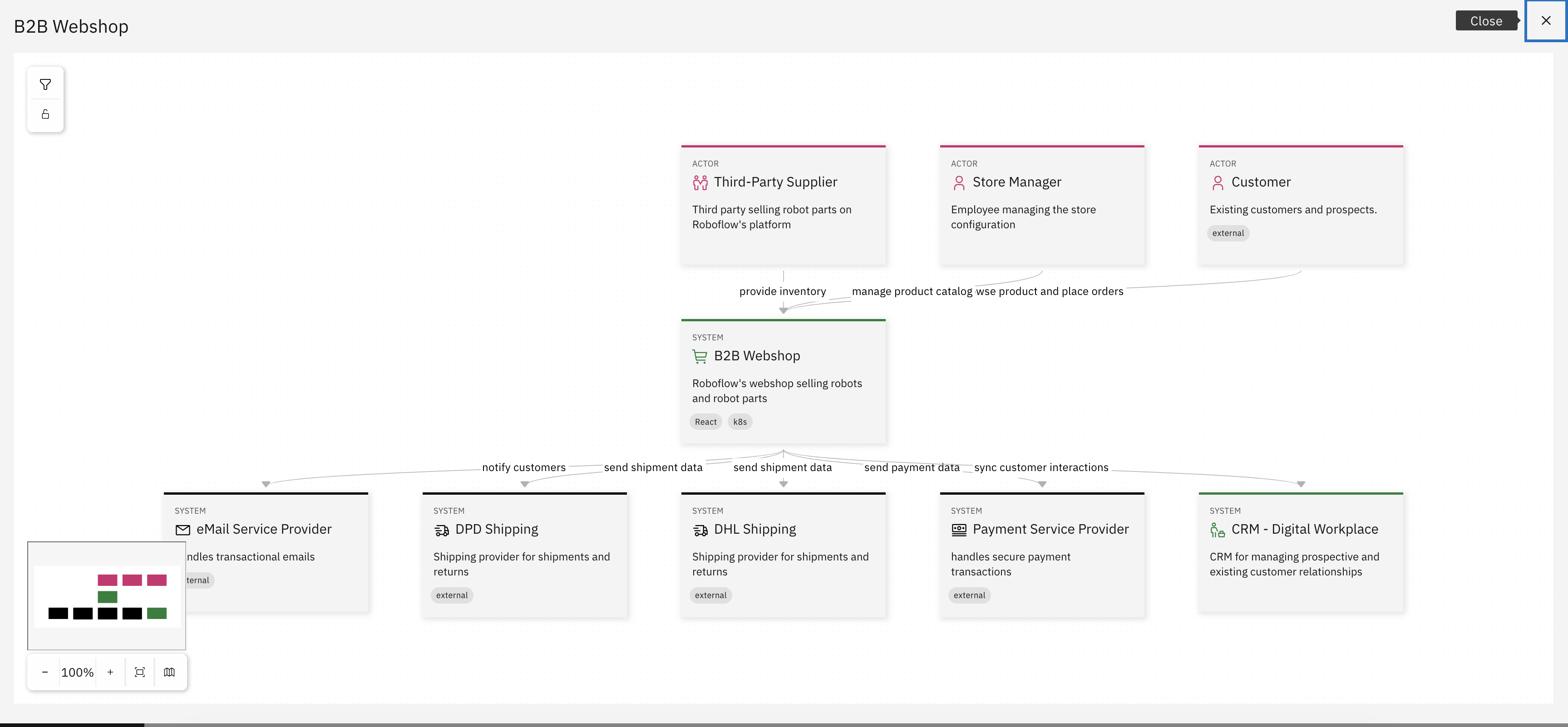
Observe the dependencies and flows connecting the B2B Webshop system to other systems and actors
Custom Fields
This section focuses on Custom Fields, a flexible feature in IBM DevOps Solution Workbench that allows you to define and attach your own specific information fields to various architecture elements within your project. You'll learn how to create these fields to capture unique details, classifications, or any other pertinent metadata that extends beyond the standard properties, thereby tailoring your architectural model to your precise needs and enhancing its informational depth. Custom fields can, for example, be used to indicate modernization phases to plan upcoming releases.
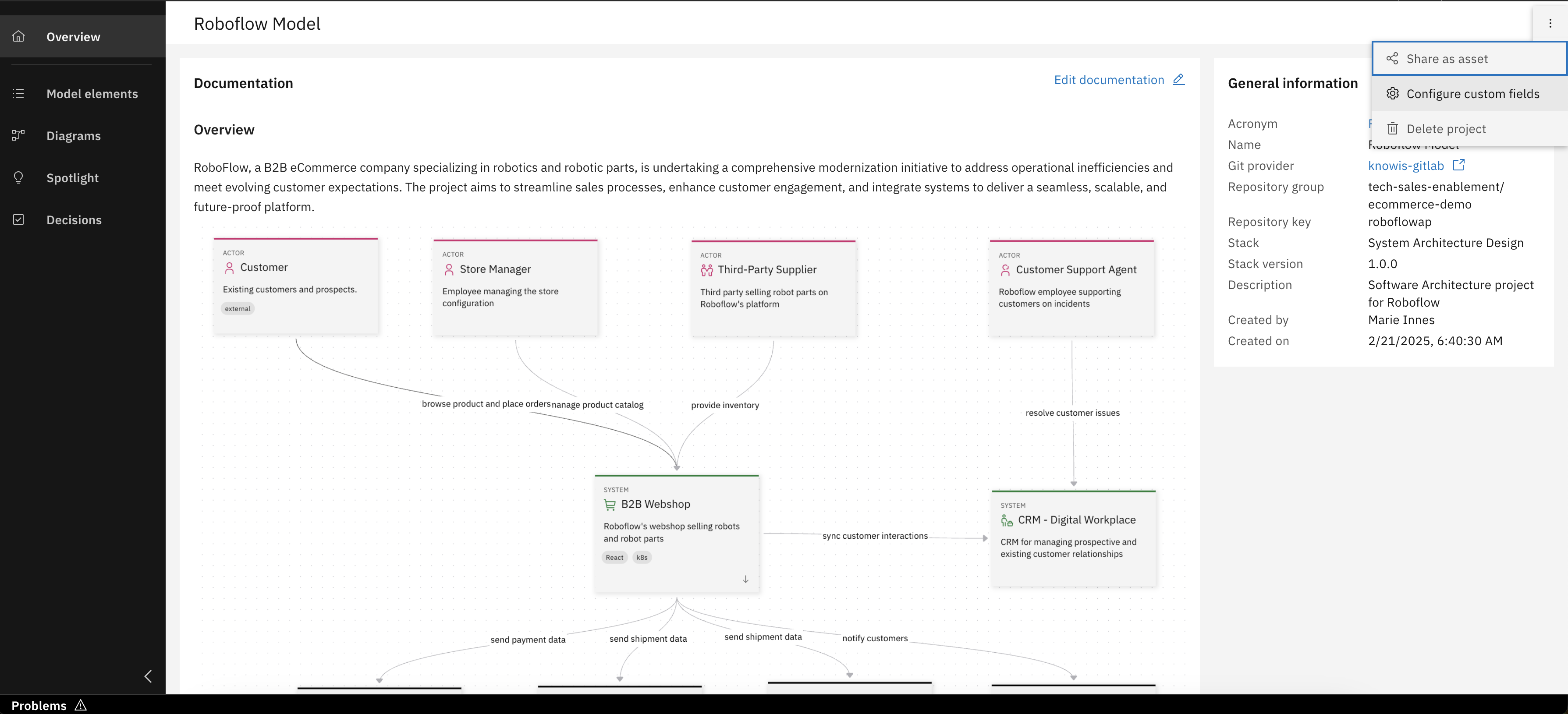
Click "Configure custom fields" from the project overview
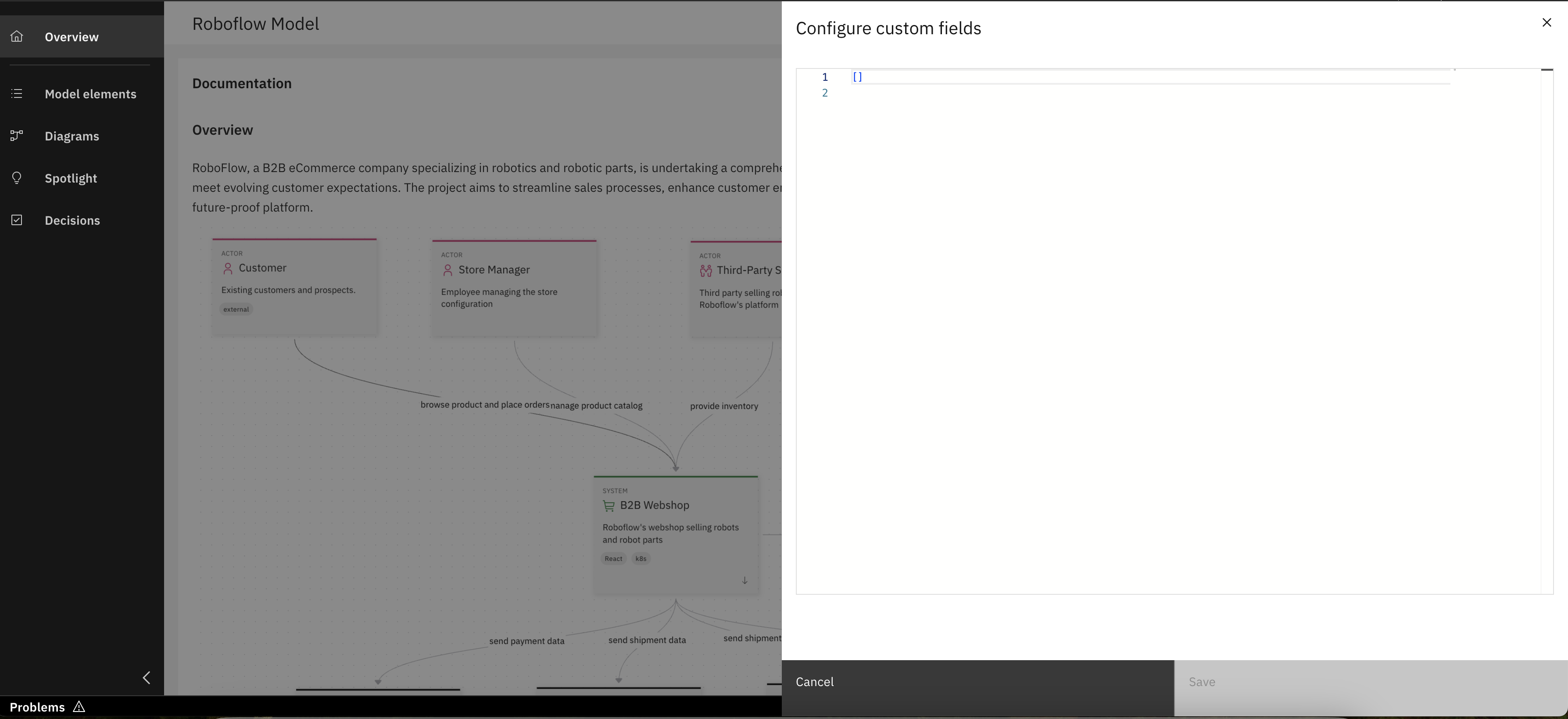
Custom fields panel is opened
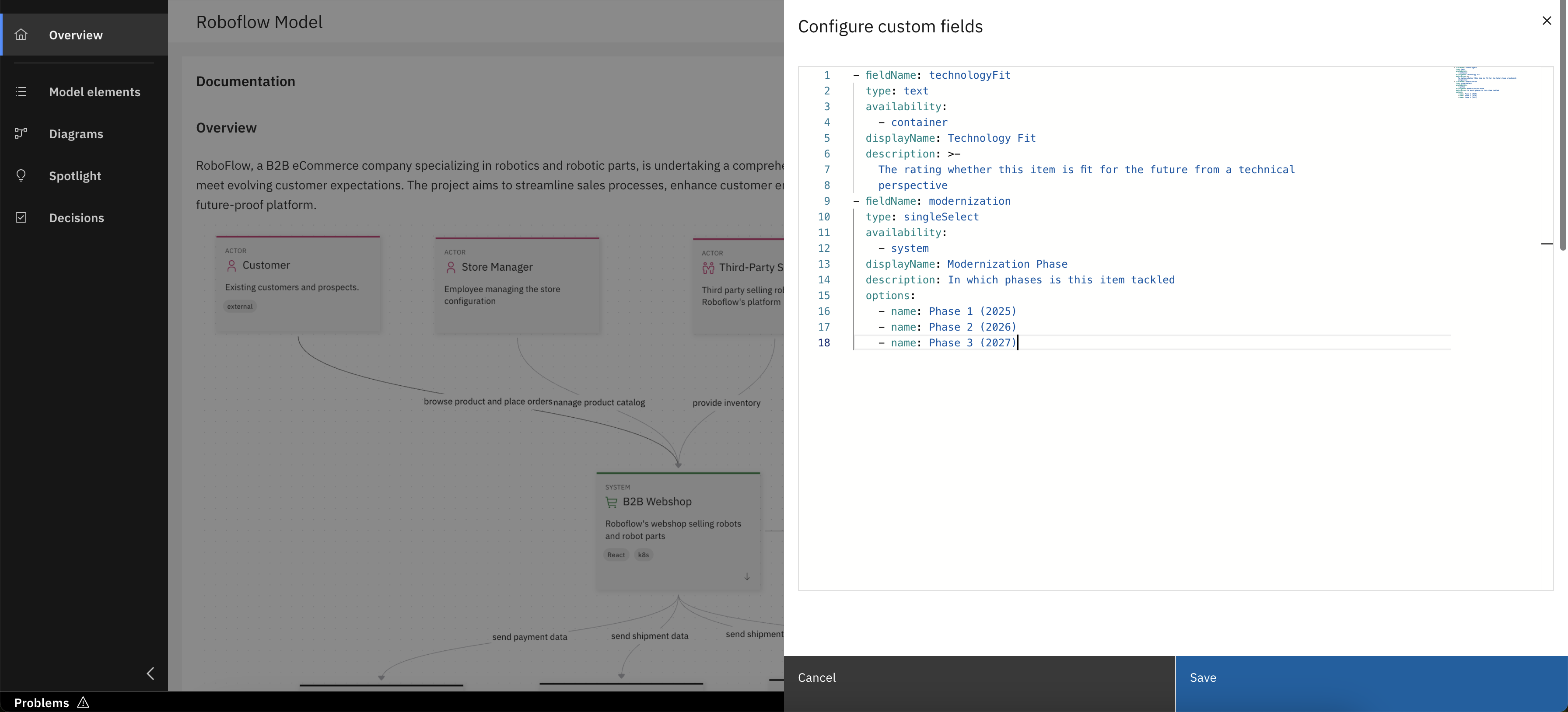
Add custom field definitions and click "Save"
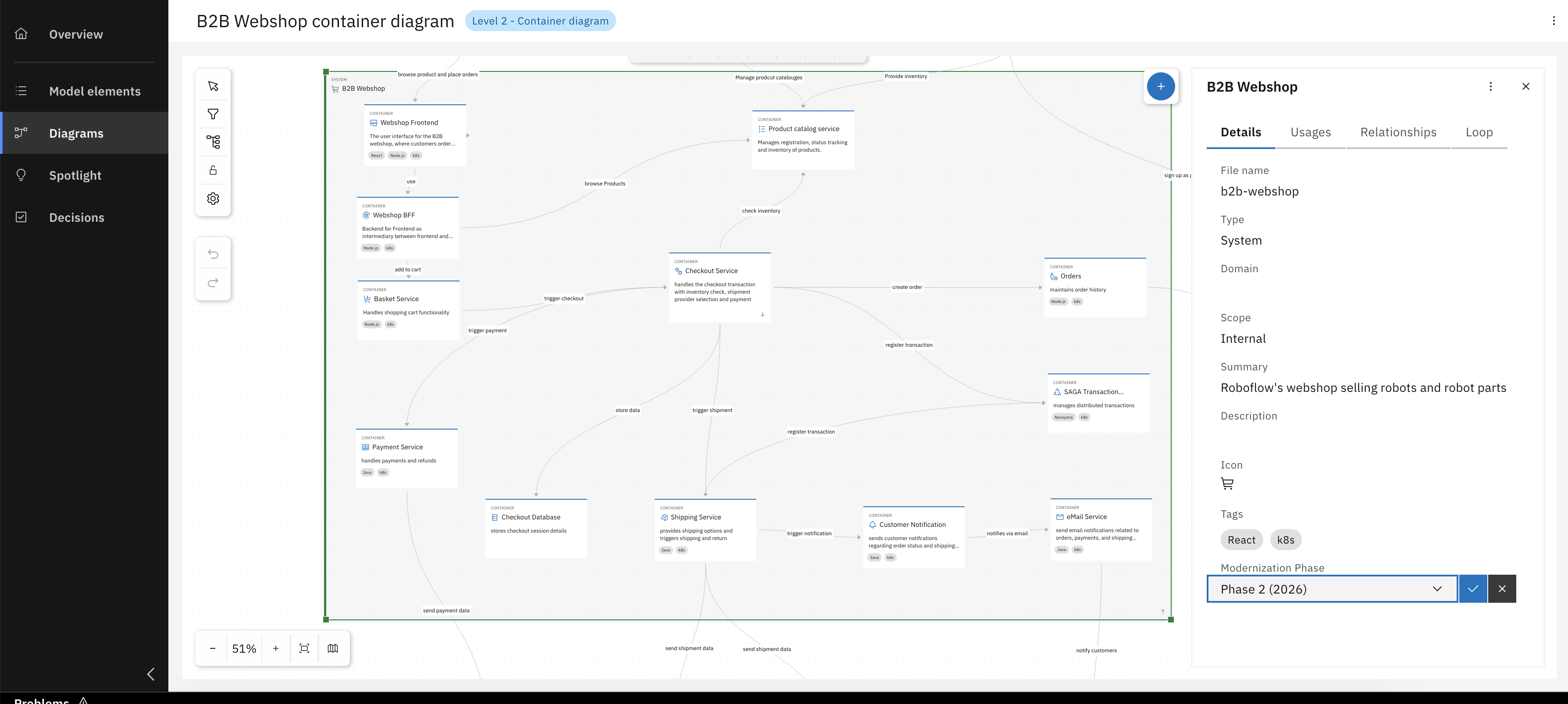
Now you can see new custom field avaliable for system elements
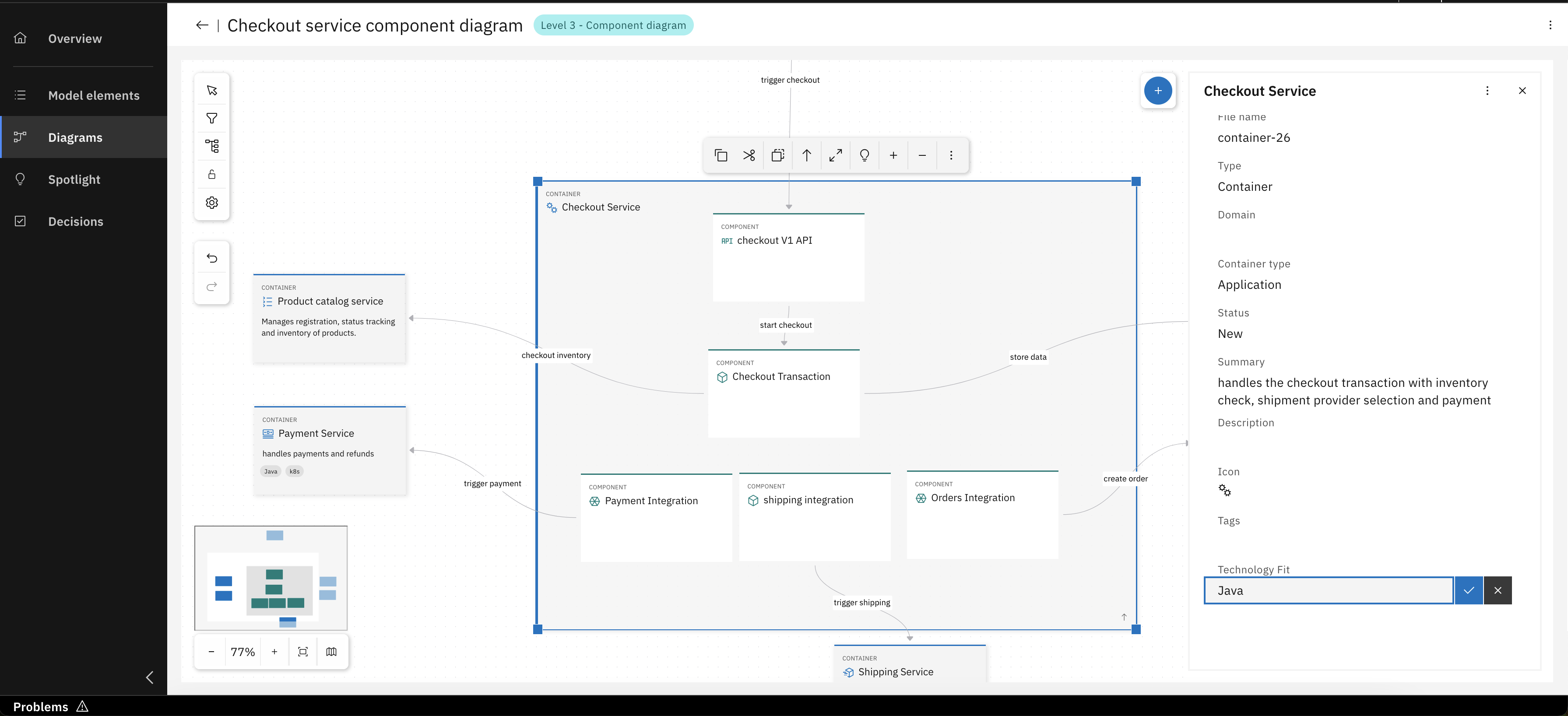
Also new custom field avaliable for container elements
For detailed information on custom fields, including their YAML format structure and supported data types, please see the Product Documentation - Custom fields.
Another way to define specific elements and fields is to create your own profile or customize an existing one. For more information, check out the Product Documentation - Customization and How-To: Create and edit custom OML Profiles.
Architecture Decisions
Now that you've learned how to enhance the visual clarity and presentation of your architectural diagrams using Spotlight and custom labels, this part shifts focus to another critical aspect: mastering the documentation and lifecycle of your architectural choices.
In this segment, you will learn to:
- Create and manage Architecture Decision Records (ADRs): Define their essential properties (like title, status, and summary) and understand how these Markdown-based decisions are stored and version-controlled within your project. We will illustrate this by capturing the decision-making process behind extending our order handling to support both customer and internal orders.
- Utilize the AI-powered ADR Sidekick: Efficiently draft and refine ADRs, and customize its behavior with your specific rules and contextual guidelines for consistent documentation.
- Customize the ADR template: Align your decision documentation in IBM DevOps Solution Workbench with specific project or organizational formatting and content requirements.
For a reminder on how Architectural Decisions and other design elements are interconnected using the 'Loop' feature (including linking decisions to other decisions, model elements, and external URLs), please revisit the relevant explanations.
Create and manage your ADRs
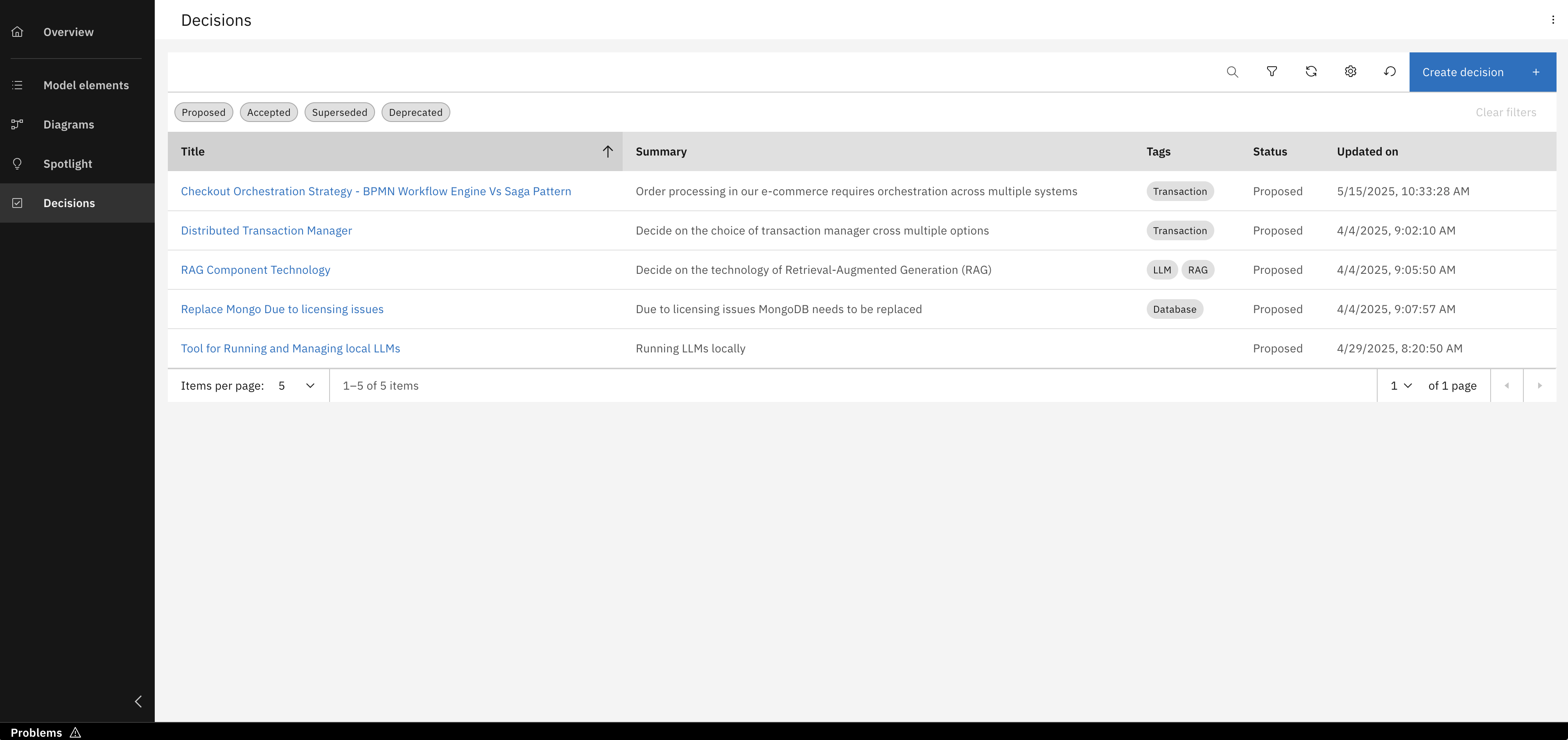
From the projects left navigation menu, click "Decisions" to open the ADR section
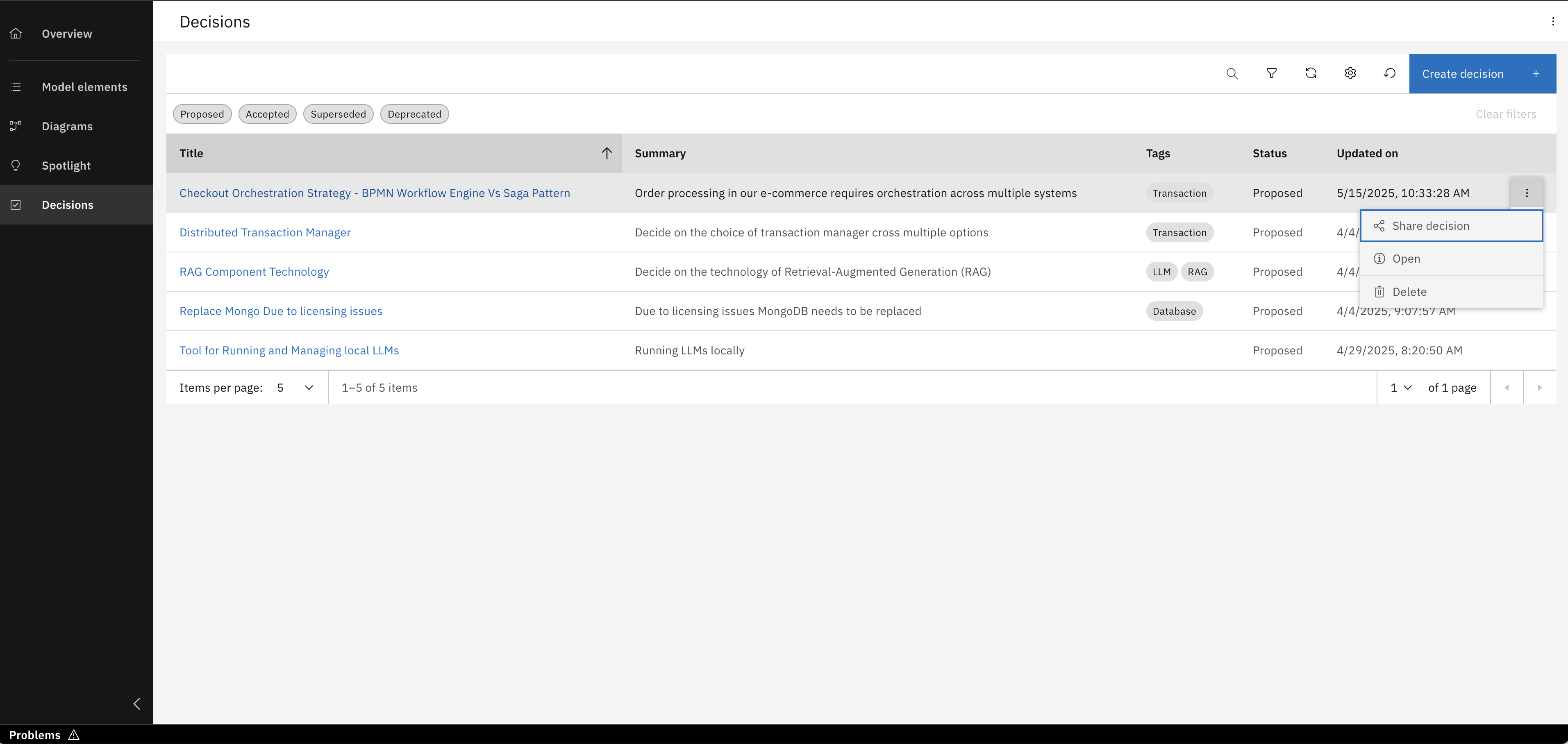
Select an existing decision to access options for sharing or deleting it
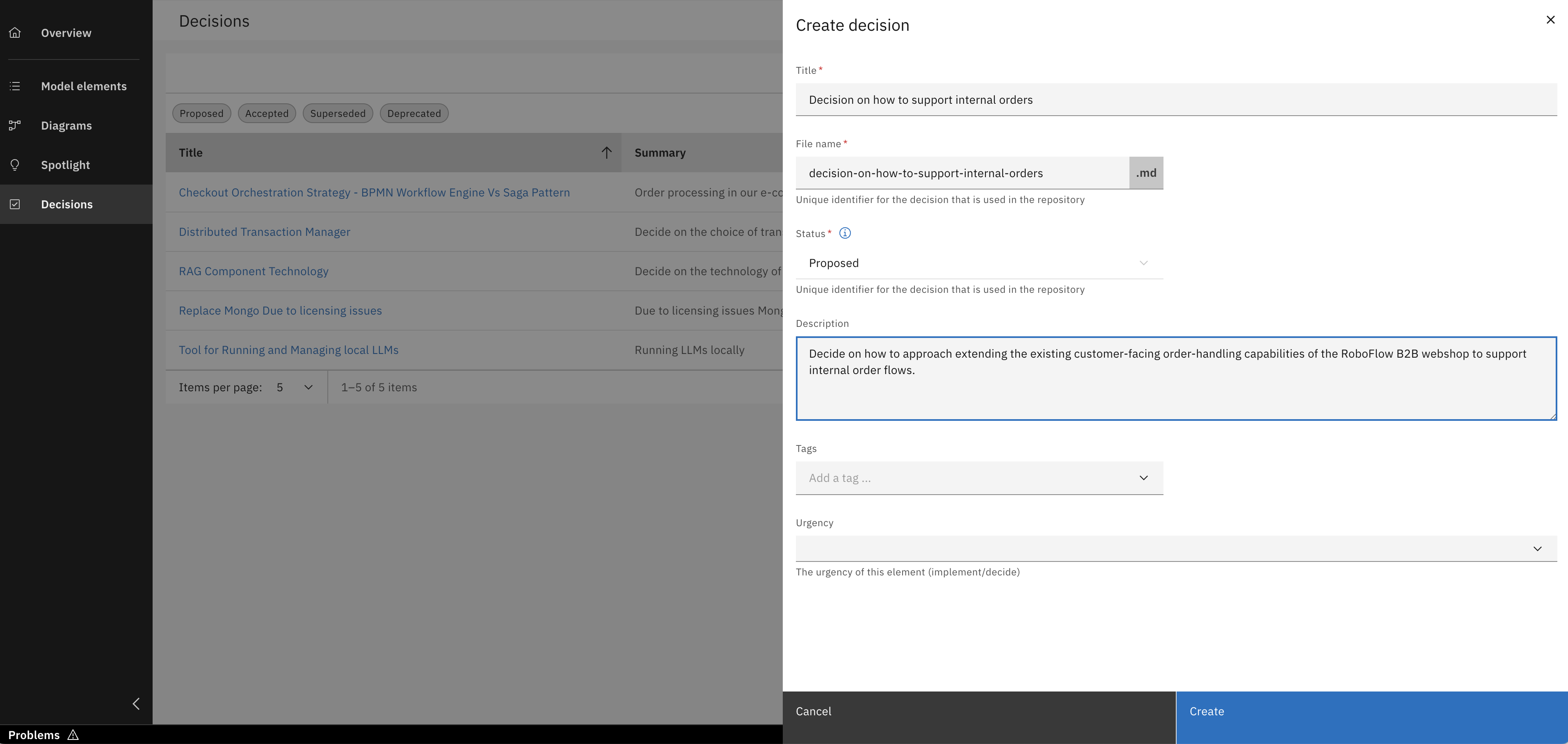
Click "Create decision" and fill the necessary details
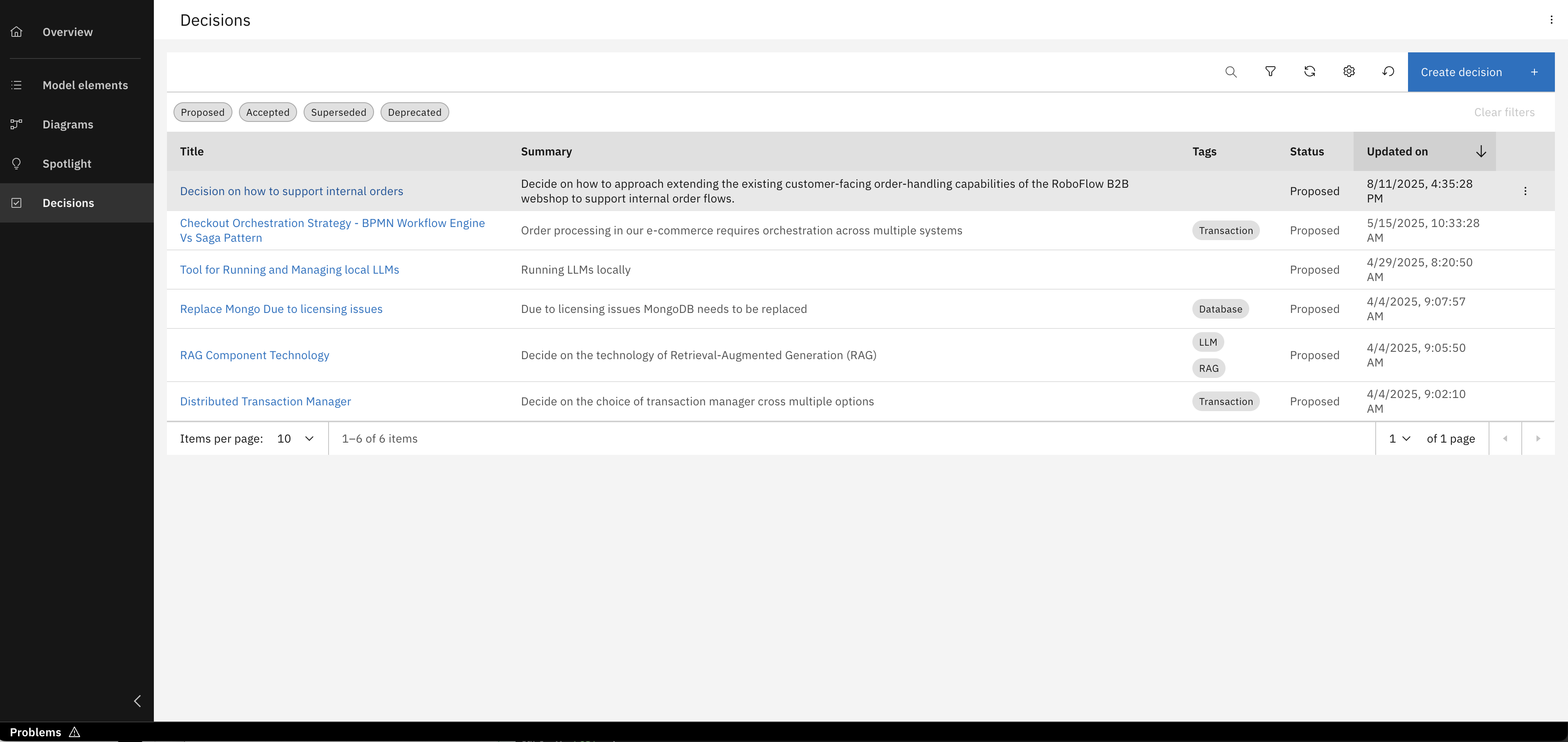
Your decision record has been successfully created. Open it now to start documenting the specifics of your decision
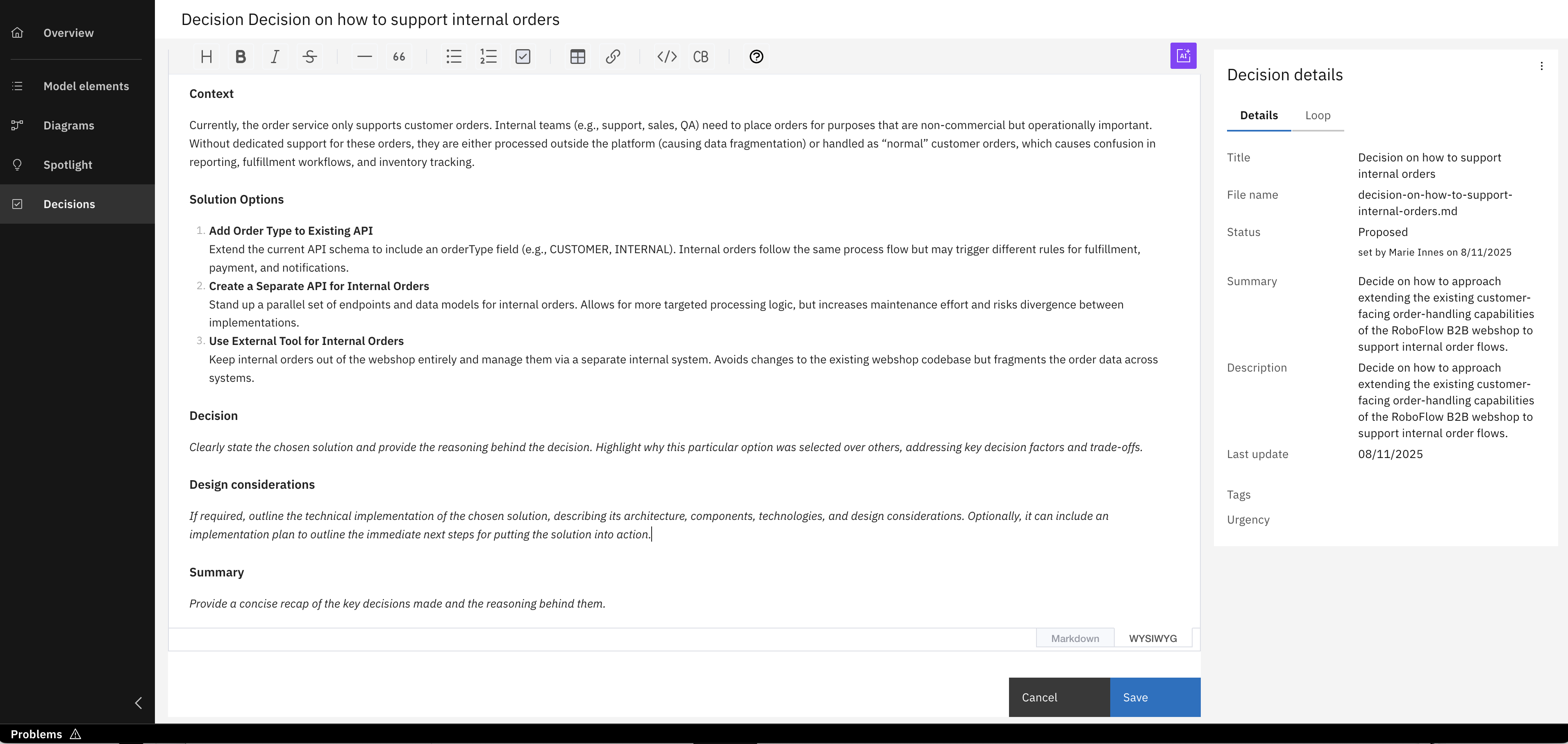
Open your newly created decision and begin documenting its details.
- It's important to understand that not only ADRs, but generally all architectural elements, designs, and decisions you create with IBM DevOps Solution Workbench are managed as files within your project's Git repository.
- This underlying Git-based approach provides robust version control across your entire project and allows all artifacts to be part of standard review and approval workflows.
- For a comprehensive guide on versioning strategies, branching, and effectively managing your overall project in Git, please refer to Unit 5: Advanced Project Management.
ADR Sidekick: AI-powered assistance
The ADR Sidekick in IBM DevOps Solution Workbench provides AI-powered assistance to help you efficiently structure and write your Architectural Decision Records (ADRs). When activated, it offers several ready prompts for key sections, including:
- Define the problem statement: Helps clarify the background and justification for the decision.
- Emphasize the significance of the topic: Assists in explaining why this decision is important and not routine.
- Define focus areas: Guides you in prioritizing key aspects for evaluating the decision.
- List relevant boundaries and constraints: Ensures technical, business, or organizational limitations are documented and respected.
If these prompts don't fully cover your needs, you can provide your own custom instructions. The Sidekick also tailors its suggestions based on your project's defined constraints and any configured organizational policies or writing guidelines, aiming for more relevant outputs. (As always, please review AI-generated content for accuracy and fit.)
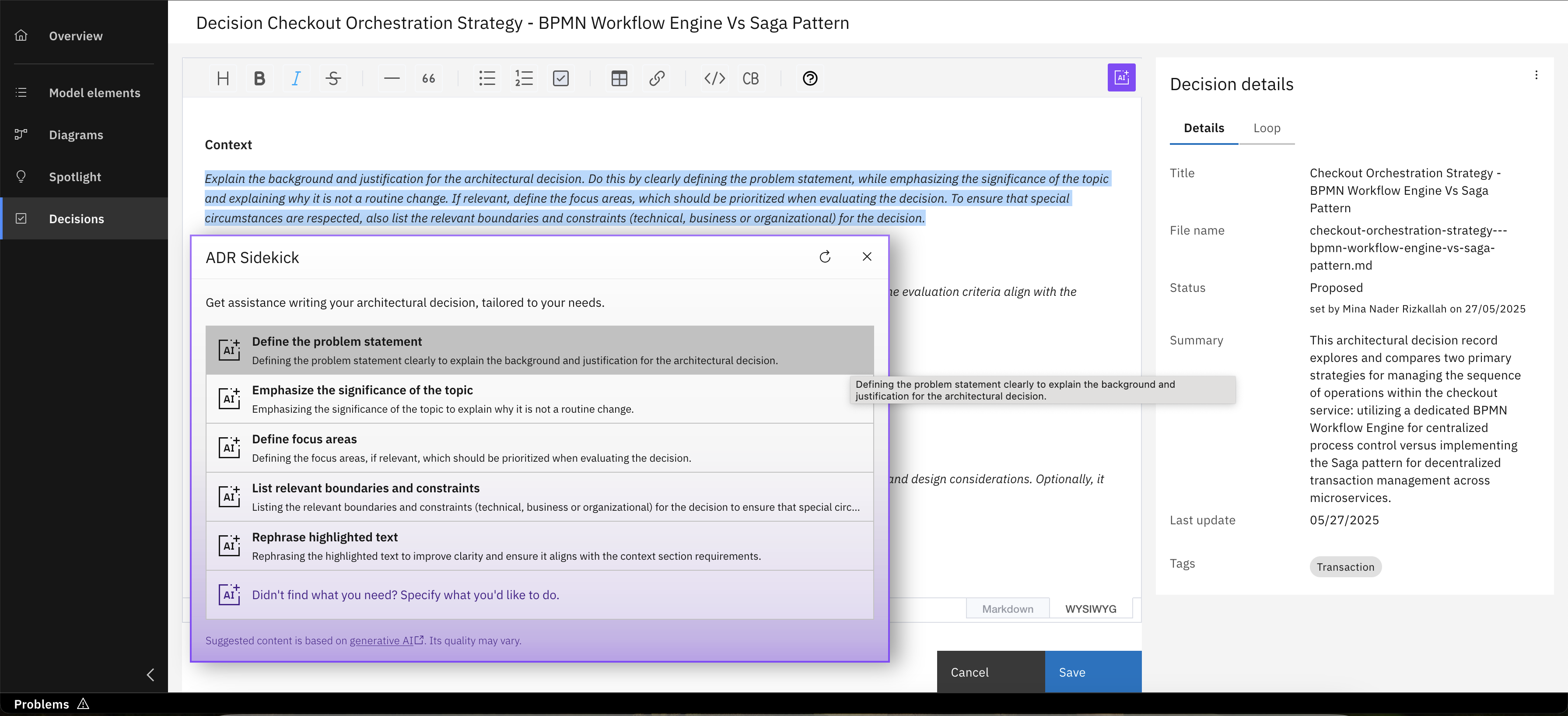
Highlight the desired text in your ADR, then launch the ADR Sidekick by clicking its button
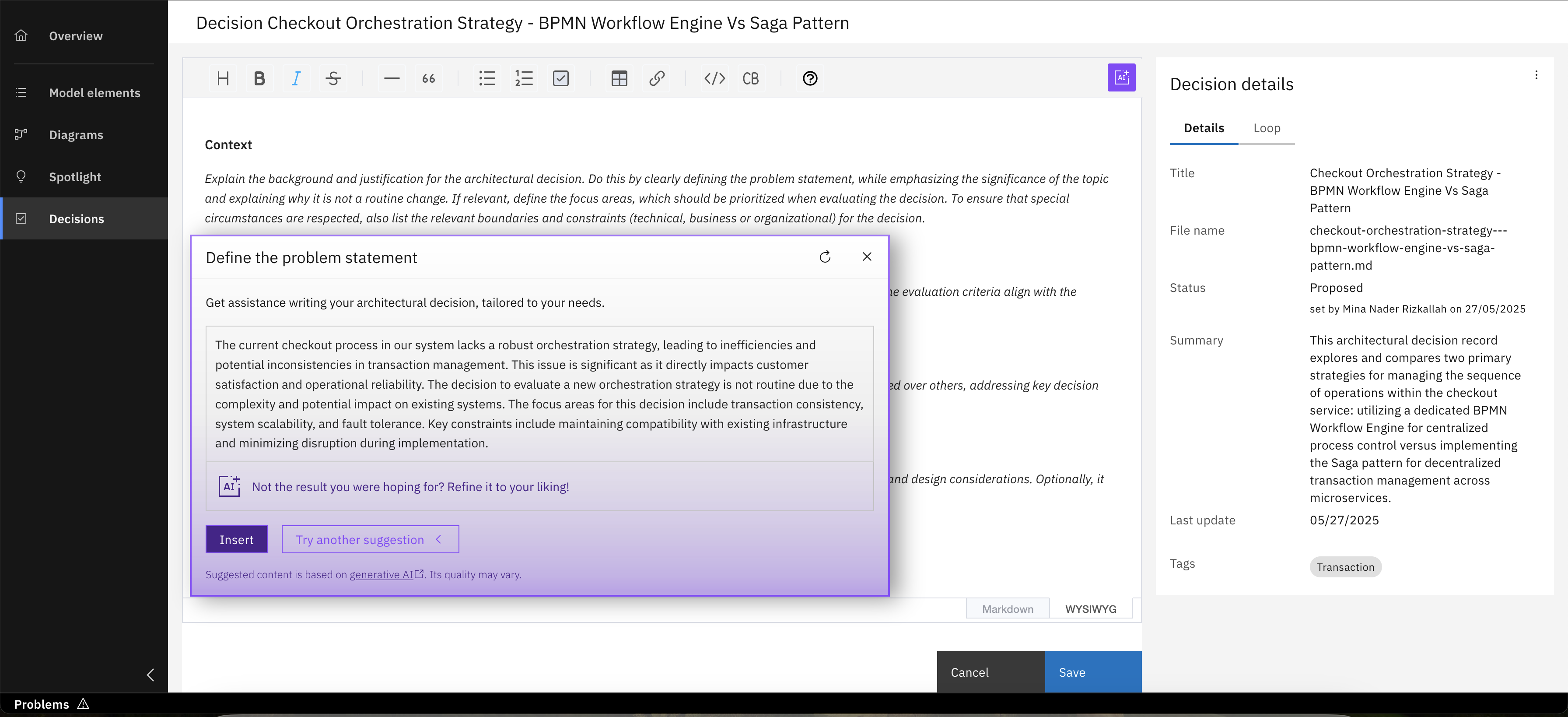
Review the ADR Sidekick's suggested problem statement, then click the 'Insert' button to accept and add it
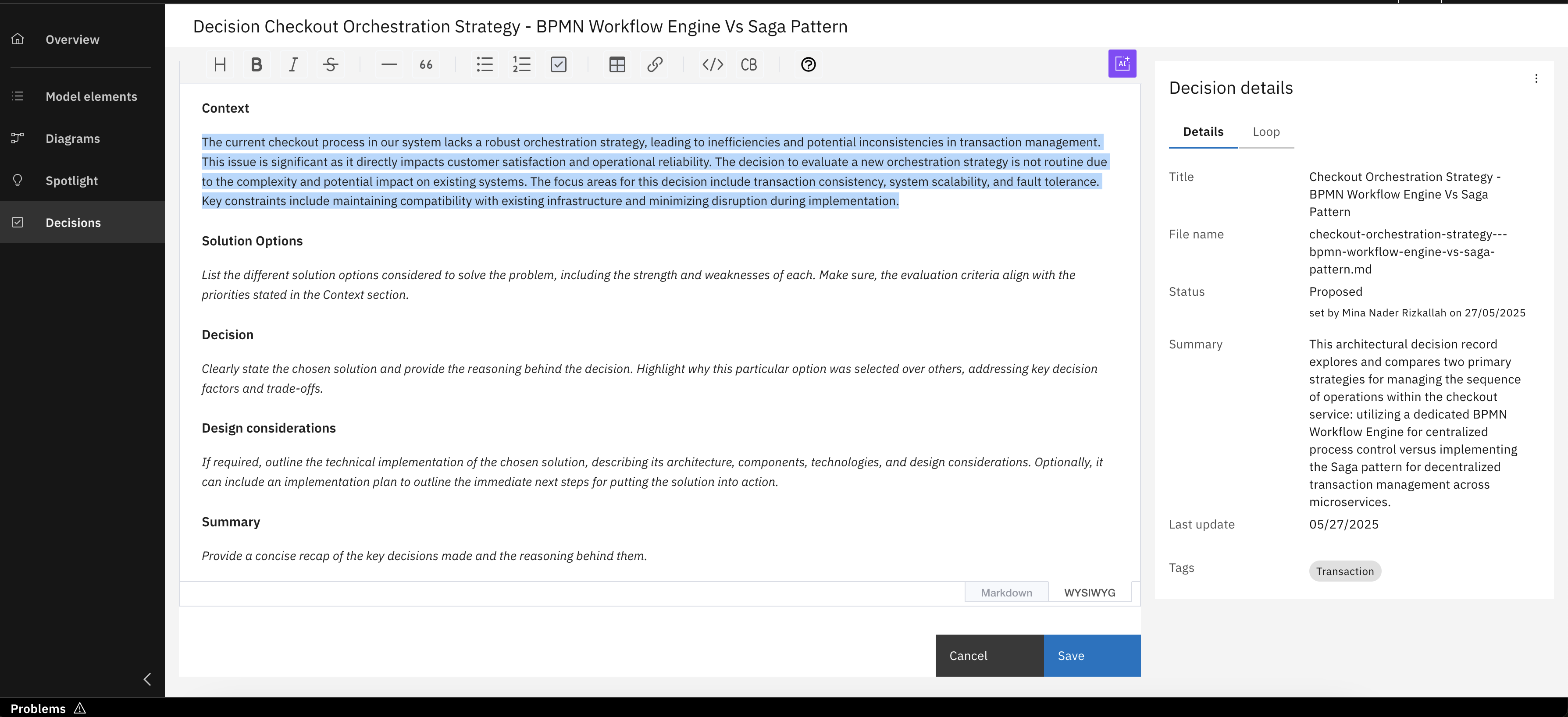
You've now added the ADR Sidekick's generated suggestion to your ADR
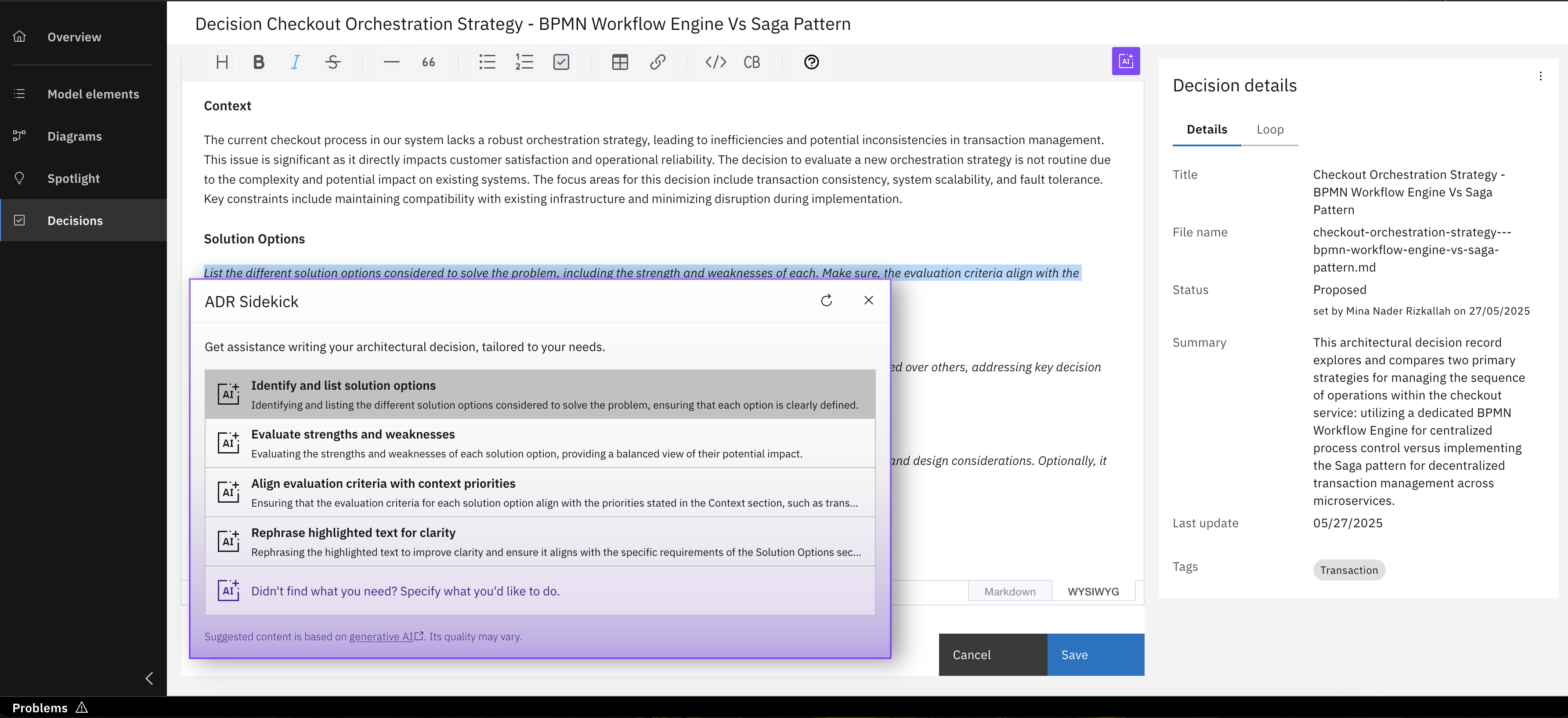
Sidekick can also help you explore different solution options for the architectural decision you're documenting, It uses existing context, like your ADR title, to generate these alternative approaches for consideration
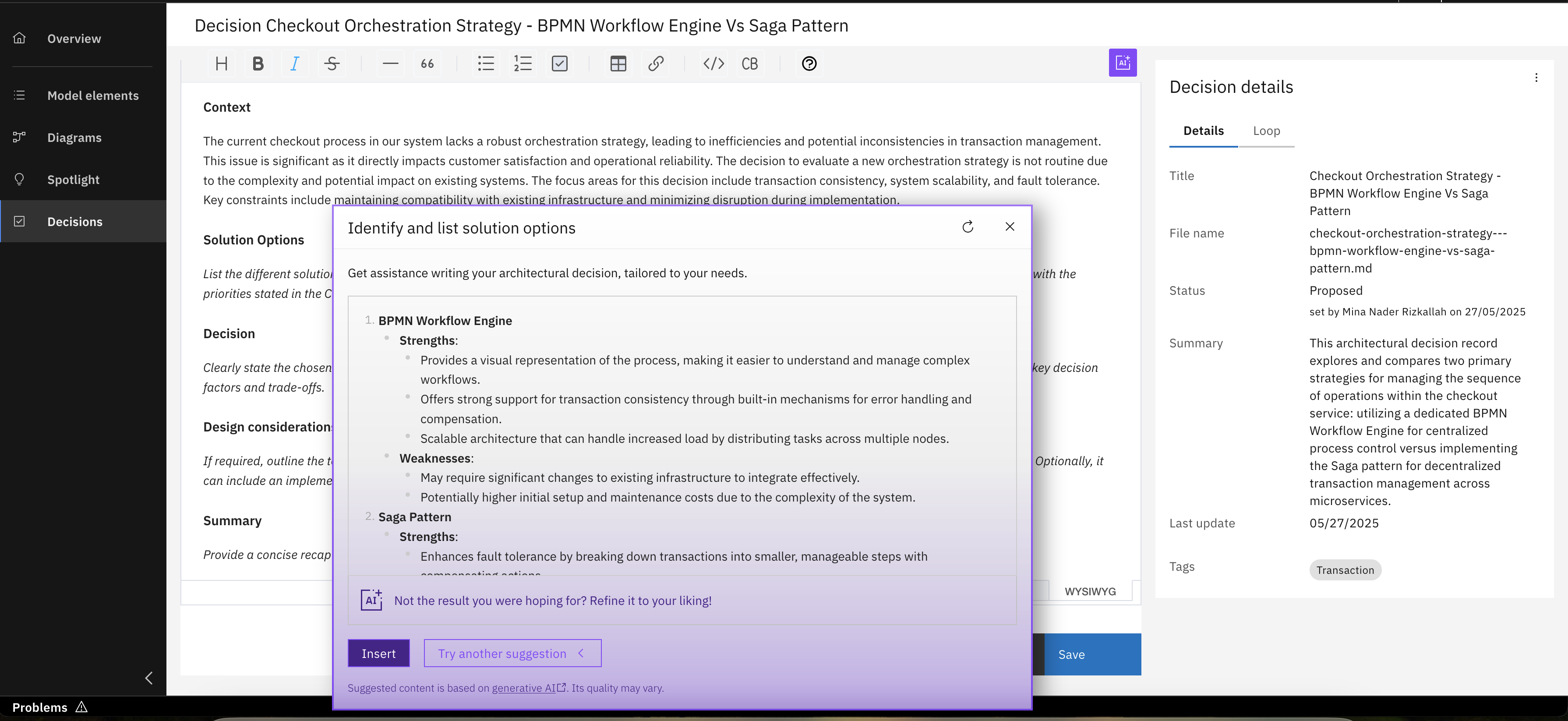
Review different options, insert or refine
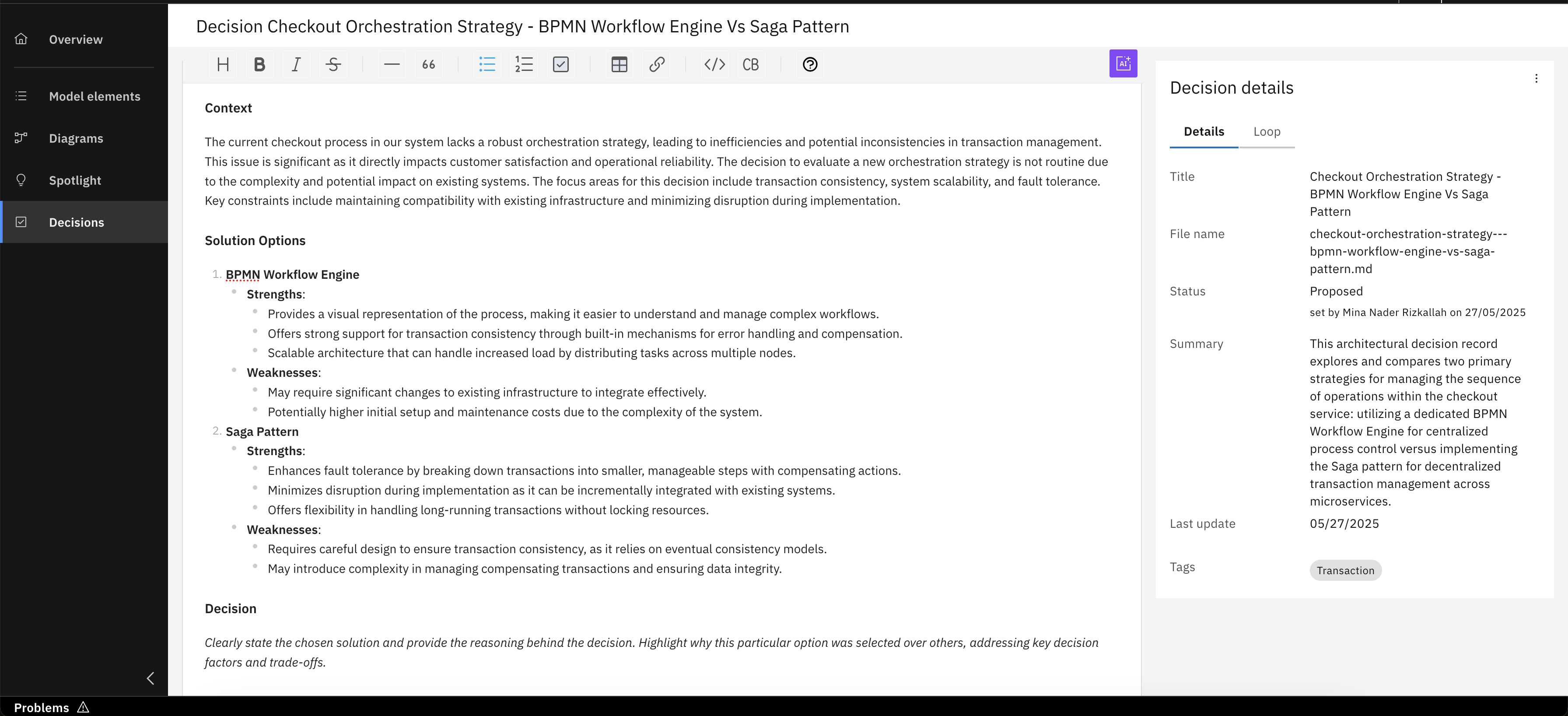
The ADR now details different solution options, each with its respective strengths and weaknesses clearly documented, facilitating a comprehensive comparison and informed decision-making
You've successfully explored key features to enhance architectural clarity through Spotlight and custom labels, and to effectively manage your design decisions with ADRs, AI assistance, and tailored templates!