Integrate Event Automation in the Workbench
Integrate IBM DevOps Solution Workbench with IBM Event Automation to enable event-driven processing and automated business decisions.
Description
This How-To demonstrates how to integrate IBM Event Automation with IBM DevOps Solution Workbench to create powerful event-driven applications. Rather than focusing on technical installation, this guide explores the functional integration using a practical example based on a Customer Relationship Management scenario.
By combining these platforms, you can create systems that detect complex event patterns, automate business decisions, and trigger appropriate responses. The example demonstrates how to detect suspicious customer orders by correlating login locations with order placement locations - a common fraud detection pattern.
Preconditions
- IBM Event Automation: Access to an IBM Event Automation environment
- Kafka Setup: Properly configured Kafka topics accessible by both platforms
- IBM DevOps Solution Workbench Services: Working services that can emit and consume events
Step-by-Step Guide
1. Understand the Integration Architecture
The integration follows this high-level workflow:
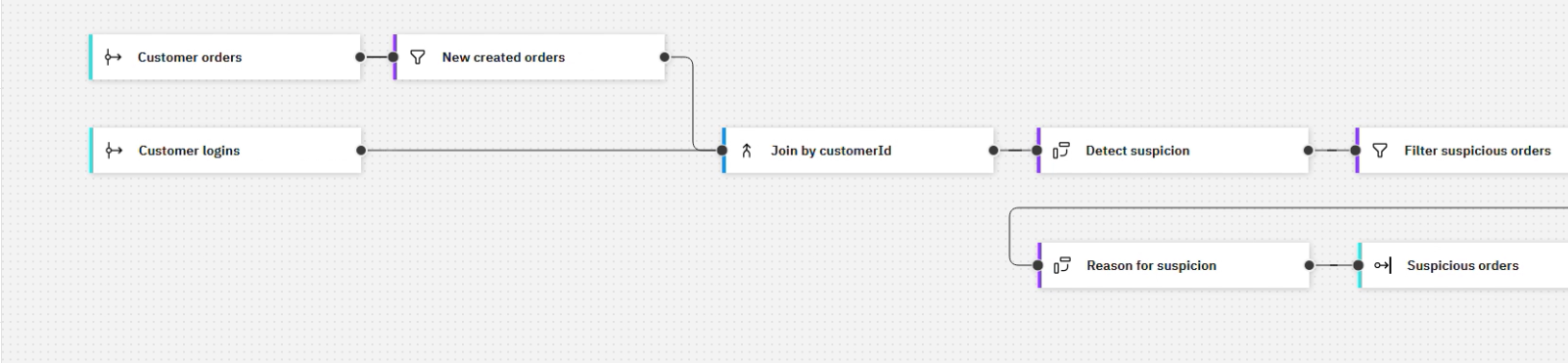
1.1. Event Flow:
- Services emit events to Kafka topics
- IBM Event Automation processes these events
- Based on defined rules, IBM Event Automation emits new events
- IBM DevOps Solution Workbench services consume these events and take action
1.2.Use Case Example:
- Detect suspicious orders when a customer places an order from a different country than their login location
2. Configure Event-Emitting Services
2.1. Customer Orders Service:
- Implement event emission for order lifecycle events
- Ensure events include:
- Customer ID
- Order details
- Country code of order placement
- Timestamp
2.2. Login Service:
- Implement event emission for customer login events
- Ensure events include:
- Customer ID
- Country code of login location
- Timestamp
2.3. Event Format:
- Use consistent formats for events
- Include all necessary information for correlation
- Ensure compatibility with IBM Event Automation
3. Configure IBM Event Automation Flow
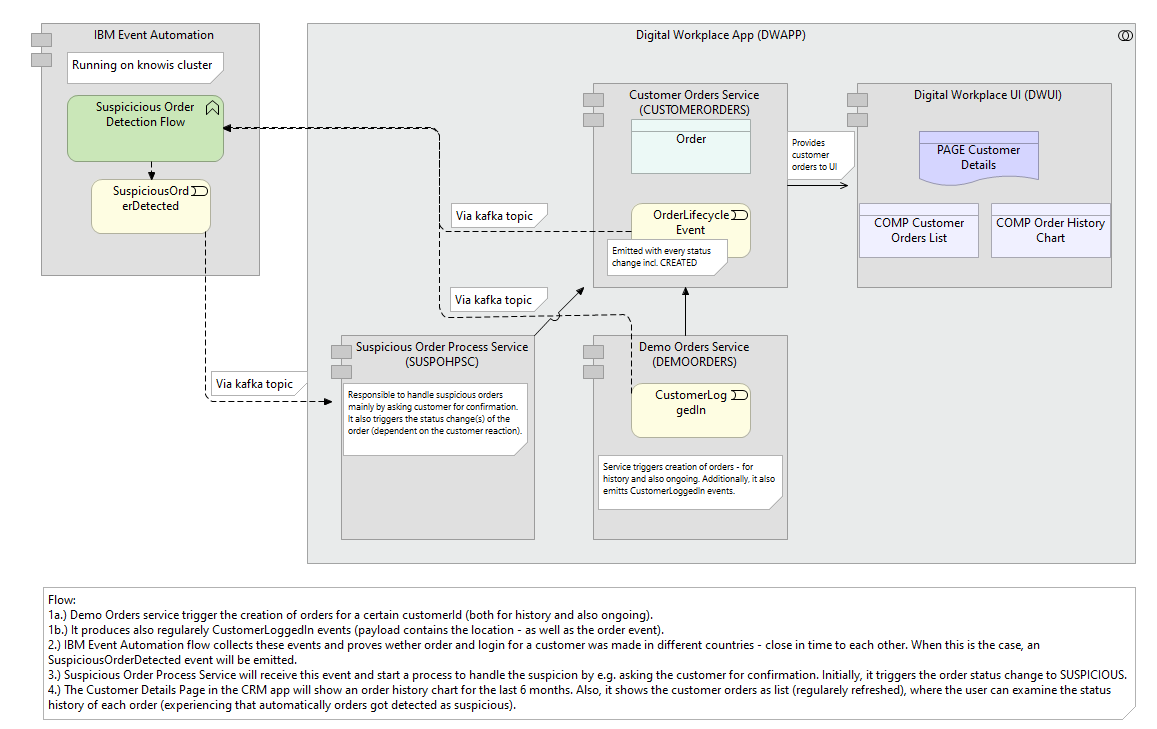
3.1. Create Event Flow:
- Set up input nodes for both event types
- Configure event filtering to process only new orders
- Set up a join node to correlate events by customer ID
- Define the time window for correlation (how close in time login and order must be)
3.2. Define Detection Logic:
- Compare country codes from both events
- Filter out orders where countries match
- Add contextual information (reason for suspicion)
3.3. Configure Output:
- Create "Suspicious order detected" event
- Define format with all necessary details
- Configure output to proper Kafka topic
4. Implement Event Consumers in IBM DevOps Solution Workbench
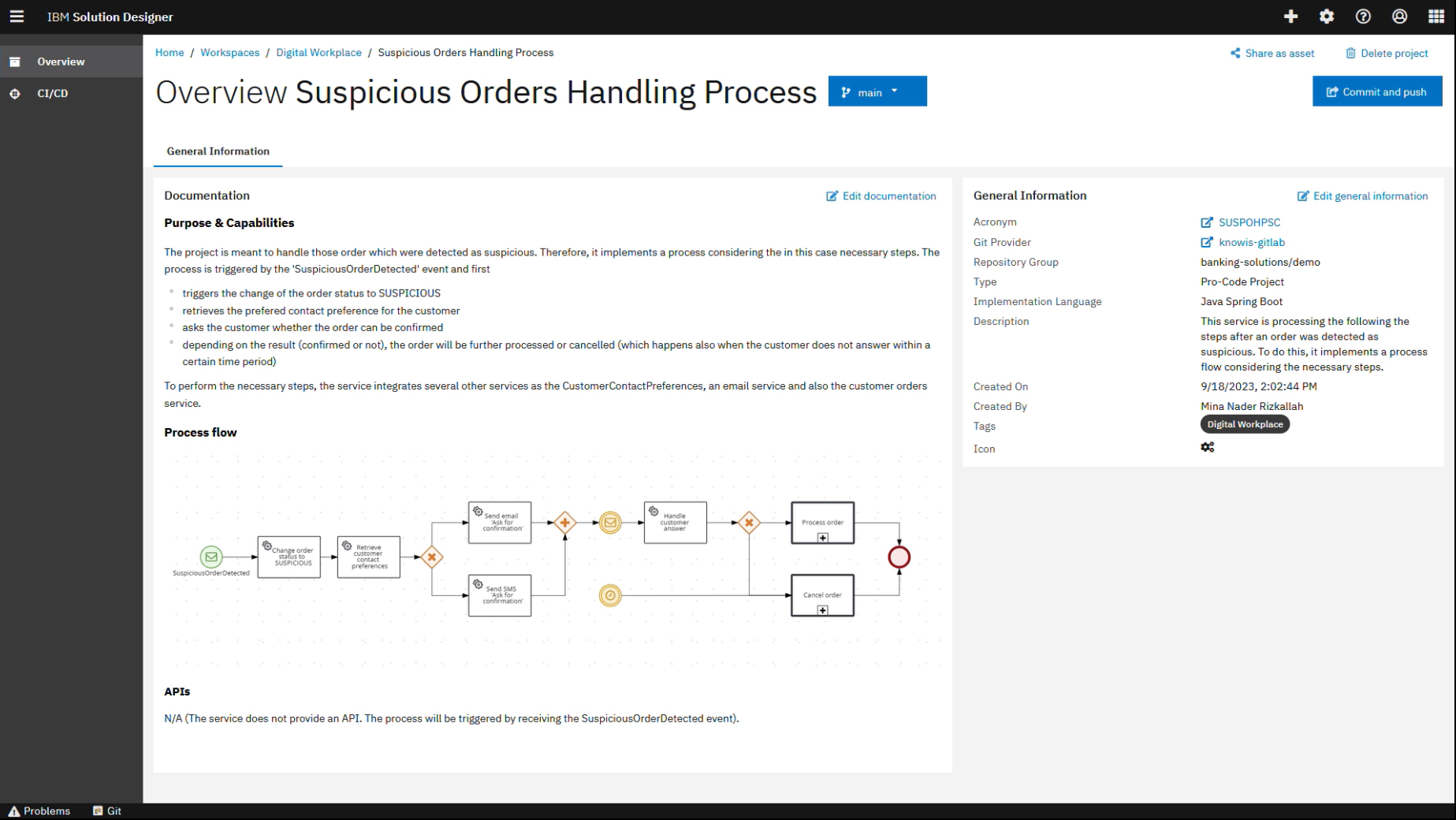
4.1. Create Event Handling Service:
- Implement a Suspicious Order Handling Process service
- Configure it to listen to the Kafka topic with suspicious order events
4.2. Implement Business Logic:
- Update order status to "SUSPICIOUS"
- Trigger verification workflows
- Send notifications if needed
4.3. Agent Implementation:
- Create an event-reactive agent
- Process incoming suspicious order events
- Execute appropriate business logic
5. Visualize Results in the User Interface
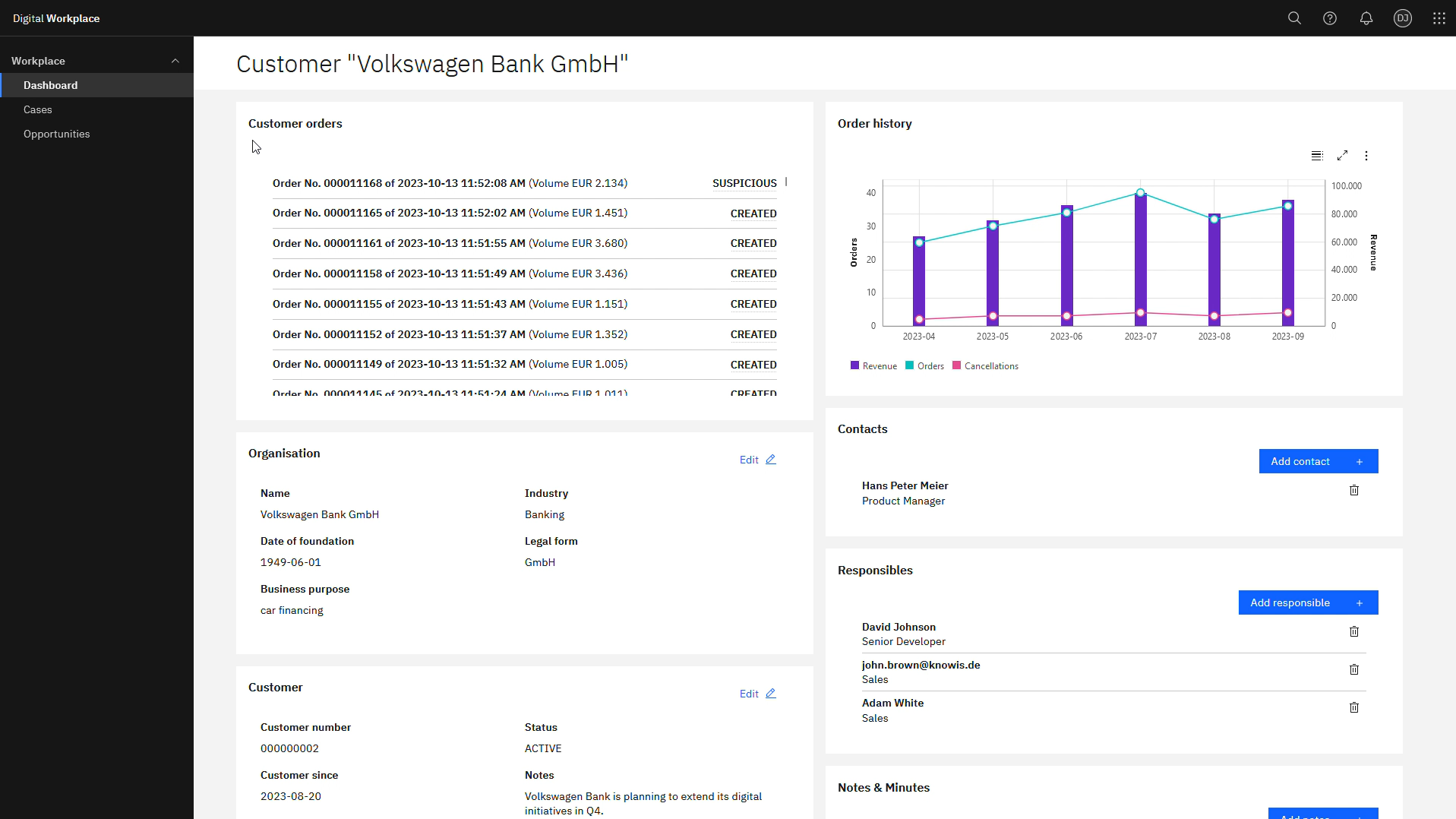
5.1. Update UI Components:
- Display order status information
- Show status change history
- Highlight suspicious orders
5.2. Implement User Actions:
- Allow order verification
- Enable status updates based on verification results
It is important that both IBM Event Automation and IBM DevOps Solution Workbench services use the same Kafka topics for event exchange. Ensure proper topic configuration and access permissions.
Demonstration
The following video demonstrates the complete integration in action:
Conclusion
Congratulations! You have successfully integrated IBM DevOps Solution Workbench with IBM Event Automation. This integration enables sophisticated event processing, complex pattern detection, and automated business decision making across your microservices landscape.