Enable CORS in the Workbench
Your web browser is designed to by default disable Cross Origin Resource Sharing (CORS) which allows sharing data across different origins ; i.e. the combination of scheme, domain and port. There are some situations where you will need to enable CORS and this can be done across a whole project (Deployment target), for a certain service or for a component in your composed application.
Description
CORS is a HTTP header-based protocol that enables resource sharing between different origins. This How-To will guide you through the steps to enable CORS across your project, service, or component.
Please note that the links to the workbench tools in this tutorial only apply to the IBM Education Environment we provide. If you are using a different environment, e.g. your own installation, you will need to navigate directly to the required tools.
Precondition
- You have modelled your services and successfully run your deployment pipeline at least once.
Please take care that enabling CORS according to the following steps will lead to a header "Access-Control-Allow-Origin: *" which will mean that the resource can be called from any origin.
Steps
- Open the Environment page.
Environment is the top-level layer of the IBM DevOps Solution Workbench, which is built on top of Red Hat OpenShift. It provides overviews and managing capabilities around deployed services and applications.
- Take a look at the table k5-projects. This is the place where all connected OpenShift projects are listed. You can find your deployment target in the list.
- Click on the link to open your deployment target.
Now, that you have your deployment target open, you can enable CORS across the whole project or for a certain service as follows.
Enable CORS across your project
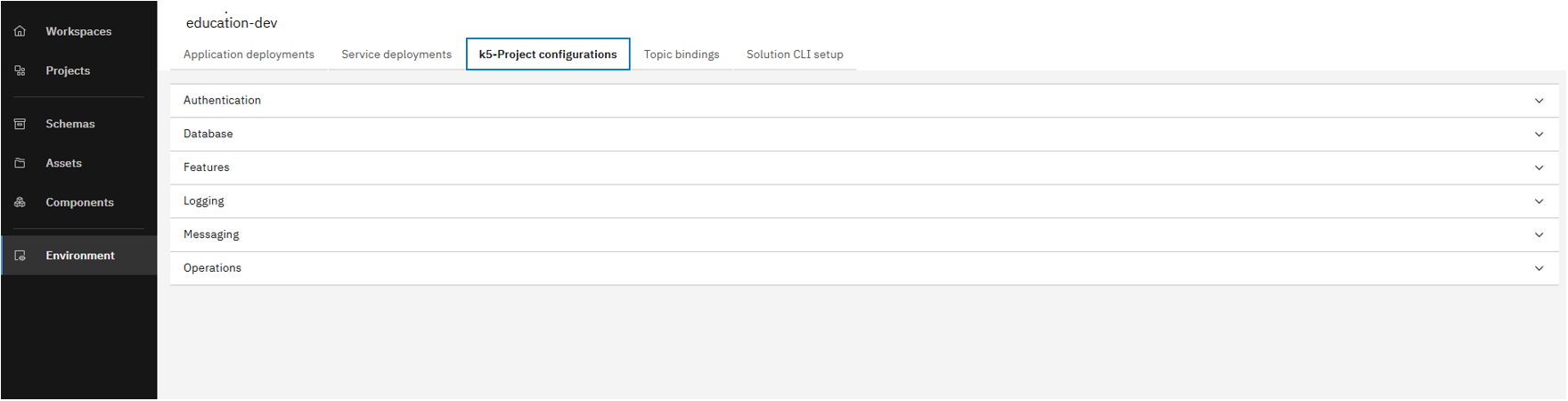
Click on k5-project Configurations tab
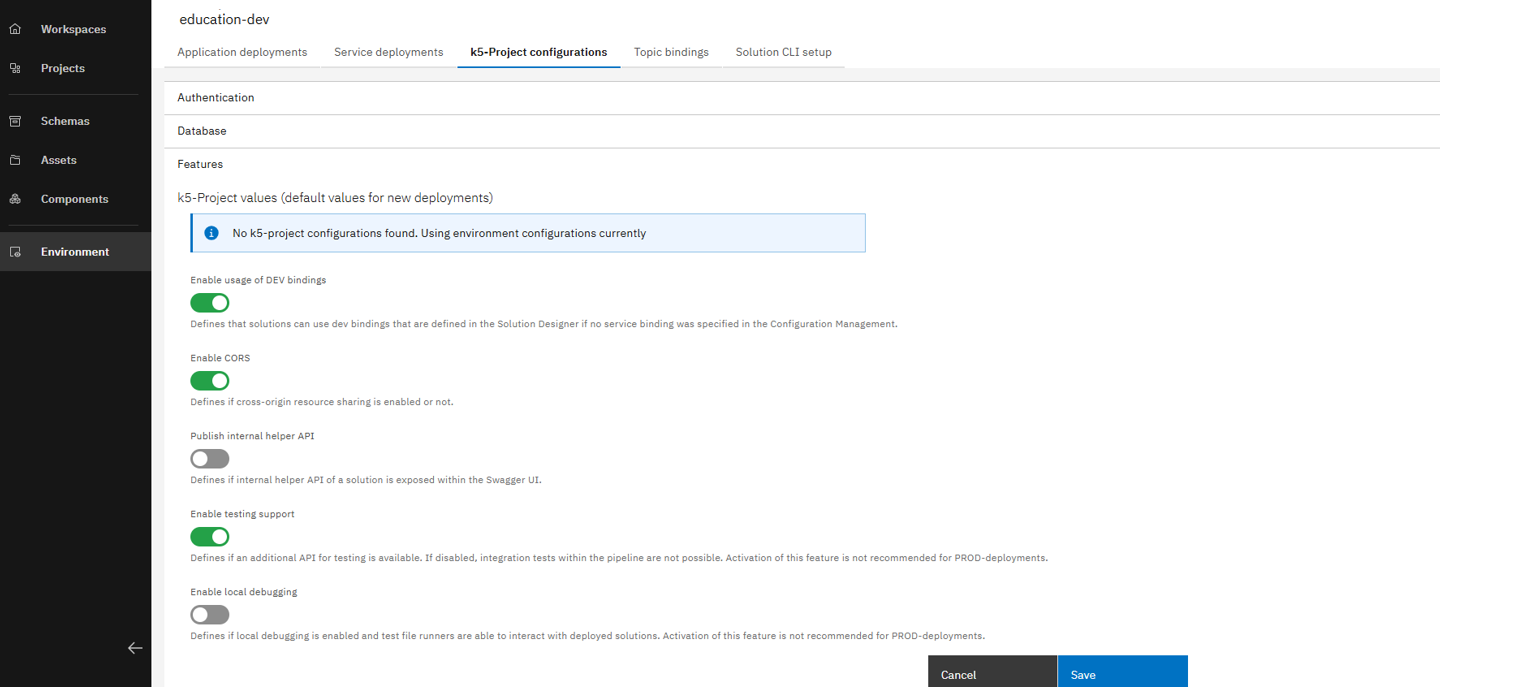
In the Features dropdown, click on the toggle option to Enable CORS and then click on the Save button
Enable CORS for a certain service
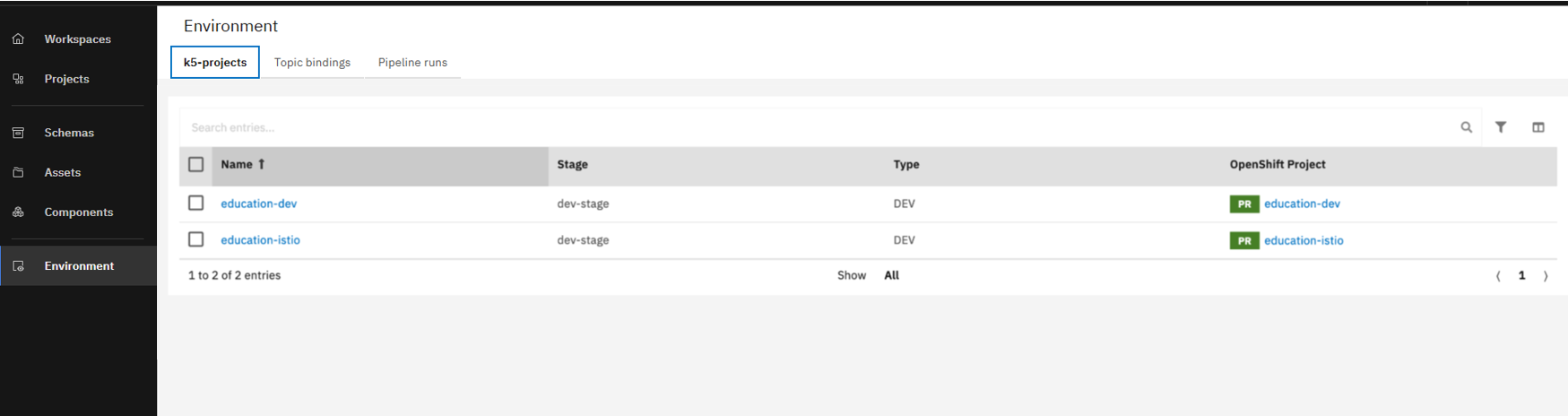
Click on the link to open your deployment target and then click on Service Deployments tab
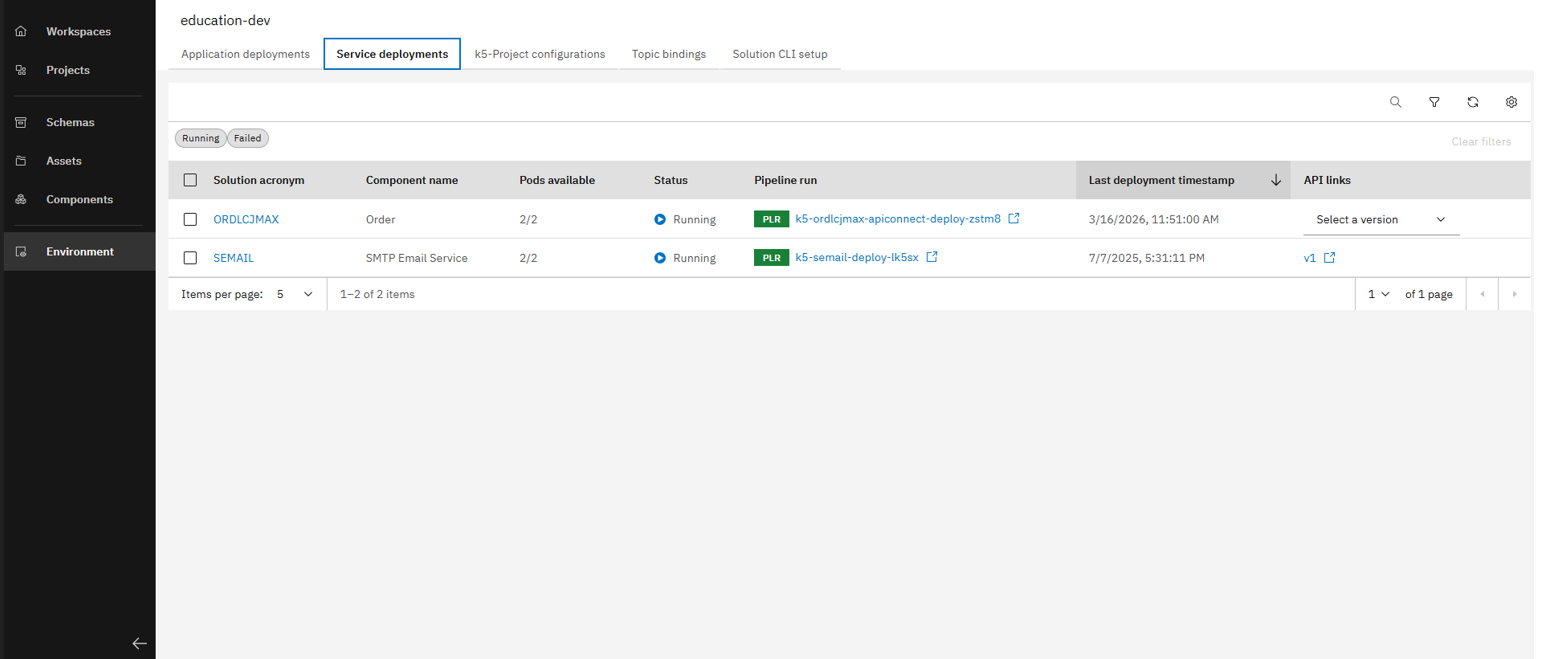
Select the service you want to enable CORS
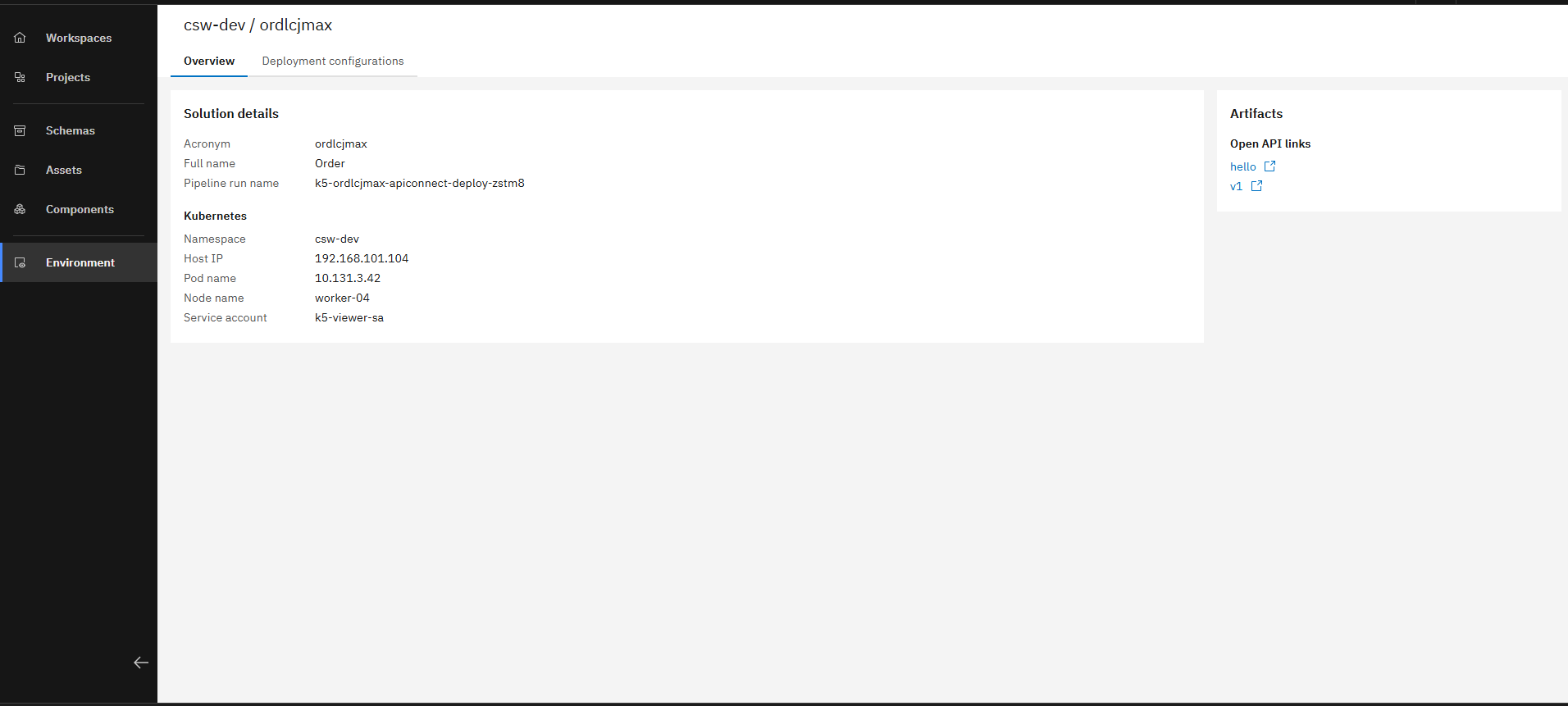
Click on the Deployment Configurations
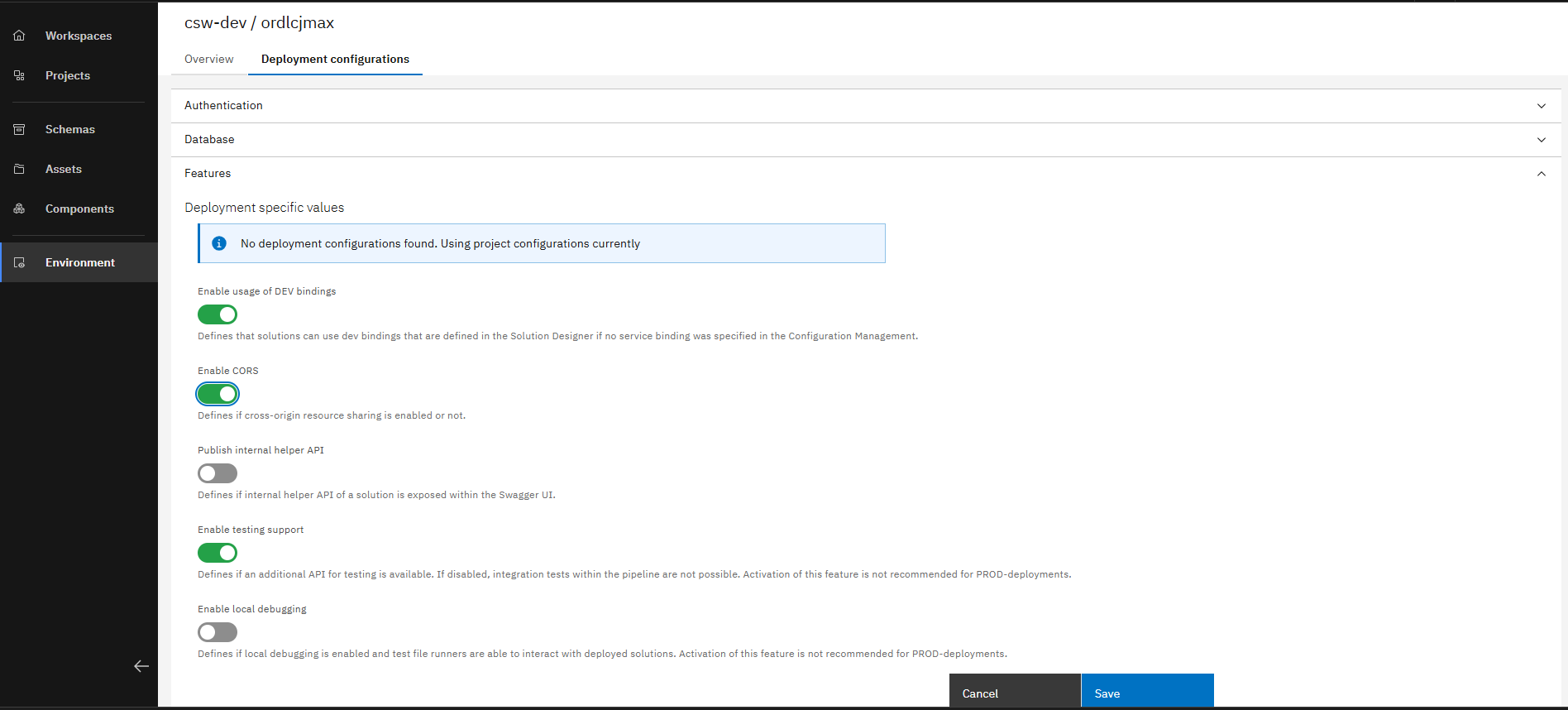
In the Features dropdown, click on the toggle option to Enable CORS and then click on the Save button
Enable CORS in a component within your application composition project
To enable CORS within a certain component, you need to do the following steps
- Open the Solution Designer.
- Navigate to your application composition project
- From the left sidebar, click on Composition.
- Now, you will see all the components within your application. Select the component you want to enable CORS for.
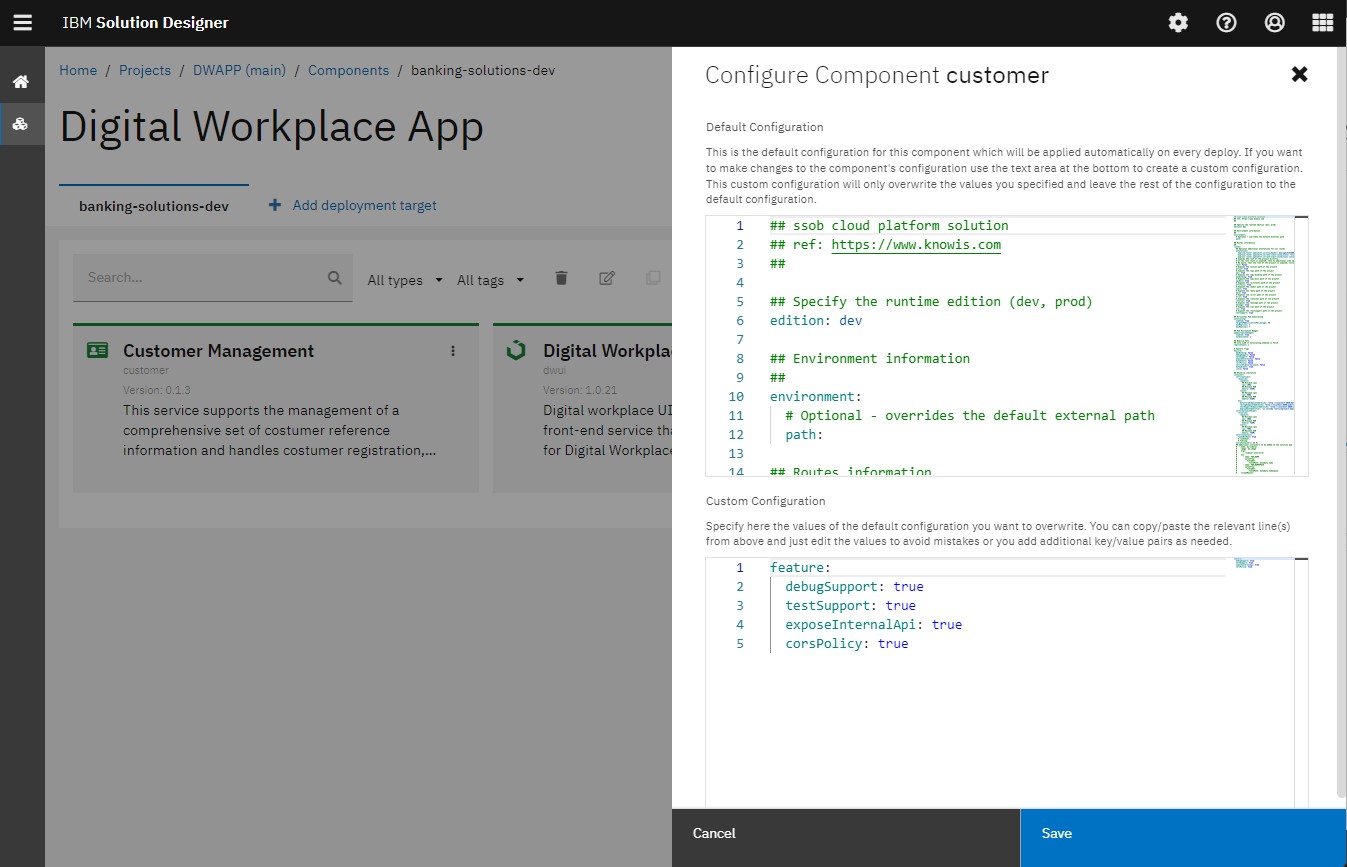
- Open the action "Configure Component" of the selected component and find the features configuration in the yaml editor.
- To enable CORS, you need to overwrite the existing configuration. To do so, please add the following lines to the field "Custom Configuration":
  feature:
      corsPolicy: true
For more information about CORS, please check this link (https://developer.mozilla.org/en-US/docs/Web/HTTP/CORS).
Now you have successfully learned how to enable Cross Origin Resource Sharing (CORS) accross different aspects within your project.