Unit 4: Design Domain Service and Business Error
In this course you will learn about domain services within the domain namespace and you will understand for which purposes they are used in the IBM DevOps Solution Workbench. You will also practice how to design a domain service including its business errors using the Solution Designer.
Outline
A domain service performs business logic, but contrary to a command, it is not bound to a particular instance of a root entity. Therefore, the business logic is performed independent of a particular instance. Typically, domain services are used to change the state of multiple instances or to orchestrate several commands.
Domain services accept an input and an output entity and can raise business events and business errors.
Prerequisites
You have successfully completed the Preparation section in the Course Introduction.
- Open your workspace in the Solution Designer.
- Find your imported project and open it by clicking on it.
- On the left sidebar, click on Domains and then select domain namespace
ord.
Exercise
Estimated time: 15 minutes
Exercise goal: After completing this course you are able to design domain services and business errors.
Supported languages: Java and TypeScript
In this exercise, we will create a Domain Service that cancels all orders of a customer. The service will accept the customerReferenceId as its input. For each order to be cancelled, it will invoke the previously created cancellation command (see Course 3: Design Commands). If no orders are found, the service should throw a BusinessError.
Step 1: Create a new Domain Service
- Switch to the Services tab.
- Create a new domain service by following these steps:
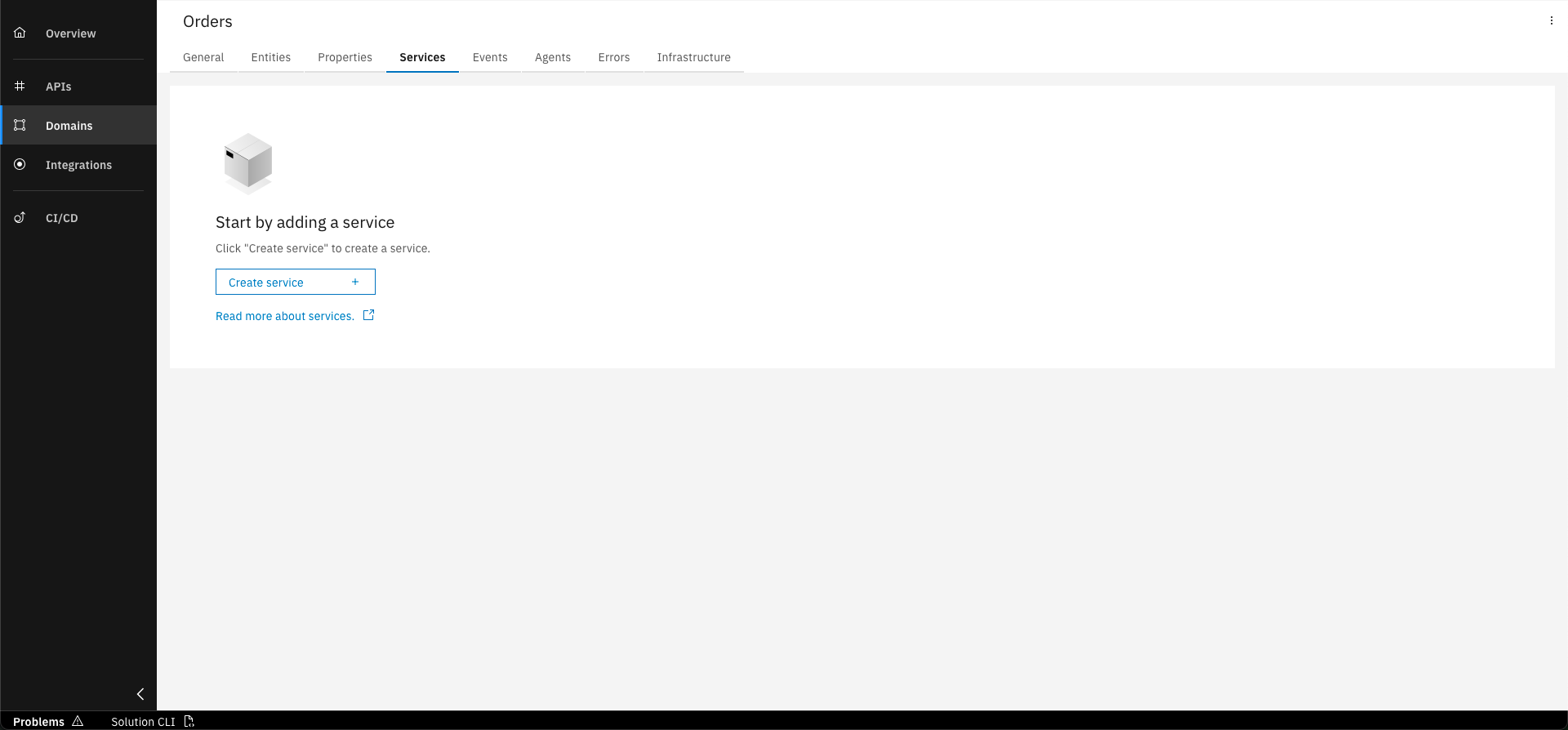
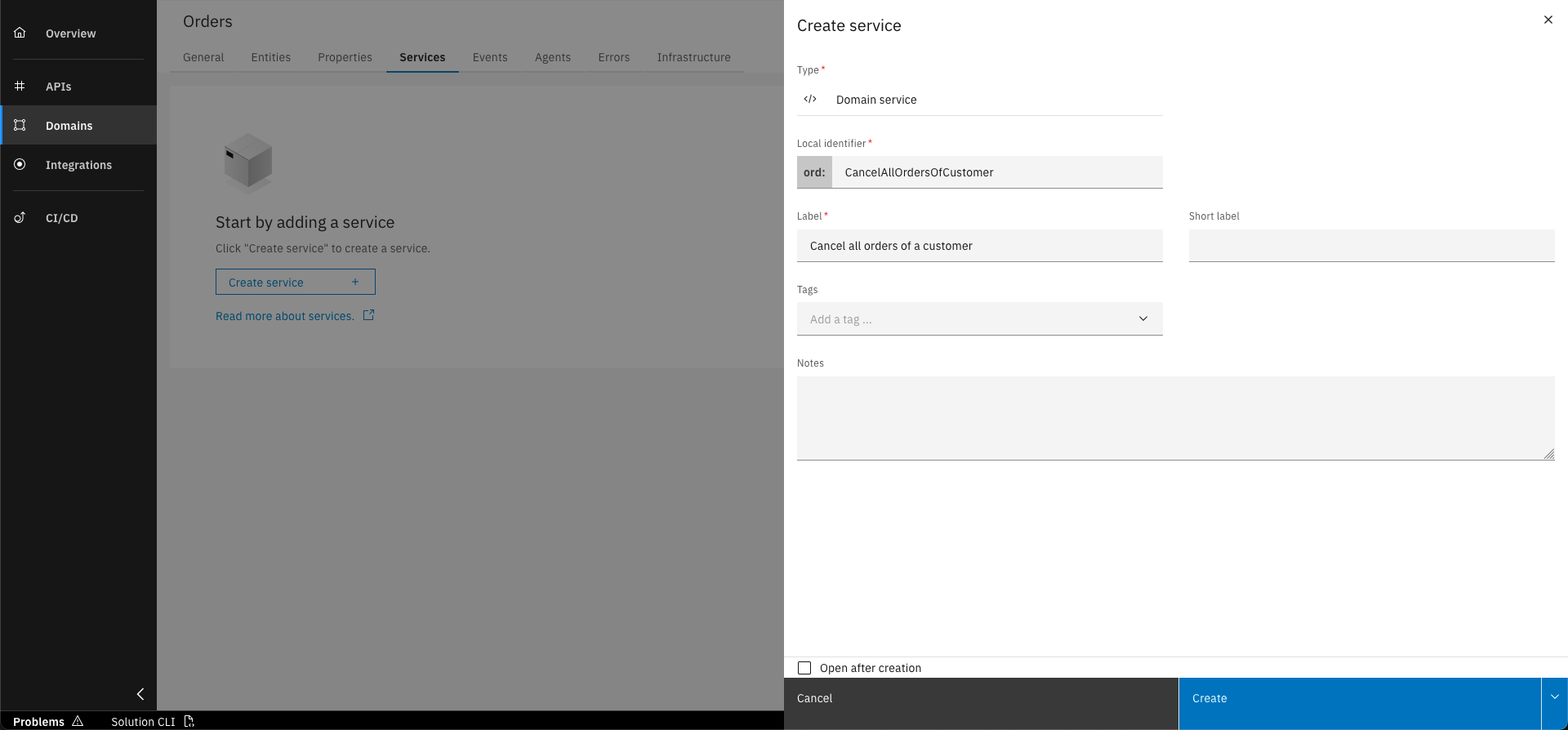
Basic data to create Domain Service
You can enter the data below to populate the for creating a Domain Service necessary fields:
- Local Identifier: CancelAllOrdersOfCustomer
- Label: Cancel all orders of a customer
Step 2: Add Input entity
Since we want to cancel all orders of a customer, we need to be able to identify the customer and the customerReferenceId must be provided as input.
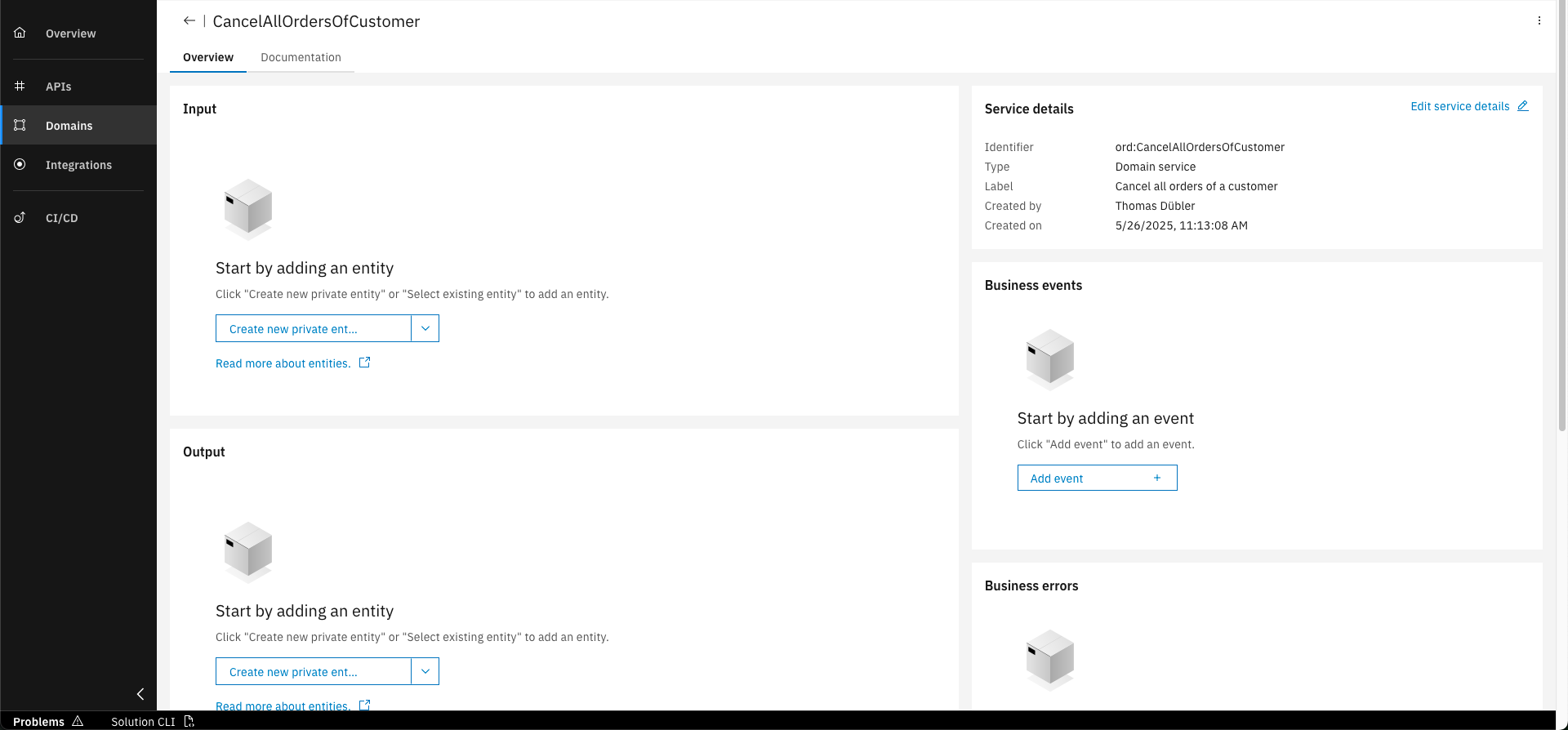
Click on "Create new private entity" button
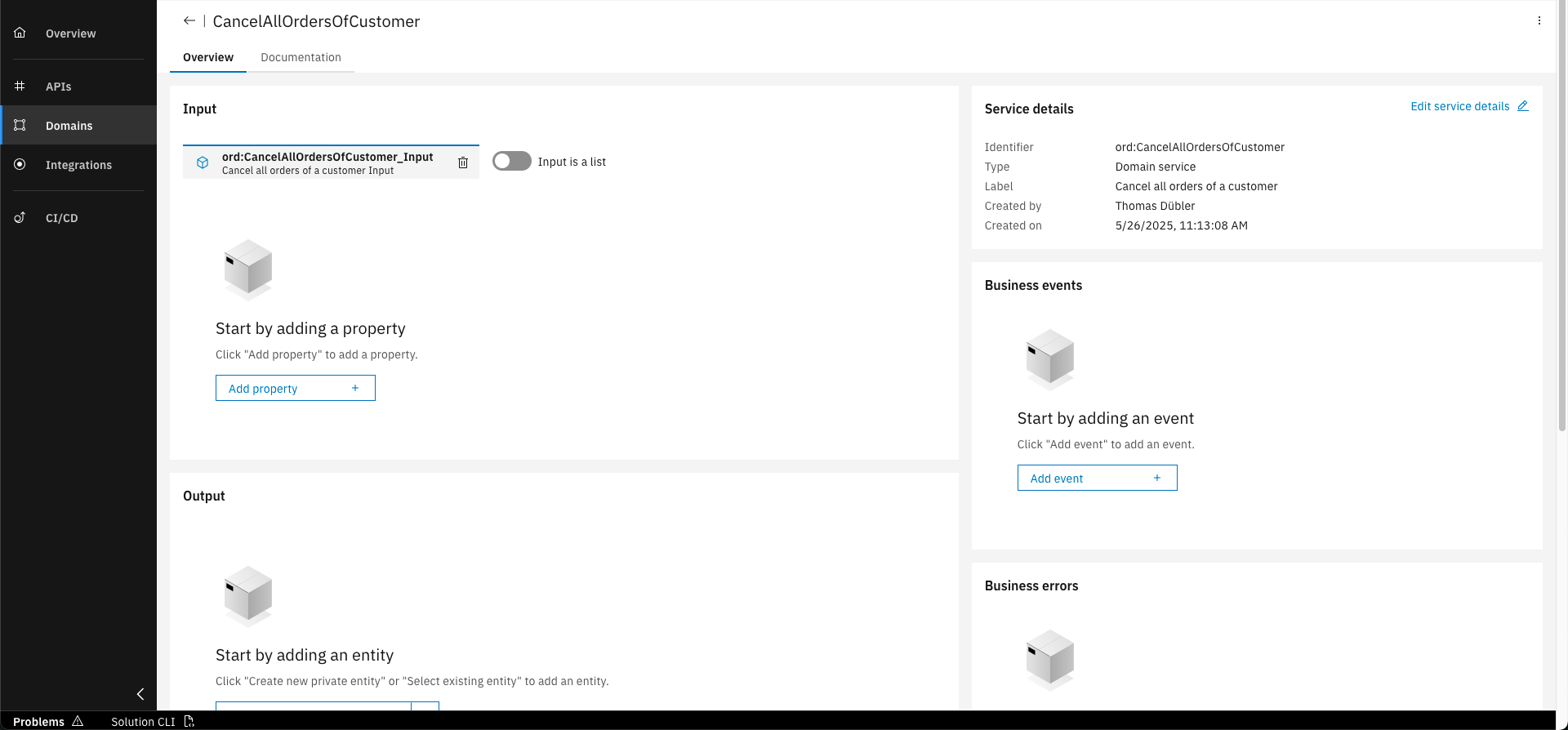
Click on "Add property" button
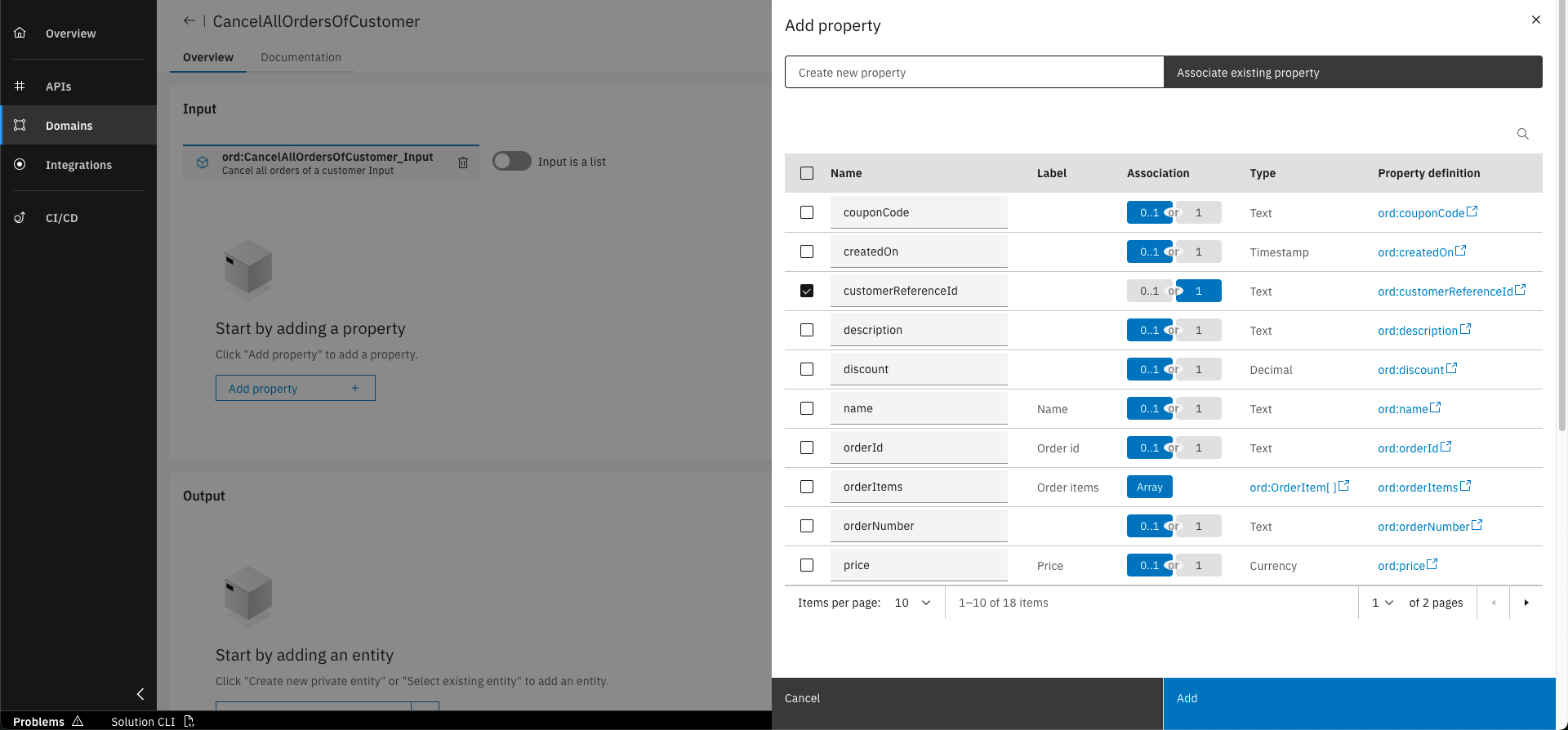
Click on "Associate existing property" and select "customerReferenceId" and mark it as mandatory (1). Click on "Add"
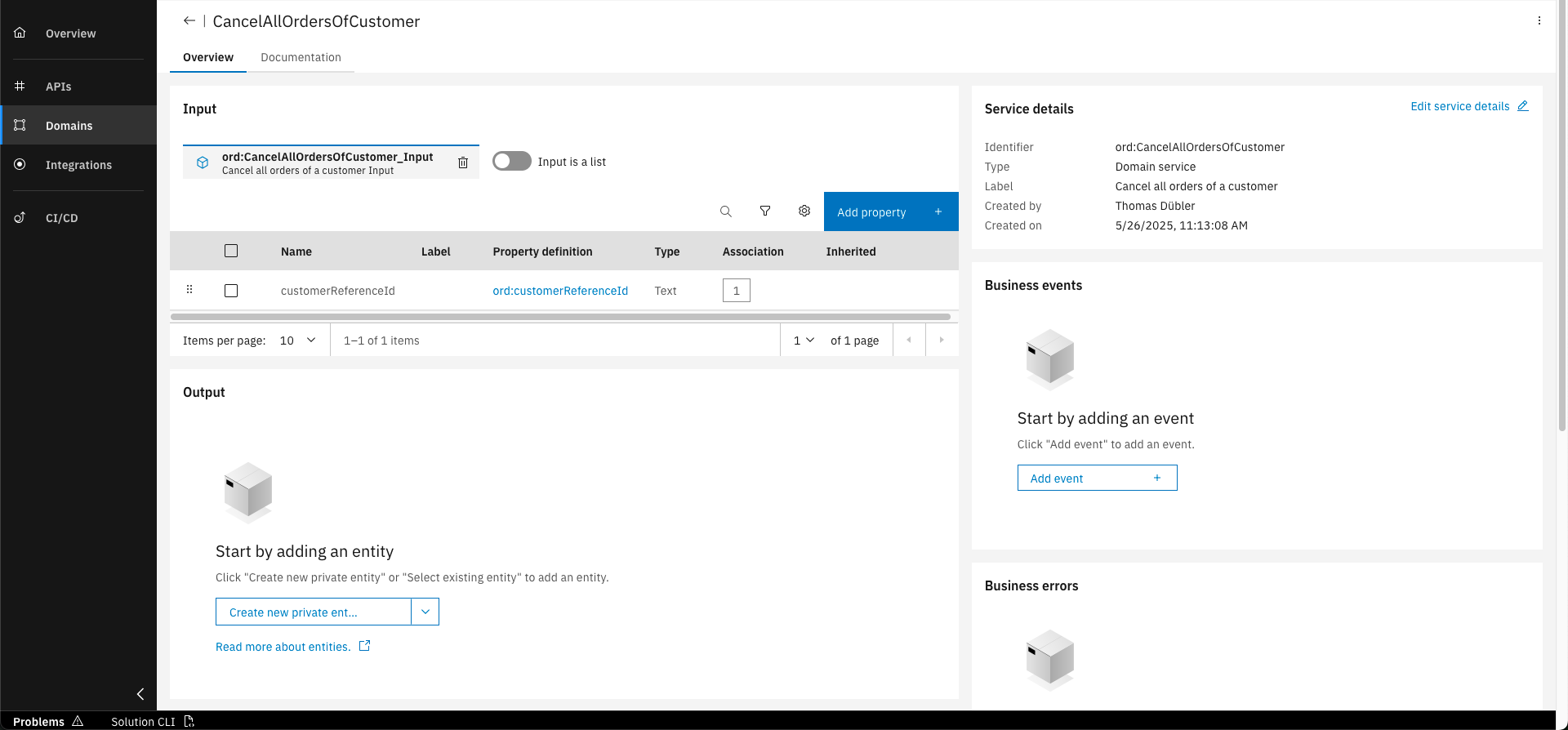
The "customerReferenceId" property is now added to the input entity
Note that you can specify that the input shall be a list. Same applies also for the output, which we do not need for our use case.
When adding properties, the "Association" type is specifying whether it is required (1) or can be optional (0..1).
Step 3: Add Business Error
Since we want to throw a Business Error when no cancelable orders can be found for the customer, we will need to add one to the Domain Service. The required steps are shown below.
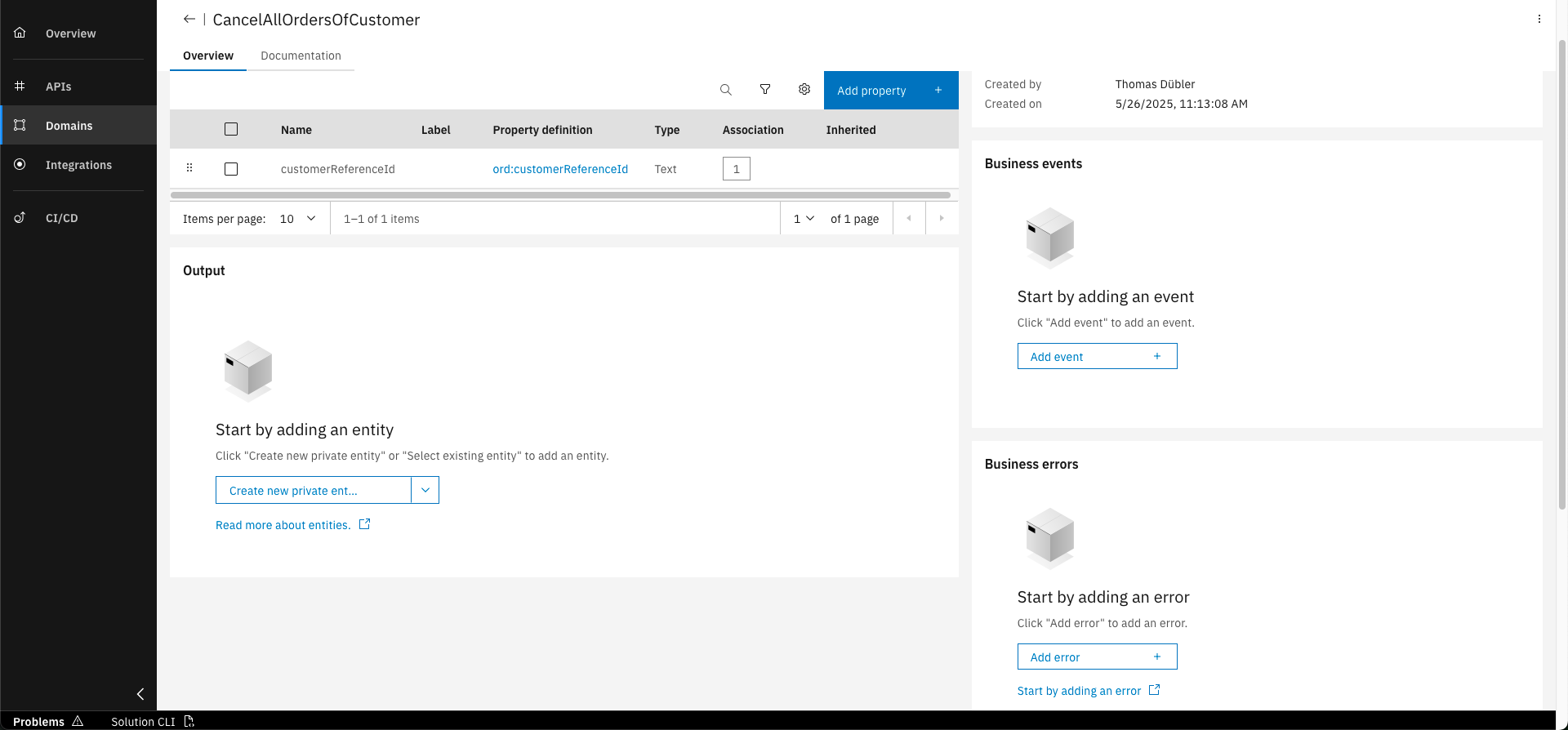
Click on "Add Error" button
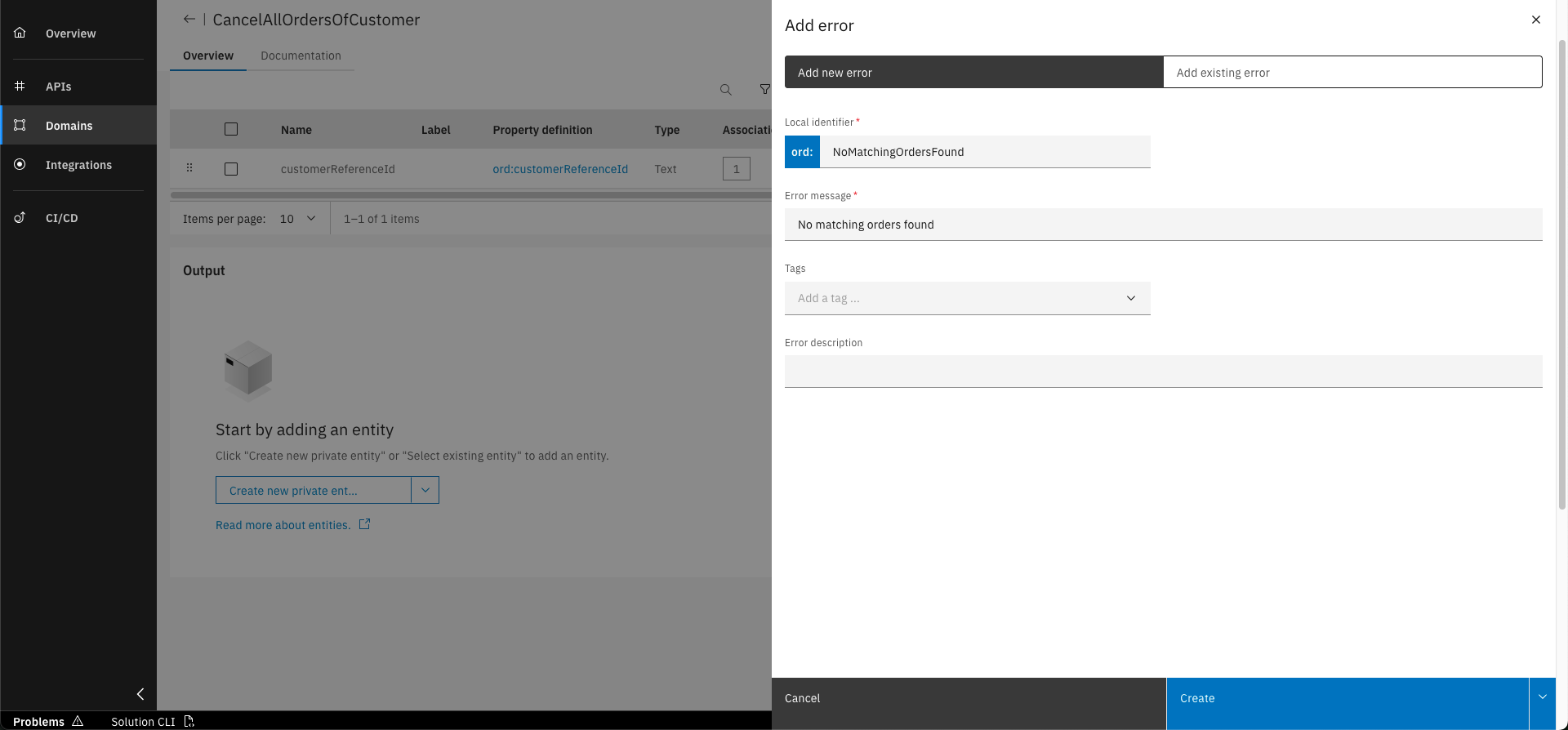
Select "Add new error" and fill out the form with the following data. Click on "Create"
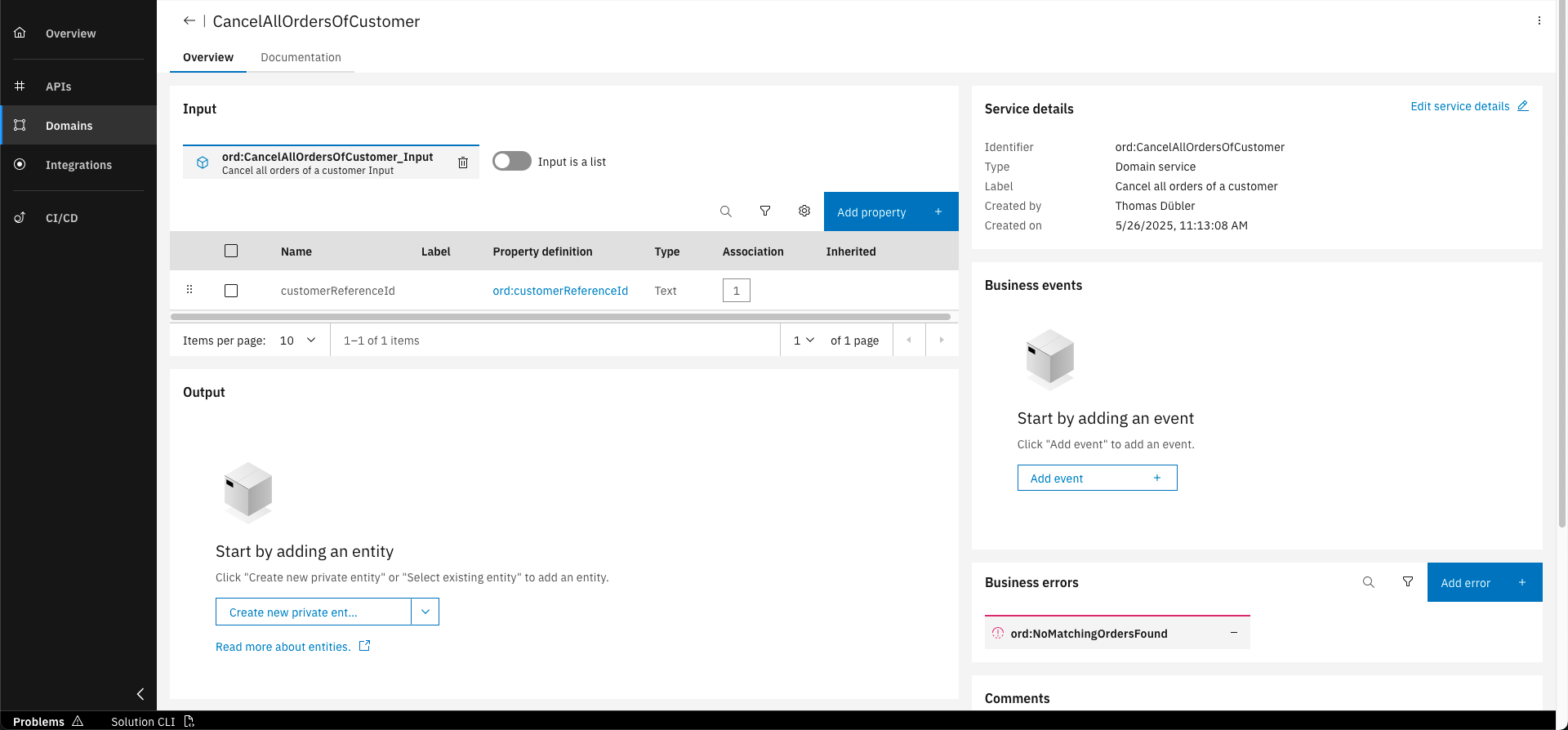
The business error is now added to the service
Necessary data to create a new Business Error
- Local Identifier: NoMatchingOrdersFound
- Error message: No matching orders found
Step 4: Add Documentation
To specify the business logic the Domain Service shall perform and to align the different roles working on the project, we can describe this directly in the Domain Service. You can find the necessary steps below.
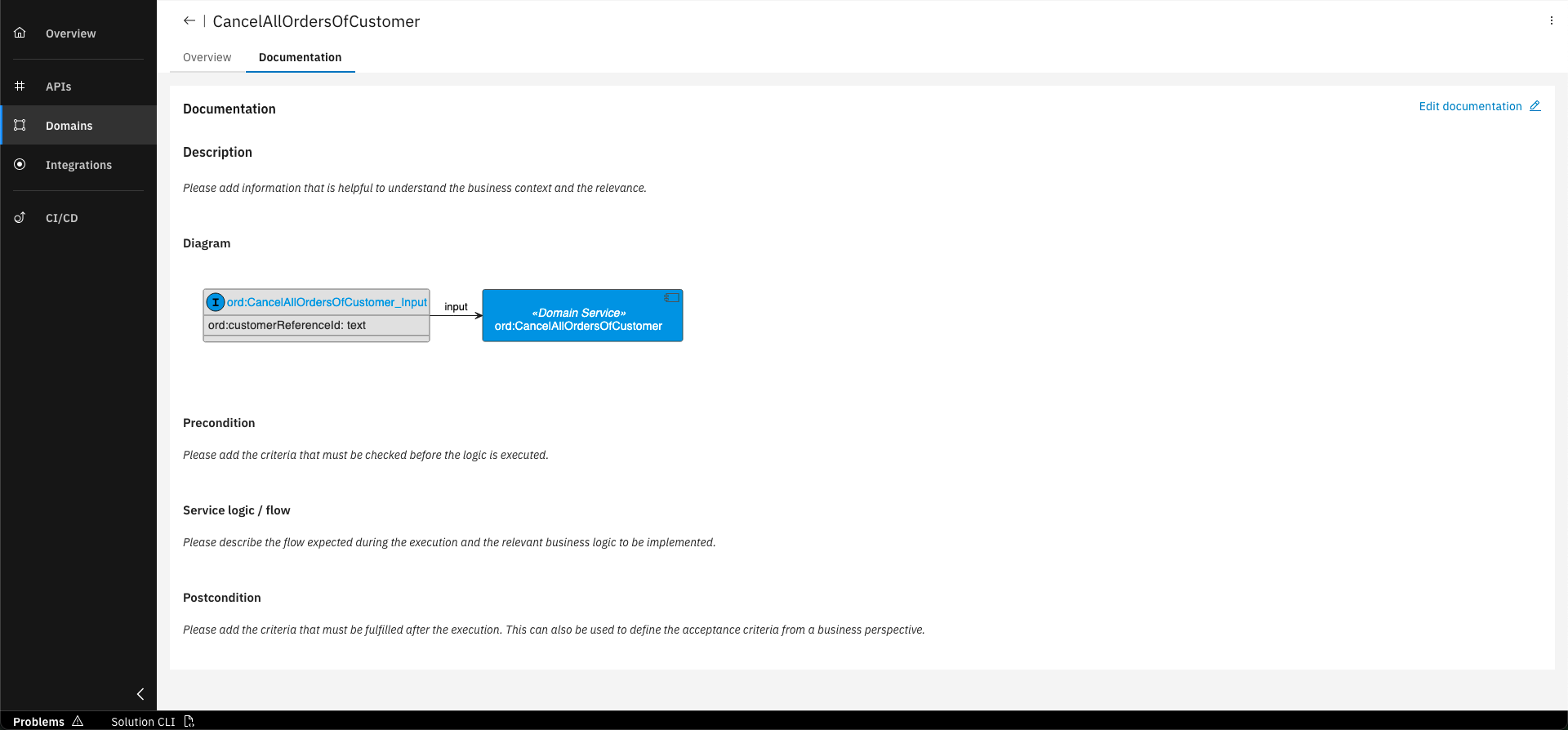
Click on "Documentation" tab
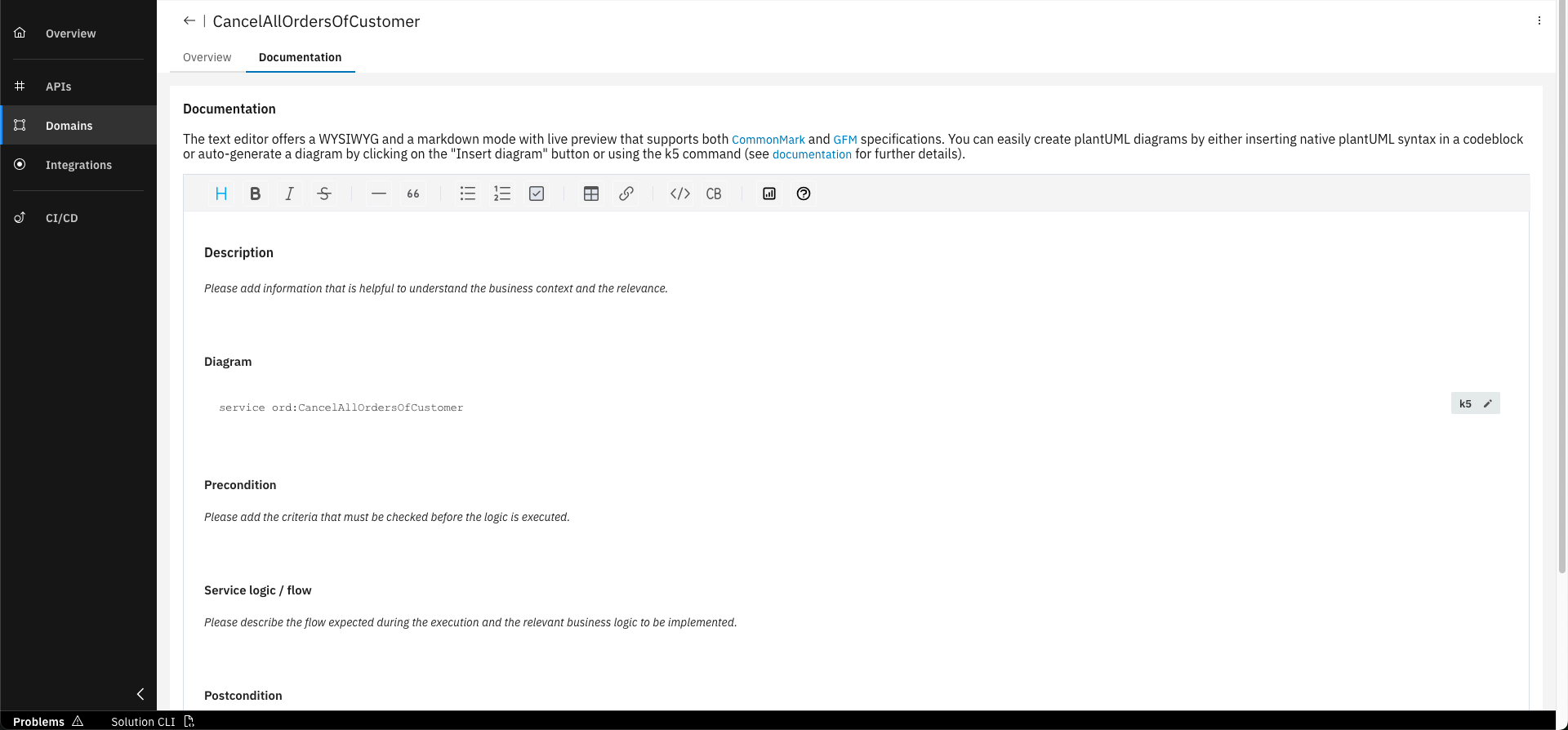
Click "Edit documentation" button
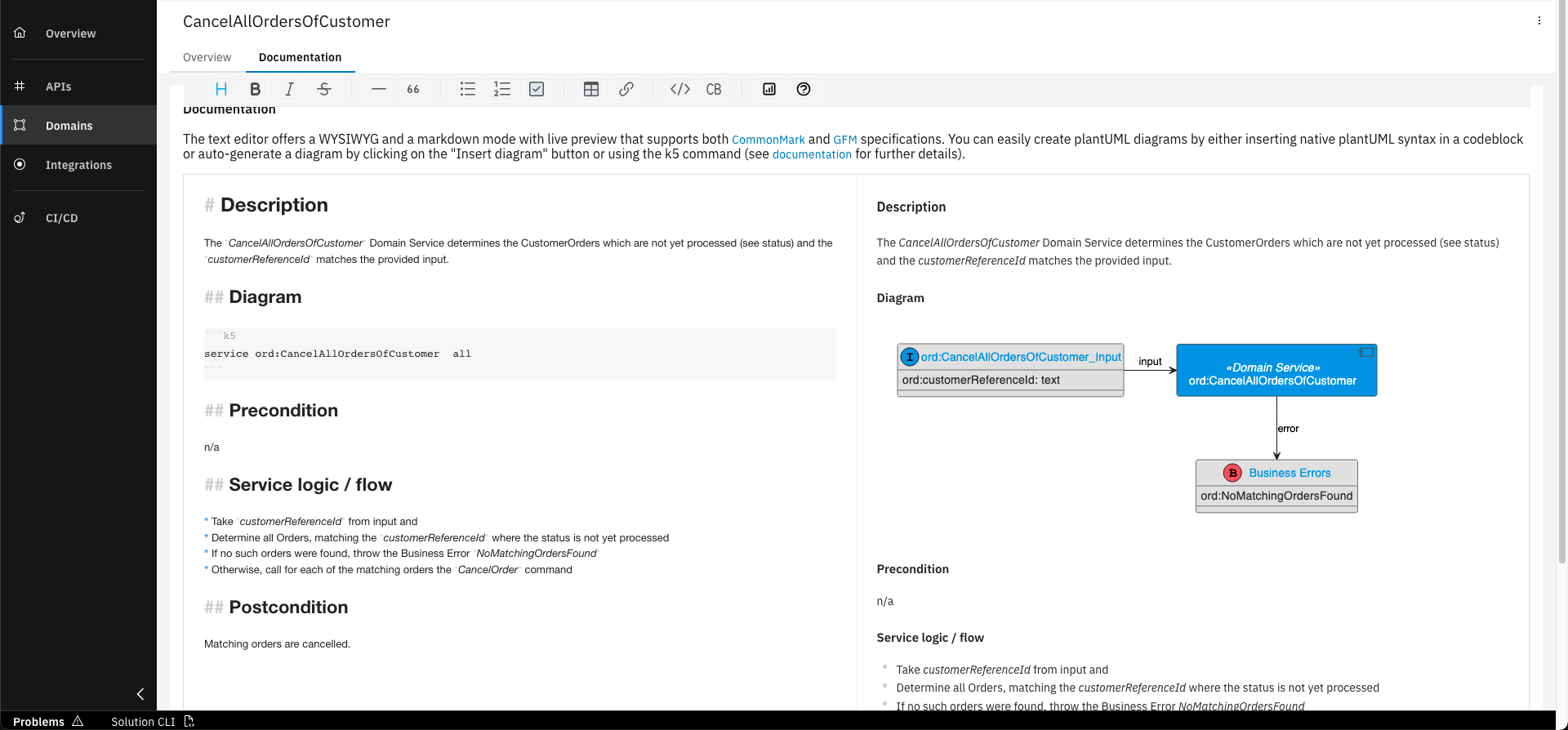
Choose "Markdown", enter sample documentation and click on "Save"
Below, you can find a sample documentation in Markdown that describes in short what your Domain Service shall do. You can copy and paste it to complete the Domain Services documentation.
# Description

The *CancelAllOrdersOfCustomer* Domain Service determines the CustomerOrders which are not yet processed (see status) and the *customerReferenceId* matches the provided input.

## Diagram

```k5
service ord:CancelAllOrdersOfCustomer  all
```

## Precondition

n/a

## Service logic / flow

* Take *customerReferenceId* from input and
* Determine all Orders, matching the *customerReferenceId* where the status is not yet processed
* If no such orders were found, throw the Business Error *NoMatchingOrdersFound*
* Otherwise, call for each of the matching orders the *CancelOrder* command


## Postcondition

Matching orders are cancelled.
Note that the Editor provides rich possibilities for documentation. You can switch between the WYSIWYG or the Markdown mode, while you have also the possibility to insert diagrams generated by the Worbench, or create your own using PlantUML syntax. For more details, refer to the Product Documentation.
You have successfully designed a domain service and a business error within the domain namespace of your Orders project!
This allows you to modify multiple instances of root entities and orchestrate the execution of several commands.
Furthermore, you are able to define exceptions of your business logic in your own service projects.
What's next?
In the next course you will learn how to design events and agents in the domain namespace.
Related Links
Please find more information about Domain Services in the following links: