Unit 2: Design Entities
In this course you will learn about the different types of entities within a domain namespace. You will also practice how to design entites with their properties using the Solution Designer.
Outline
Entities are objects with properties that define various aspects of a project, allowing for flexible customization.
They can be categorized into three types:
- Entity, which are simple value objects without an ID and are used for commands and services but are not persisted
- Root entity, which serves as the main entry point, has a unique ID and can be persisted in a database
- External entity, which maps to an external system or domain, containing minimal identifiers to load the original entity without needing full definitions.
Entity inheritance
The IBM DevOps Solution Workbench offers inheritance for (root) entities. This allows us to define common properties for the parent entity and to transfer them to the child entities, to which only their specific properties have to be added. Additionally entities can be made abstract to prevent them from instantiation. It is a common use case that parent root entities are abstract so only instances of its child root entities can be created.
Prerequisites
You have successfully completed the Preparation section in the Course Introduction.
- Open your workspace in the Solution Designer.
- Find your imported project and open it by clicking on it.
- On the left sidebar, click on Domains and then select domain namespace
ord.
Exercise
Estimated time: 15 minutes
Exercise goal: After completing this course you are able to design entities and its properties.
Supported languages: Java and TypeScript
In our use case, there will be two new root entities, one for an internal order and one for a customer order, which we will create with their specific properties in this exercise.
These will inherit from root entity Order which we will make abstract.
Step 1: Create new root entities
We will now create two new root entities CustomerOrder and InternalOrder which inherit from root entity Order.
Create root entity InternalOrder
To create a new root entity for InternalOrder, follow these steps:
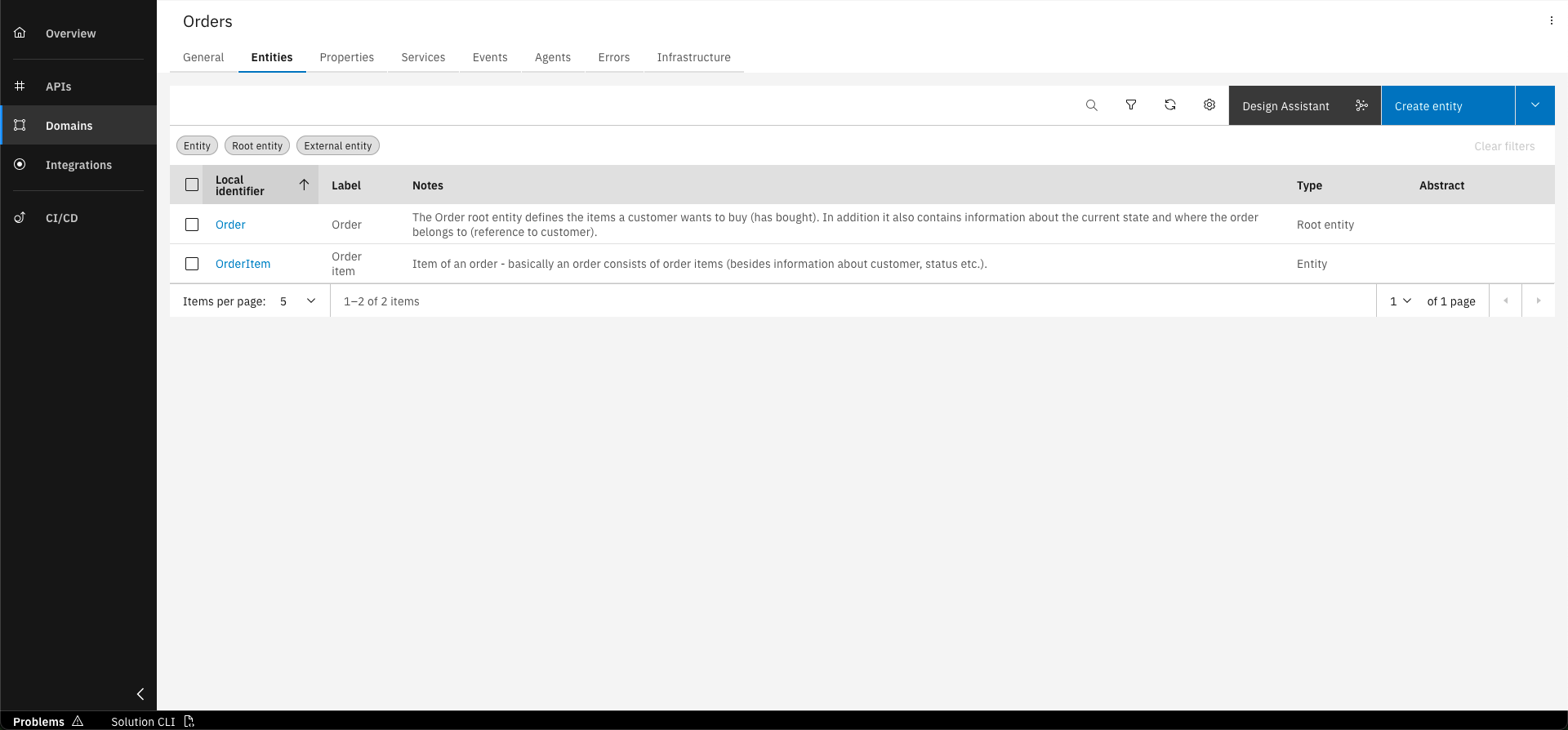
Go to the overview of the Orders namespace and click on the "Entities" tab
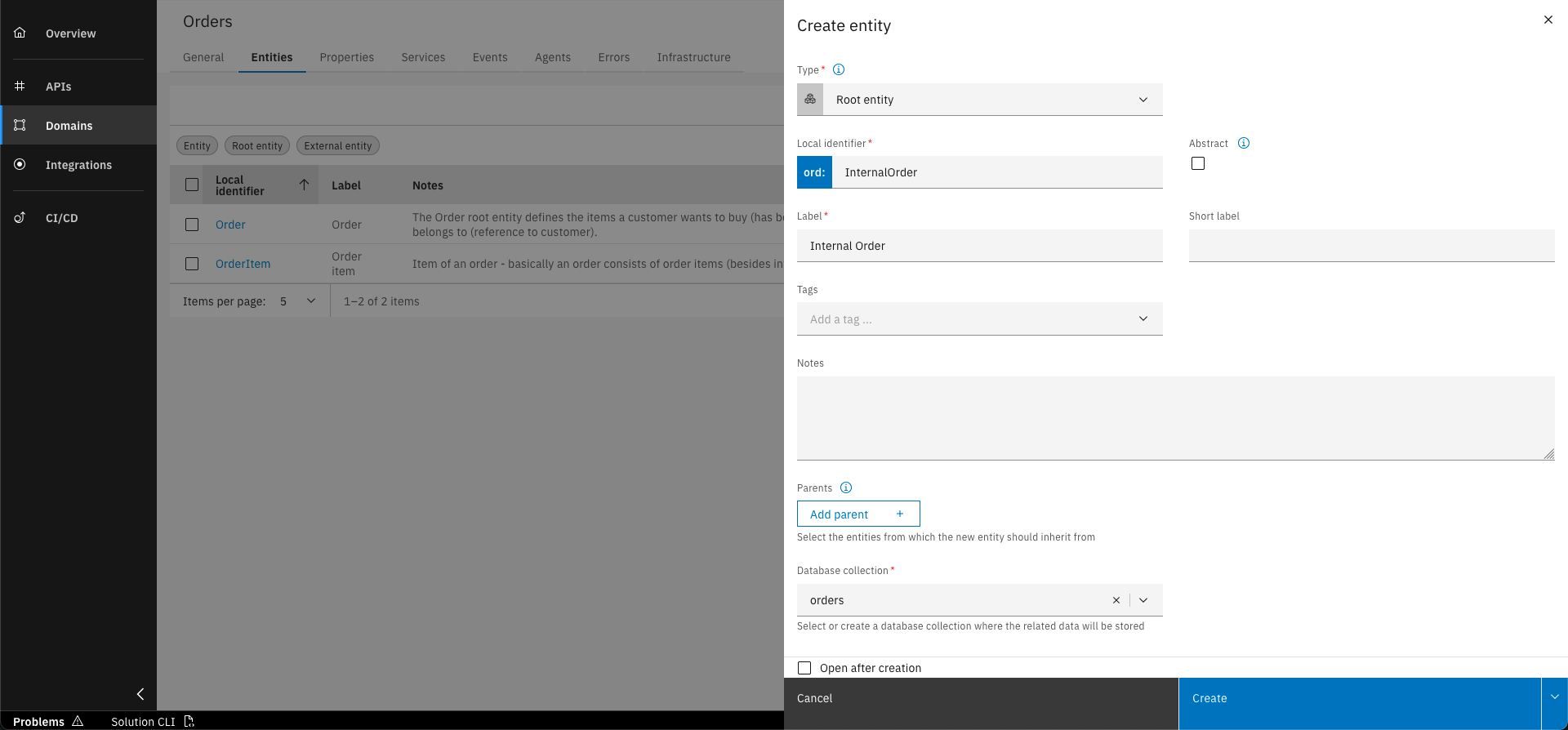
Click on the "Create entity" button and fill out the form with the basic data written below
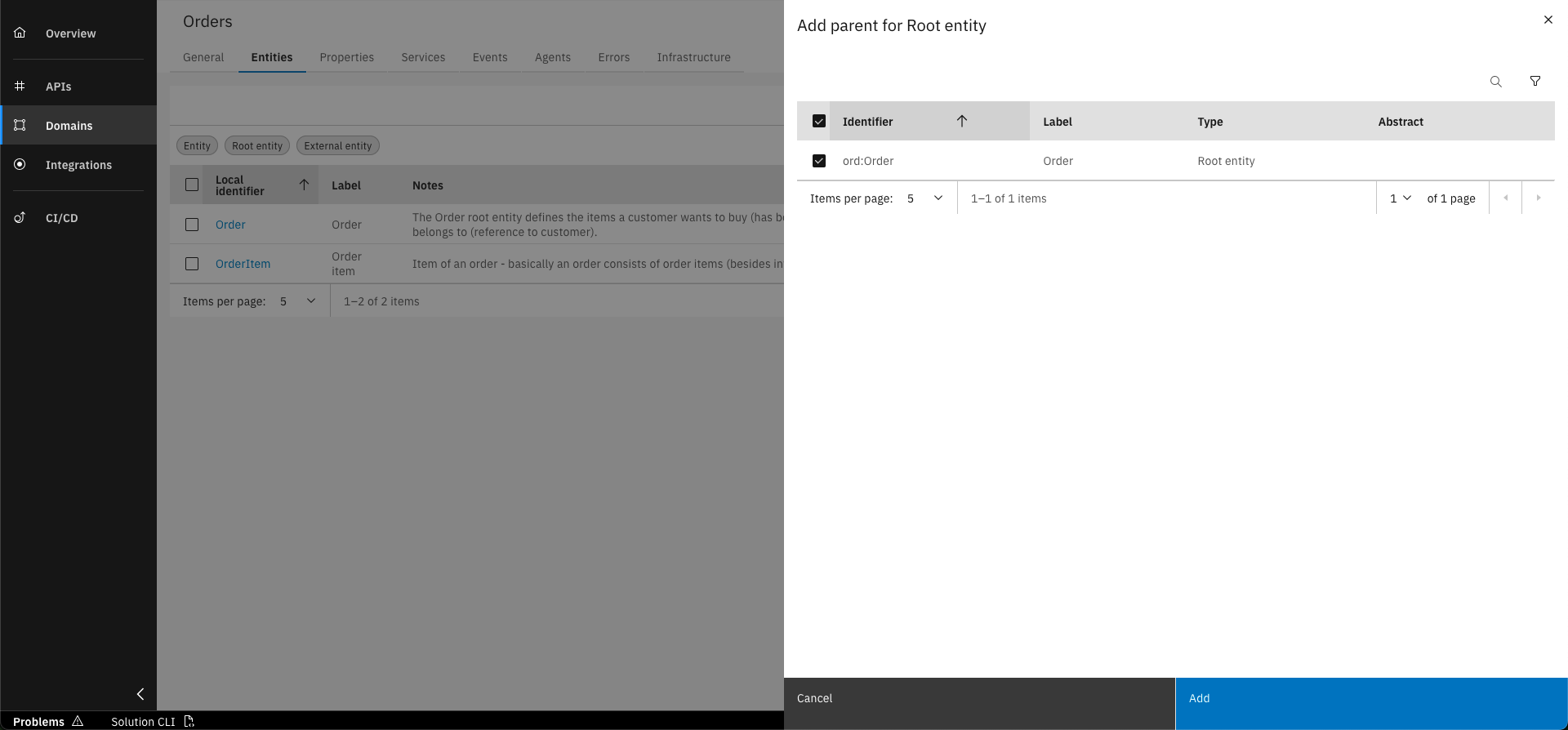
Add the Order entity as parent by clicking on the "Add parent" button and selecting it from the list
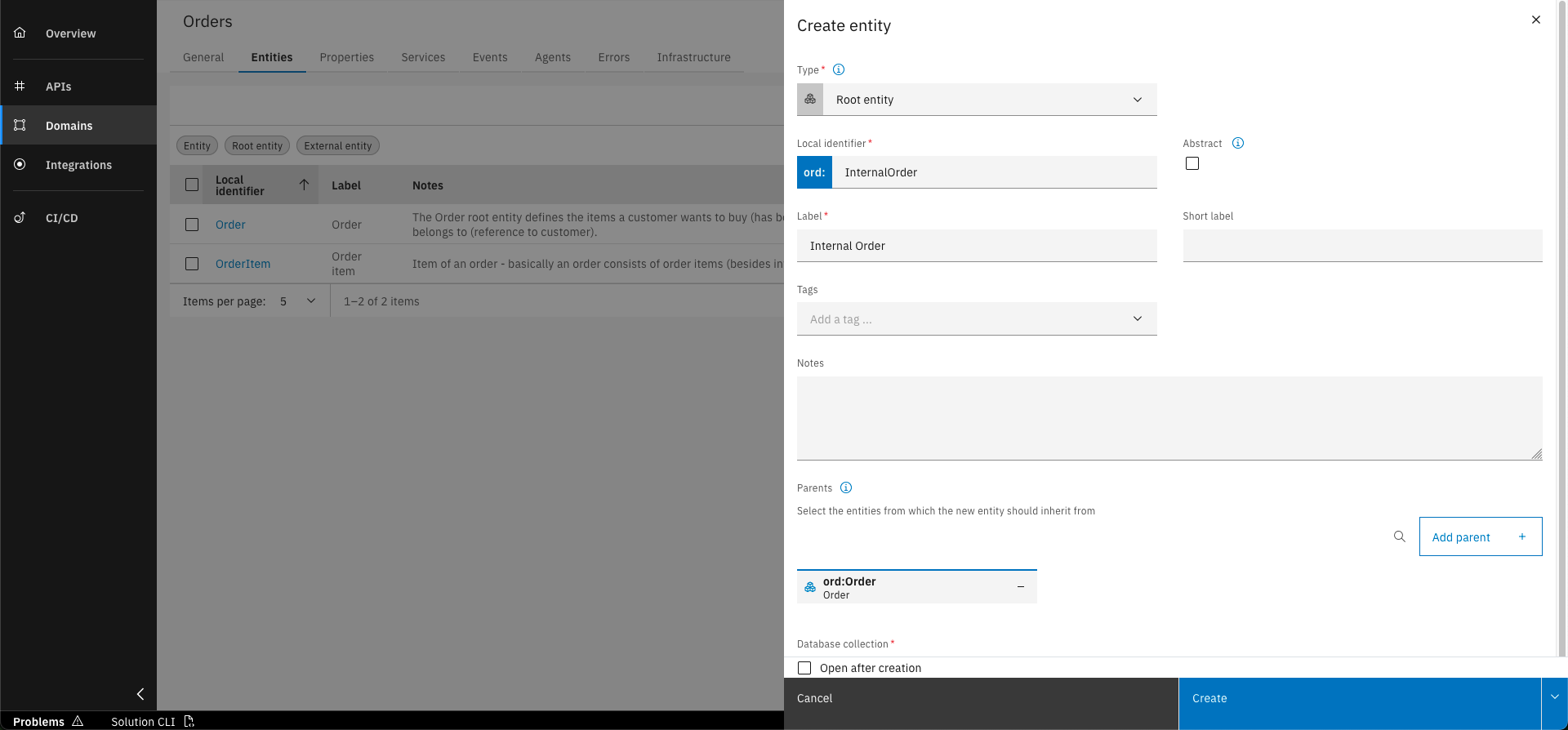
Click on "Create"
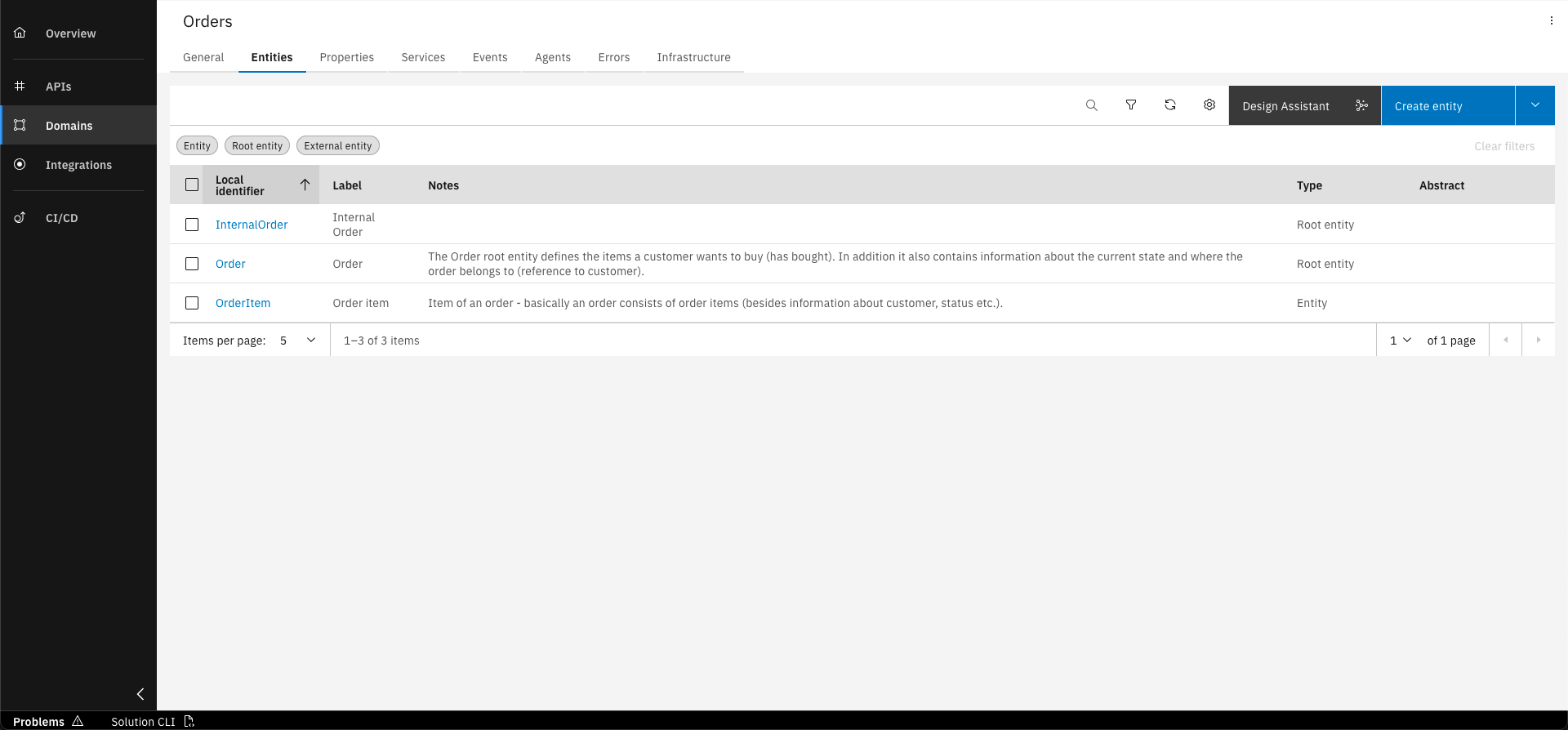
Discover the new root entity
Basic data to create root entity InternalOrder
- Type: Root entity
- Local Identifier: InternalOrder
- Label: Internal Order
- Database collection: orders
Create root entity CustomerOrder
Perform the same steps for CustomerOrder:
Go to the overview of the Orders namespace and click on the "Entities" tab
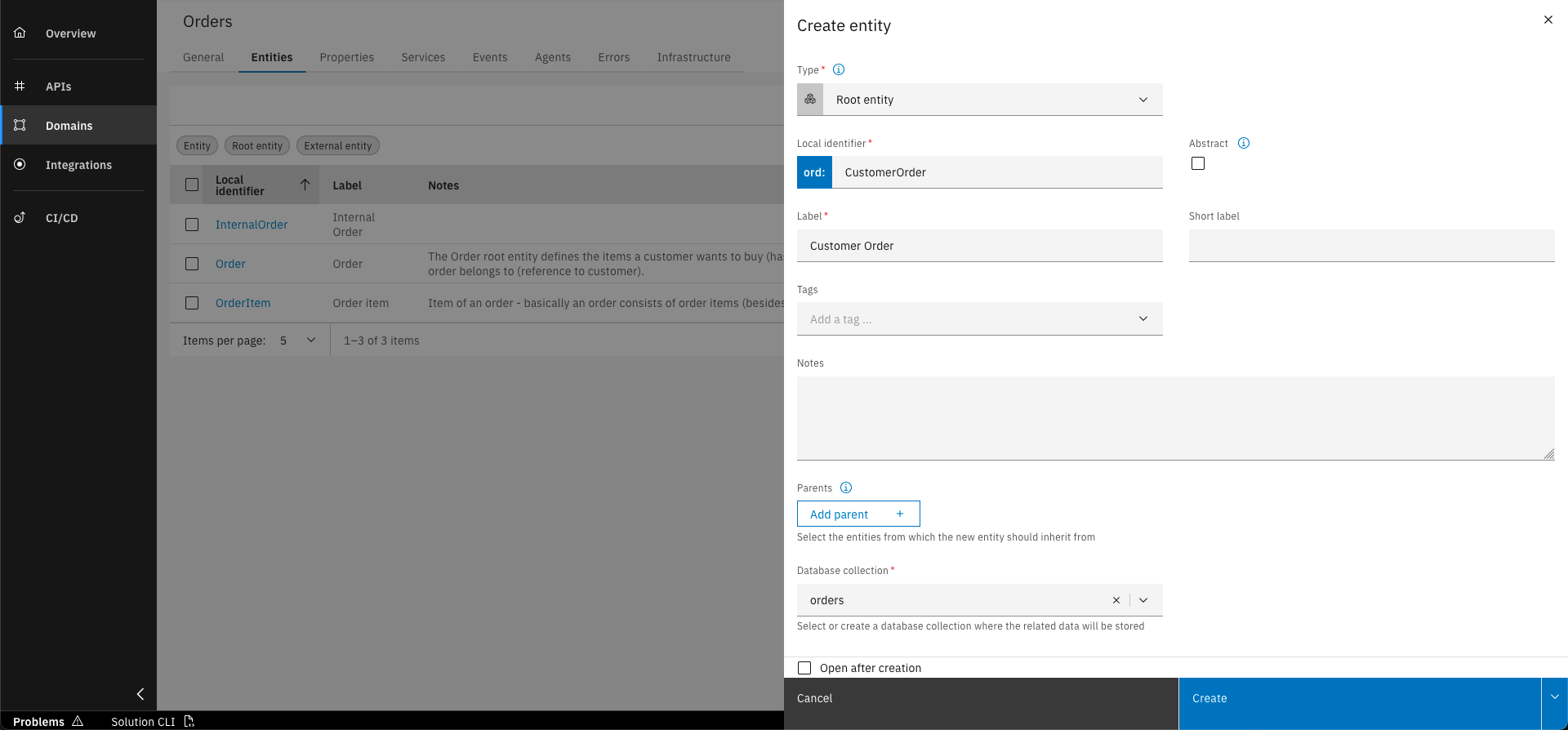
Click on the "Create entity" button and fill out the form with the basic data written below
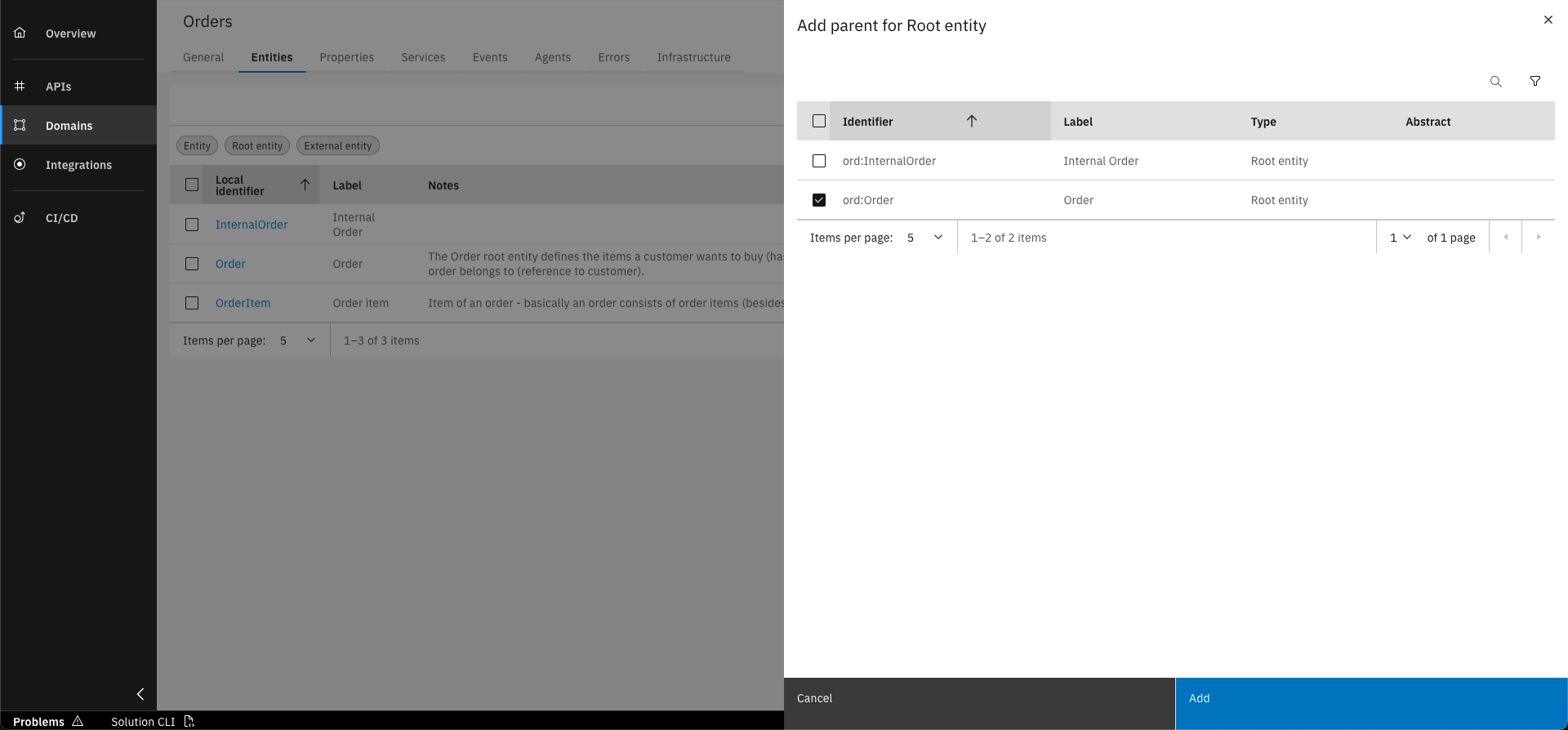
Add the Order entity as parent by clicking on the "Add parent" button and selecting it from the list
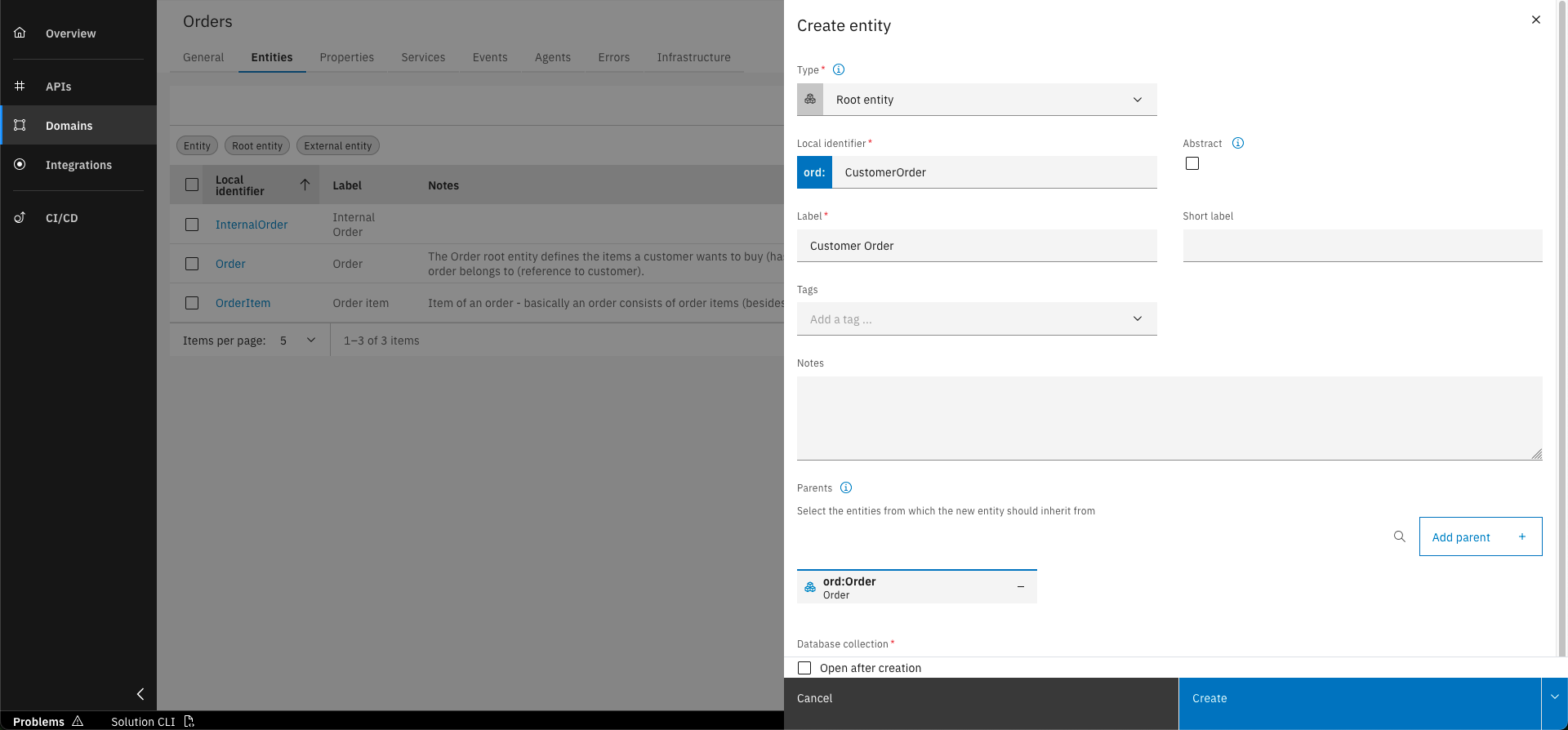
Click on "Create"
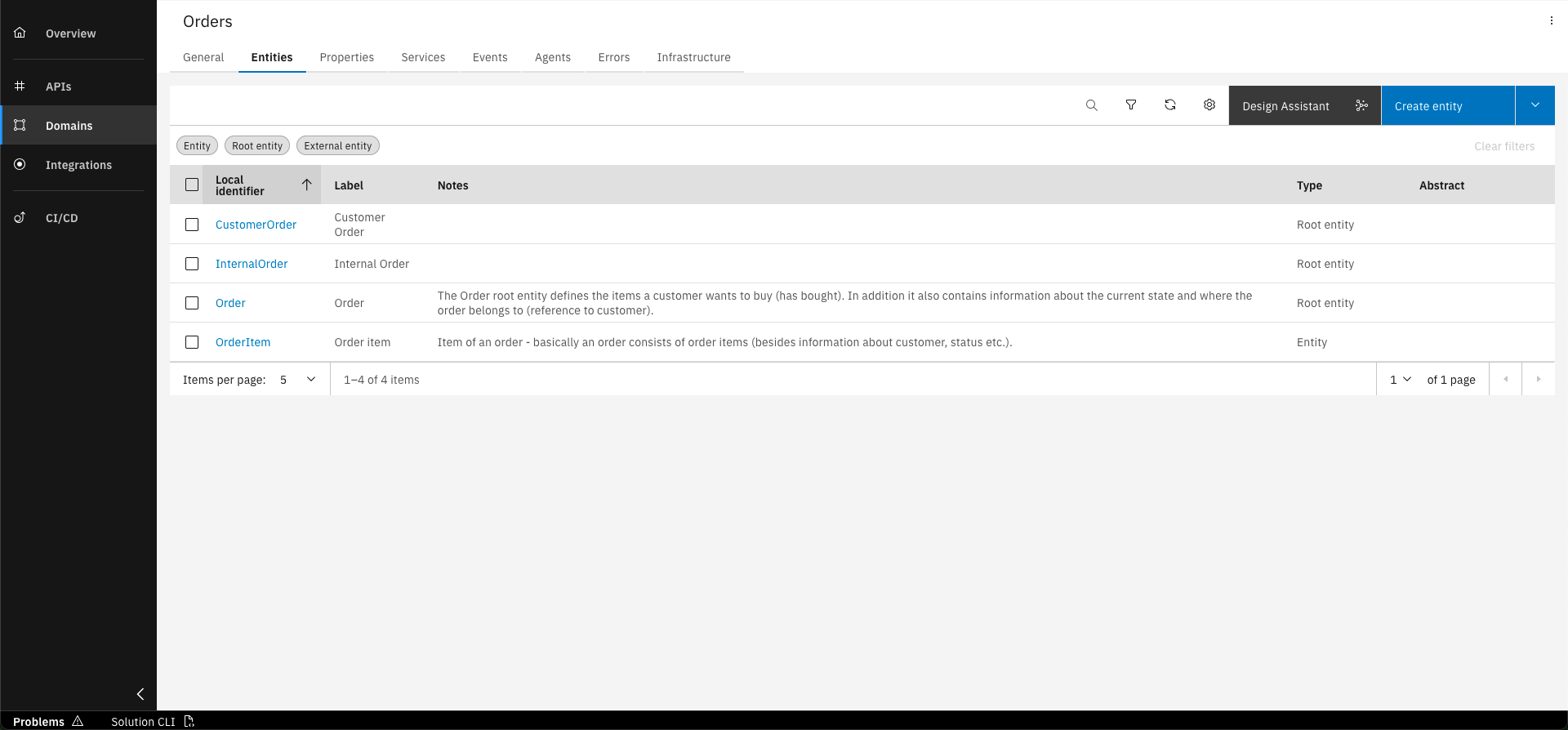
Open the Entities overview and see that there are two newly created root entities shown in the list
Basic data to create root entity CustomerOrder
- Type: Root entity
- Local Identifier: CustomerOrder
- Label: Customer Order
- Database collection: orders
Step 2: Make root entity Order abstract
Since we distinguish between internal and customer orders, we want to prohibit that the general orders can be instantiated. Therefore we need to make the root entity Order abstract.
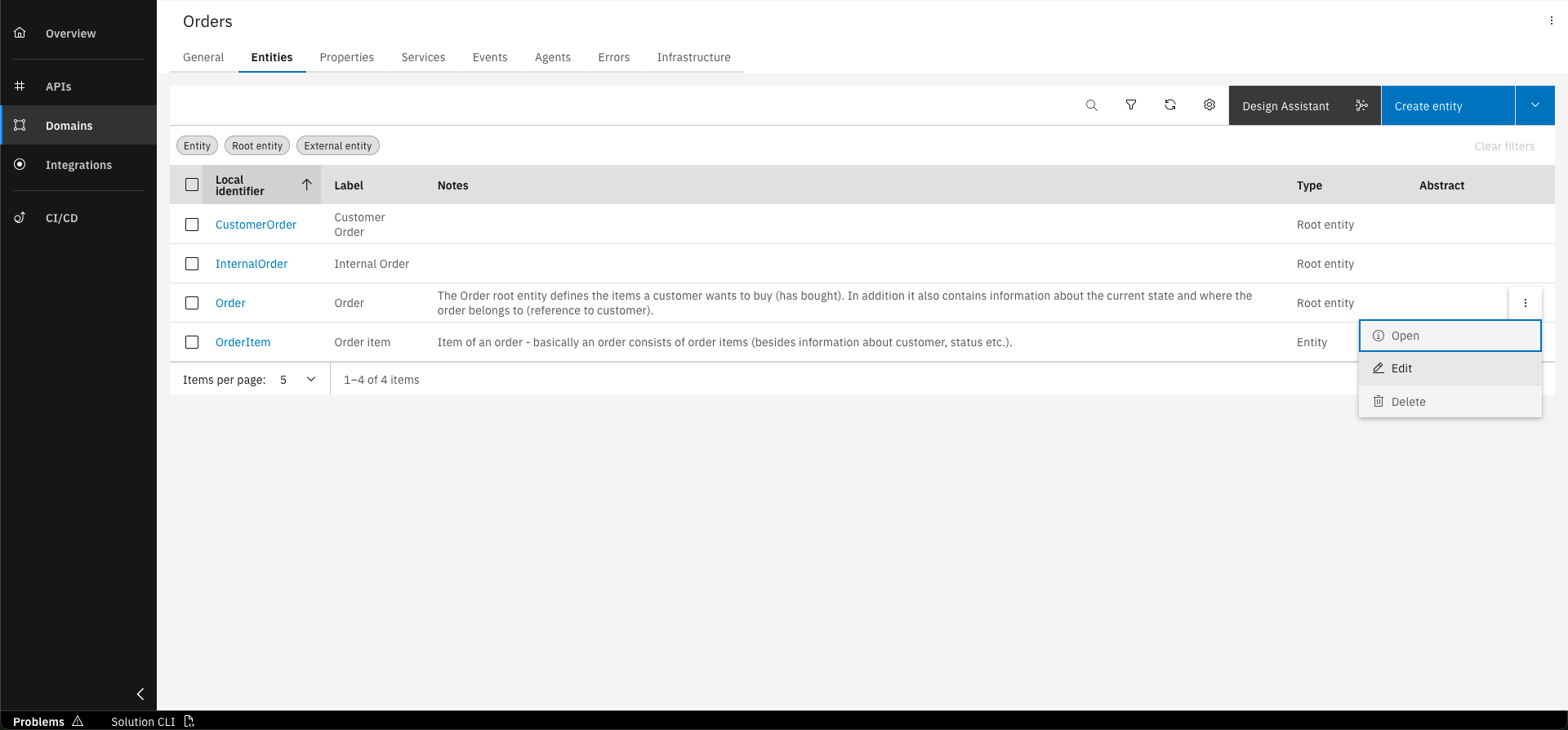
Go to the entity overview and open the edit action for row entry "Order" using the three dots menu in the row
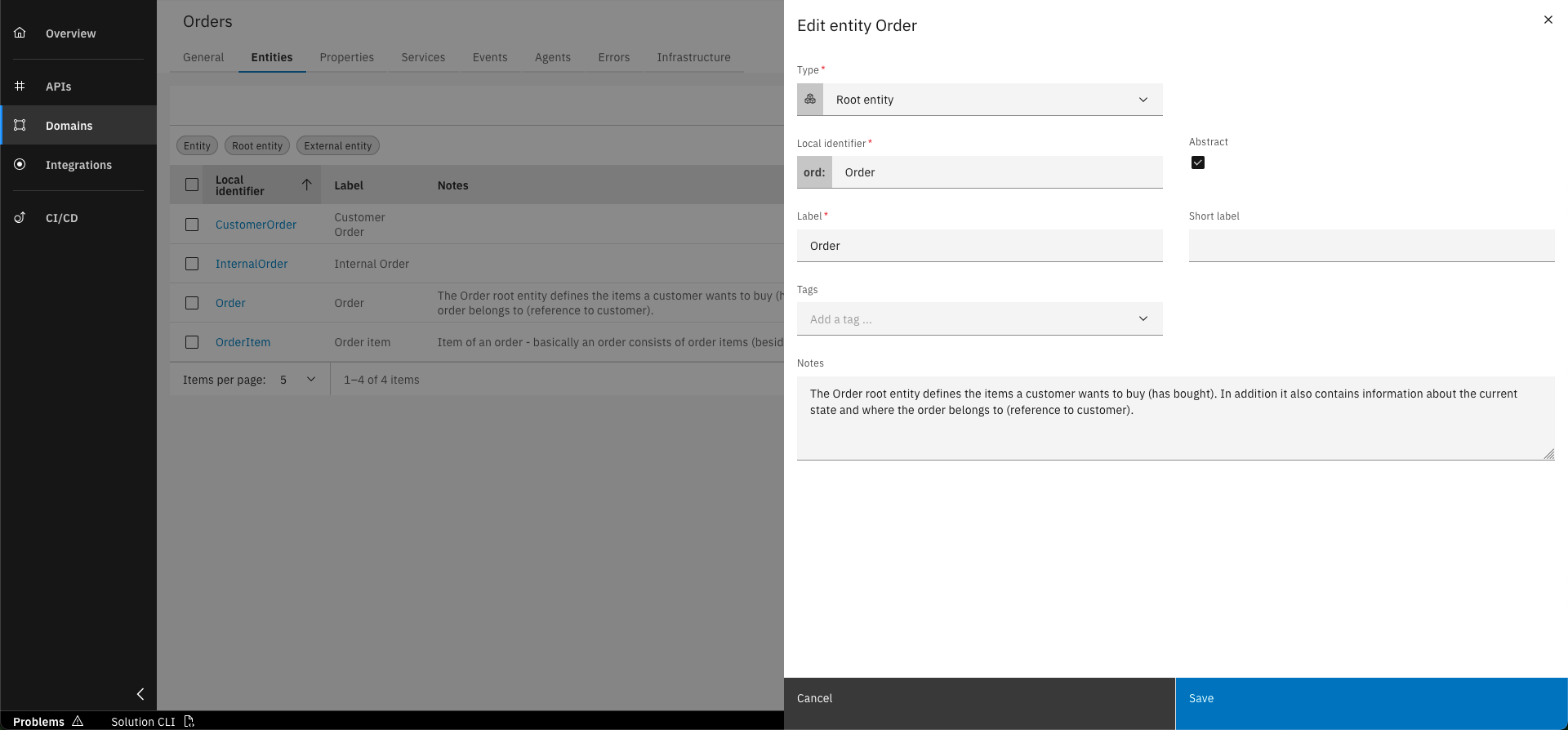
Set field "Abstract" to check and click "Save" to confirm the action
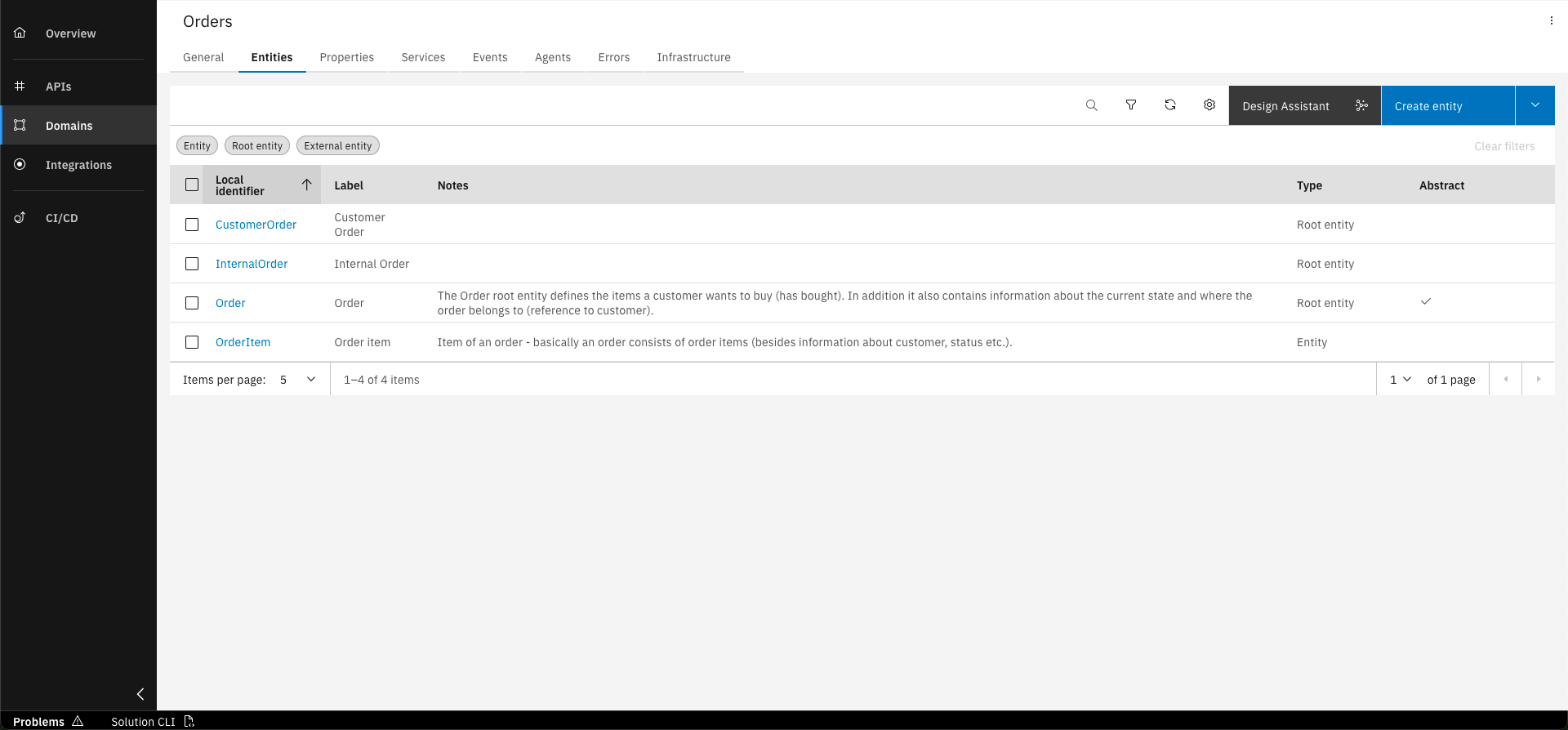
The Order entity is now abstract
When checking field Abstract, you will observe that the database collection field disappears. This happens because you only need to define the database collection for entities of which instances can be created.
Step 3: Assign Properties to new root entities
We are now going to assign the customerReferenceId property to the new root entity CustomerOrder. This property will be used to identify the customer for the order. We are also going to create a new internalReferenceId property for the InternalOrder root entity and assign it to it. This property is analogous to the customerReferenceId property but is used for internal orders.
Remove customerReferenceId property from Order entity
To avoid having the customerReferenceId property in the InternalOrder entity, we need to remove it from the Order entity.
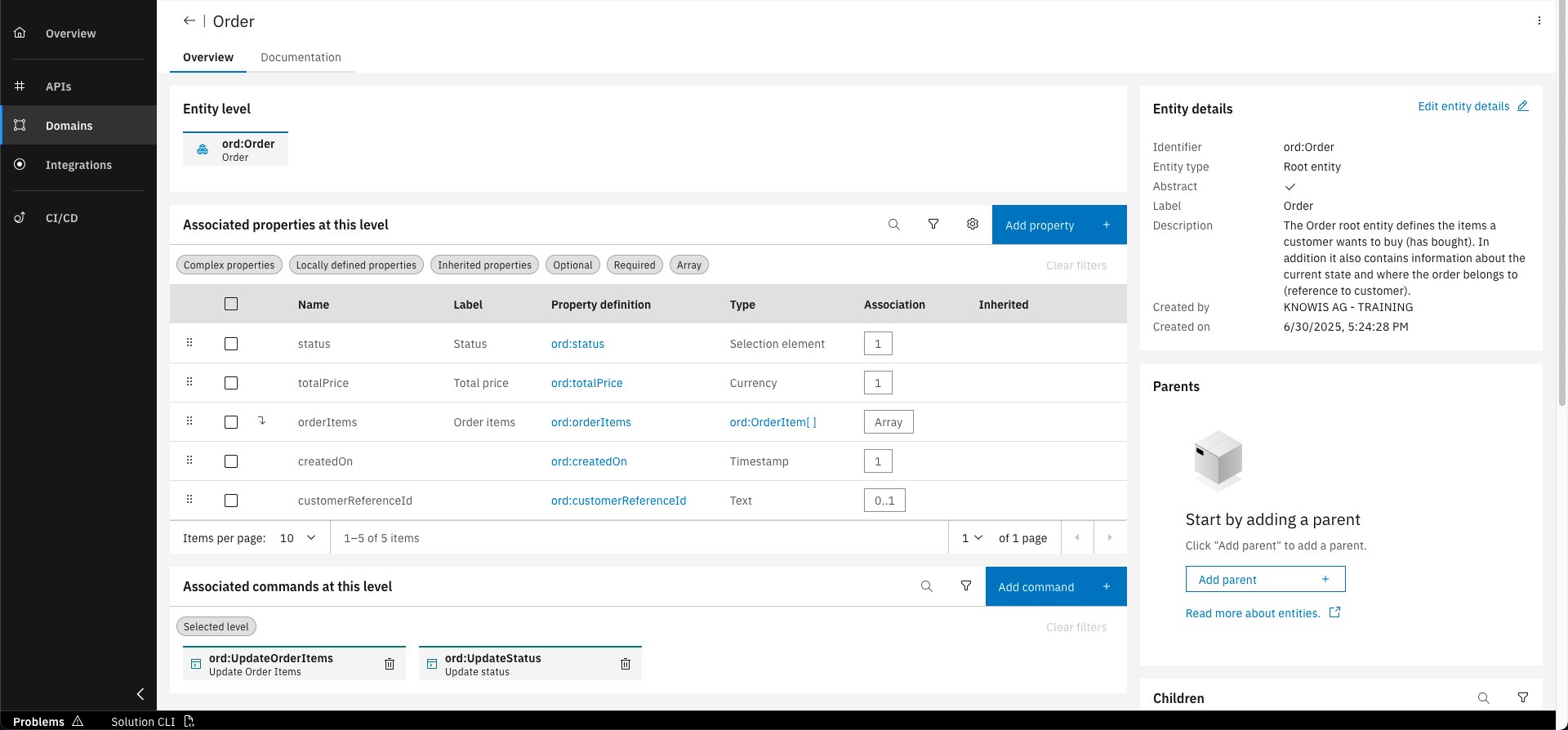
Open the Order entity by clicking on it in the entities overview
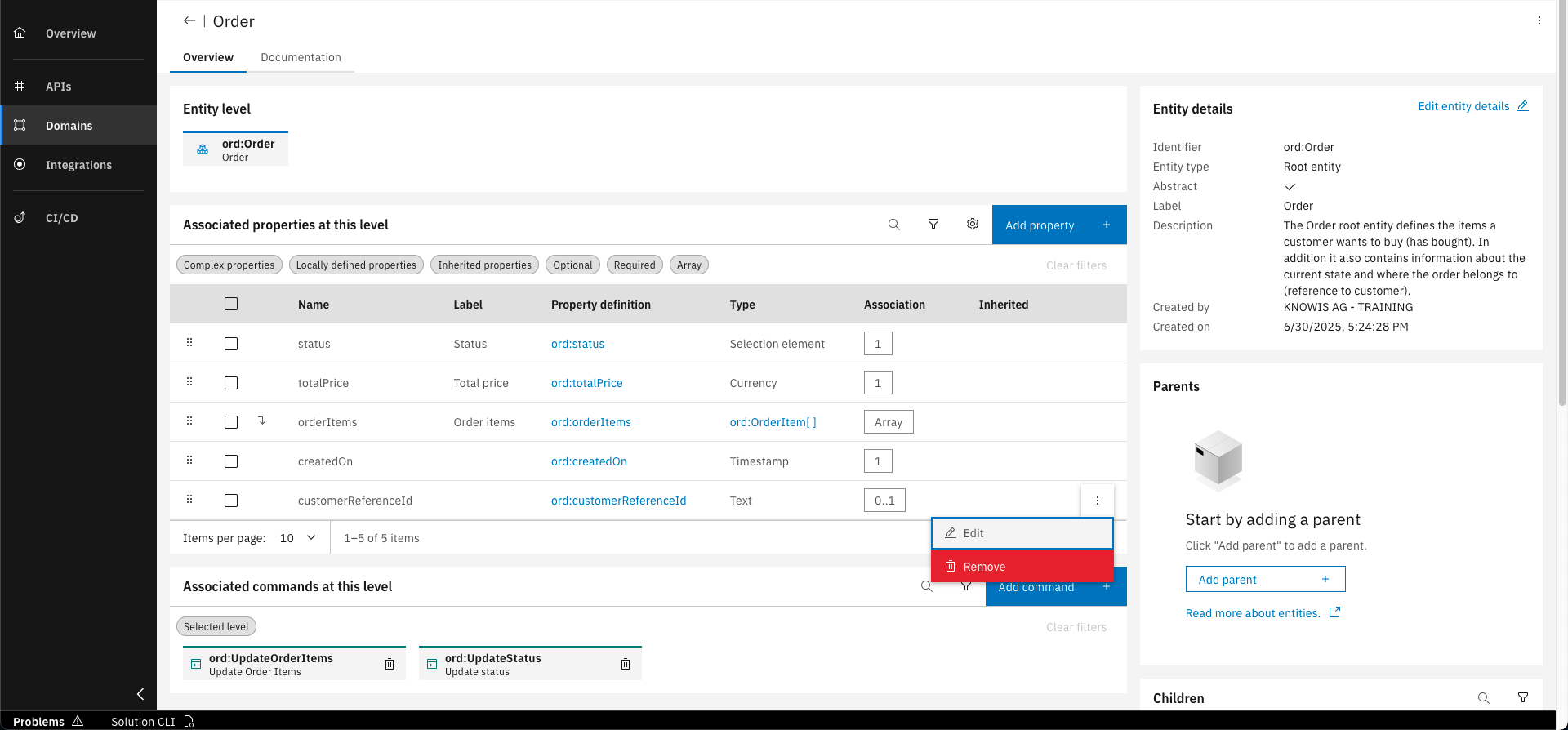
Use the three dots menu for the customerReferenceId property to remove it from the entity
Assign customerReferenceId property to CustomerOrder
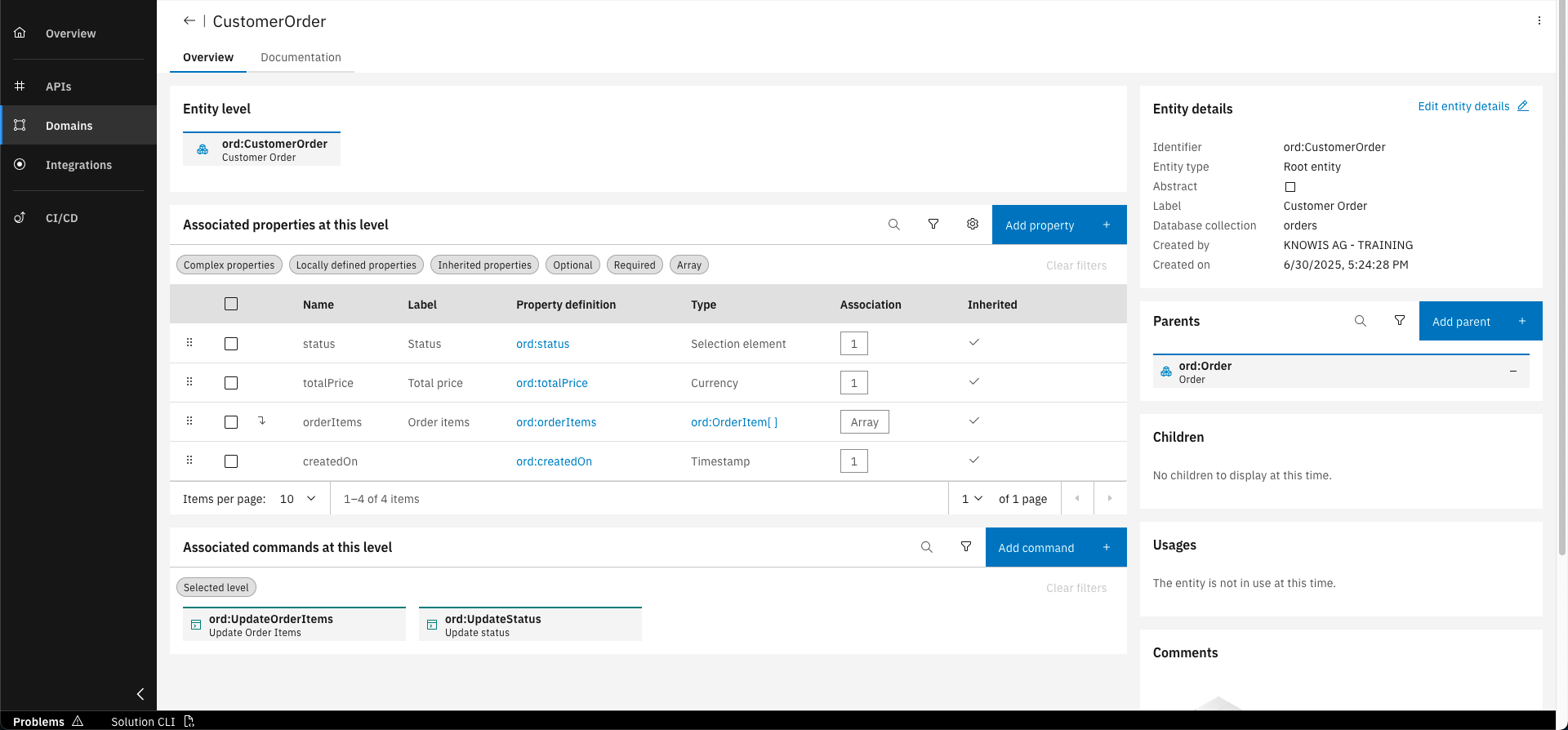
Open the CustomerOrder entity by clicking on it in the entities overview
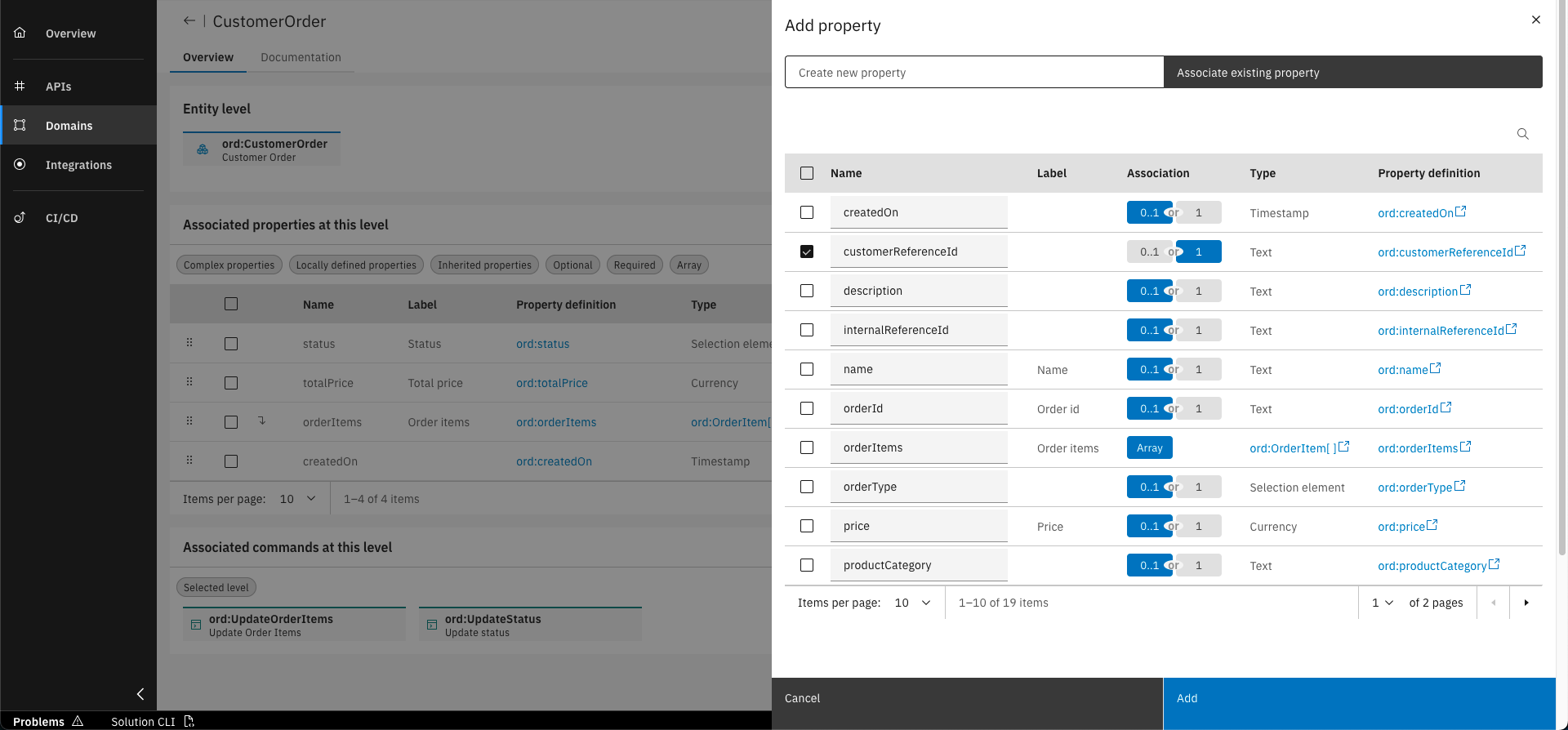
Click on "Add property". Under the "Associate existing property" tab select the customerReferenceId property and select "1" in the "Association" column to make it mandatory
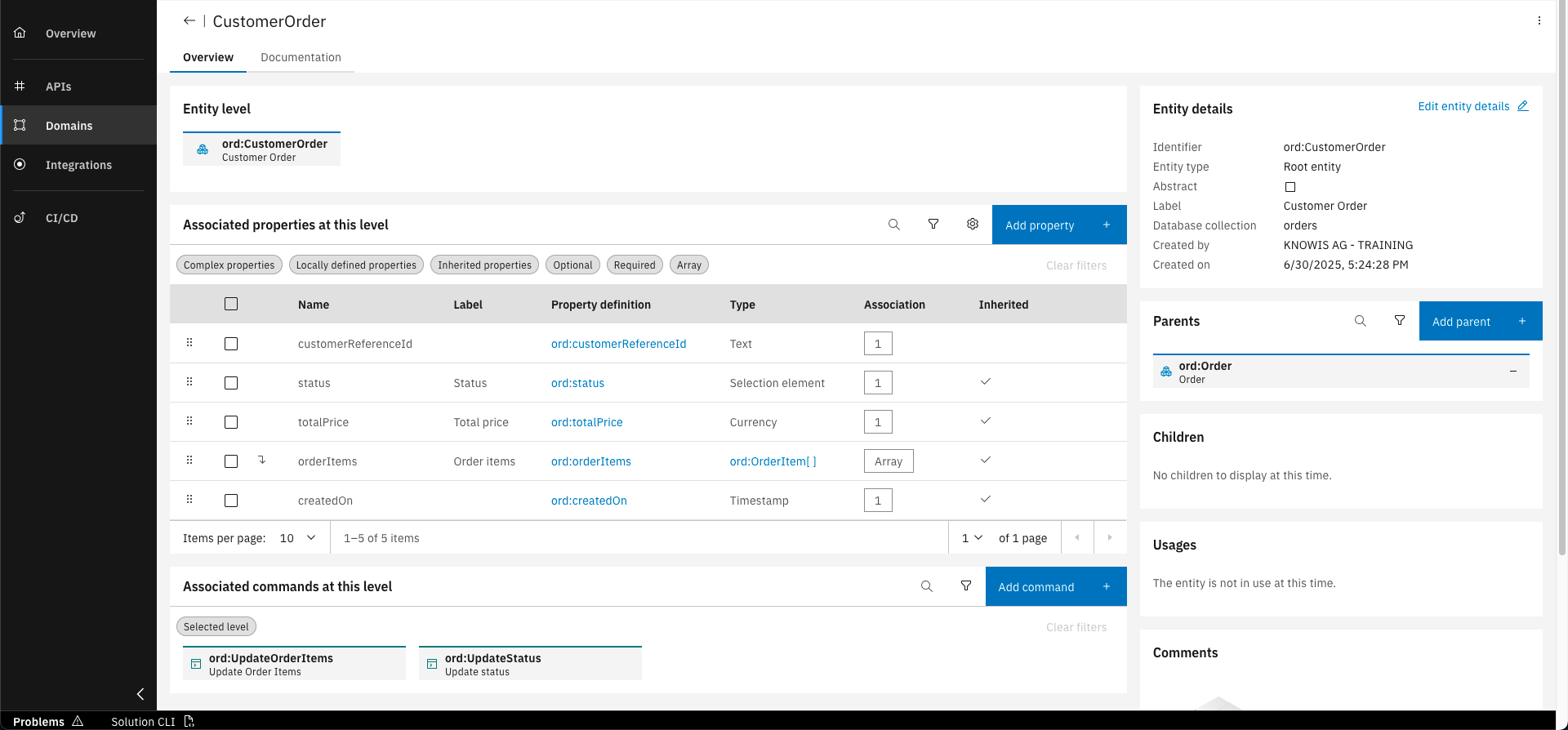
Click on "Add" to add the property to the CustomerOrder entity
Create and assign internalReferenceId property to InternalOrder
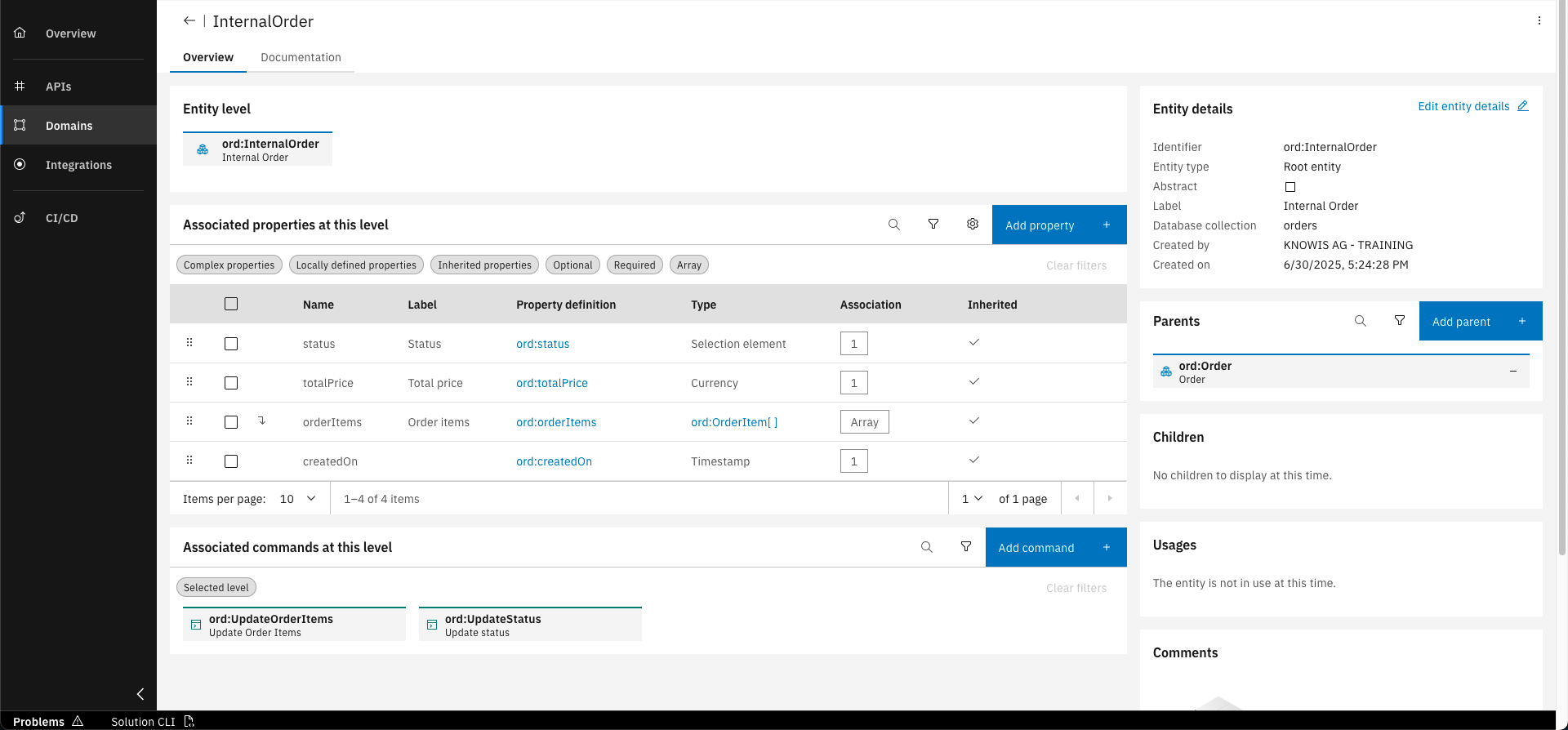
Open the InternalOrder entity by clicking on it in the entities overview
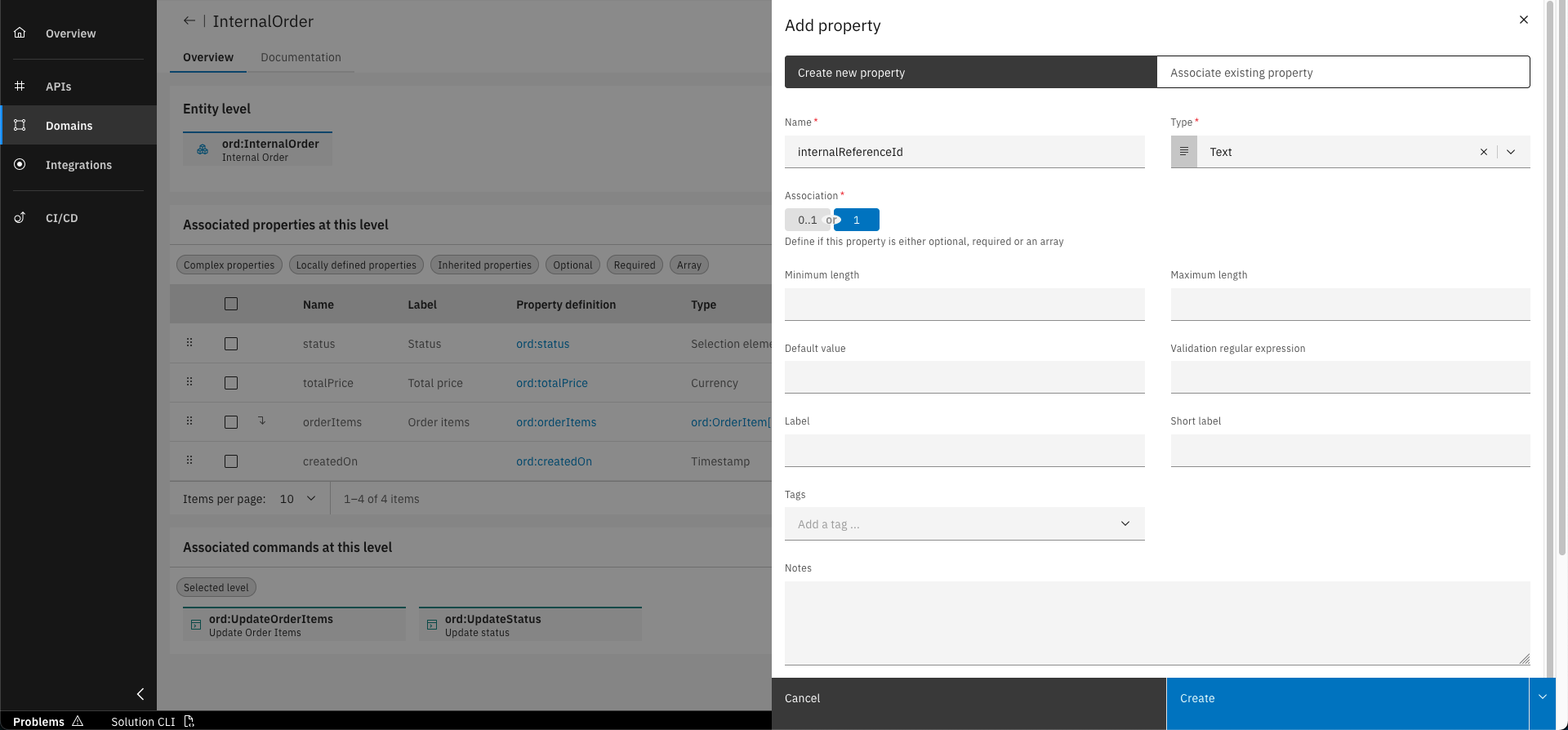
Click on "Add property" and fill out the form with the following details. Click on "Create" to confirm
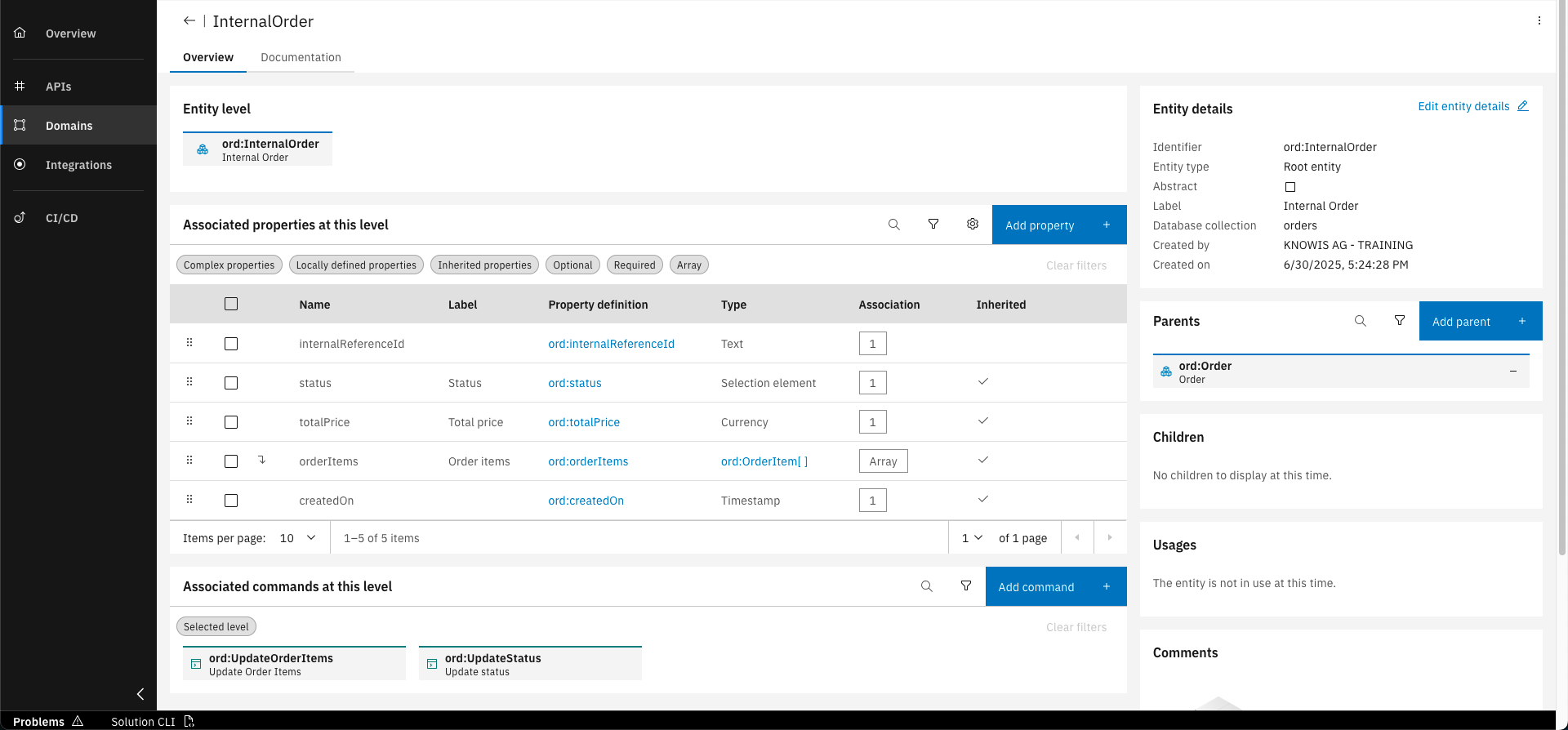
It will automatically be assigned to the InternalOrder entity
You have successfully designed entities and properties within the Orders project! Now you are able to reflect the core of your business needs with the IBM DevOps Solution Workbench.
What's next?
In the upcoming course you will learn to design commands, which are necessary to create and change root entities.
Related Links
Please find more information about Entities in the following links: