Unit 3: Design Commands
In this course you will learn about the different types of commands within a domain namespace. You will also practice how to design commands with their input, business events and business errors using the Solution Designer.
Outline
Commands are used to either create a new instance or manipulate an already existing instance of a root entity. In the Solution Designer commands can only be created within a root entity and have two different types:
- Factory command: This type of command is used to create new instances of the root entity to which it is assigned.
- Instance command: This type of command is used to change the current state of an existing instance of the root entity to which it is assigned.
Both command types accept an input entity and can raise business events and business errors.
Prerequisites
You have successfully completed Unit 2: Design Entities.
- Open your workspace in the Solution Designer.
- Find your imported project and open it by clicking on it.
- On the left sidebar, click on Domains and then select domain namespace
ord.
Exercise
Estimated time: 30 minutes
Exercise goal: After completing this course you are able to design factory and instance commands with all the pieces that belong to them.
Supported languages: Java and TypeScript
In this exercise, we will create a Factory command that creates a new instance either of the root entity InternalOrder or CustomerOrder. It will take an orderType enum as input to distinguish between the two types of orders as well as a referenceId. We will also create an Instance command that cancels an existing order. During creating and cancelling the order, we will also use Business Events to notify about the changes.
Step 1: Create a Factory Command
In this step, we will create a factory command for the root entity Order that handles the creation of new instances of an internal or customer order.
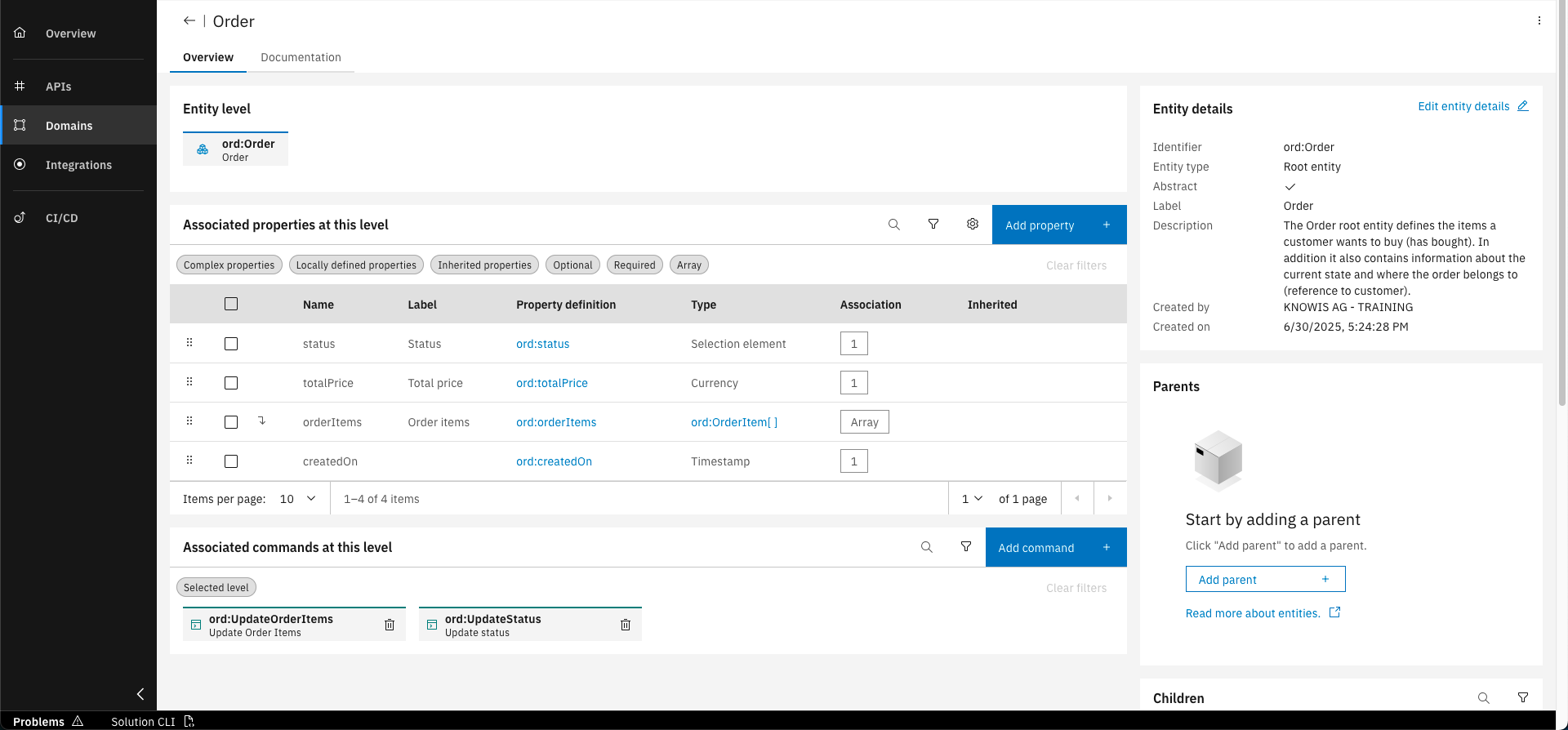
Go to the overview of the Order namespace, click on the "Entities" tab, and select the Order entity
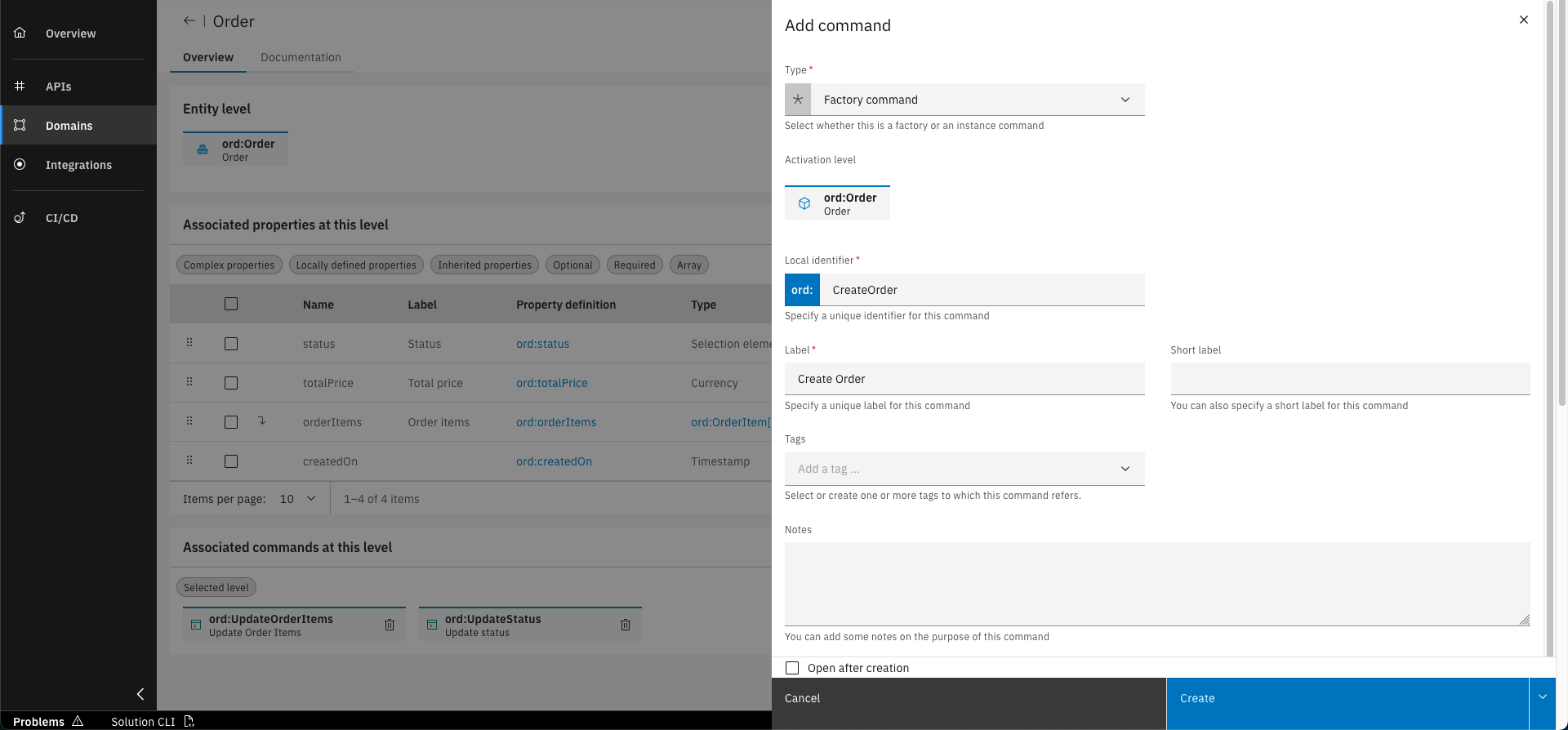
On the bottom of the page, click on the "Add command" button and fill out the form with the following details. Click on "Create" to confirm
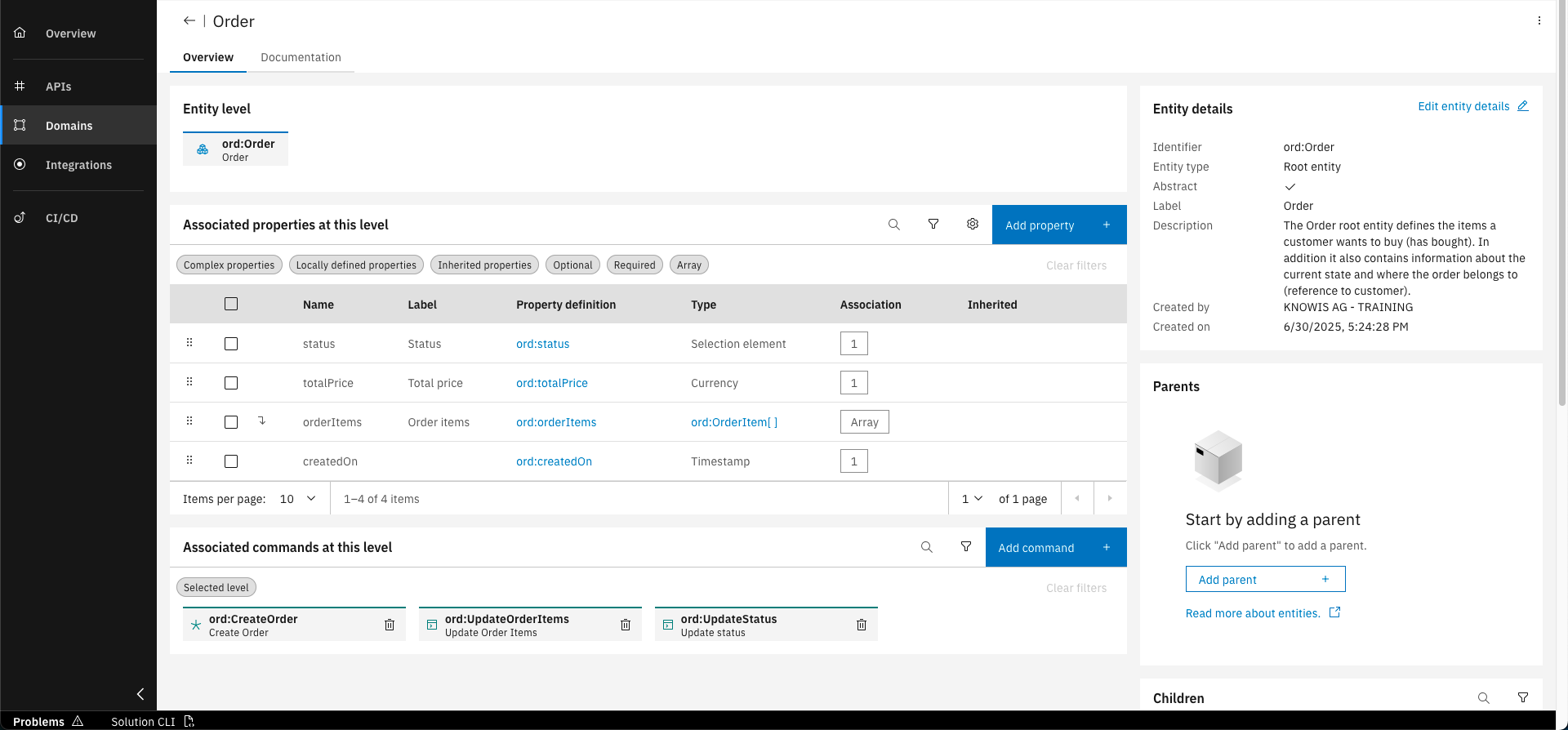
The new factory command is now associated with the Order entity
Step 2: Create an input entity
We will now add an input entity with properties to the CreateOrder command. The properties are a referenceId and an orderType enum.
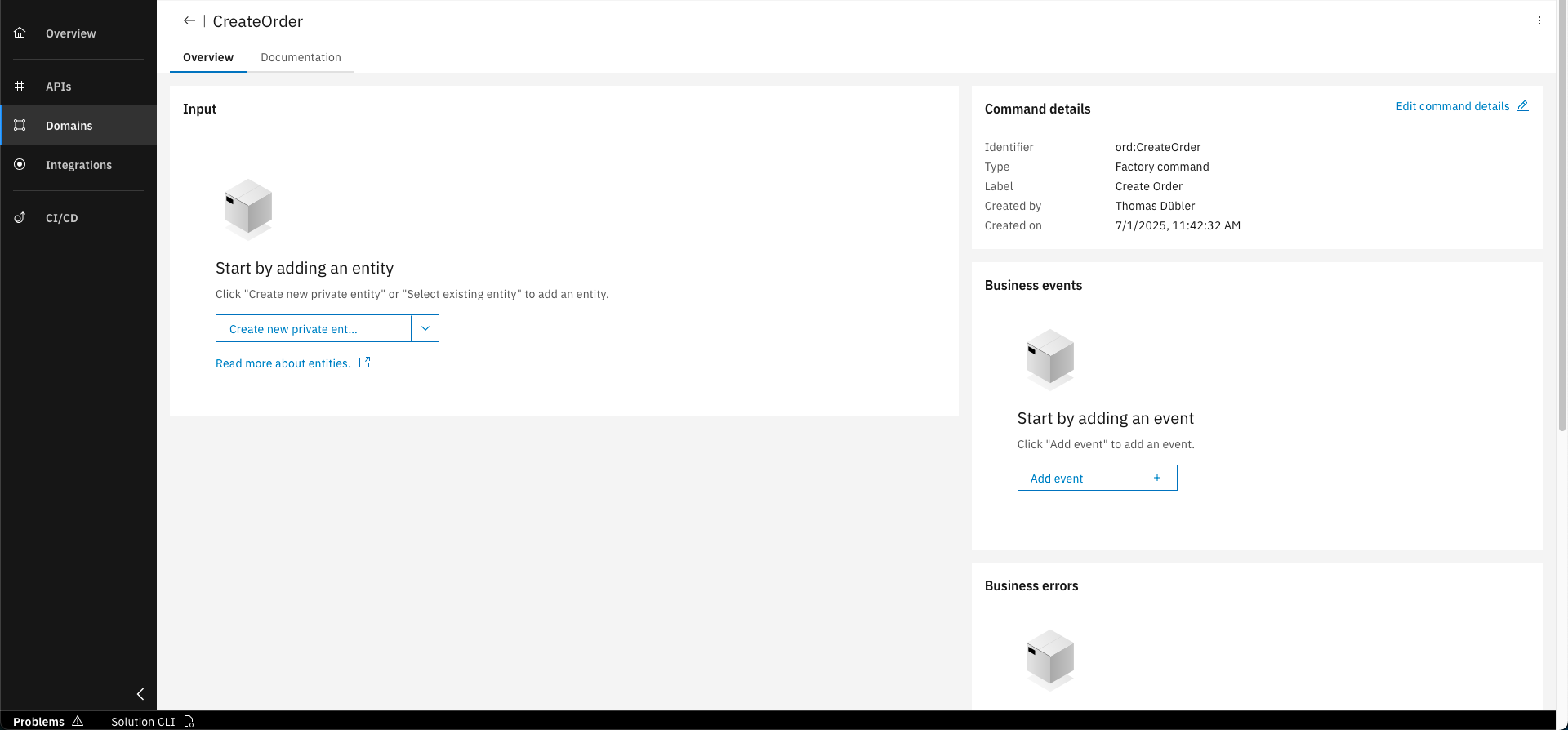
Go into the CreateOrder command and click on "Create new private entity"
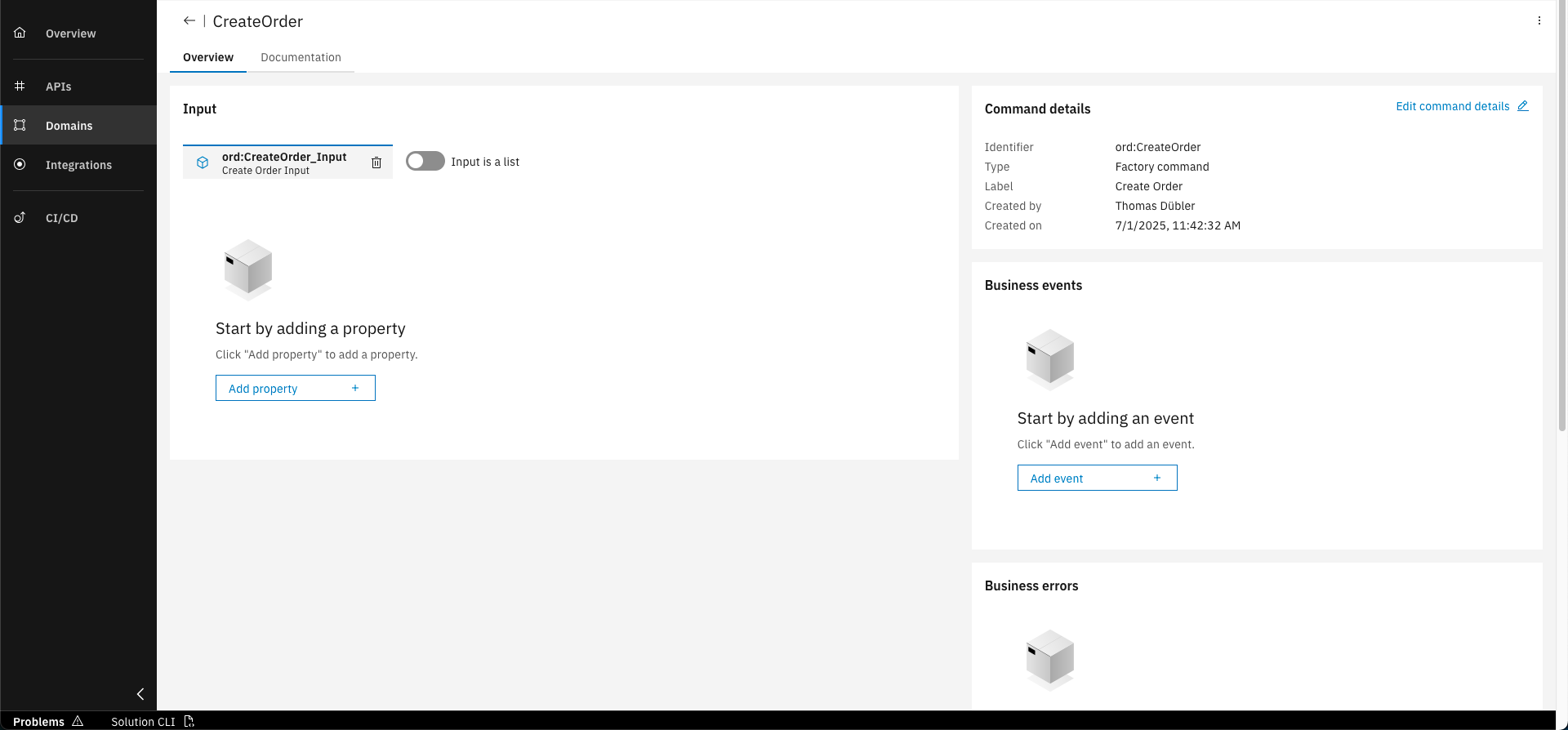
Now click on "Add property"
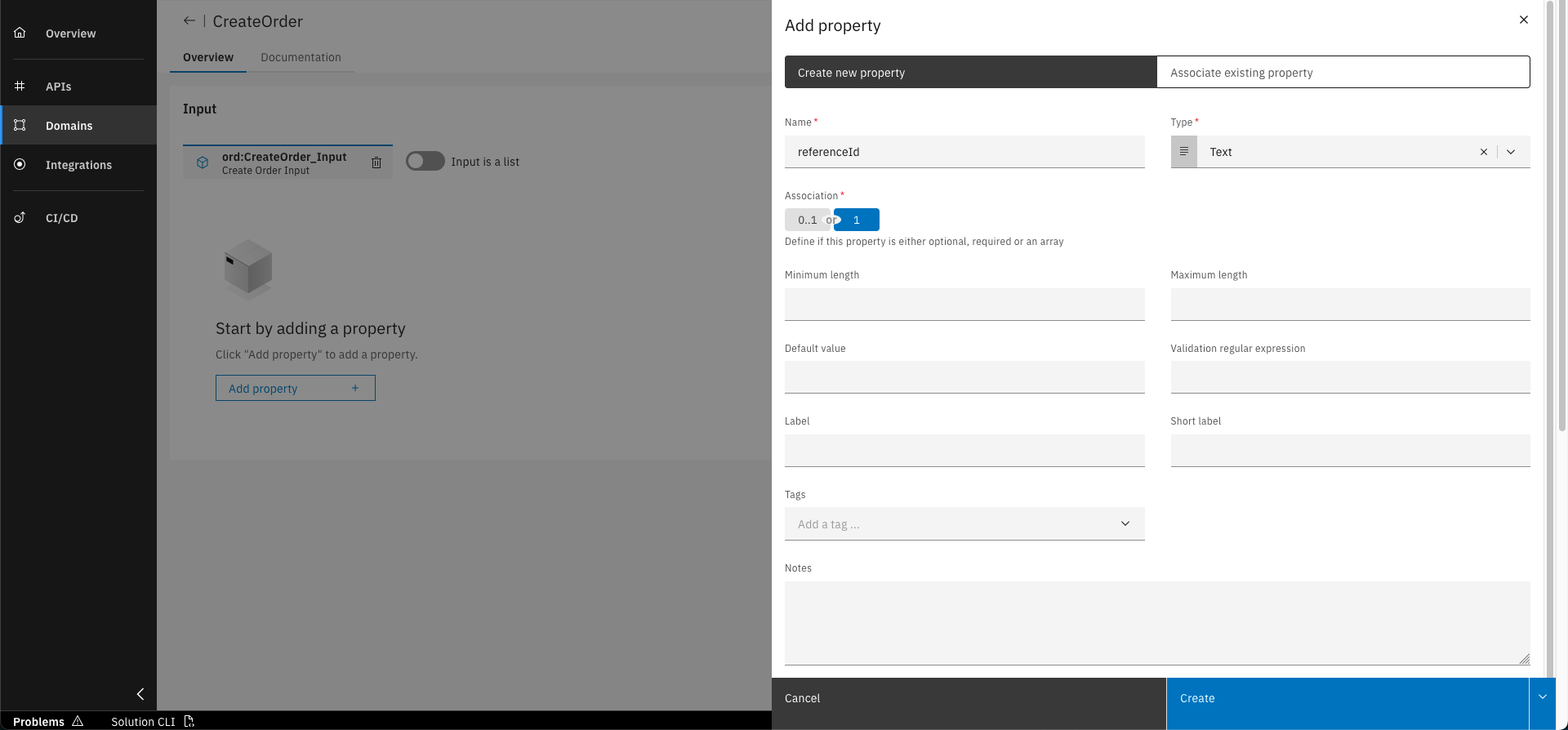
Fill out the form with the following details. Click on "Create" to confirm
Repeat step 2 for the following property, but additionally add enumeration elements to it:
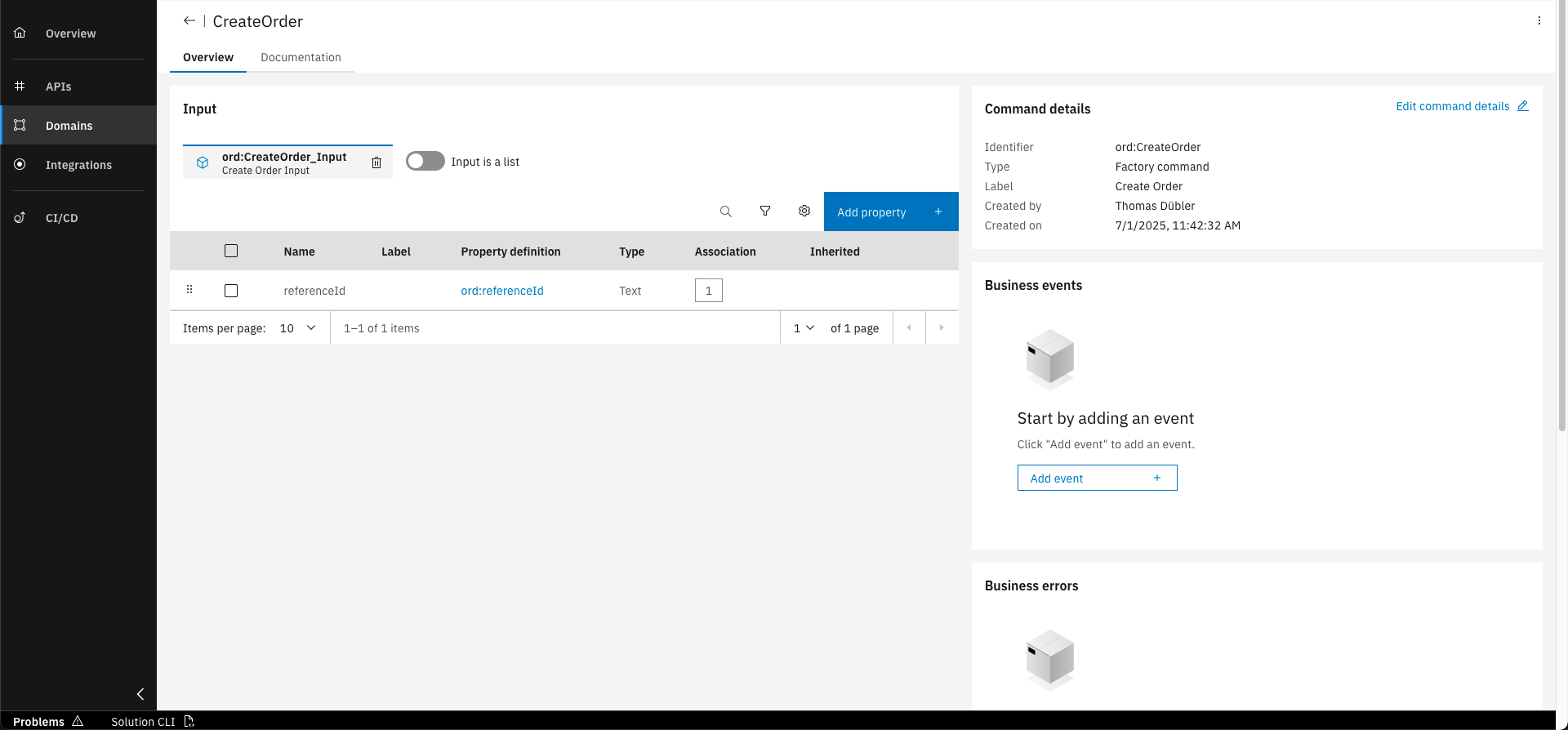
Click on "Add property"
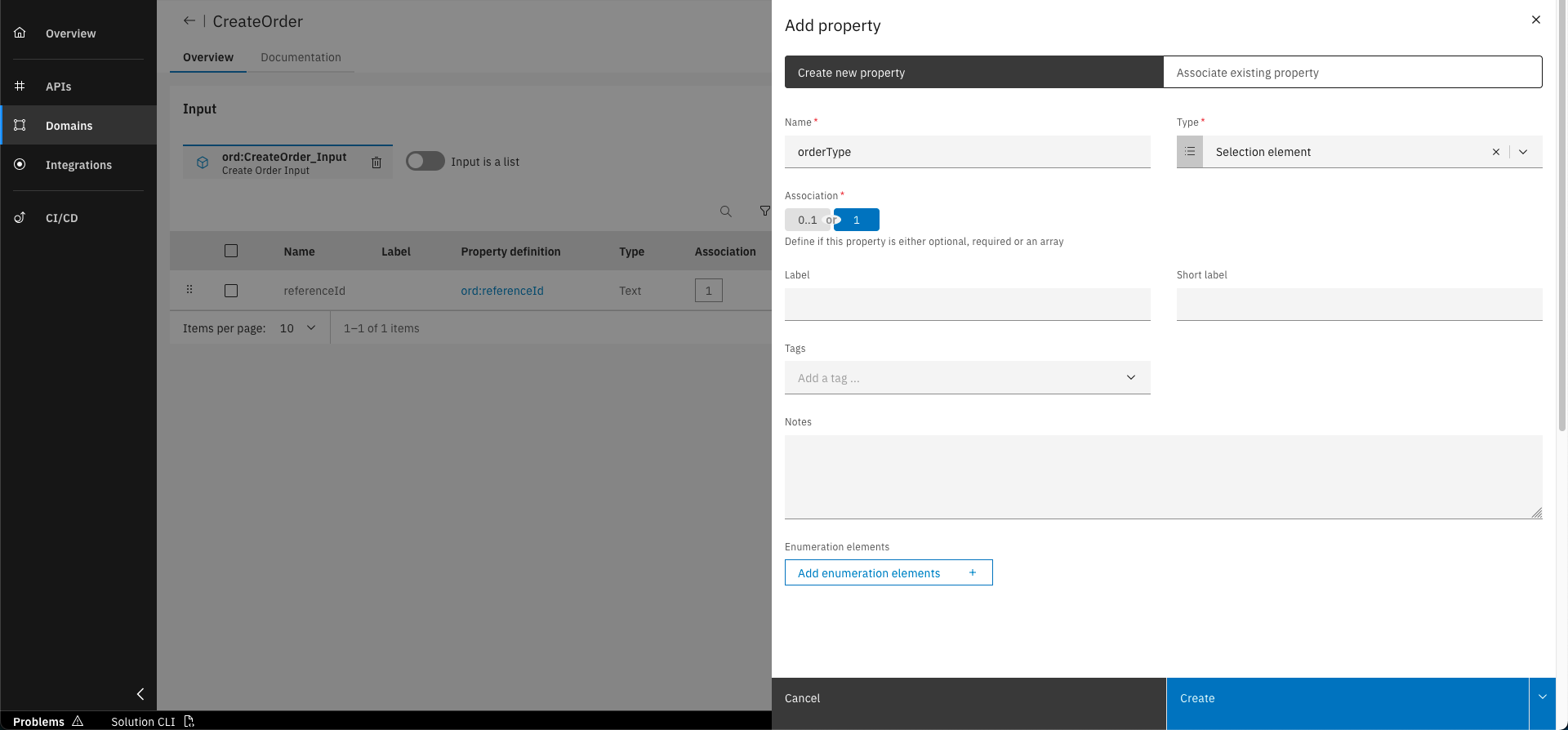
Fill out the form with the following details
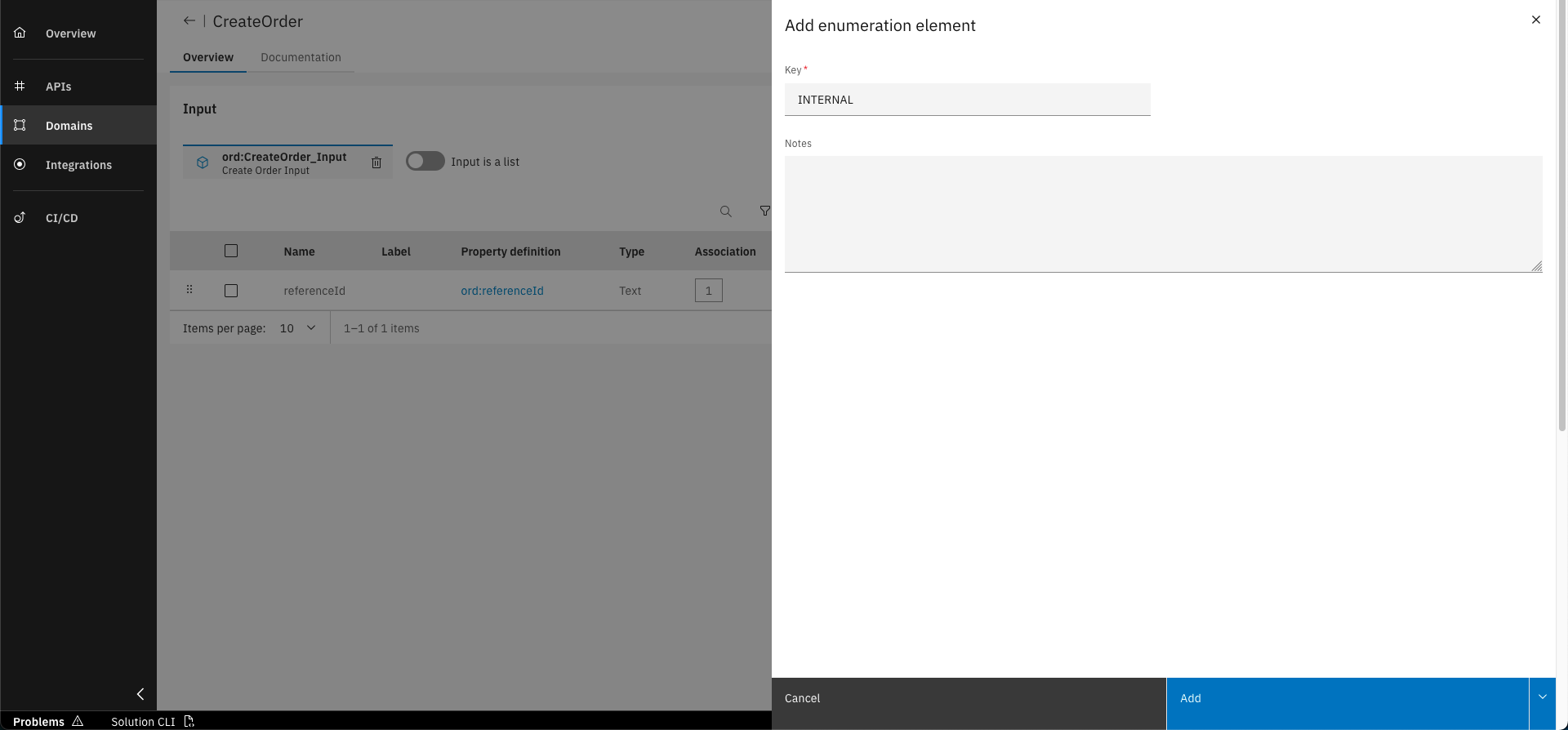
Click on "Add enumeration elements" and add the first element: INTERNAL
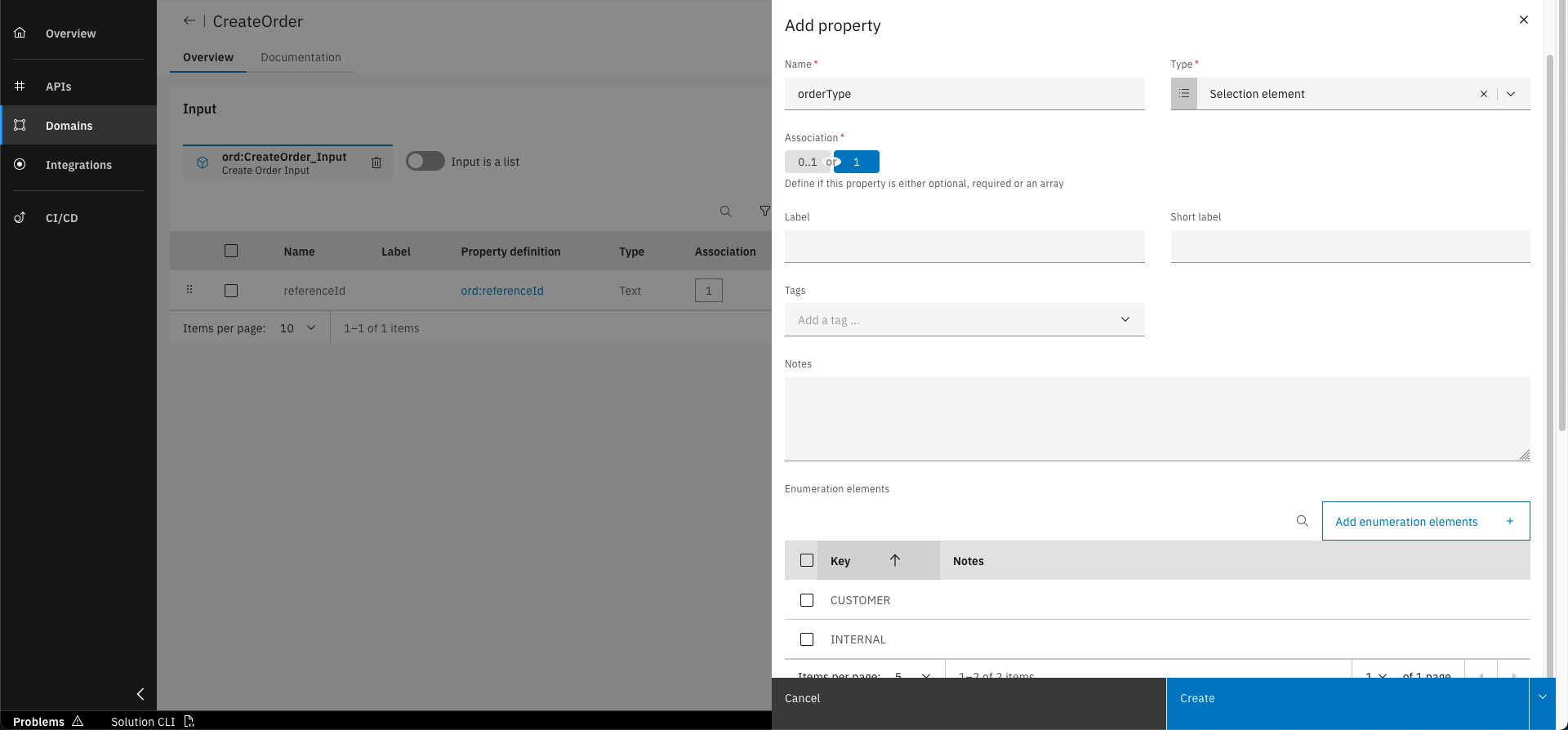
Repeat the step for the second element: CUSTOMER. Click on "Create" to confirm
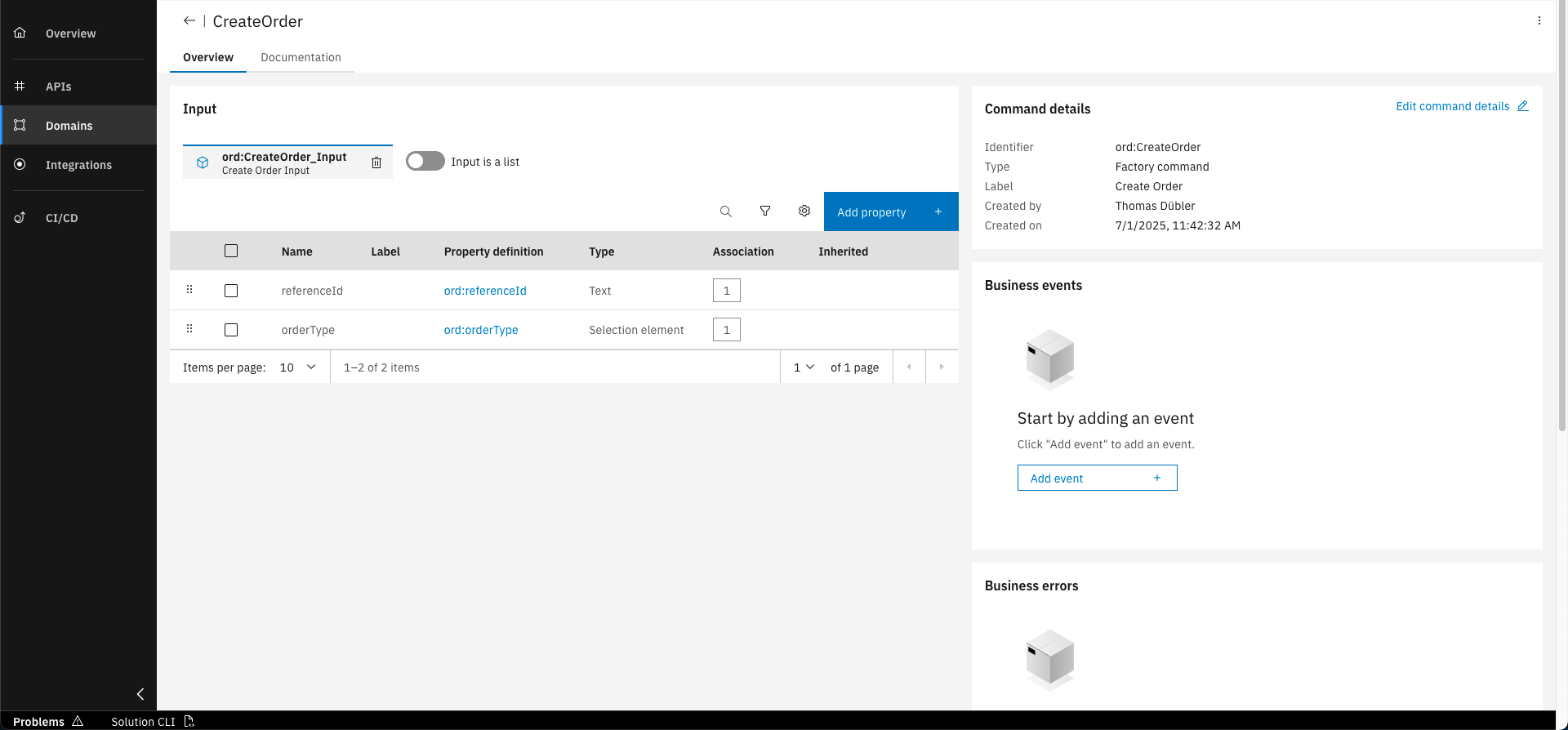
The orderType property is now added to the input entity
Additionally add the already existing orderItems property to the input entity:
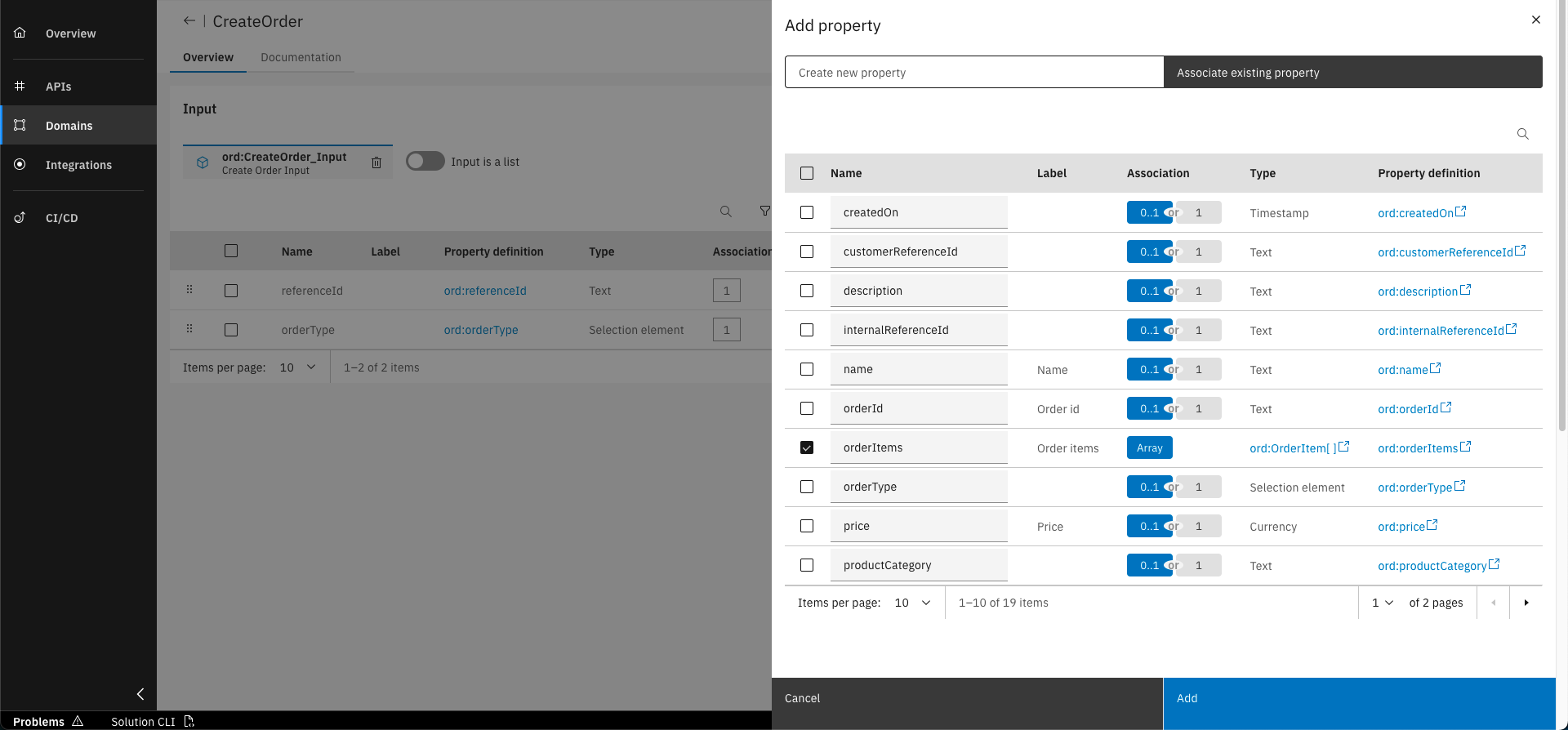
Click on "Add property" and select the already existing "orderItems" property from the list
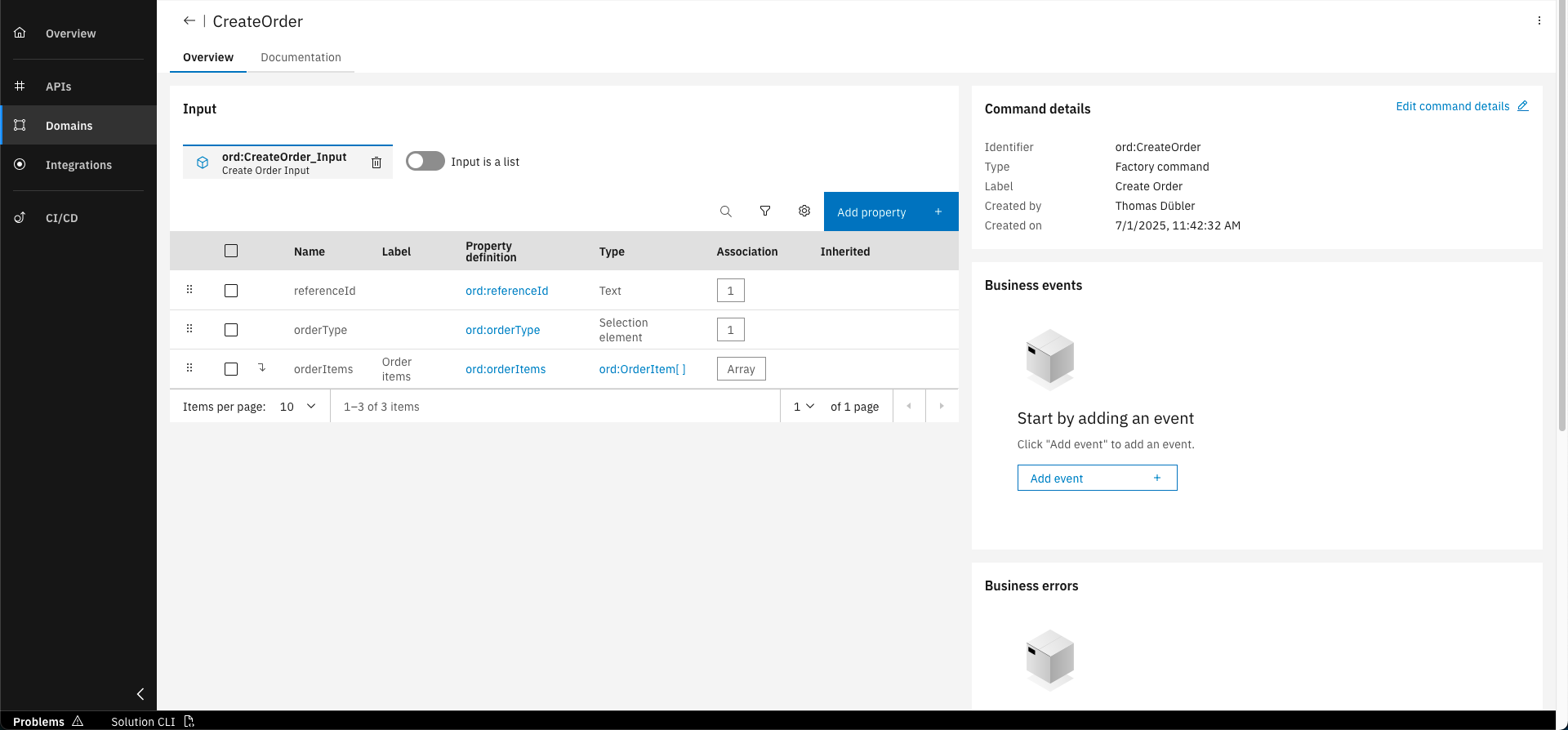
The orderItems property is now added to the input entity
Step 3: Add Business Event to Factory Command
We will add an Business Event to the Factory command that gets triggered when a new order is created. We will assign the already existing "OrderStatusChanged" event to the command to notify about a newly created order.
In the CreateOrder command, click on "Add event" in the "Business events" section on the right
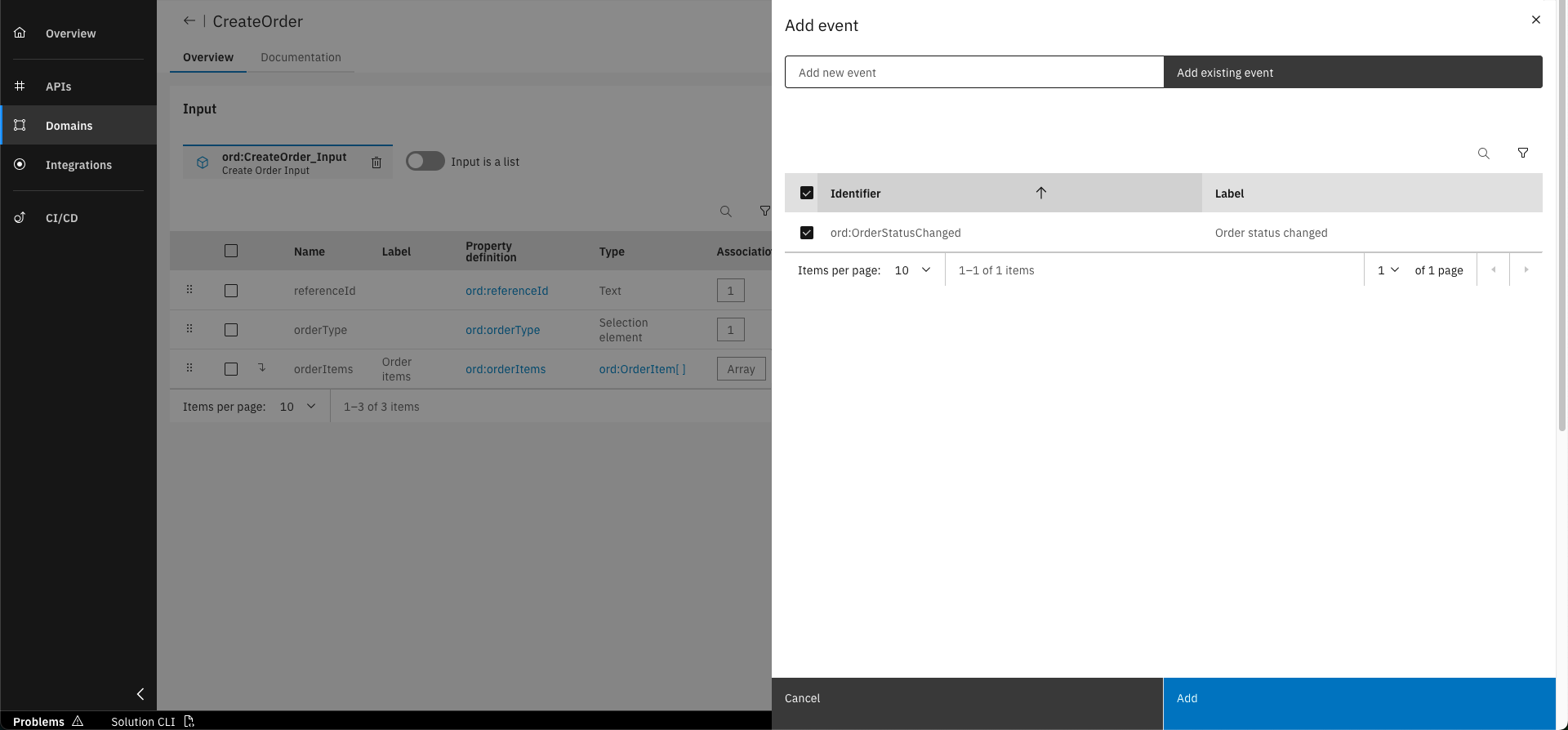
Select the "OrderStatusChanged" event and click on "Add"
Step 4: Create Instance Command
We will now create one instance command that handles the cancellation of an order. The command will change the status of an order to "CANCELLED" and will also trigger a business event to notify about the change. If the order status was already set to "CANCELLED", a business error will be raised.
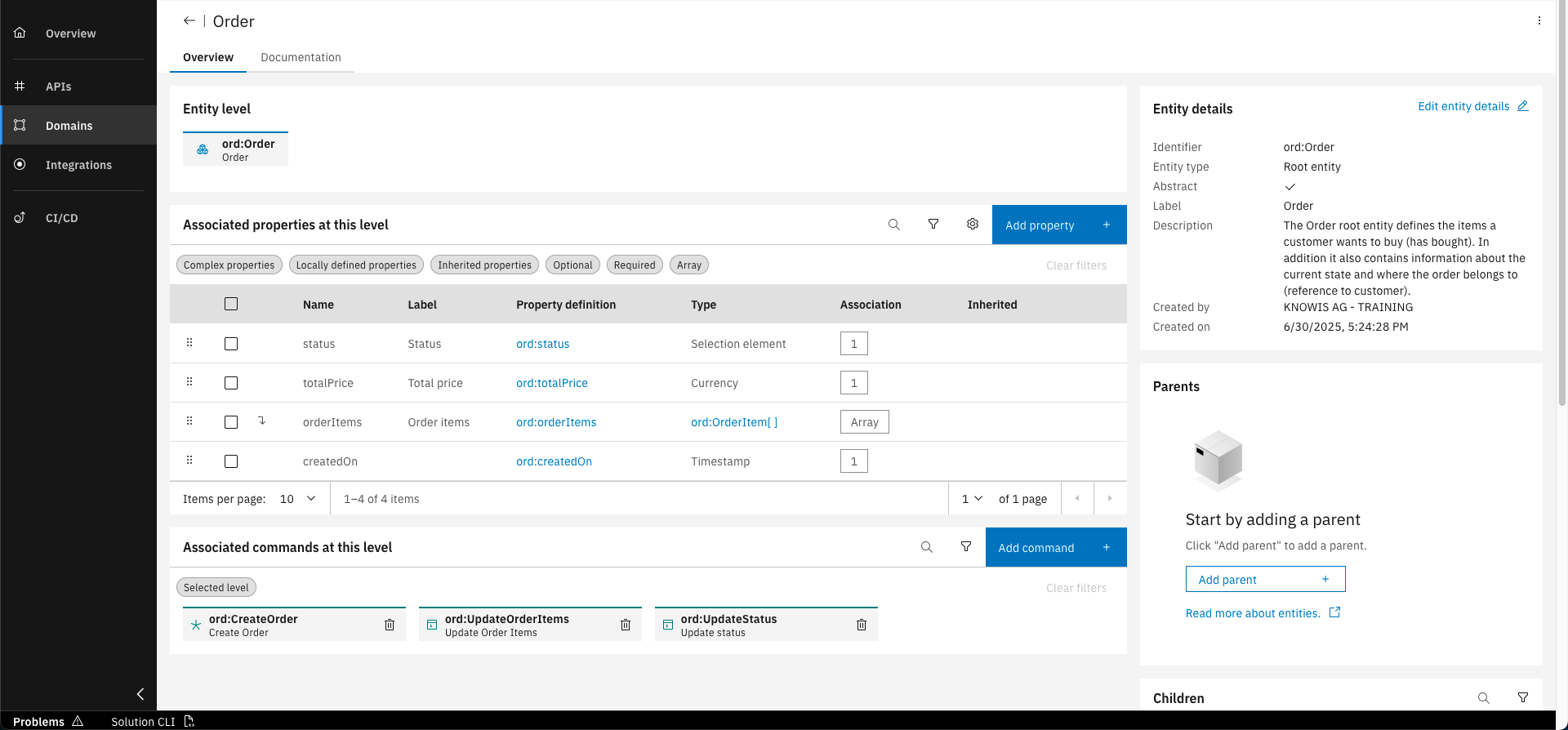
In the overview of the Order entity click on the "Add command" button
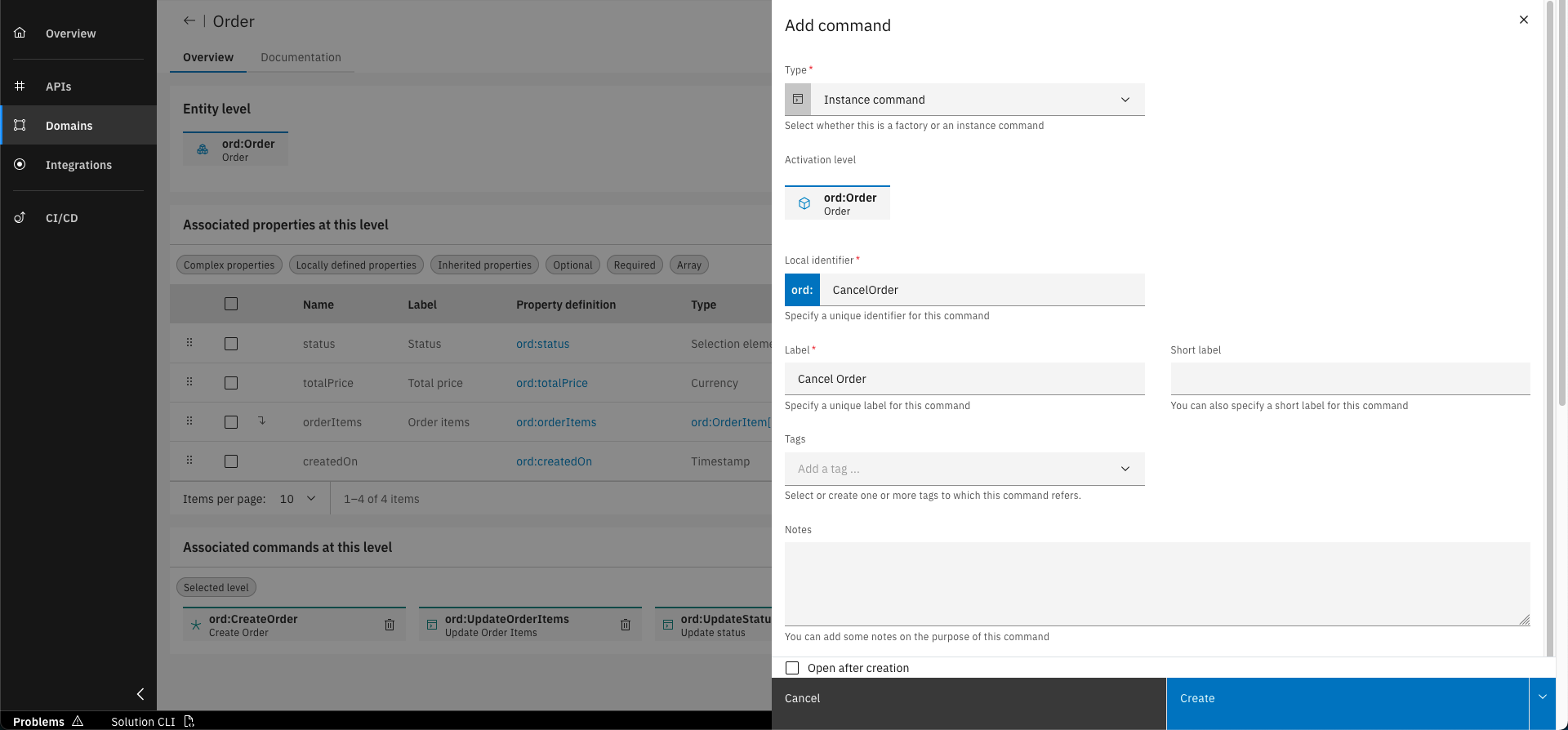
Fill out the form with the following details. Click on "Create" to confirm
Step 5: Add Business Event to Instance Command
As we don't need an input entity for this command, we will directly add the business event to the command.
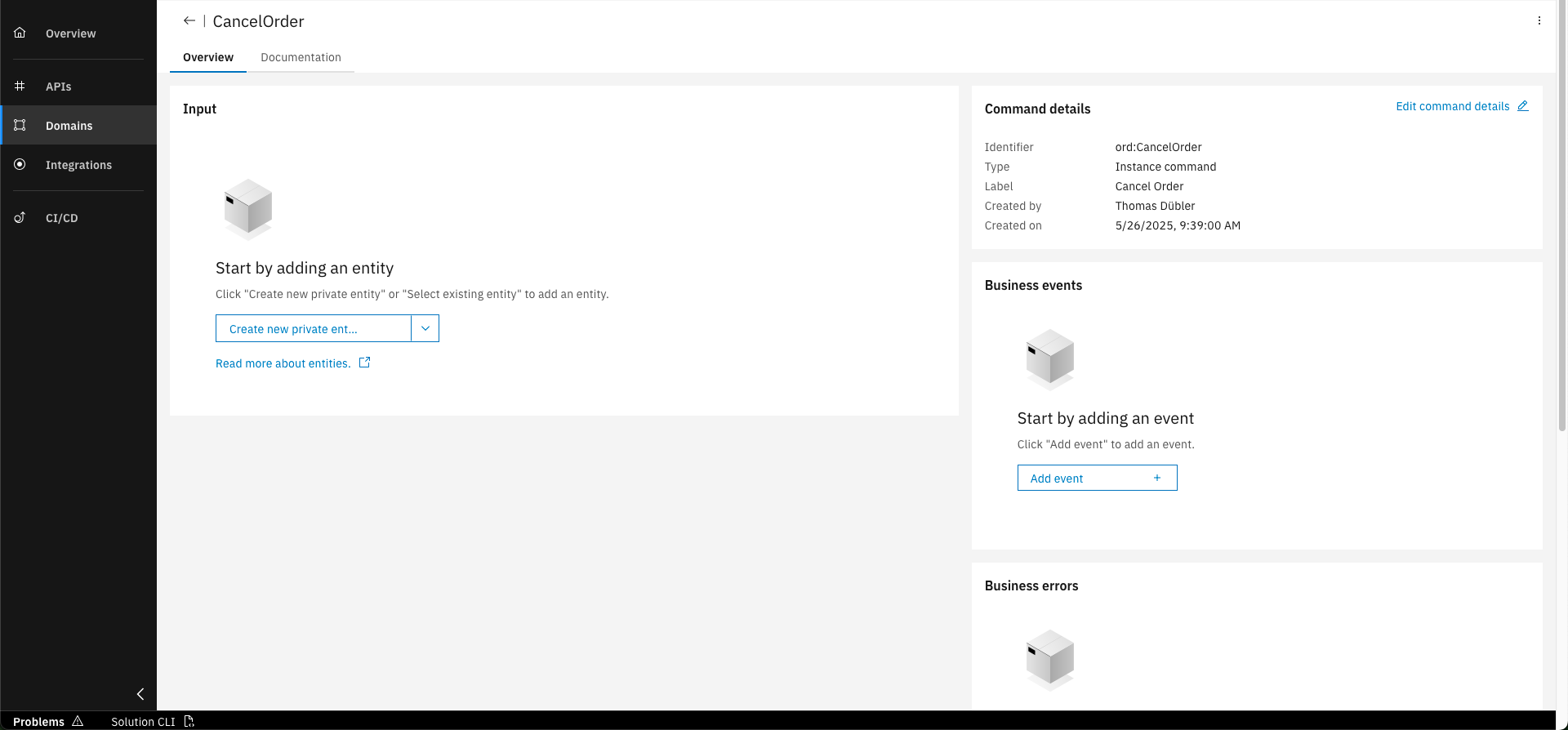
In the CancelOrder command, click on "Add event" in the "Business events" section on the right
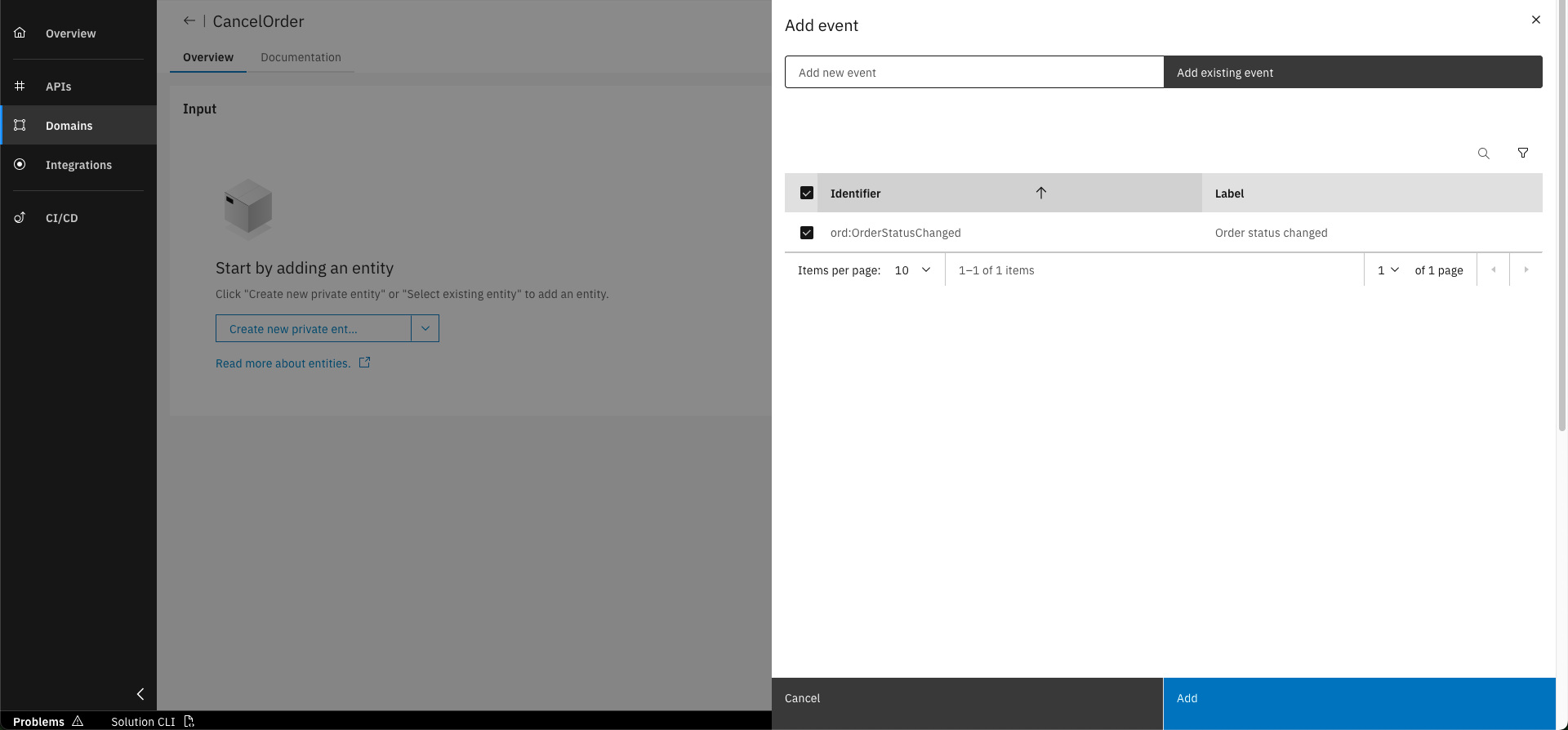
Select the "OrderStatusChanged" event and click on "Add"
Step 6: Add Business Error to Instance Command
We will now add a business error to the command that gets raised if the order cannot be cancelled.
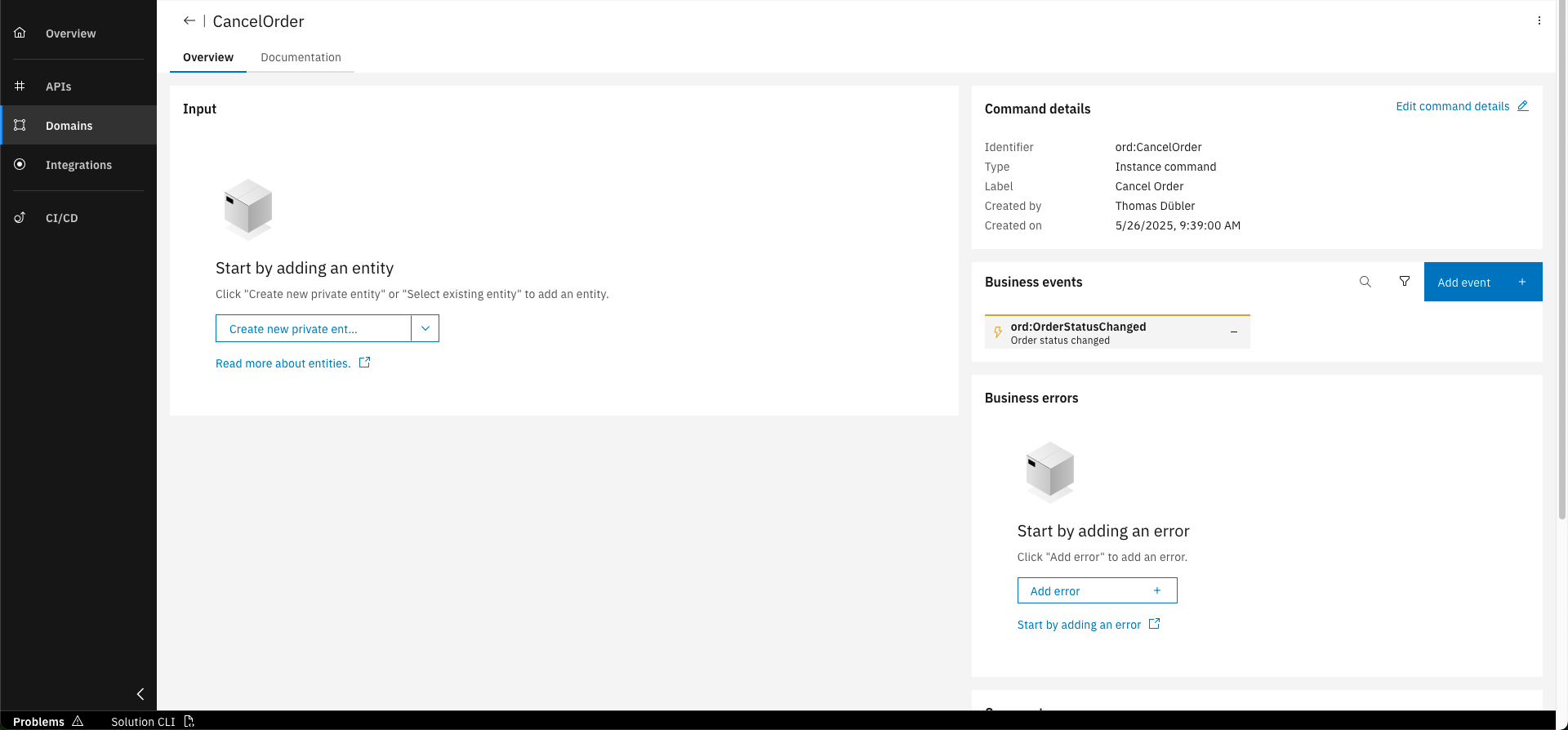
In the CancelOrder command, click on "Add error" in the "Business errors" section on the right
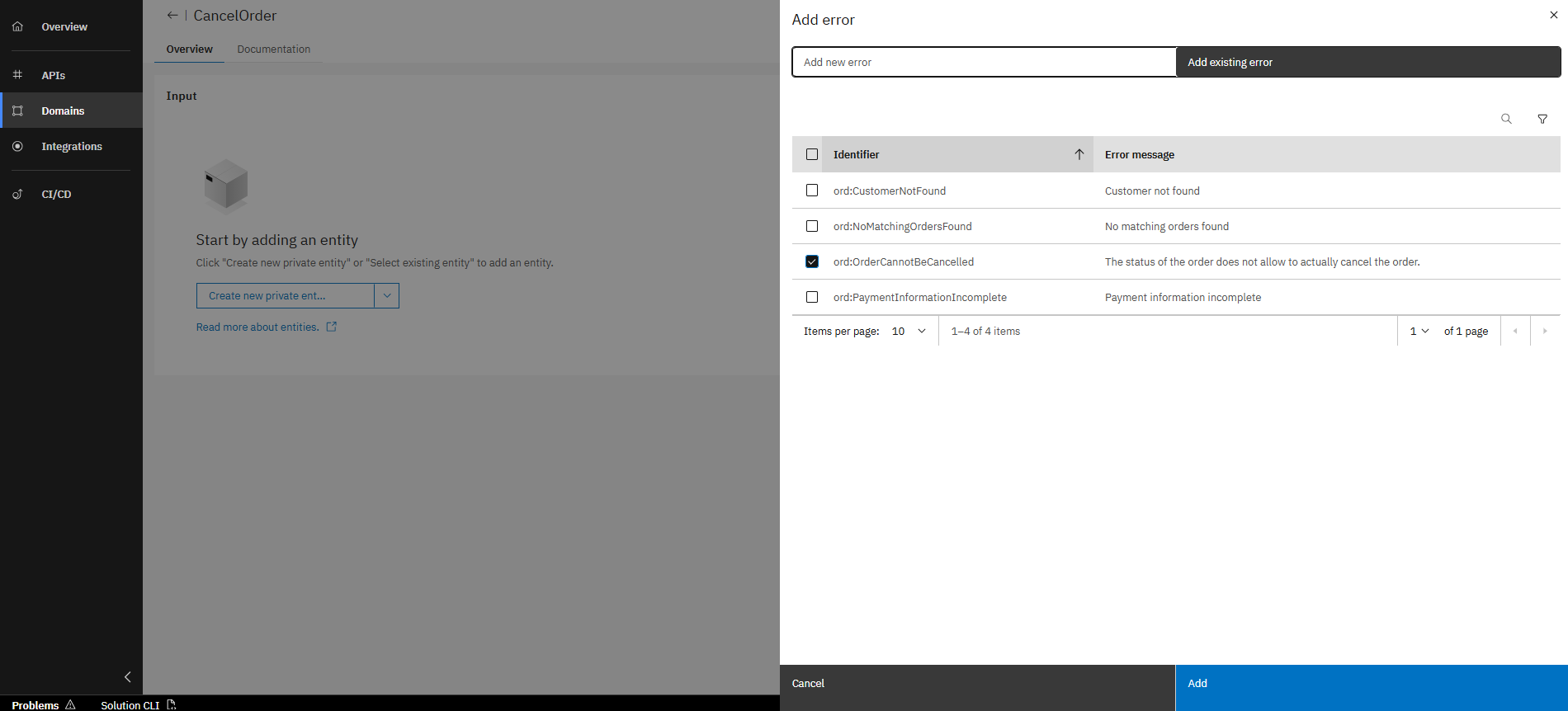
Select existing error "ord:OrderCannotBeCancelled" and click on "Add" to confirm
You have successfully designed factory and instance commands within the Orders project! You have also seen how you can define the input and assign business events and errors. With this you are able create and change root entities and inform about processed changes.
What's next?
In the follow up course you will learn to design domain services, which are used to change several instances of root entities.