Unit 5: Design Event and Agent
In this course you will learn about events and agents within a domain namespace and you will understand their role and usage in the IBM DevOps Solution Workbench. You will also practice how to design events and agents using the Solution Designer.
Outline
Events are used in the Workbench to inform that something with business relevance has happened. They contain a payload that carries the information that is passed on and they can be published by commands, domain services and agents. Typically, another service (or sometimes the same one) listens to that event and reacts by triggering further actions using an agent.
Events are often used in Event Driven Architecture, a common design approach in distributed applications.
To use events and agents in your domain service project, the "Business event support" extension must be enabled - which is the case by default.
Prerequisites
You have successfully completed the Preparation section in the Course Introduction.
- Open your workspace in the Solution Designer.
- Find your imported project and open it by clicking on it.
Exercise
Estimated time: 15 minutes
Supported languages: Java and TypeScript
In this exercise you will create an event CustomerLifecycleEvent as well as an agent that listens to it.
Since this event will not be published by the Order service, but by a different service (Customer Management), we need to ensure that we can use it in our service, too. The agent will then be triggered by the event and, if the customer status has changed to "DEACTIVATED" or "DELETED", execute the cancellation of customer orders.
Step 1: Create "cust" Domain Namespace
Since we want to consume an Event published by another service, we need to replicate it in our own project. It is necessary to create the Event in our project - as it is already modelled in the other service. This applies also for the Domain Namespace, which you need to create, too!
Note: This step is only needed when consuming events published by other services.
To create the Cust namespace follow the instructions below.
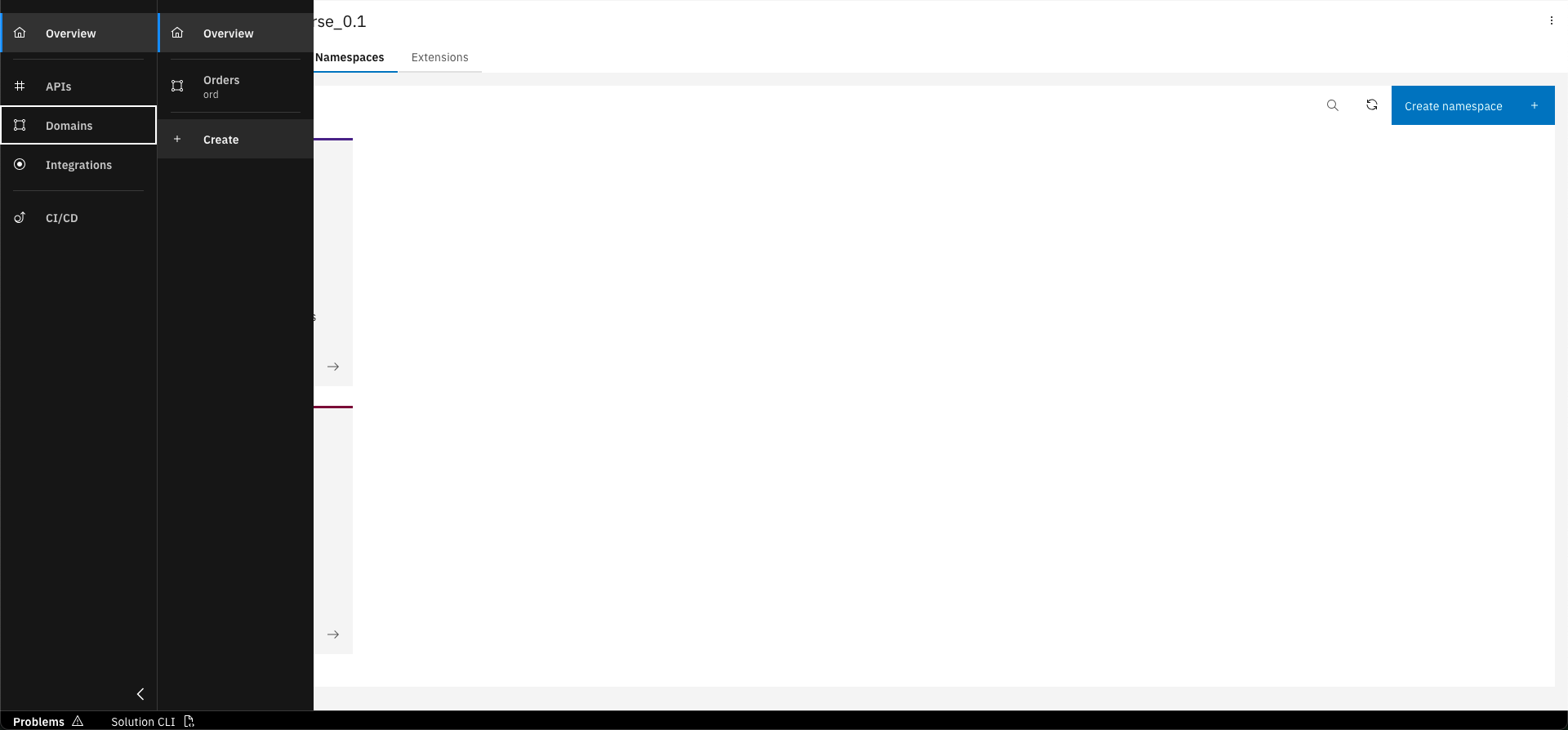
Click on "Create" in the Domains sidebar
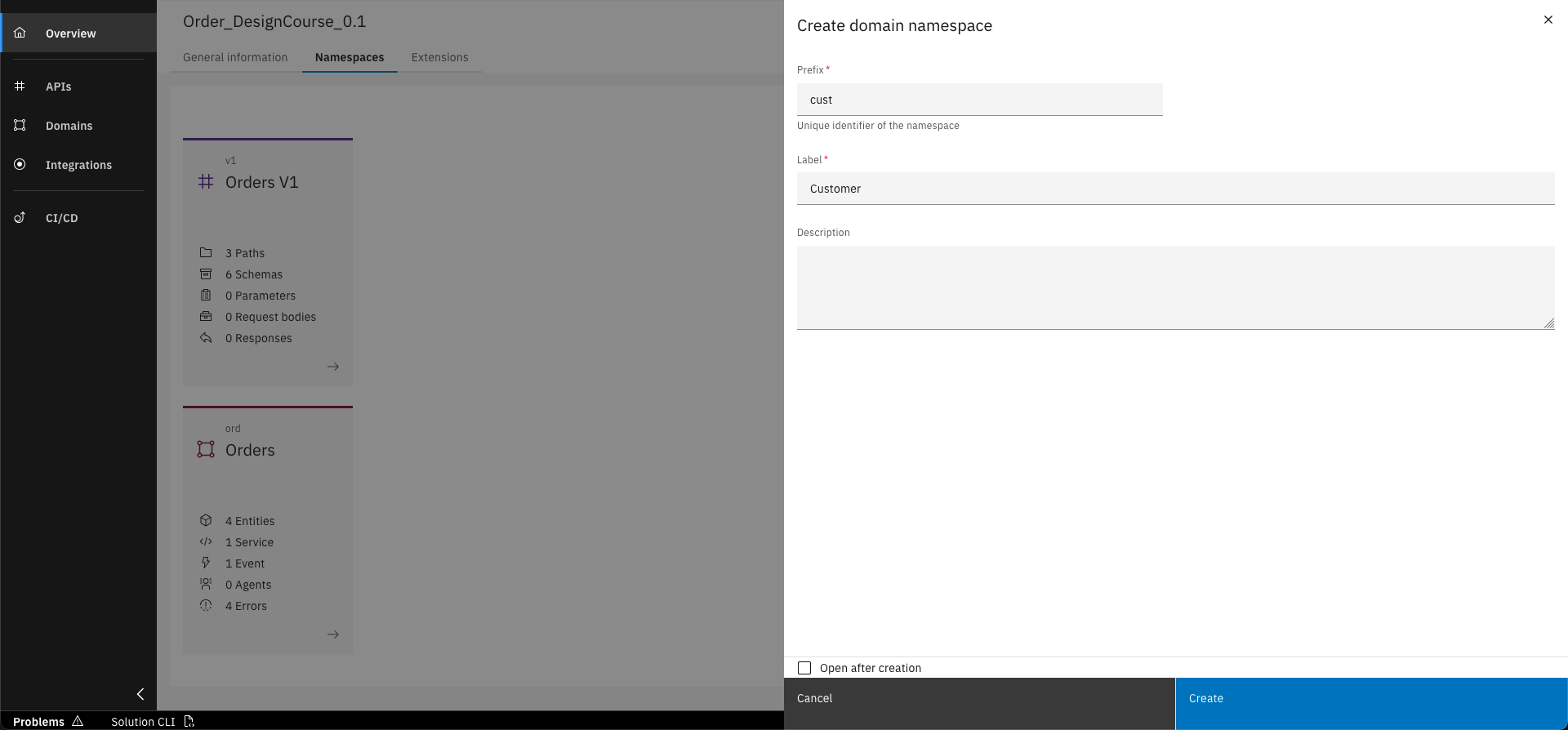
Enter basic data for new namespace and click "Create" button
Basic data to create Domain Namespace
You need to enter the data below to create the new Domain Namespace.
- Prefix: cust
- Label: Customer
Step 2: Create Event
The following steps will create the Event in the new Domain Namespace.
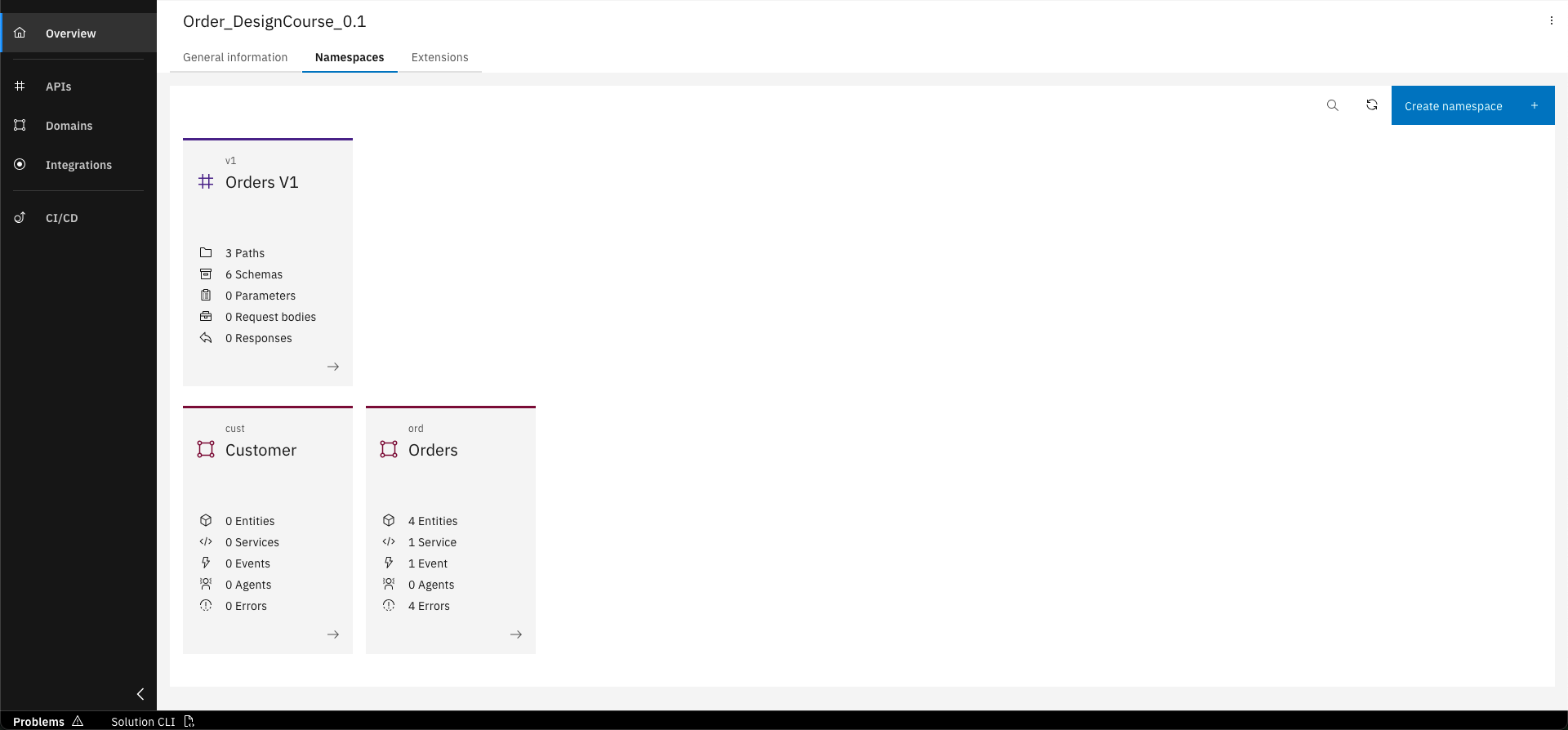
Go into the "Customer" namespace.
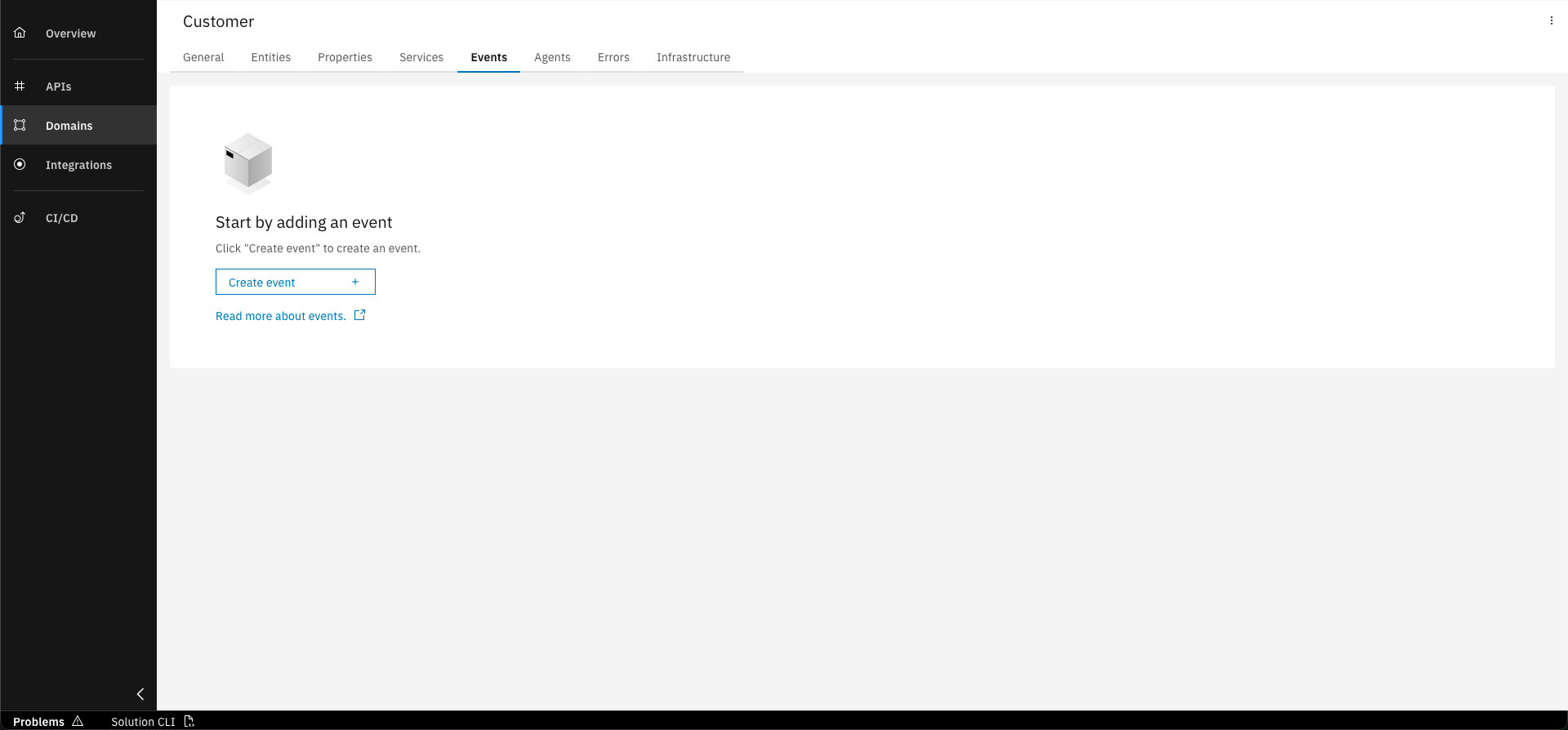
Select "Events" tab.
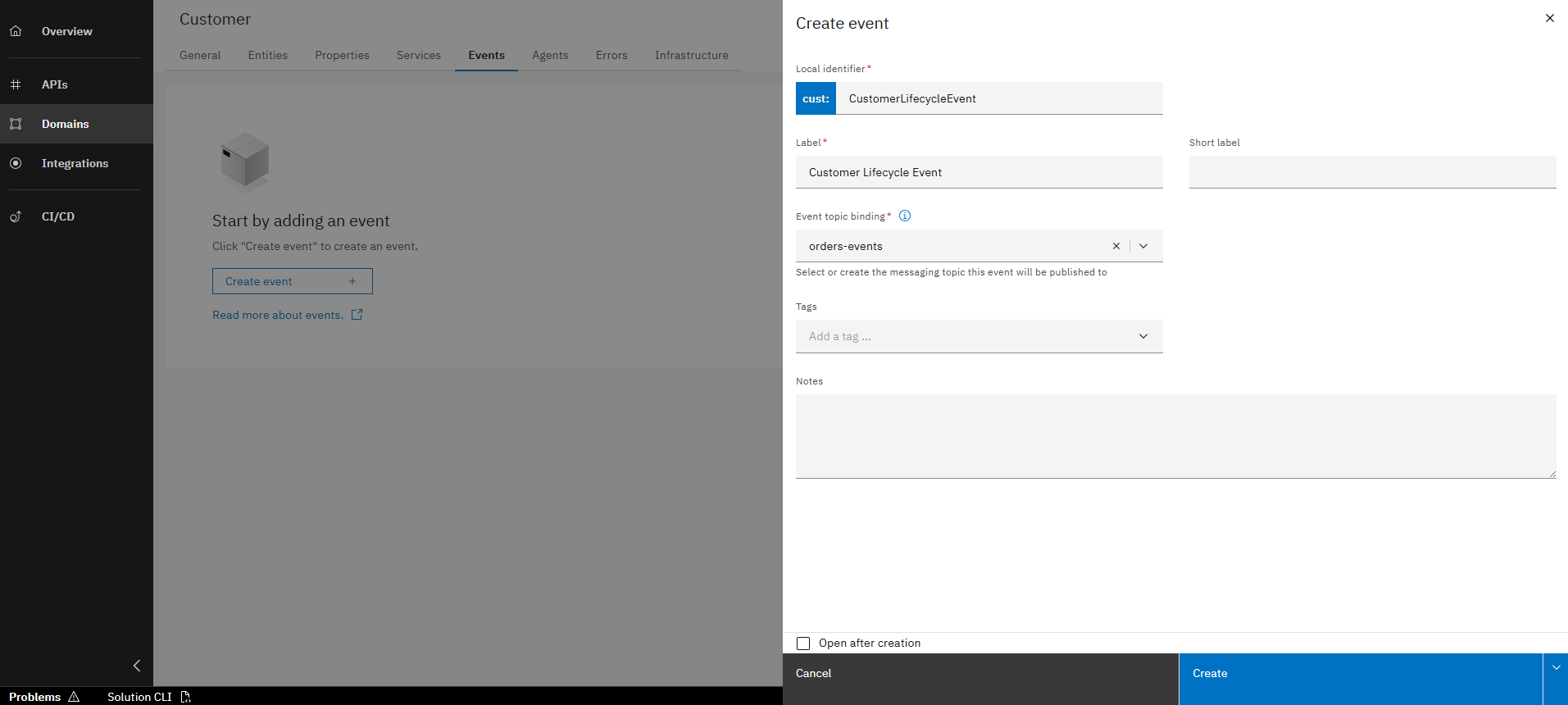
Fill out the form with the following data and click on "Create".
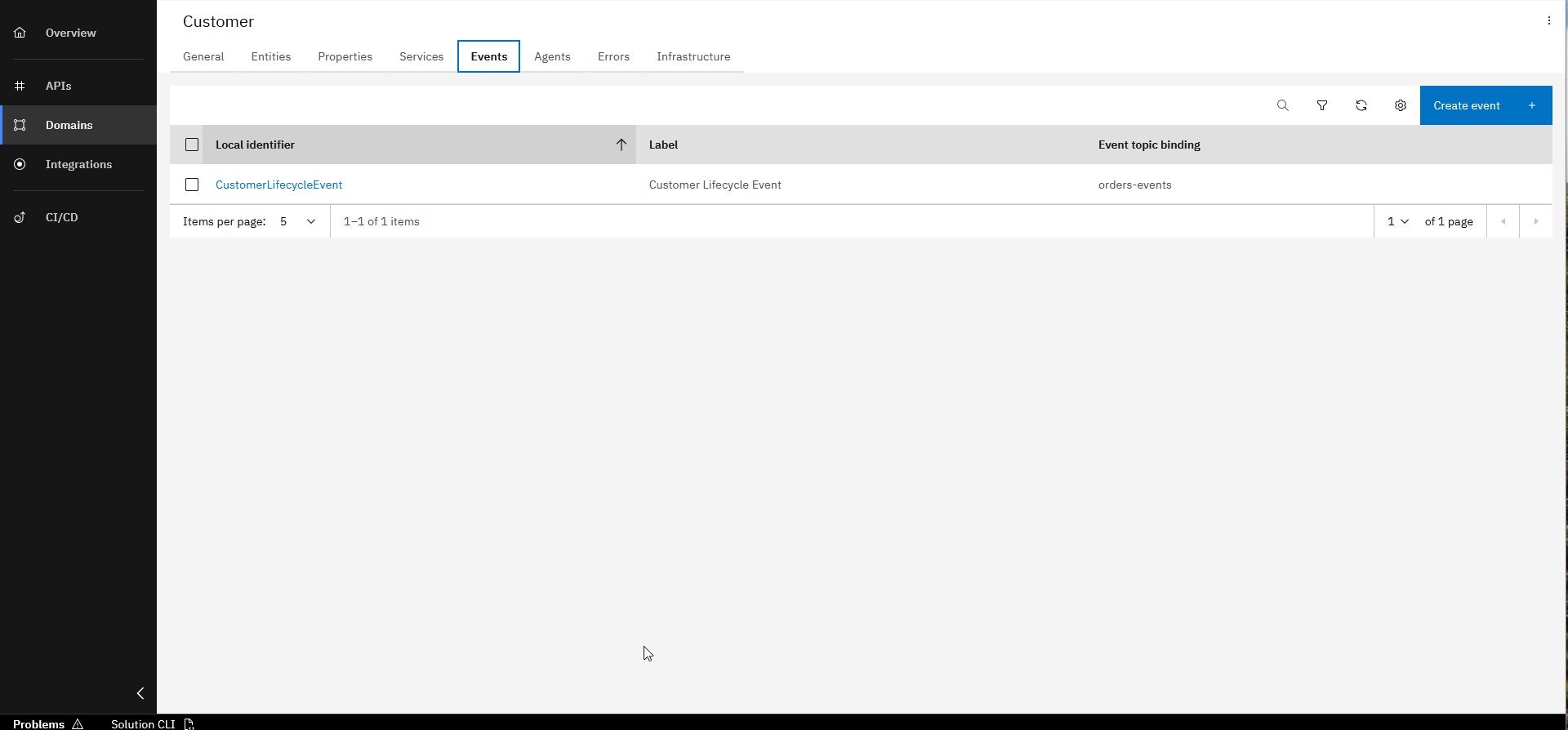
The new event is created and added to the namespace.
Basic data to create Event
You need to enter the data below to create the new Event.
- Local Identifier: CustomerLifecycleEvent
- Label: Customer Lifecycle Event
- Event Topic Binding: orders-events
Make sure to use the exact name (including namespace prefix) used in the Customer service. Since the event is published by another service, the topic binding and payload schema already exist.
Step 3: Create the Event Payload
Each Business Event includes a payload that typically contains relevant data and is described by a schema. We will now add this to our event.
Click on the "CustomerLifecycleEvent".
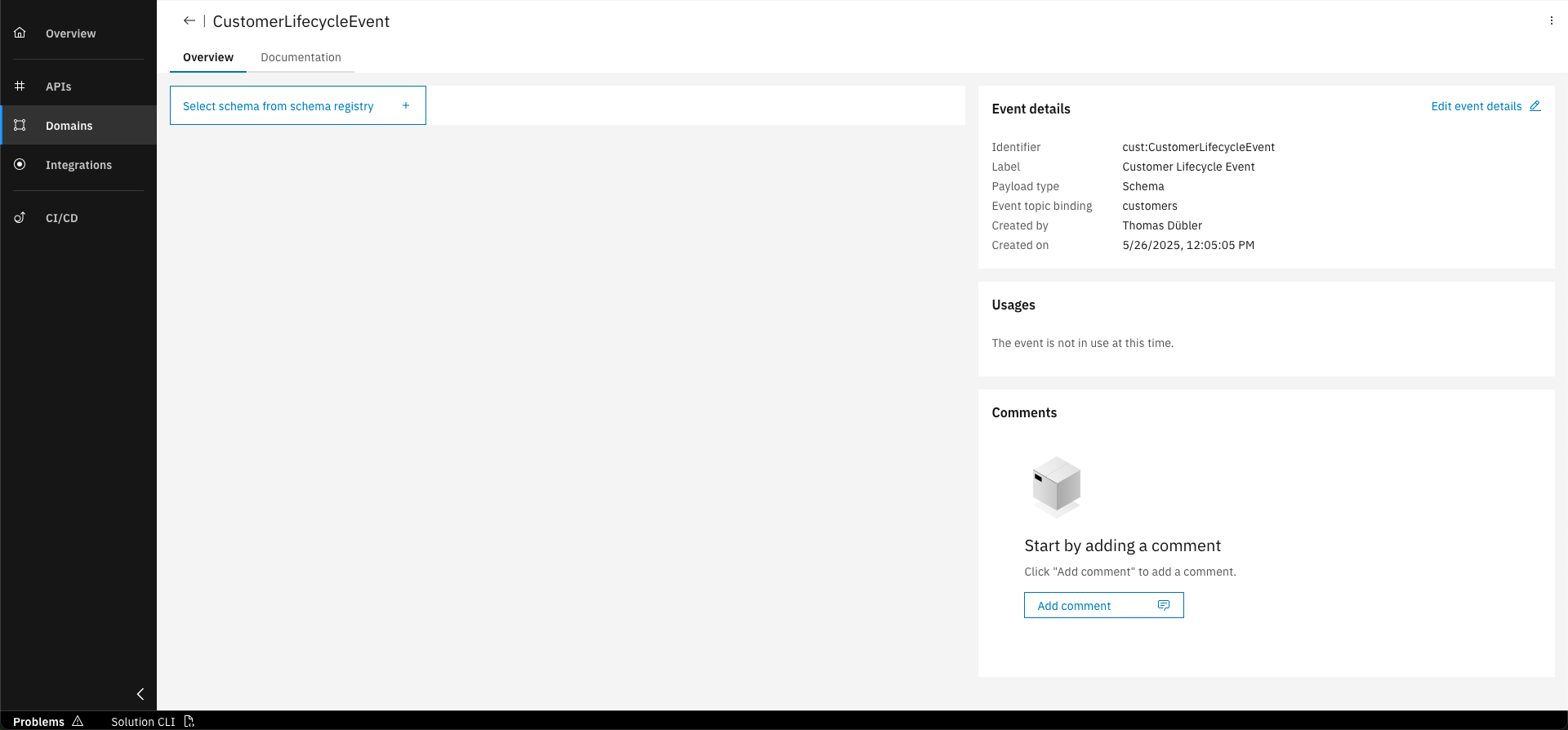
Click "Select schema from schema registry"
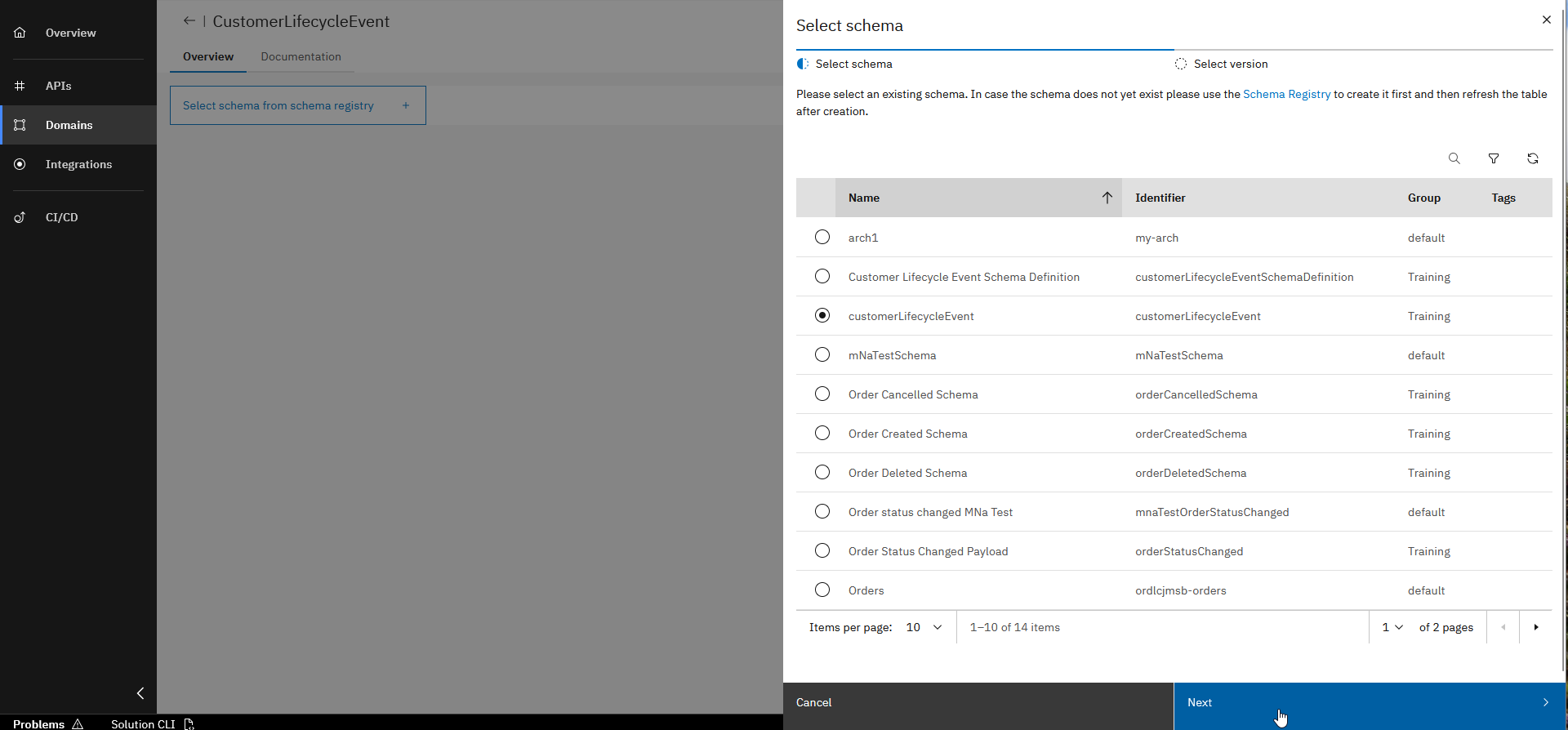
Select schema with identifier "customerLifecycleEvent" (Group: Training) and click "Next"
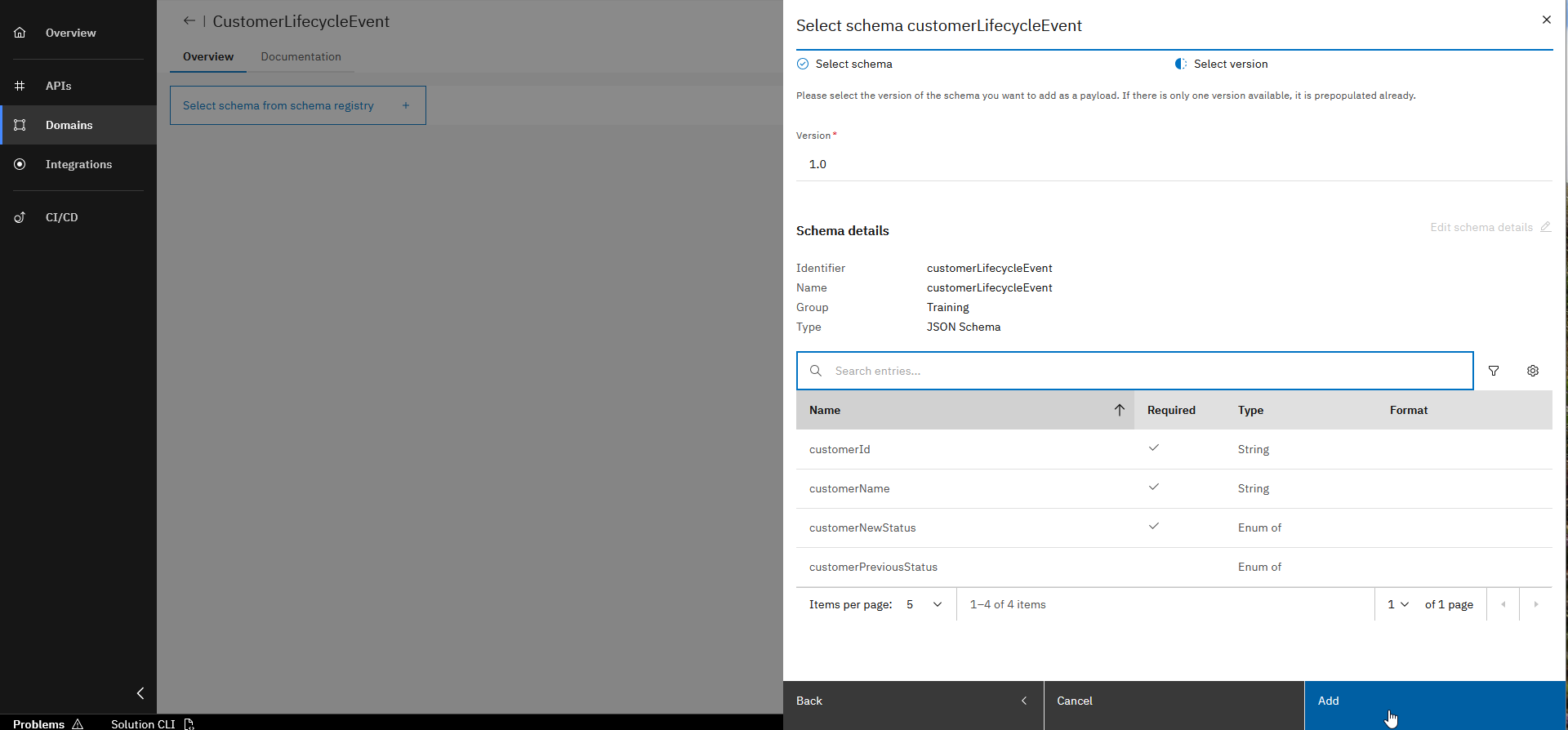
Discover Schema details and click "Add"
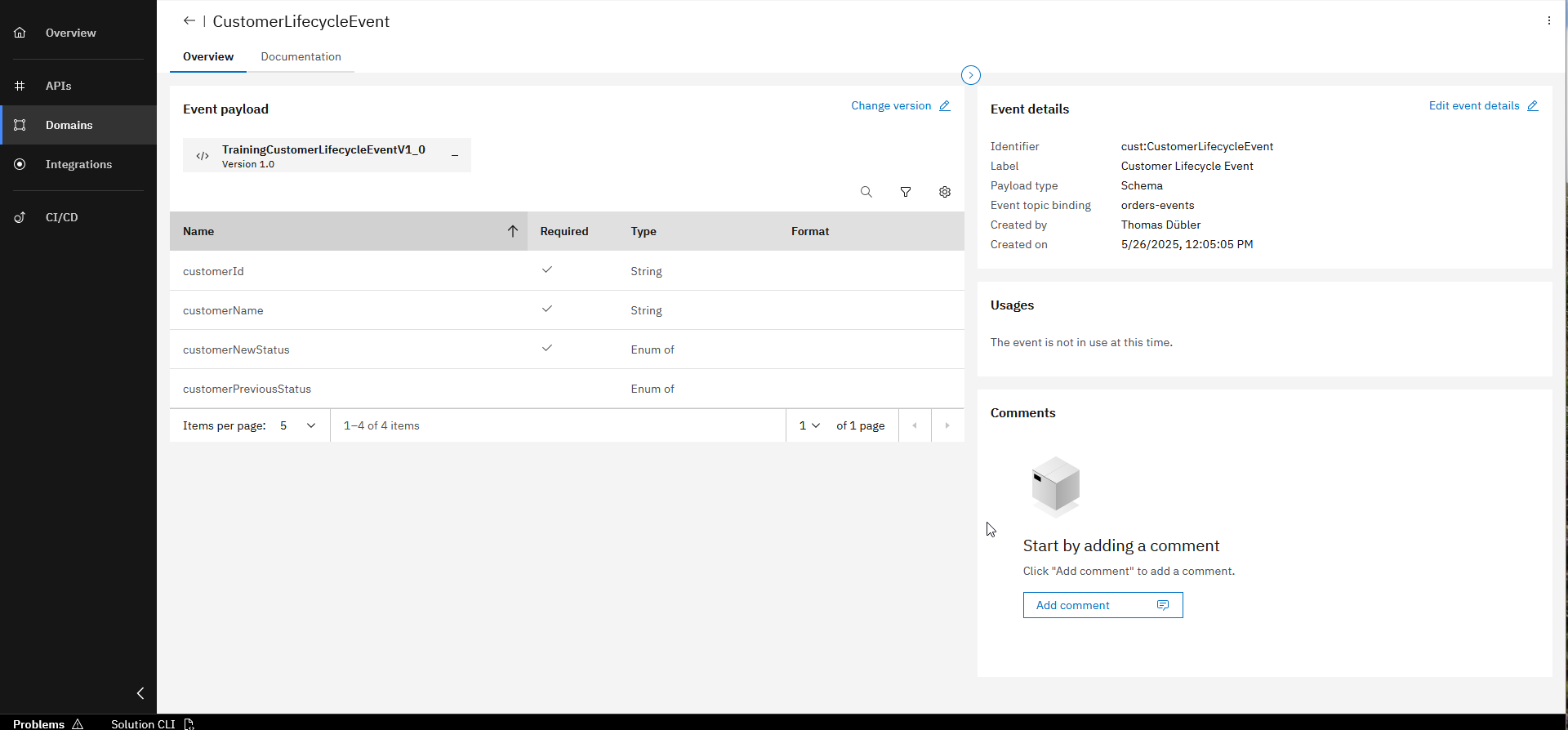
Explore Event including Payload
It is important that you choose the exact Schema as the Event Payload, as shown in the steps above. Otherwise, the for the implementation provided code will break as not matching the design.
The Workbench uses Schemas, which are managed in a central Schema Registry to describe the Event payload. With this approach, the correct handling of the payload can be ensured when Events are published and consumed across several services, which usually is the case.
Step 4: Create Agent in the "Order" Domain Namespace
Since we want to react to the Event and cancel open orders when the customer status changes to "DEACTIVATED" or "DELETED", we’ll create an Agent in the Order namespace.
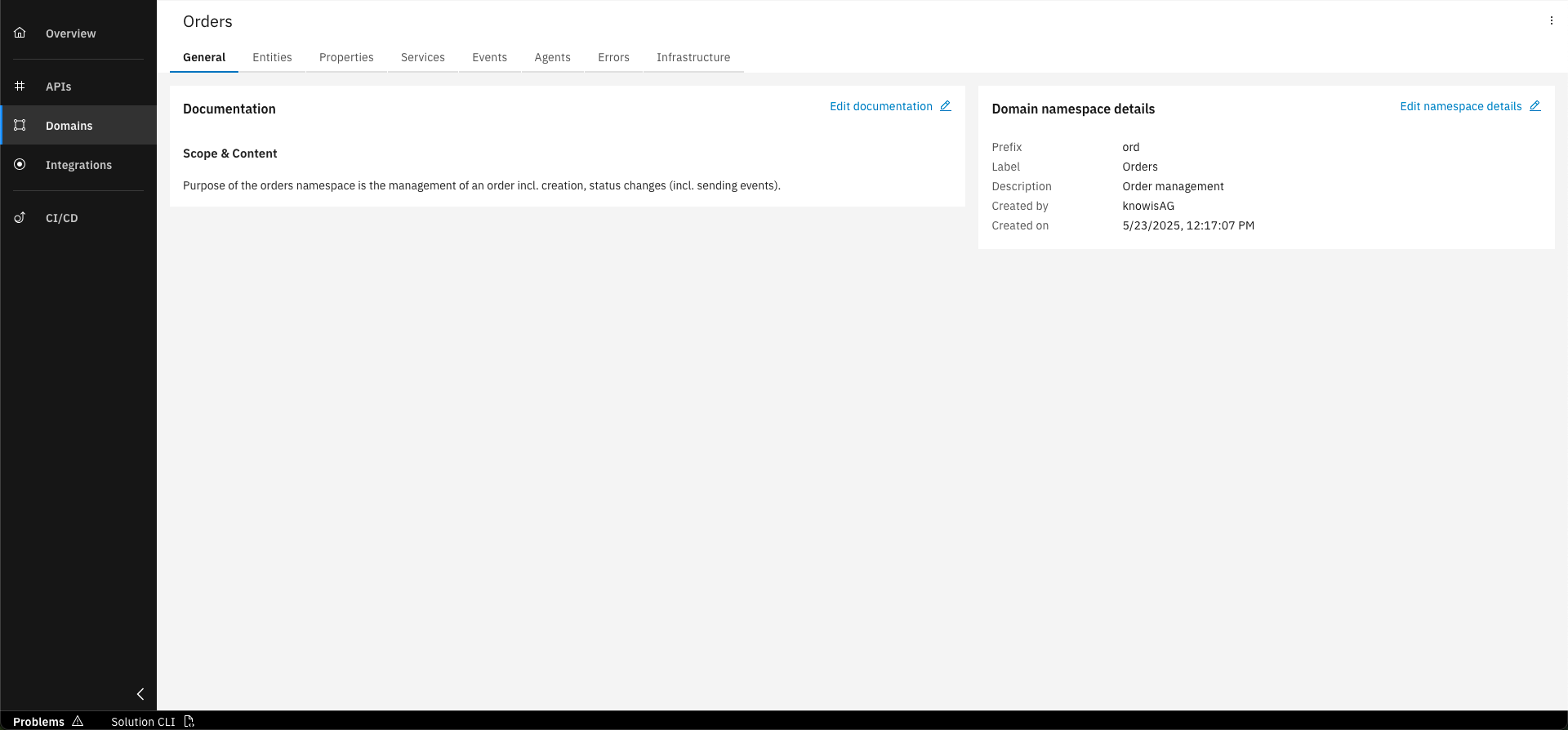
Change to "Orders" namespace
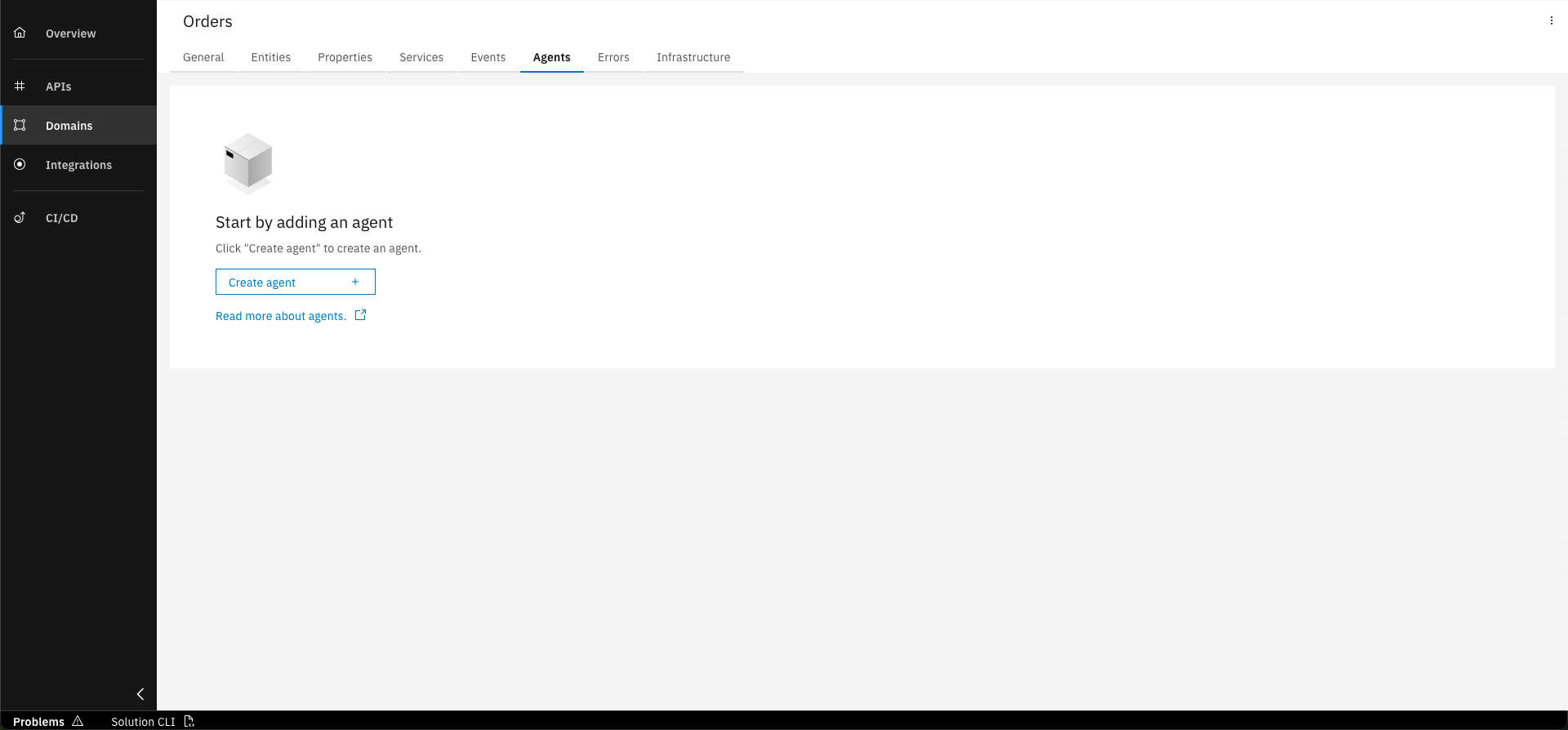
Select the "Agents" tab and click "Create agent"
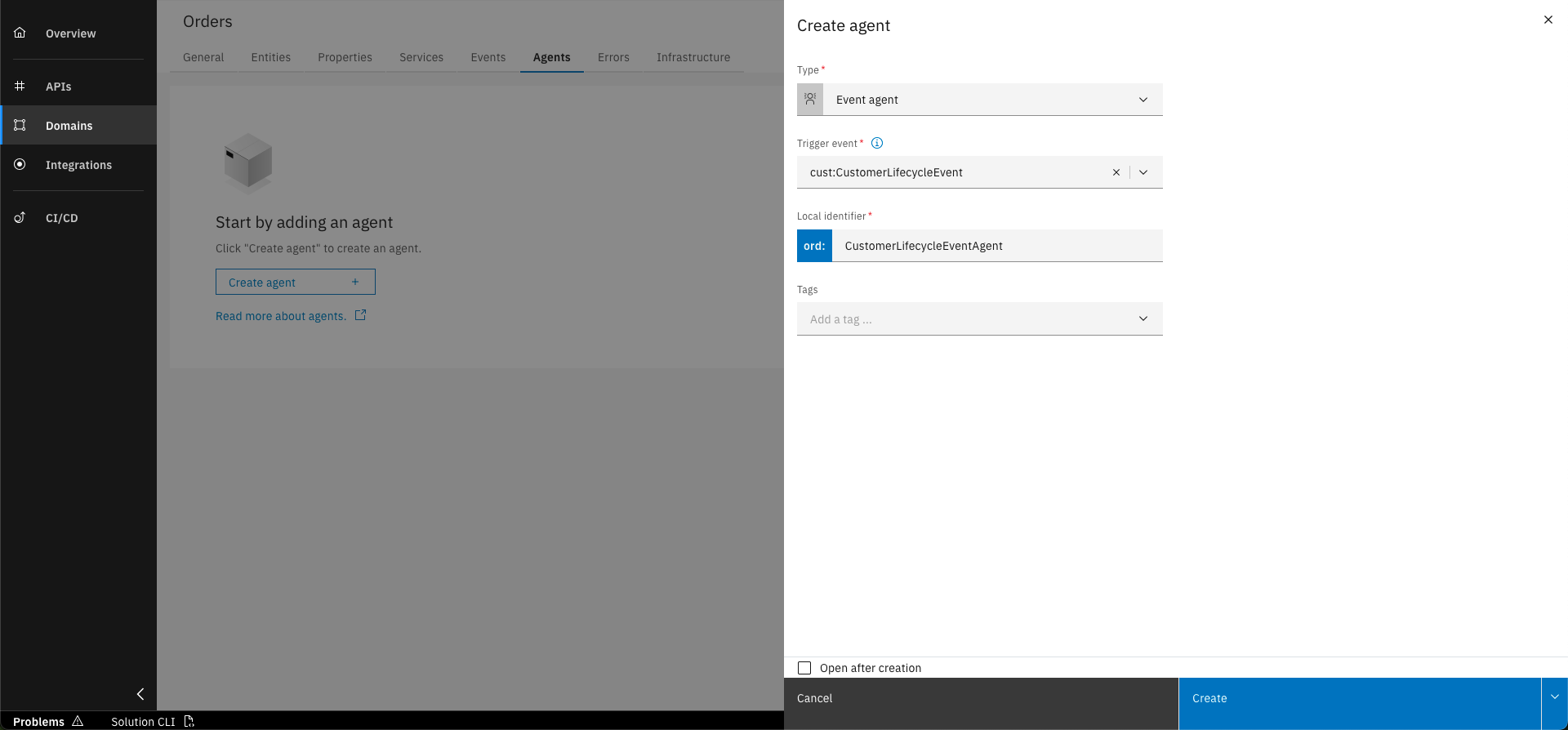
Fill out the form with the following details and click on "Create"
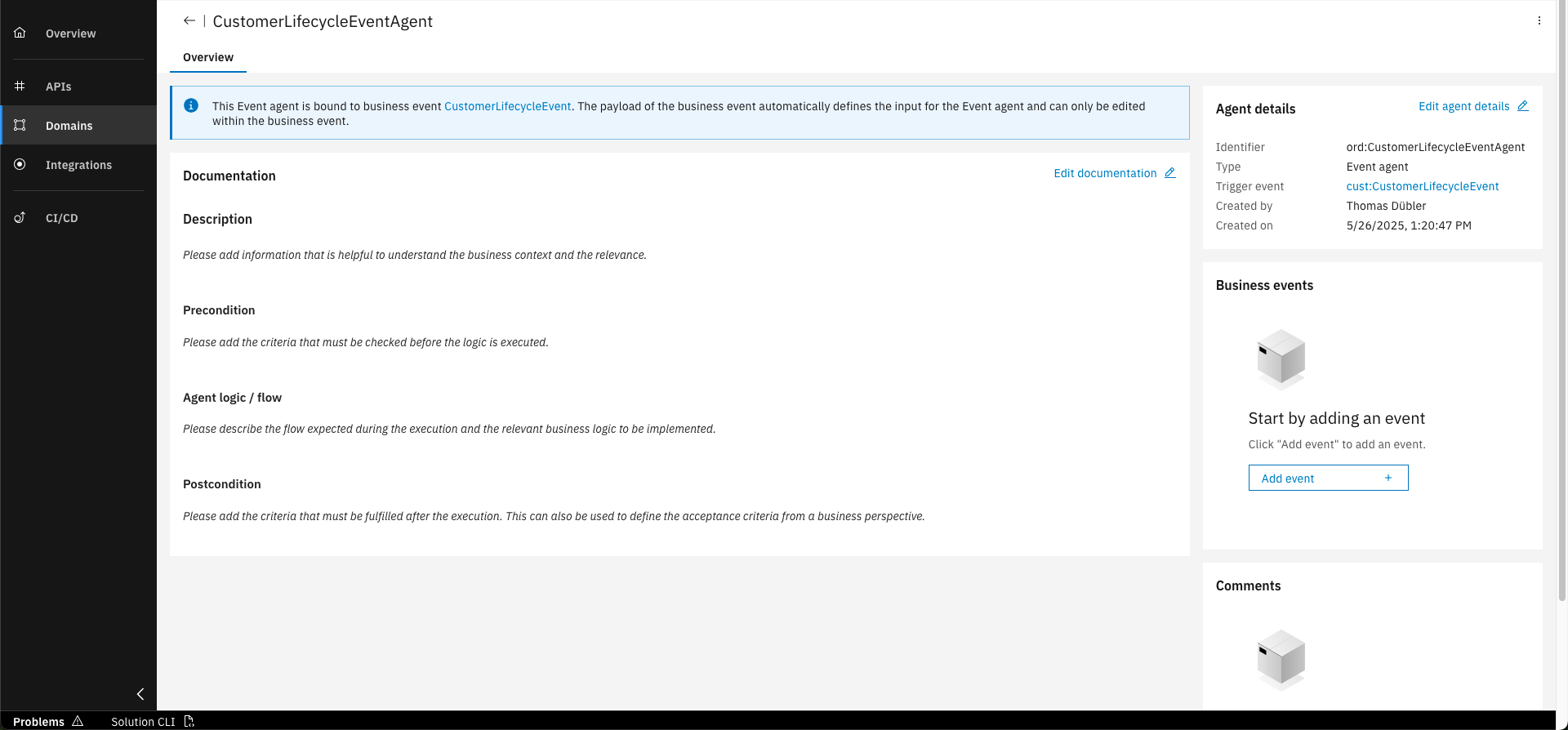
Explore the newly created agent
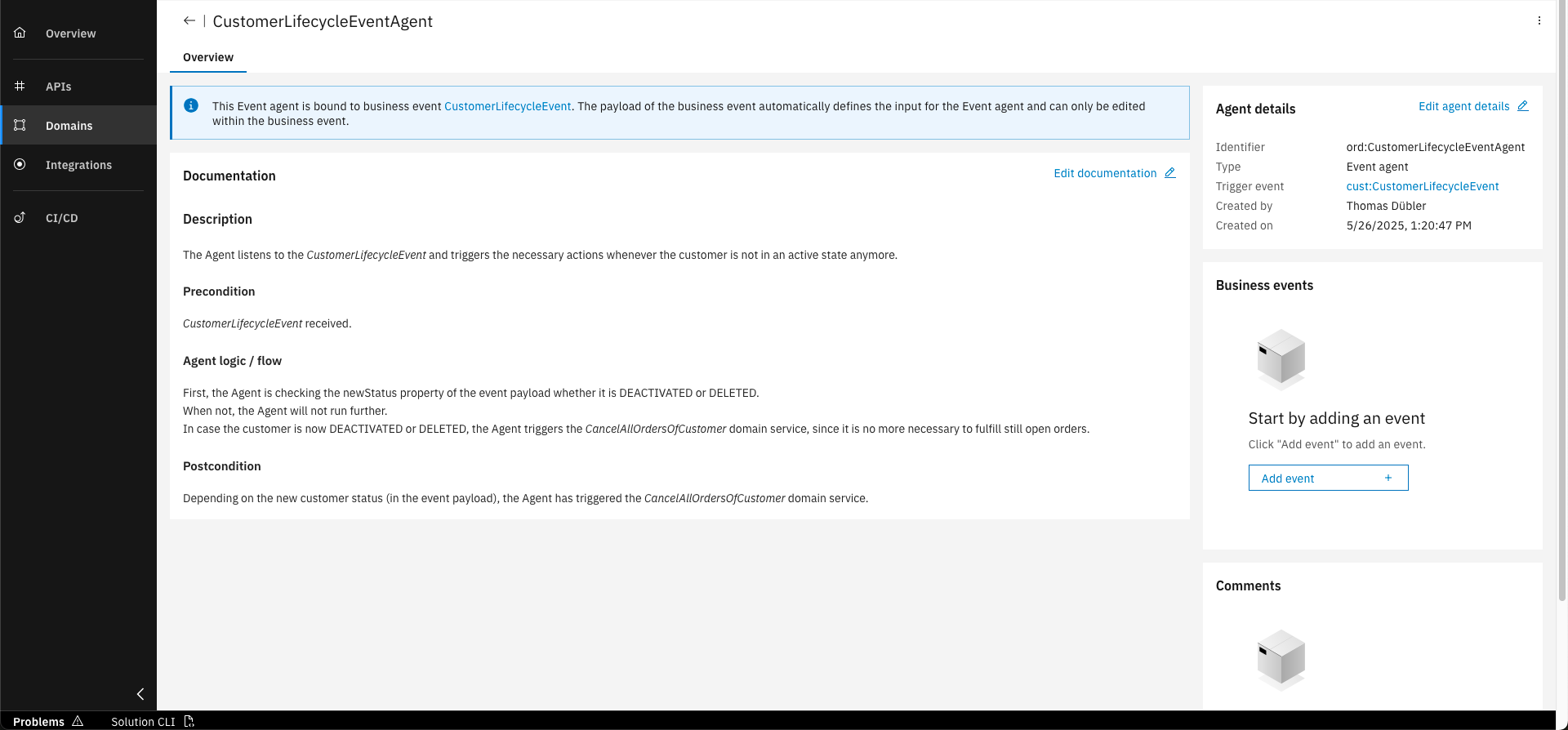
Provide the documentation below to the agent
Below, you can find a sample documentation in Markdown that describes in short what your Agent shall do. You can copy and paste it to complete the Agent documentation.
# Description

The Agent listens to the *CustomerLifecycleEvent* and triggers the necessary actions whenever the customer is not in an active state anymore.

## Precondition

*CustomerLifecycleEvent* received.

## Agent logic / flow

First, the Agent is checking the newStatus property of the event payload whether it is DEACTIVATED or DELETED.
When not, the Agent will not run further.

In case the customer is now DEACTIVATED or DELETED, the Agent triggers the *CancelAllOrdersOfCustomer* domain service, since it is no more necessary to fulfill still open orders.

## Postcondition

Depending on the new customer status (in the event payload), the Agent has triggered the *CancelAllOrdersOfCustomer* domain service.
You have successfully designed an event and an agent! With this you are able to inform about changes with business relevance and react to elsewhere published events.
What's next?
In the next courses you will learn to design the API namespace.
Related Links
Please find more information about Events and Agents in the following links: