Unit 8: Design API Paths and Operations
In this course you will learn about paths and operations within an API namespace. You will also practice how to design them using the Solution Designer.
Outline
An API path describes the endpoint of an API for which several operations can be defined. Each path can have up to four different operations: POST, GET, PUT, and DELETE. The combination of path and operation is unique within the API. Every operation type can only be created once for a specific path, i.e., one single path can be used for multiple operations, but it is not possible to create two operations of the same type for one and the same path. You can also define parameters, either from the path, query or header, as well as the body of the request. Additionally you can define the responses of your operations. The responses consist of a status code, a description and a response schema.
Prerequisites
You have successfully completed Unit 7: API Schemas.
- Open your workspace in the Solution Designer.
- Find your imported project and open it by clicking on it.
- On the left sidebar, click on APIs and then select domain namespace
v1.
If you rather want to use this course as a starting point of your training, you can use a different asset where courses for designing the domain namespace are already completed.
In this case - depending on the chosen implementation language - use either asset "Order_Java_Design_0.2" or "Order_TypeScript_Design_0.2" to create a new project and to continue your training.
You can look up how to create a new project from the Order assets in the Preparation section in the Course Introduction.
In the IBM DevOps Solution Workbench, this is part of integration modelling: the process of defining how services communicate, whether via APIs (REST/SOAP) or events as seen in Unit 5. In this unit, we focus on API-based integration, designing a new REST endpoint for the Orders service.
Exercise
Estimated time: 10 minutes
Exercise goal: After completing this course you are able to design API paths and operations including their parameters, request bodies and responses.
Supported languages: Java and TypeScript
In this exercise, we will create a new API path that handles the creation of an order. The path will be /orders and the operation will be a POST request. We will also create the createOrder operation and use the API schema previously created in the API schemas course.
The operation will return a response which we are also going to design in the Solution Designer.
The /orders path is already existing in our project, because the GET operation is already defined. So we just need to add the POST operation to it.
Step 1: Add POST operation to /orders path
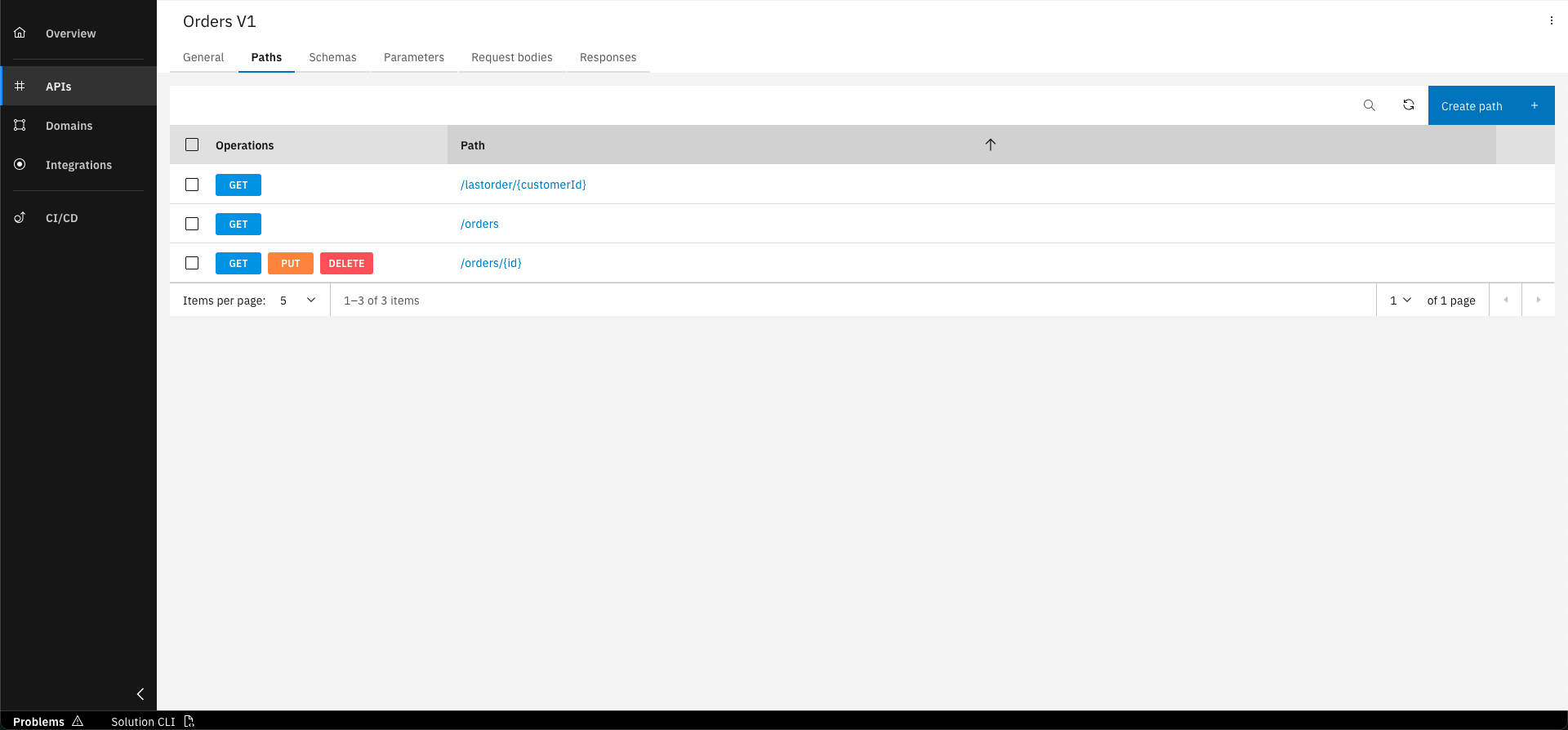
In the Paths tab of the Orders API, click on the "/orders" path
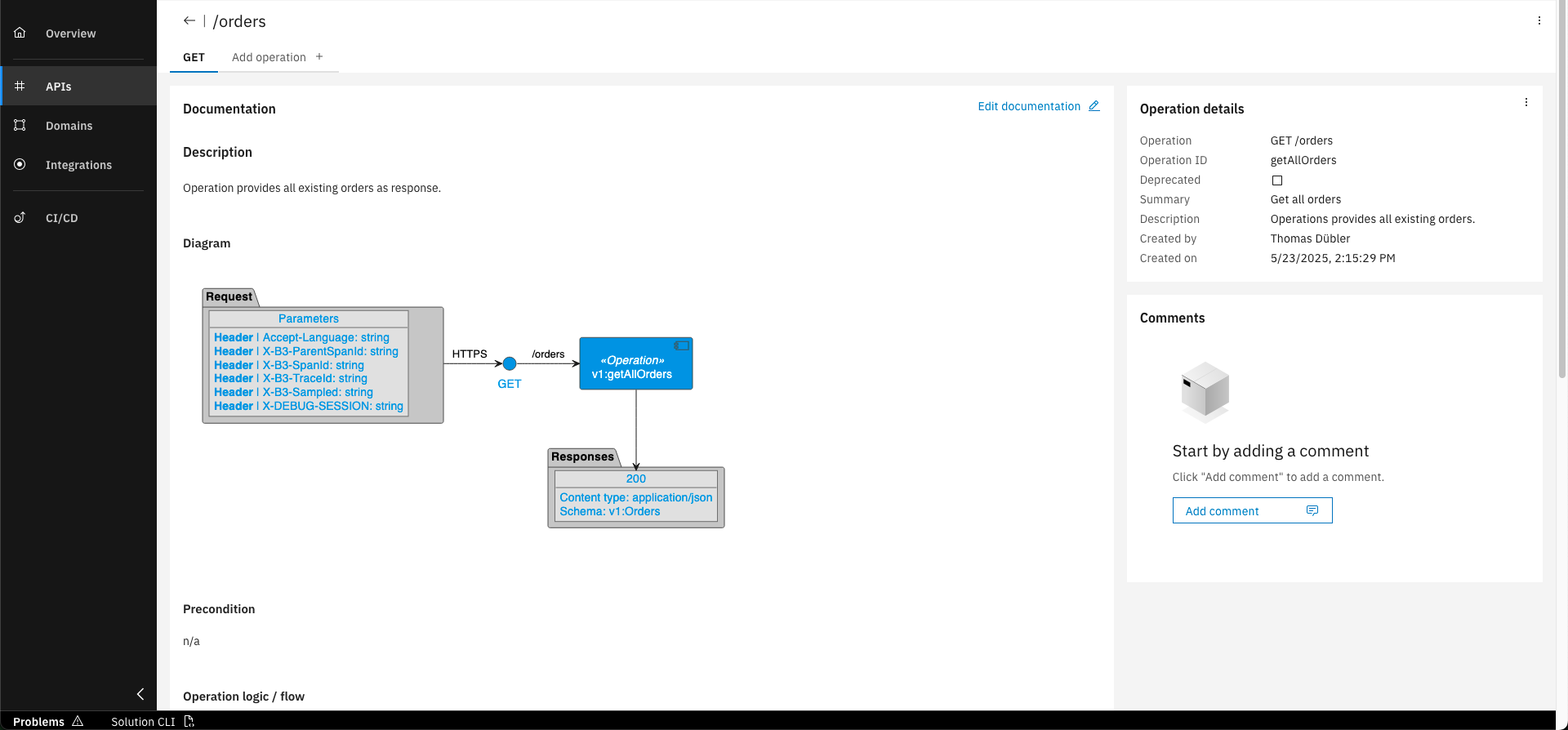
Click on "Add operation"
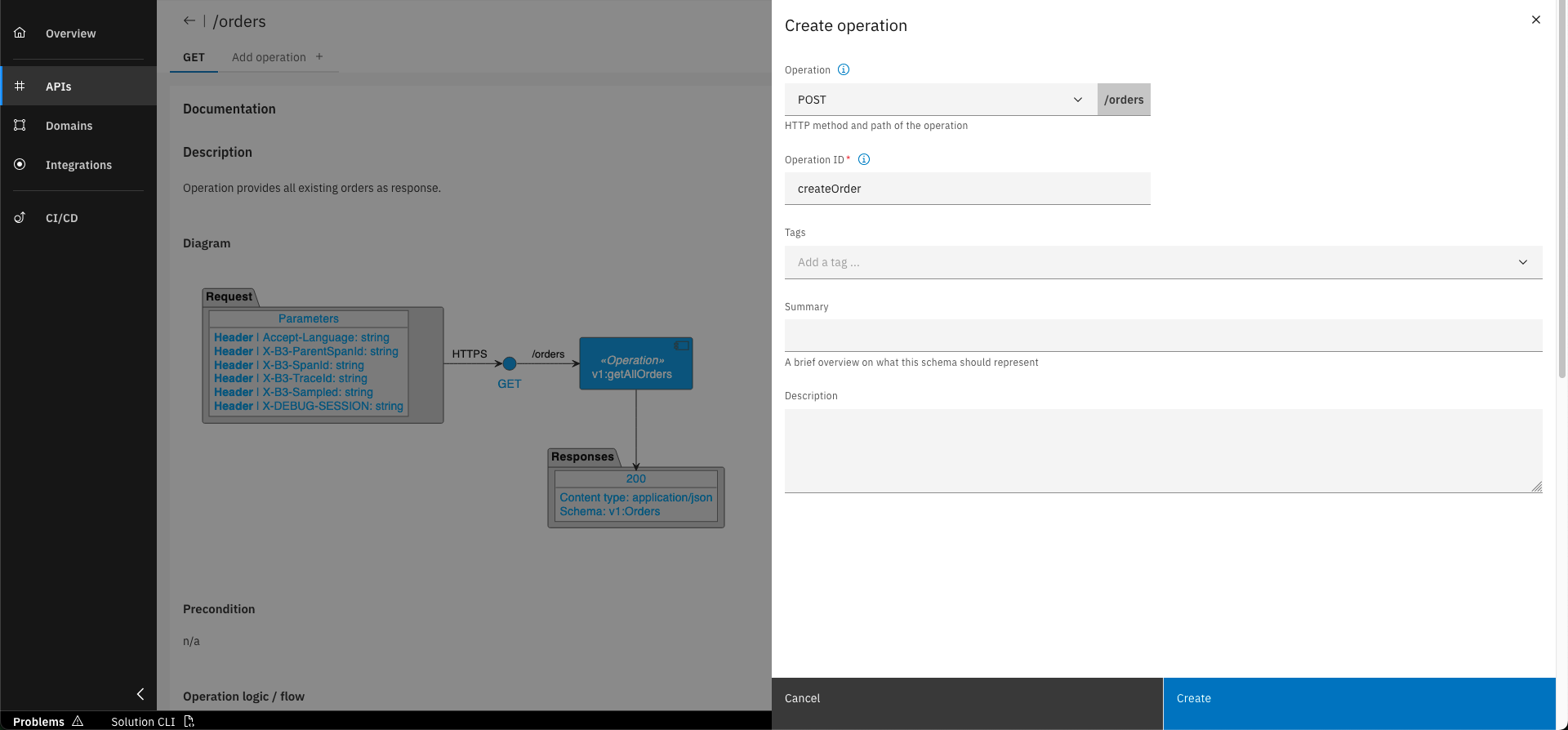
Select "POST" as the type. For Operation ID, use "createOrder" and click on "Create"
Step 2: Add response 201 to the POST operation
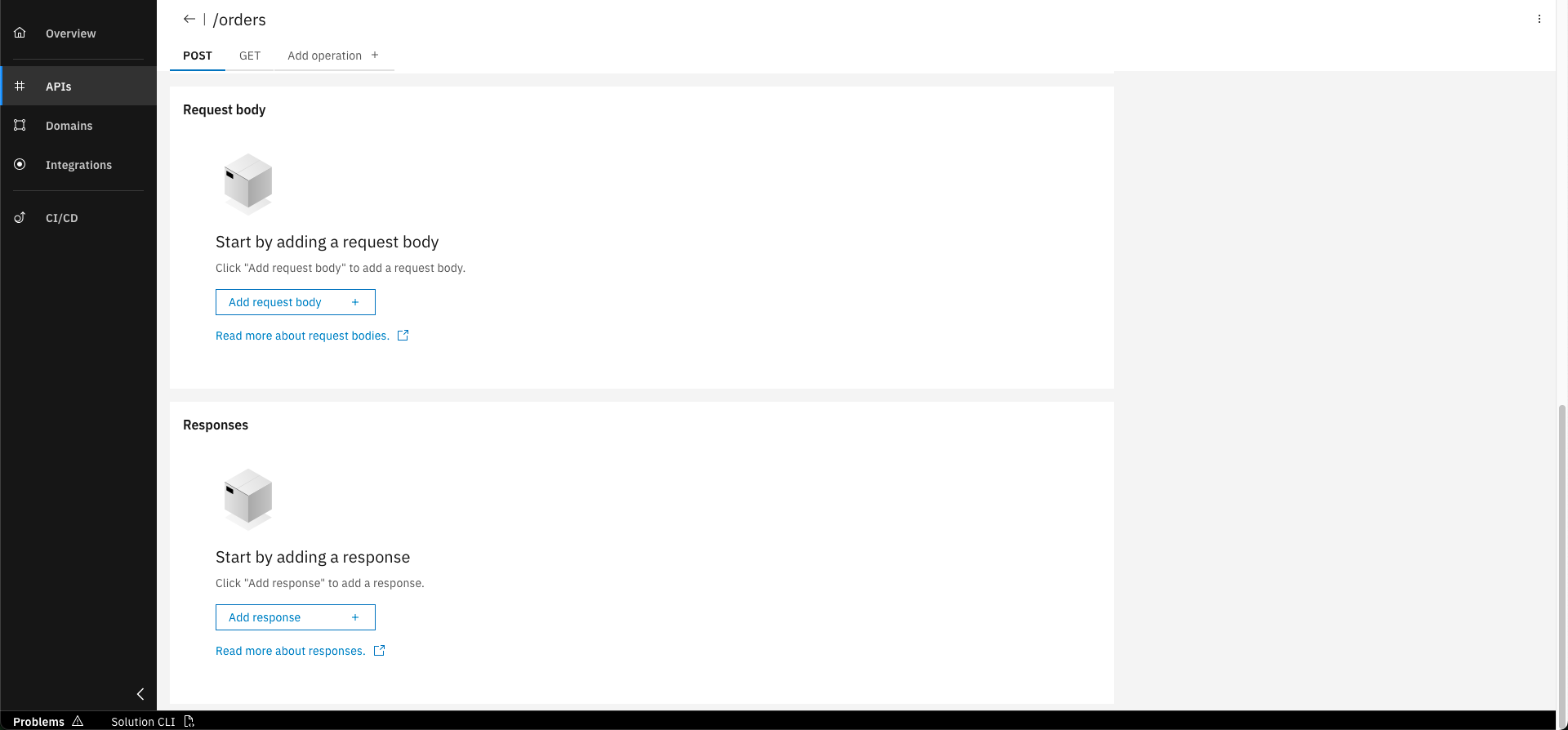
In the "POST" operation tab click on "Add response" in the "Responses" section
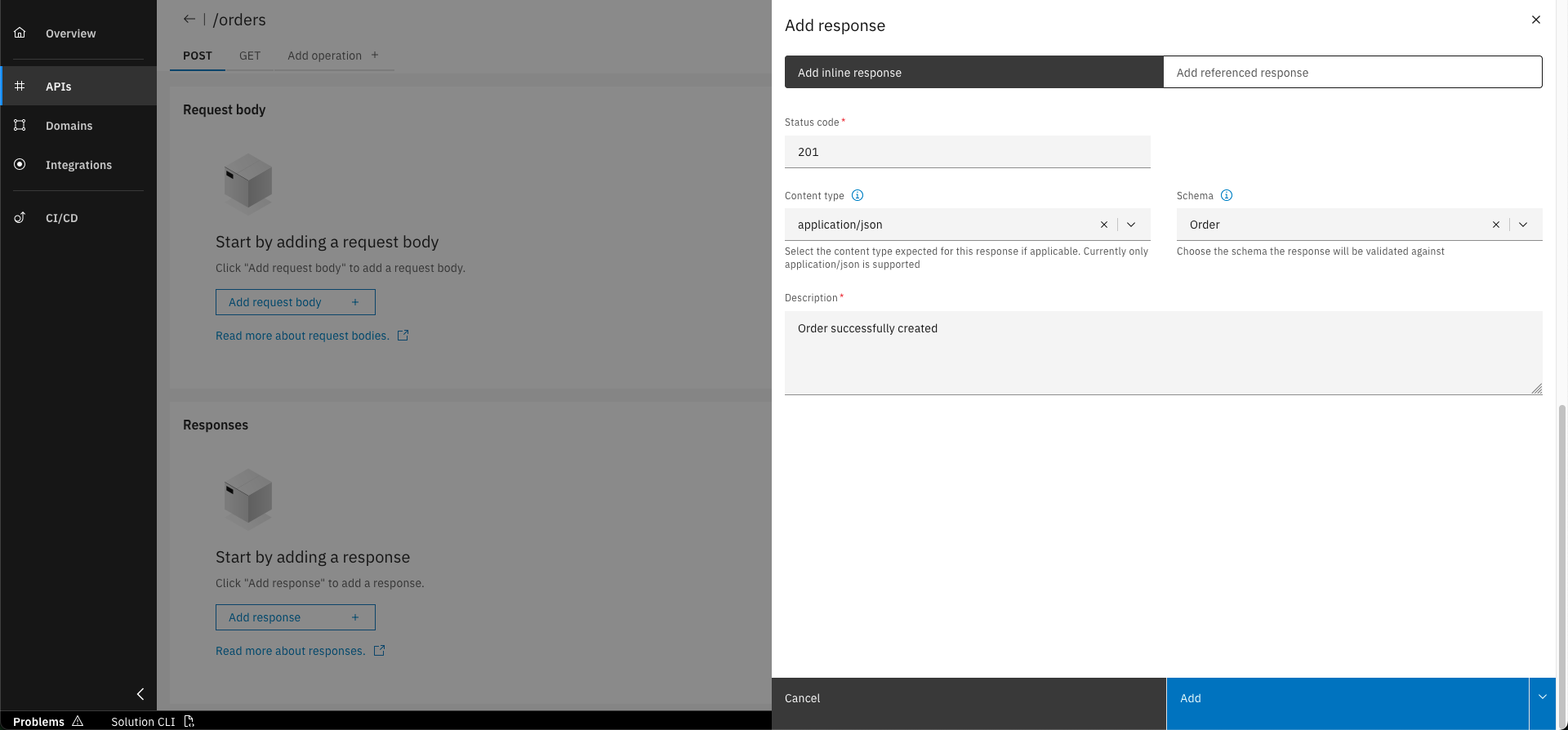
Fill in the basic data written below and click on "Add"
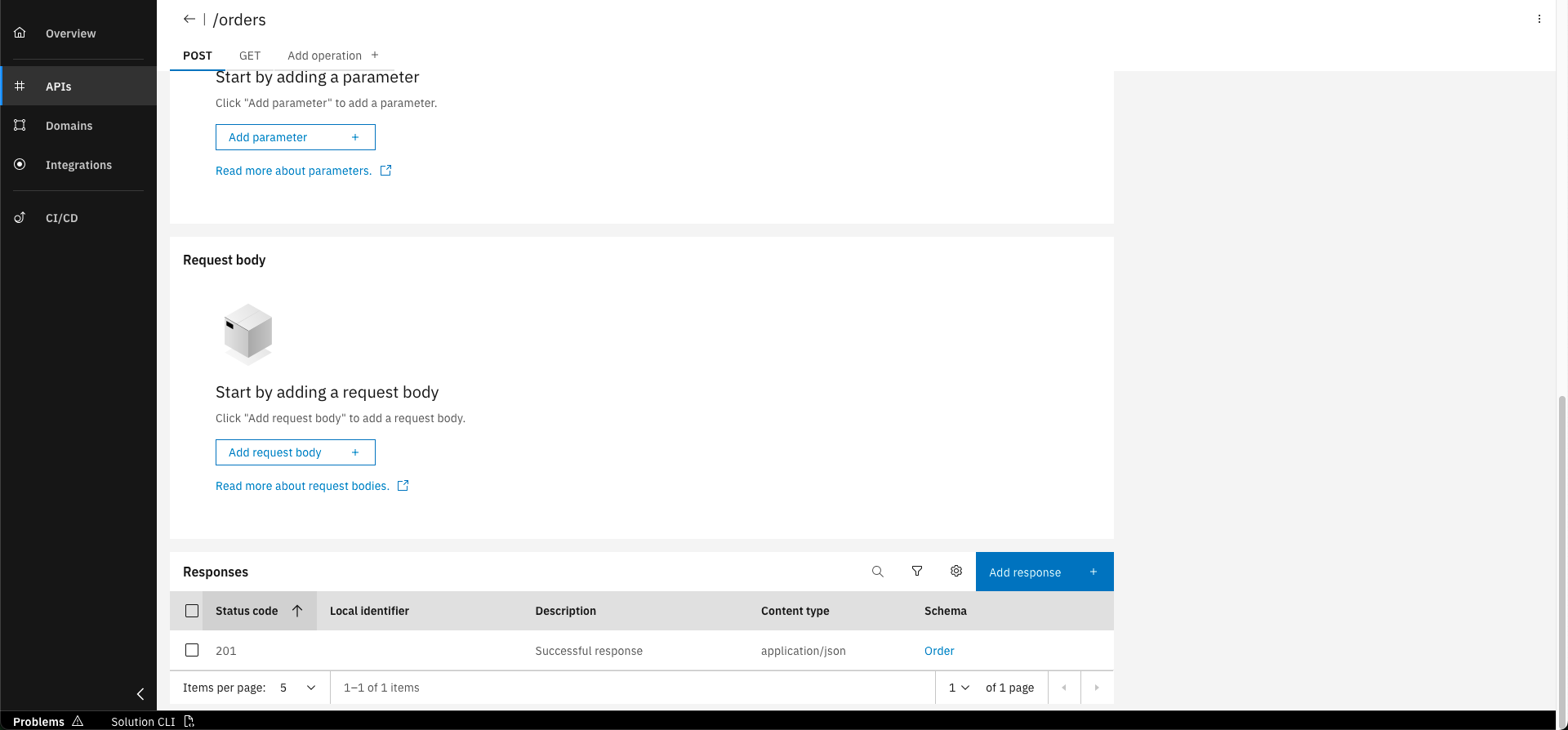
The response is now added to the operation
Basic data to create the response
- Status code: 201
- Content type: application/json
- Schema: Order
- Description: Order successfully created
Step 3: Add response 400 to the POST operation
In the "POST" operation tab click on "Add response" in the "Responses" section
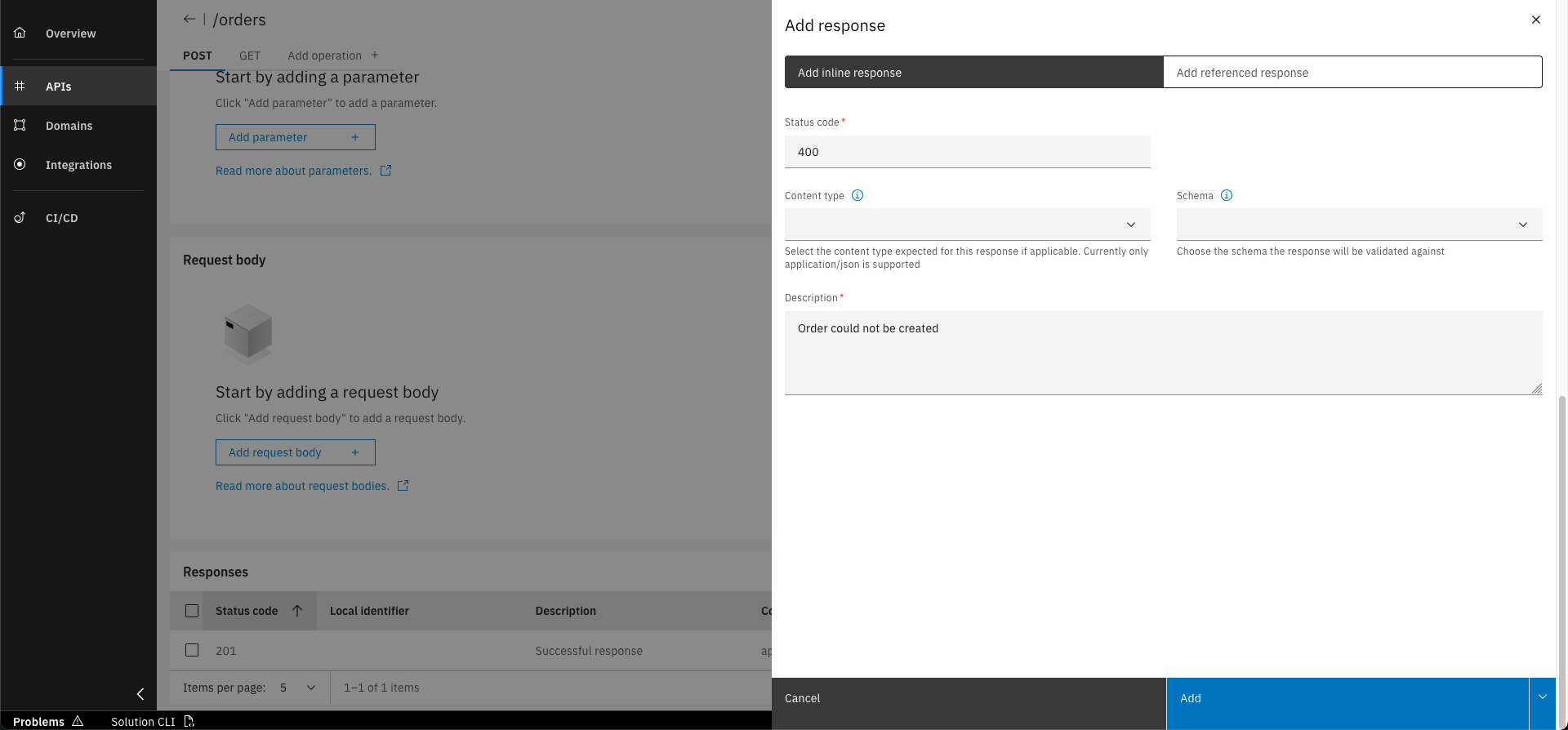
Fill in the basic data written below and click on "Add"
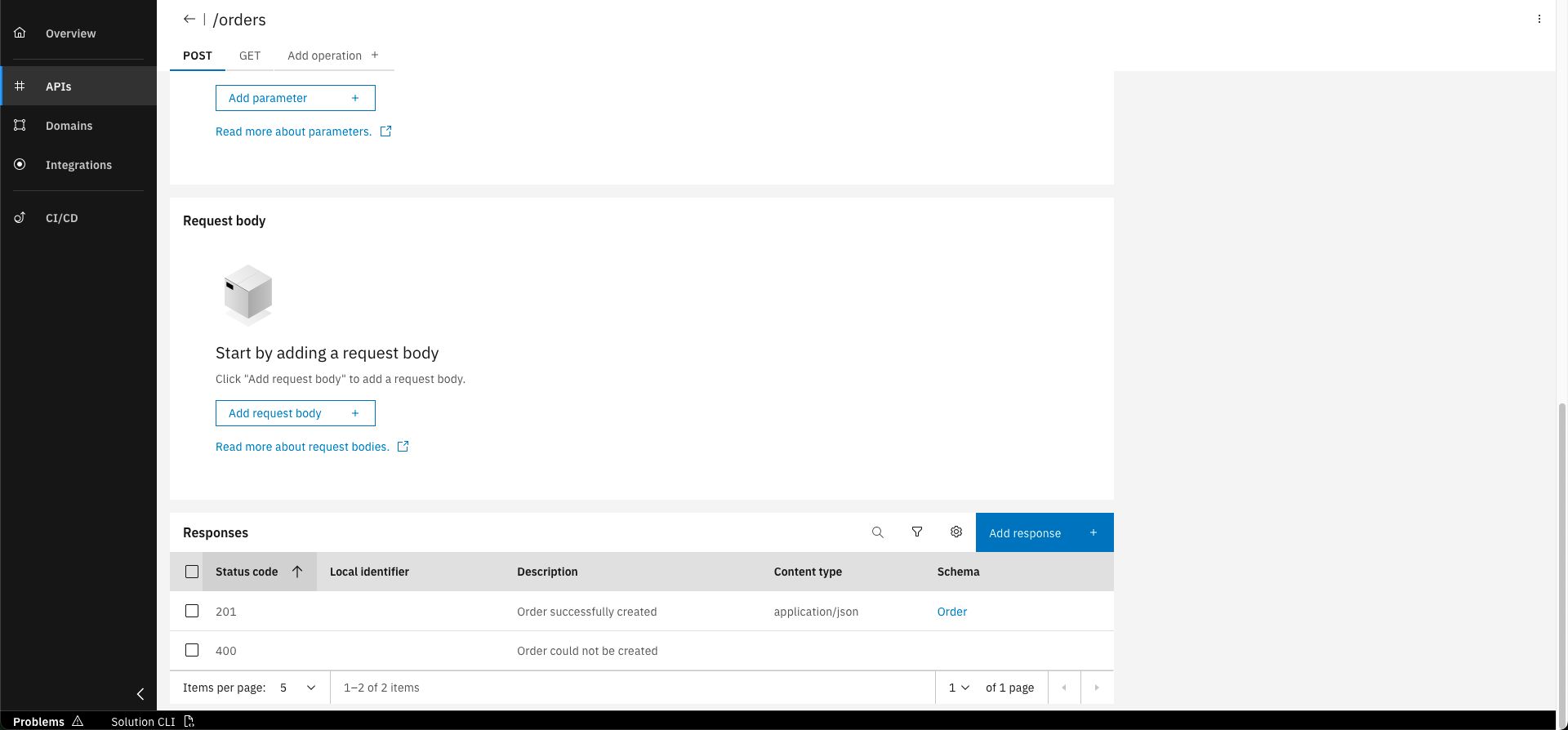
The response is now added to the operation
Basic data to create the response
- Status code: 400
- Description: Order could not be created
Step 4: Add request body to the POST operation
In the "POST" operation tab click on "Add request body" in the "Request body" section
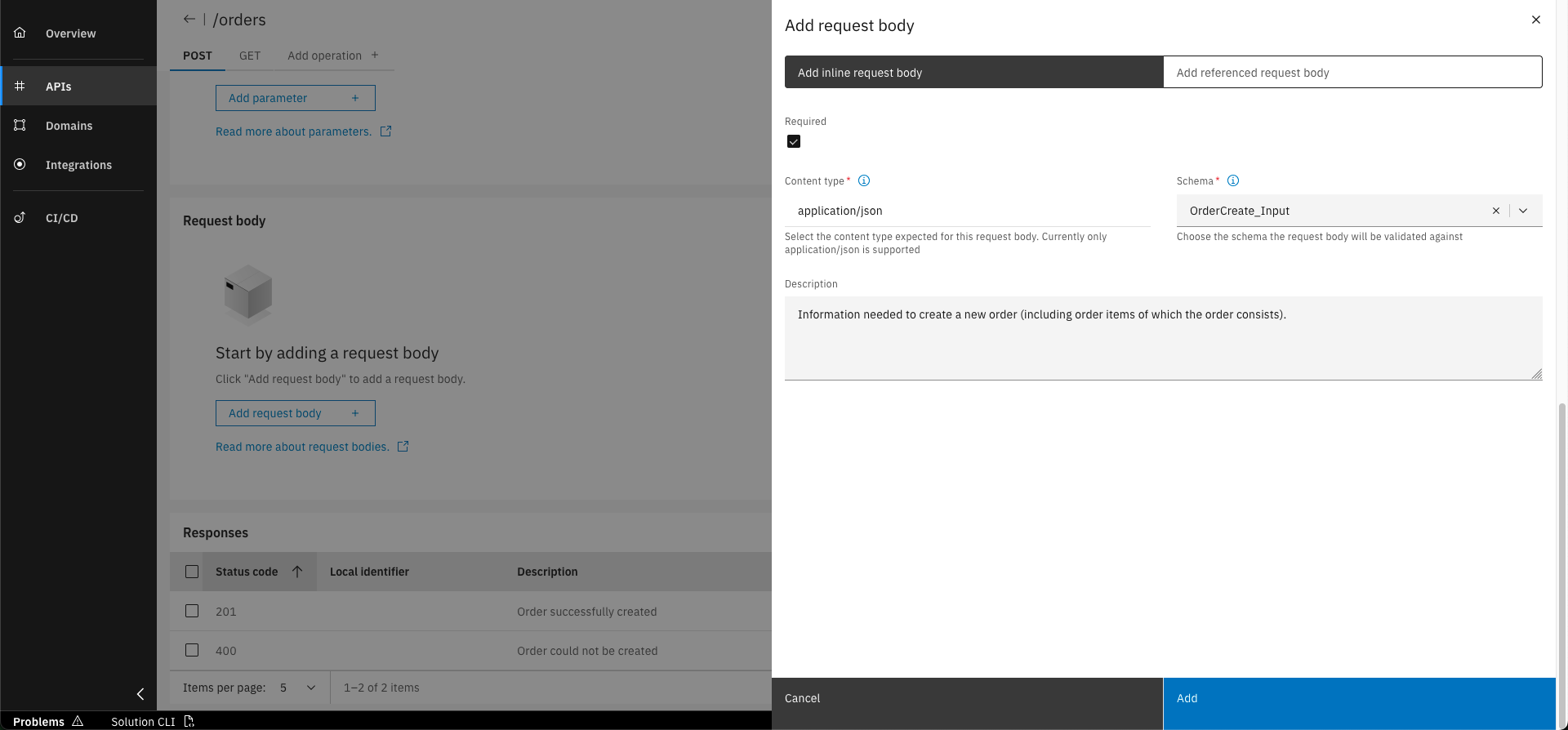
Fill in the basic data written below and click on "Add"
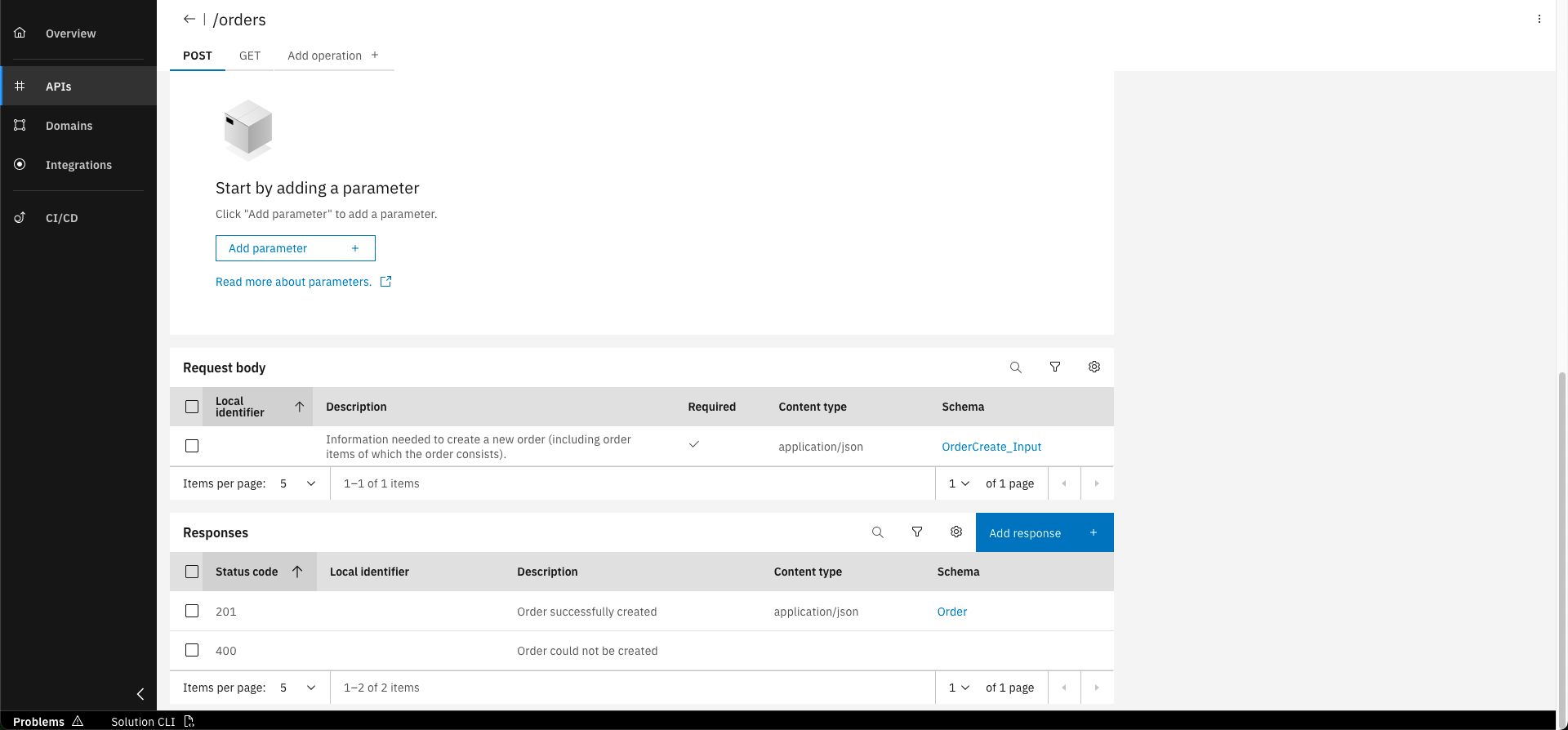
The request body is now added to the operation
Basic data to create the request body
- Required: yes
- Content type: application/json
- Schema: OrderCreate_Input
- Description: Information needed to create a new order (including order items of which the order consists).
You have successfully designed a new API operation and added a request body and responses enabling the Order service to provide a new endpoint! Now you are able to expose functionality of your service to the outside.
What's next?
After completing this course, you will learn how to integrate another service within the integration namespace.
Related Links
Please find more information API schemas in the following links: