Unit 7: API Schemas
In this course you will learn about API Schemas and how they can be reused in an API namespace. You will also practice how API schemas can be edited using the Solution Designer.
Outline
An API schema defines a reusable data type, either primitive or complex, that can be used in your API. The primitive types are the basic data types such as String, Number, Boolean and Integer.
The complex types are:
- Object, which allows you to create an object with more than one property
- Array, which allows you to create an array of items of an existing or new schema
- OneOf, which allows you to create a type that could take the form of exactly one schema out of a list of predefined sub schemas
Prerequisites
You have successfully completed the Preparation section in the Course Introduction.
- Open your workspace in the Solution Designer.
- Find your imported project and open it by clicking on it.
- On the left sidebar, click on APIs and then select domain namespace
v1.
If you rather want to use this course as a starting point of your training, you can use a different asset where courses for designing the domain namespace are already completed.
In this case - depending on the chosen implementation language - use either asset "Order_Java_Design_0.2" or "Order_TypeScript_Design_0.2" to create a new project and to continue your training.
You can look up how to create a new project from the Order assets in the Preparation section in the Course Introduction.
Exercise
Estimated time: 5 minutes
Exercise goal: After completing this course you are able to define and edit API schemas within an API namespace.
Supported languages: Java and TypeScript
As we now distinguish between different types of orders in our Orders project, we need to adjust the OrderCreate_Input schema to include a new property called OrderType. This property will be an enum of Strings with the two types of orders we have defined in the previous courses: InternalOrder and CustomerOrder. In the OrderCreate_Input schema there are already three properties: referenceId, totalPrice and orderItems. The totalPrice property is of the type object and uses the Currency schema, which is used throughout the application. The orderItems property is an array of items of the OrderItem schema, which is also used throughout the application. The referenceId property is a string that is used to identify who placed the order.
When working with enums, please note that the enum values have to be written in uppercase letters.
Step 1: Add a new property to the OrderCreate_Input schema
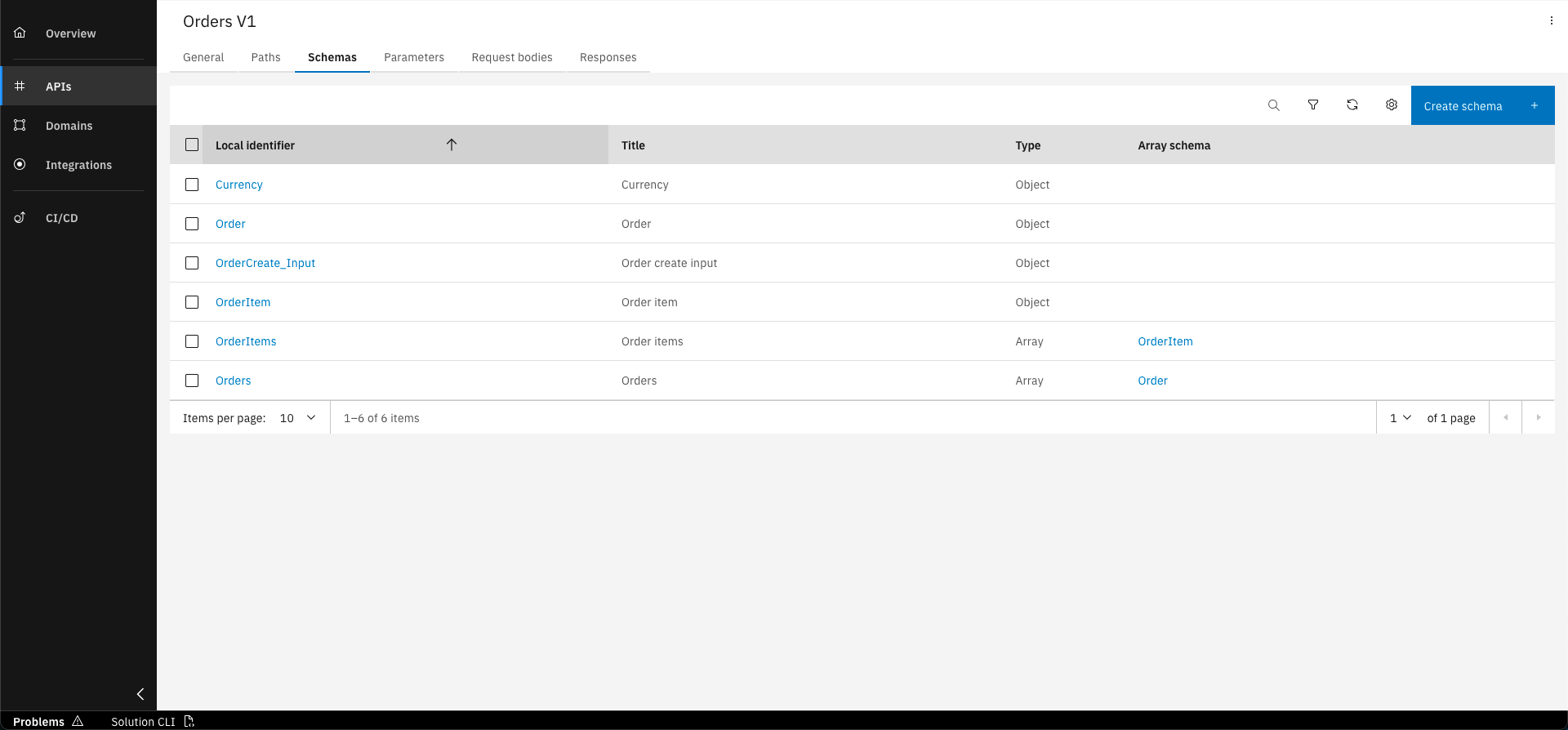
In the overview of the API Namespace, go to the "Schemas" tab and click on the "OrderCreate_Input" schema
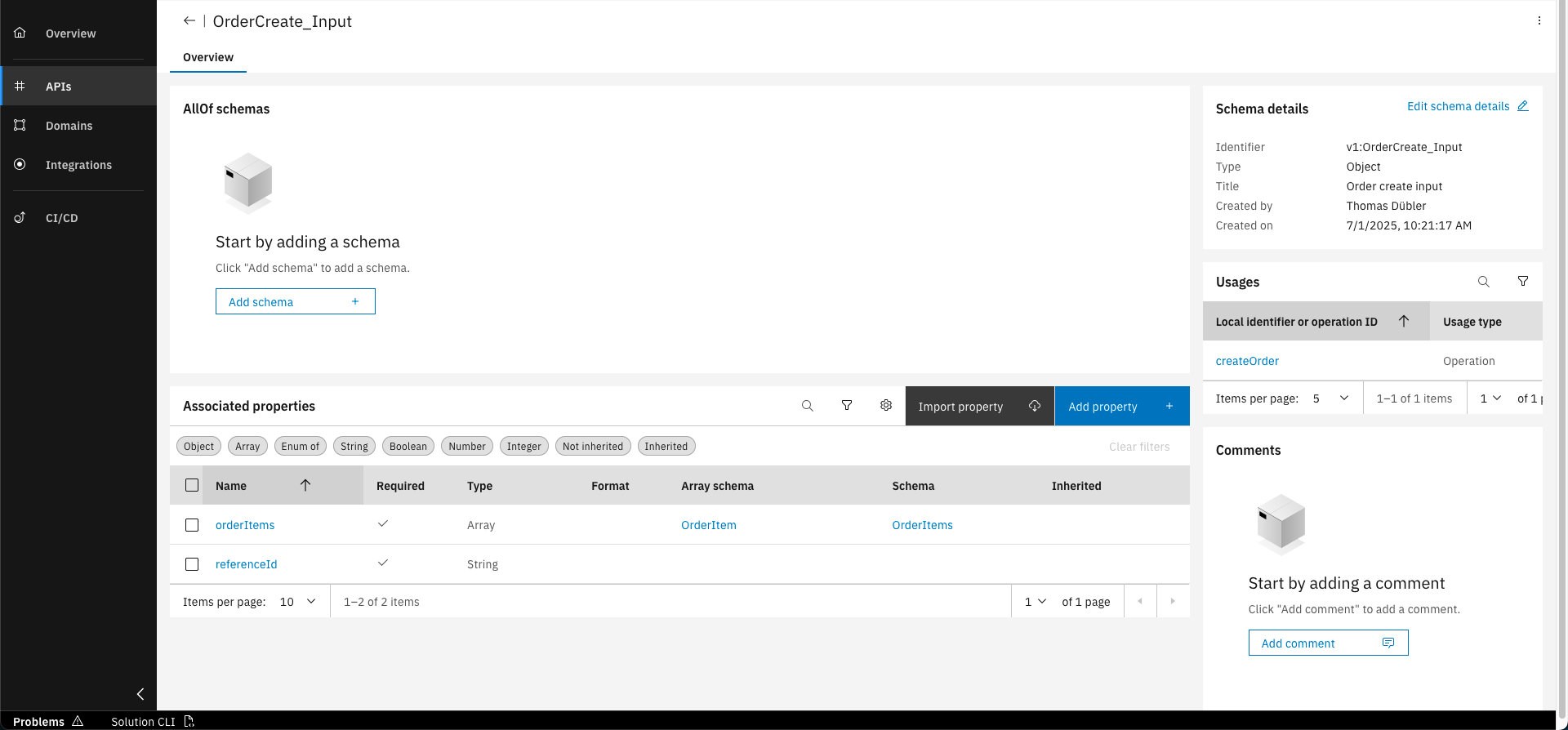
Click on the "Add property" button
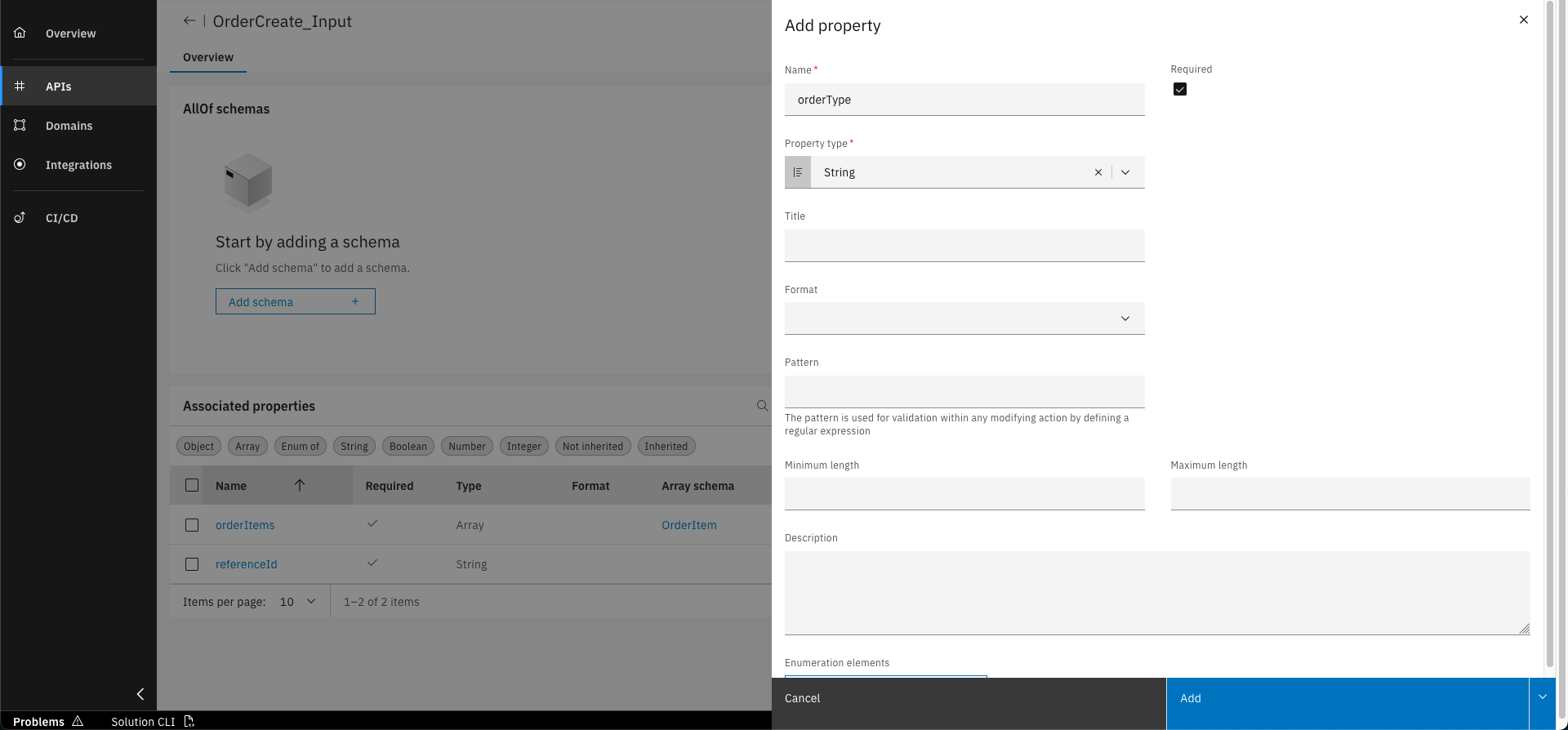
Fill out the form and add enumeration elements
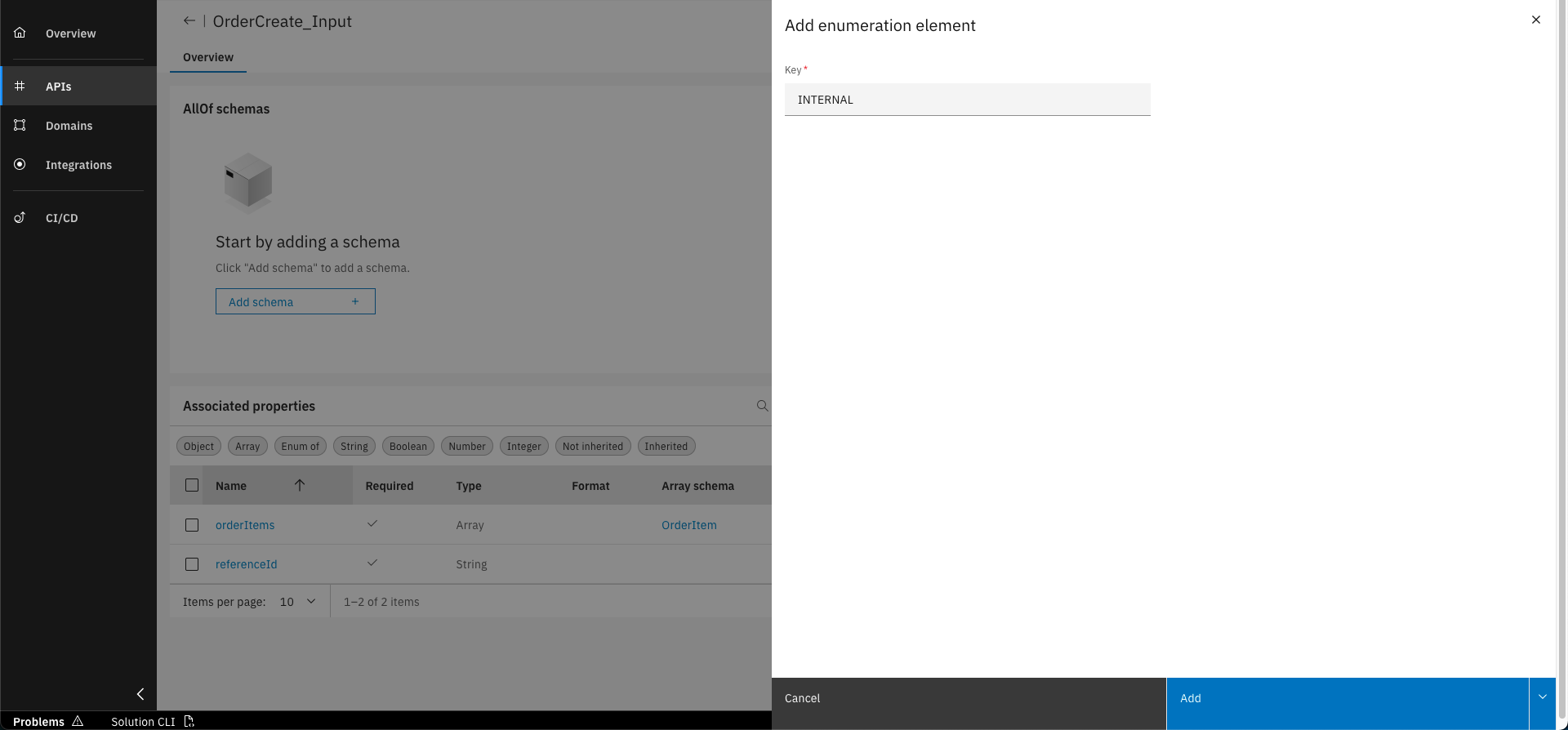
Add INTERNAL and CUSTOMER as enumeration elements
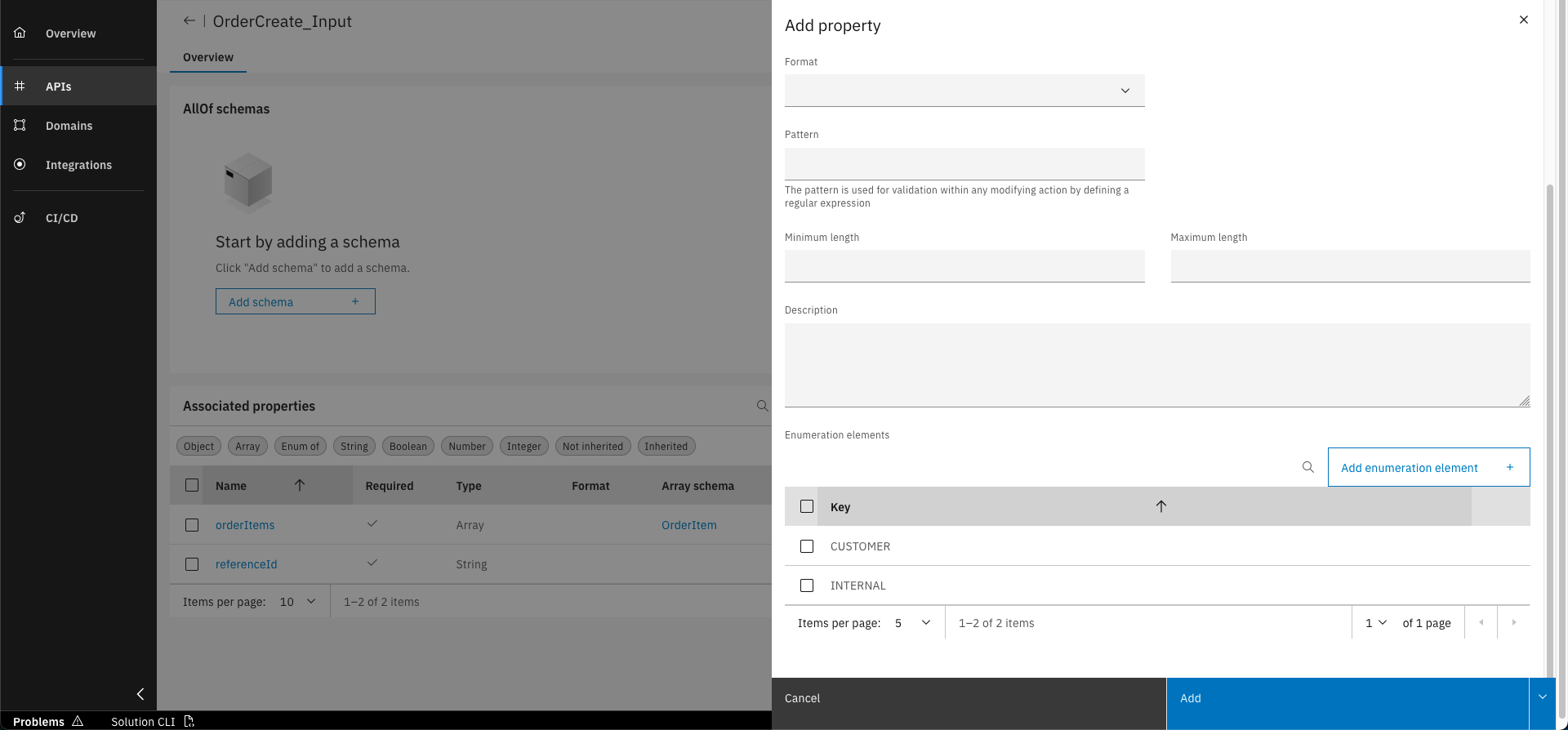
Click on "Add"
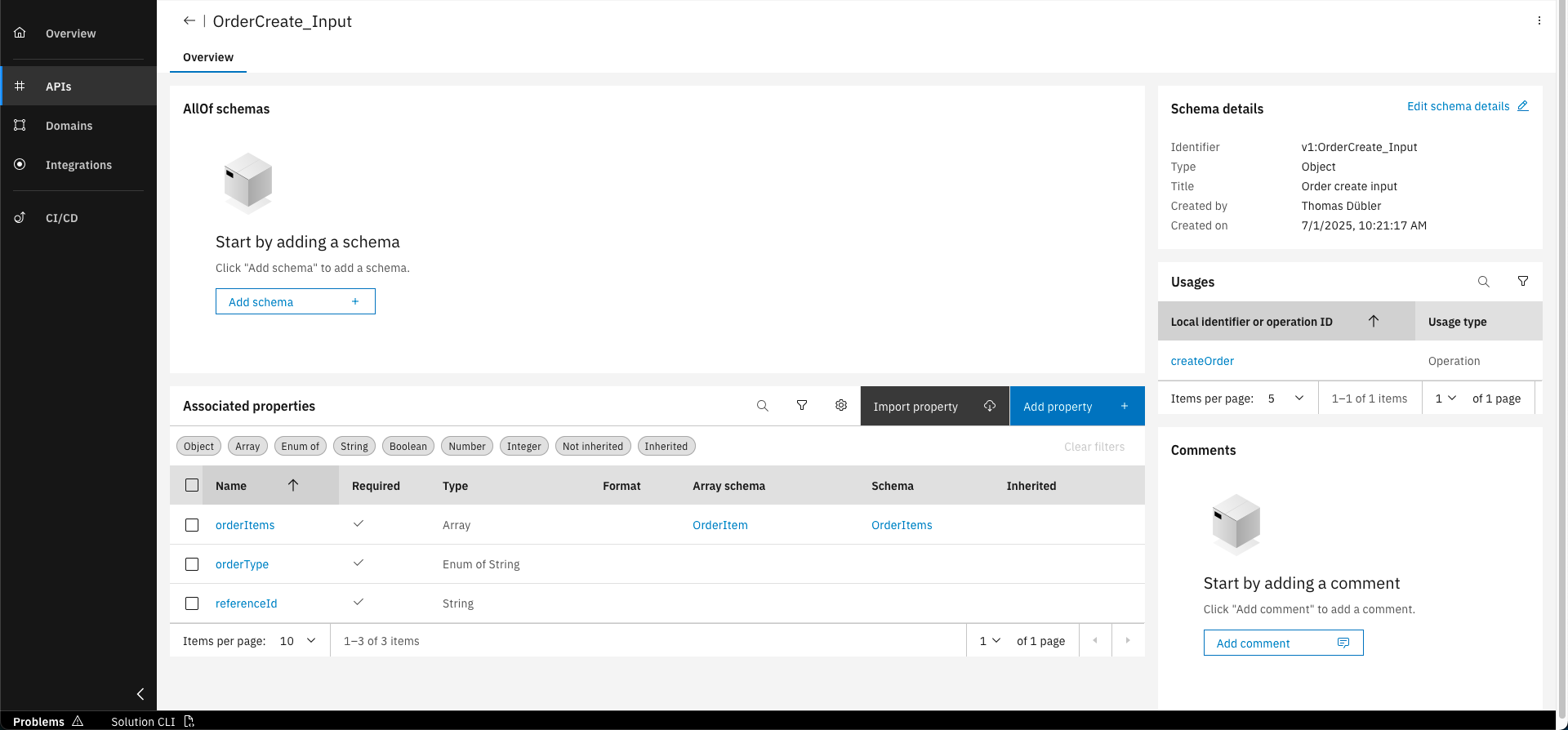
The new property "orderType" is now added to the OrderCreate_Input schema
You have successfully added a new property to the OrderCreate_Input schema and it is ready to use in an operation! You are now able to define and reuse API schemas within an API namespace.
What's next?
In the following course you will learn how to design paths and operations in the API namespace.
Related Links
Please find more information API schemas in the following links: