Design-Aware AI in Action: Quickstart Trial
In this hands-on trial, you will bootstrap a production-ready microservice from a shared design model and experience first-hand how structured design intent transforms your coding assistant from guessing to consistently implementing your organisation's standards.
Before you start
Estimated time: 15-20 minutes
What you need: Your own IDE and coding assistant, access to our trial environment.
Step 1 — Orient yourself
You are working with the RoboFlow reference application in your trial environment. The fictional RoboFlow company is a B2B eCommerce specializing in robotics and robotics parts. Its system is composed of multiple microservices, each designed and documented in the Workbench.
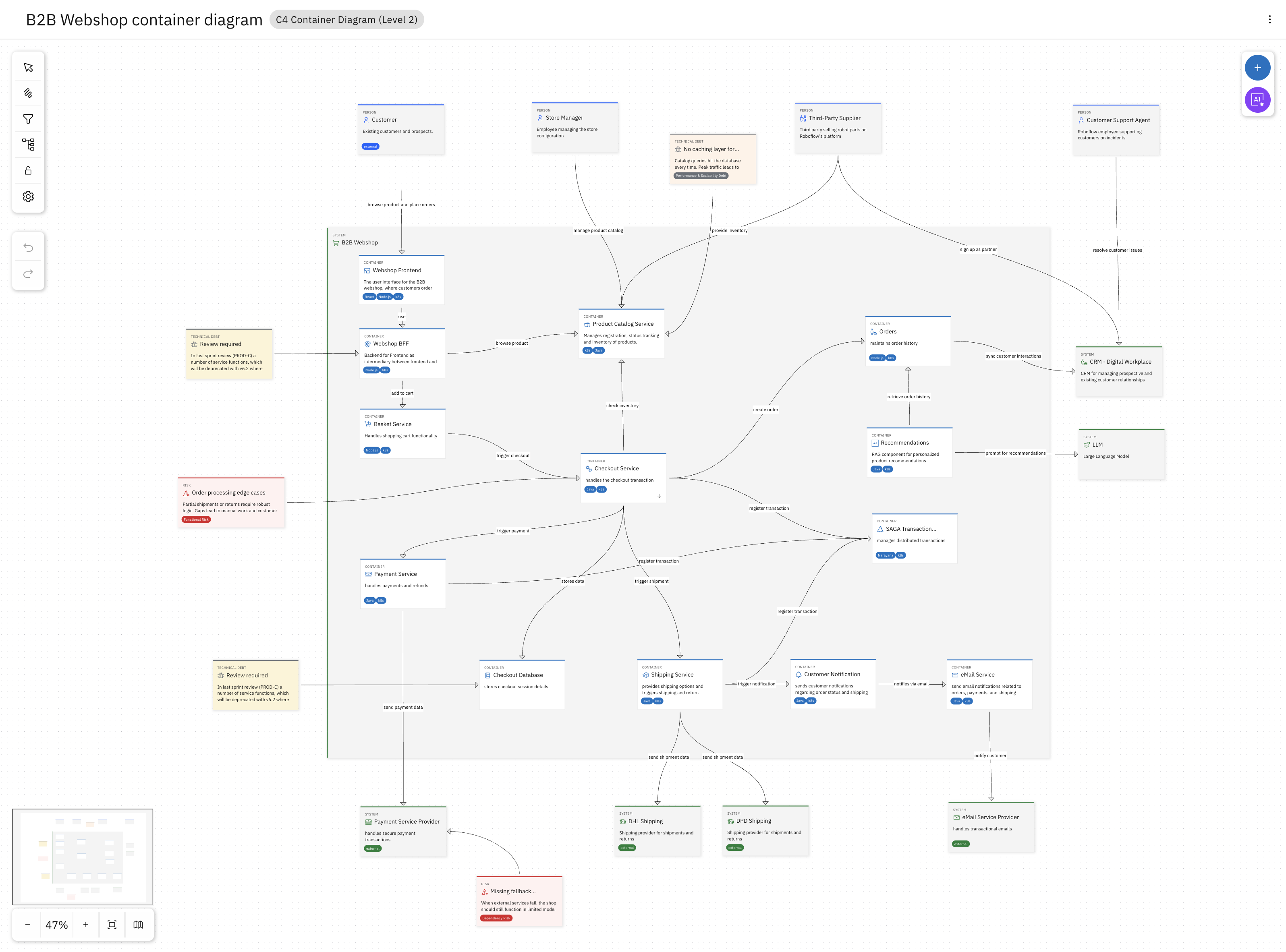
RoboFlow's architecture has been documented using the C4 notation - one of the modeling languages IBM DevOps Solution Workbench supports out of the box. To get a sense of the microservices making up the system, start by looking at the Container Diagram of the RoboFlow system.
If you want to learn about customizing Workbench's Open Modeling Language (OML) to your organisation's needs, check out the Product Documentation on OML.
You can see the system has a WebShop Frontend, a Basket Service, a Checkout Service, and a Payment Service, among others. Each service has its own specification, defining its boundaries, its domain model, its interfaces, and the architectural decisions that apply to it.
Explore a Service
As an example, let's look at the Checkout Service.
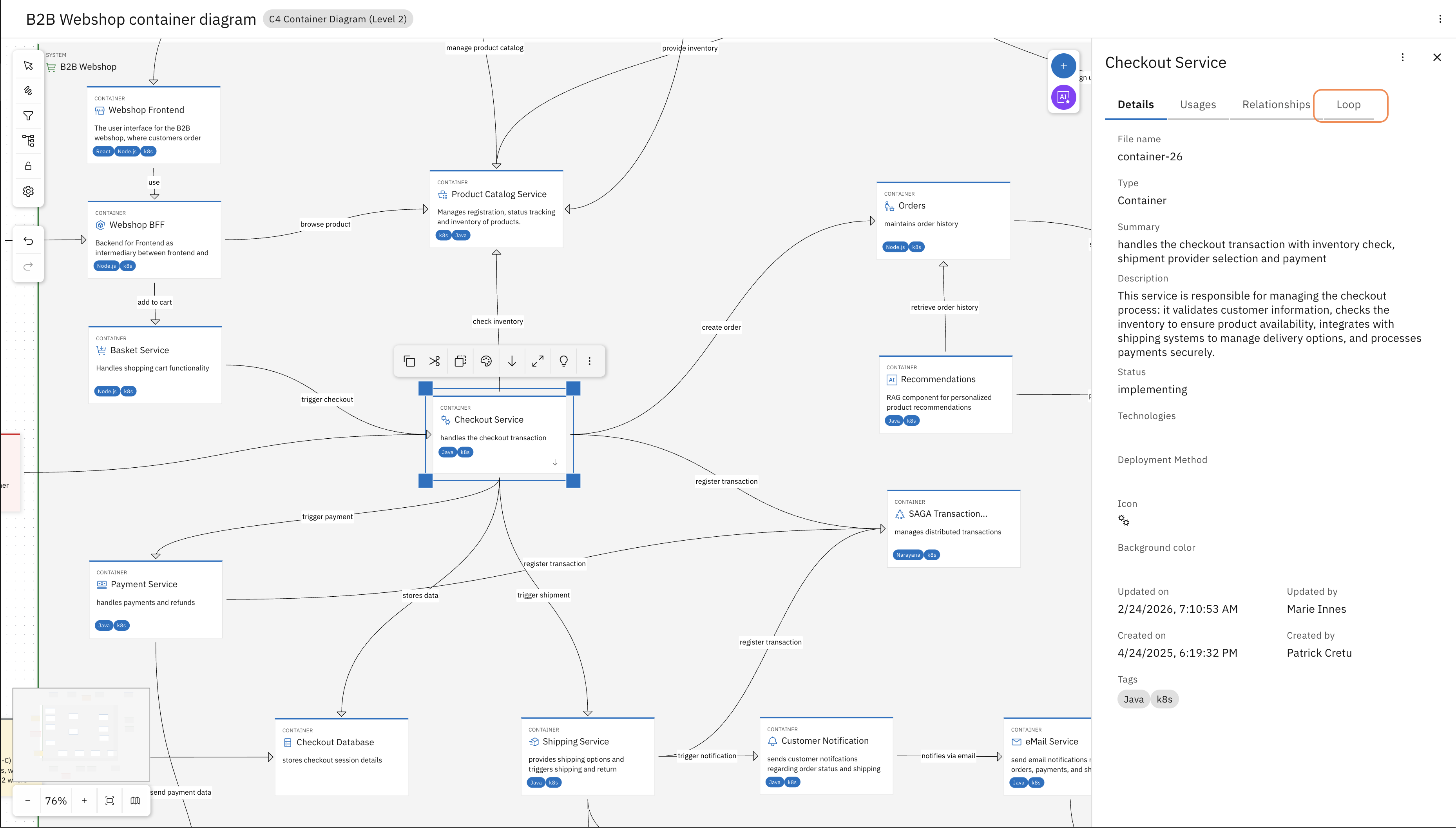
Select the Checkout Service on the L2 diagram and navigate to the Loop tab in the sidebar.
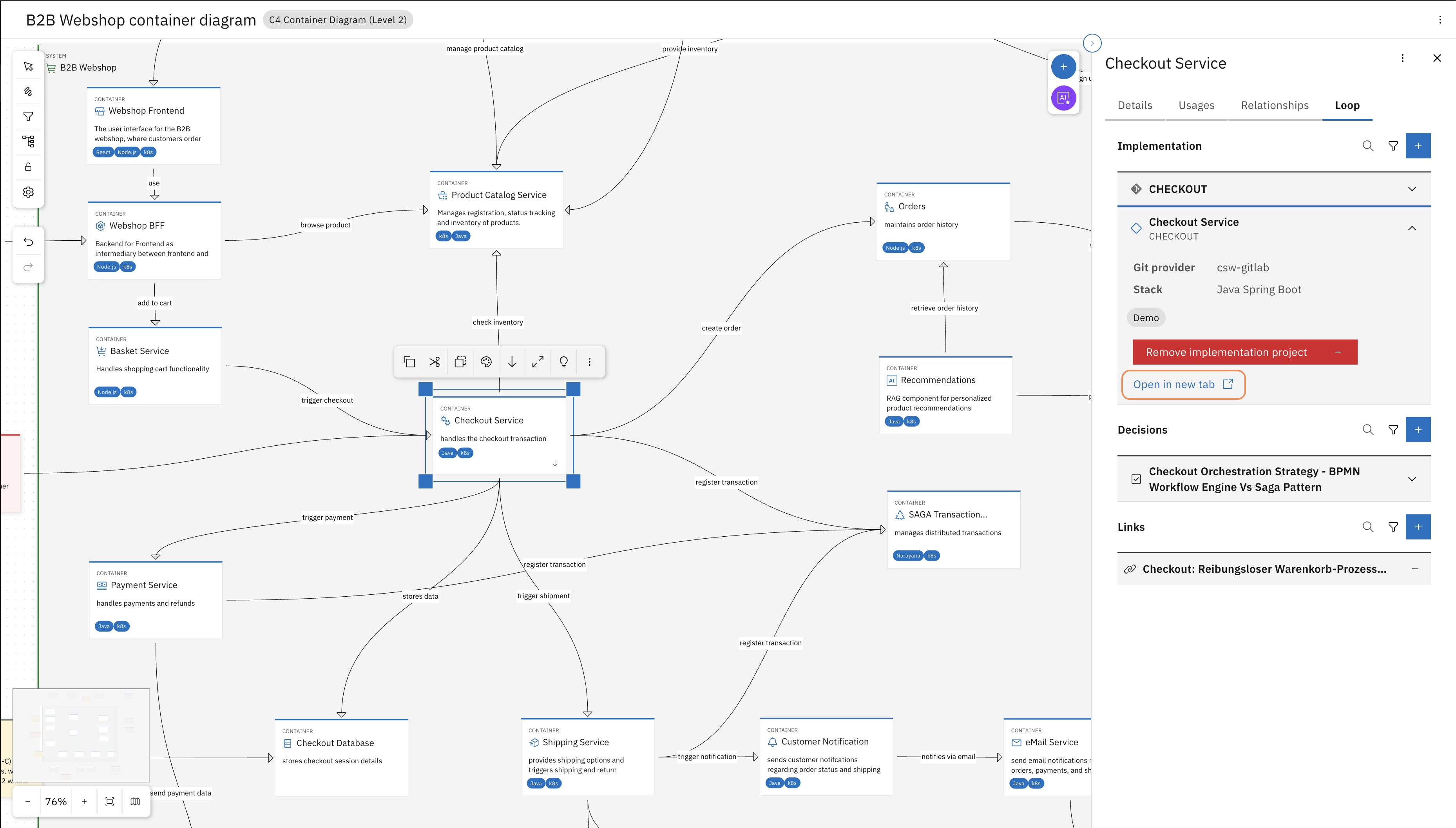
Find the Workbench project and "Open in new tab"
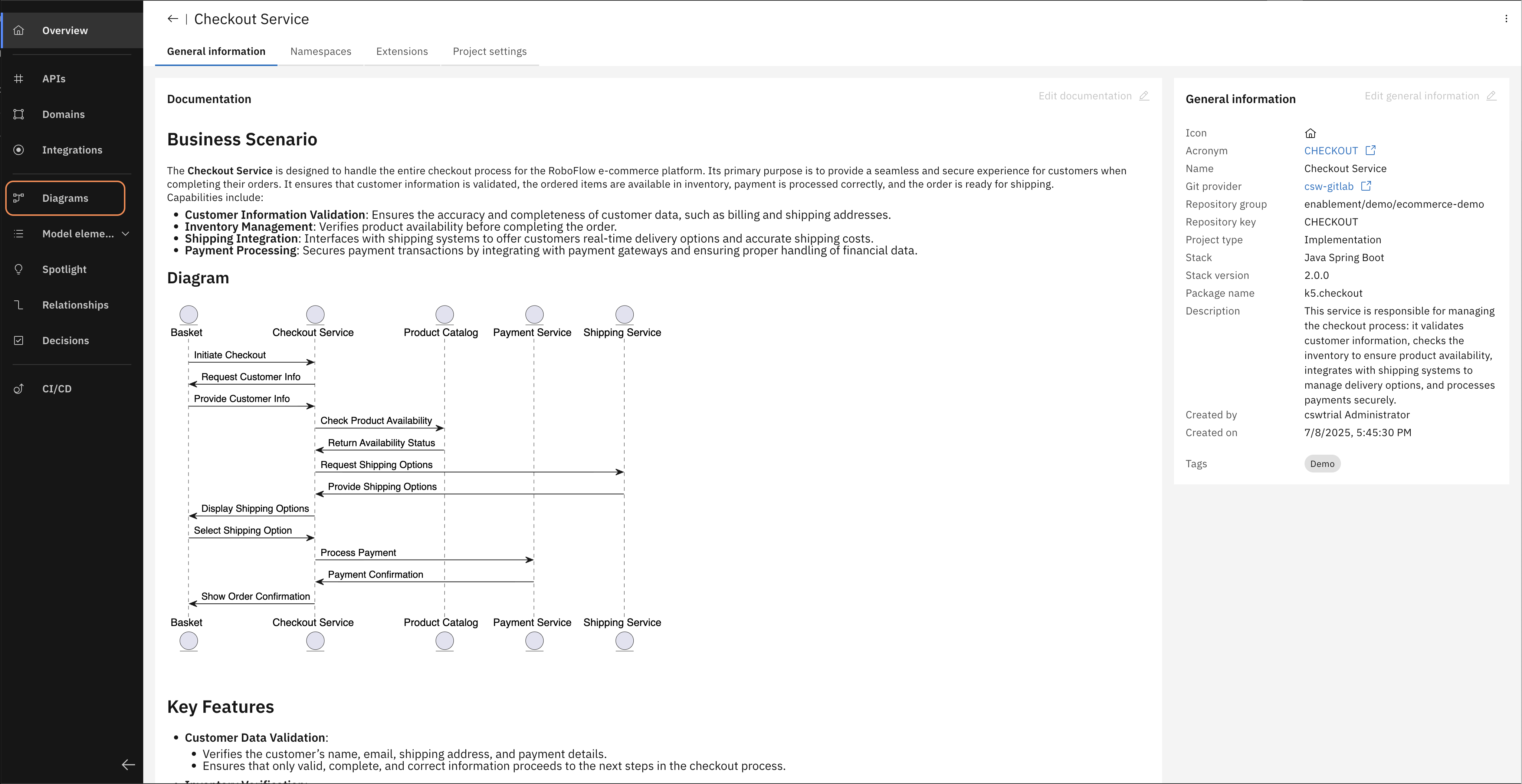
In the left navigation bar, open Diagrams and then open the "Checkout Service component diagram".
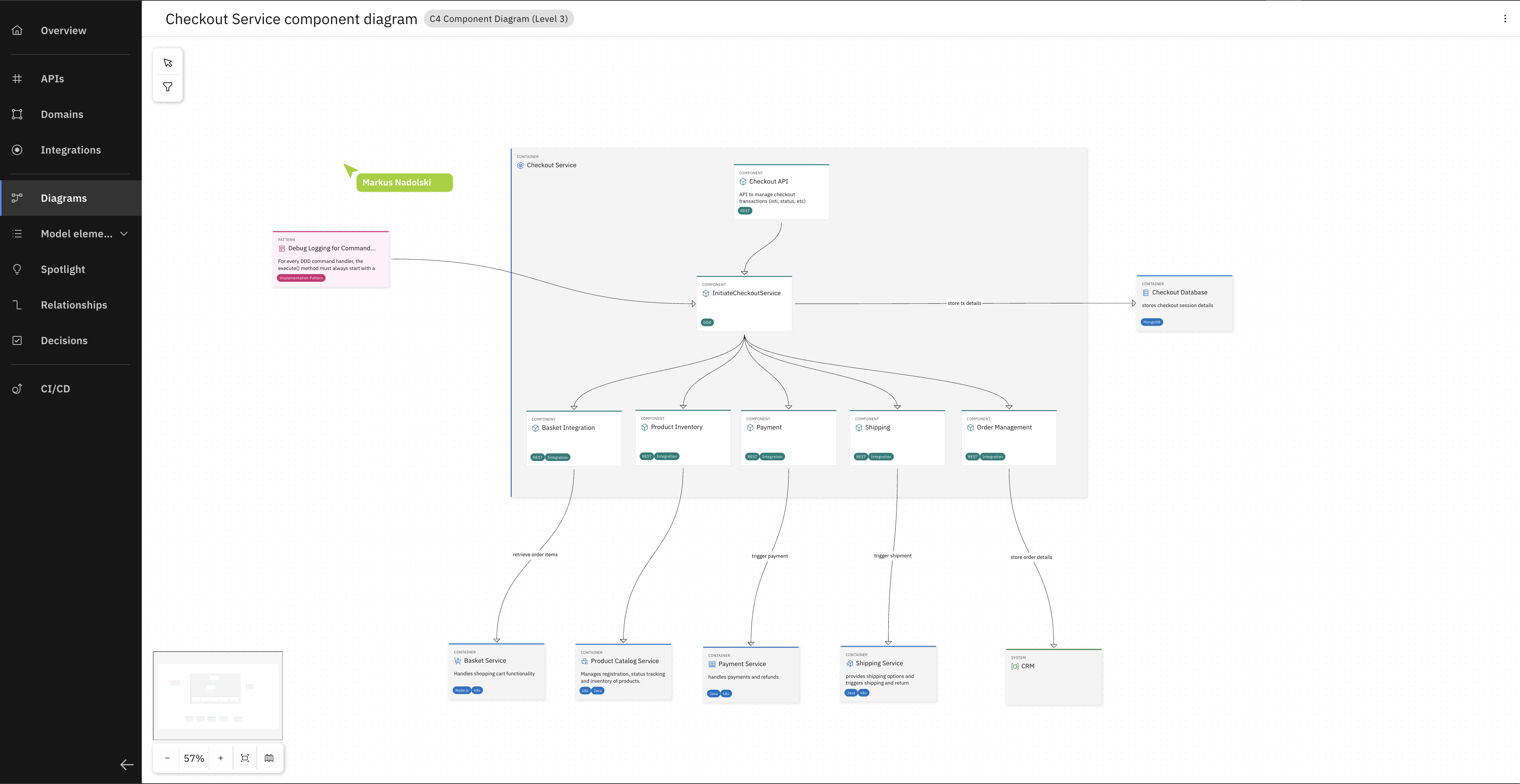
You can now explore the Component Diagram (Level 3 in the C4 model) of the Checkout Service.
Now that you have a feel for how services are structured in the Workbench, let's put it to work. You have a new requirement waiting.
Step 2 - Meet your new requirement
RoboFlow has a new requirement: customers should be able to pay with gift card vouchers at checkout. The architect already designed the Gift Card Service and documented it in the Workbench — service boundaries defined, domain model specified, architectural decisions attached. What doesn't exist yet is the implementation. That's what you're about to do.
Intro to Workbench

Click on the logo in the header bar to go back to the homepage. Here you can see your projects organized as Workspaces.
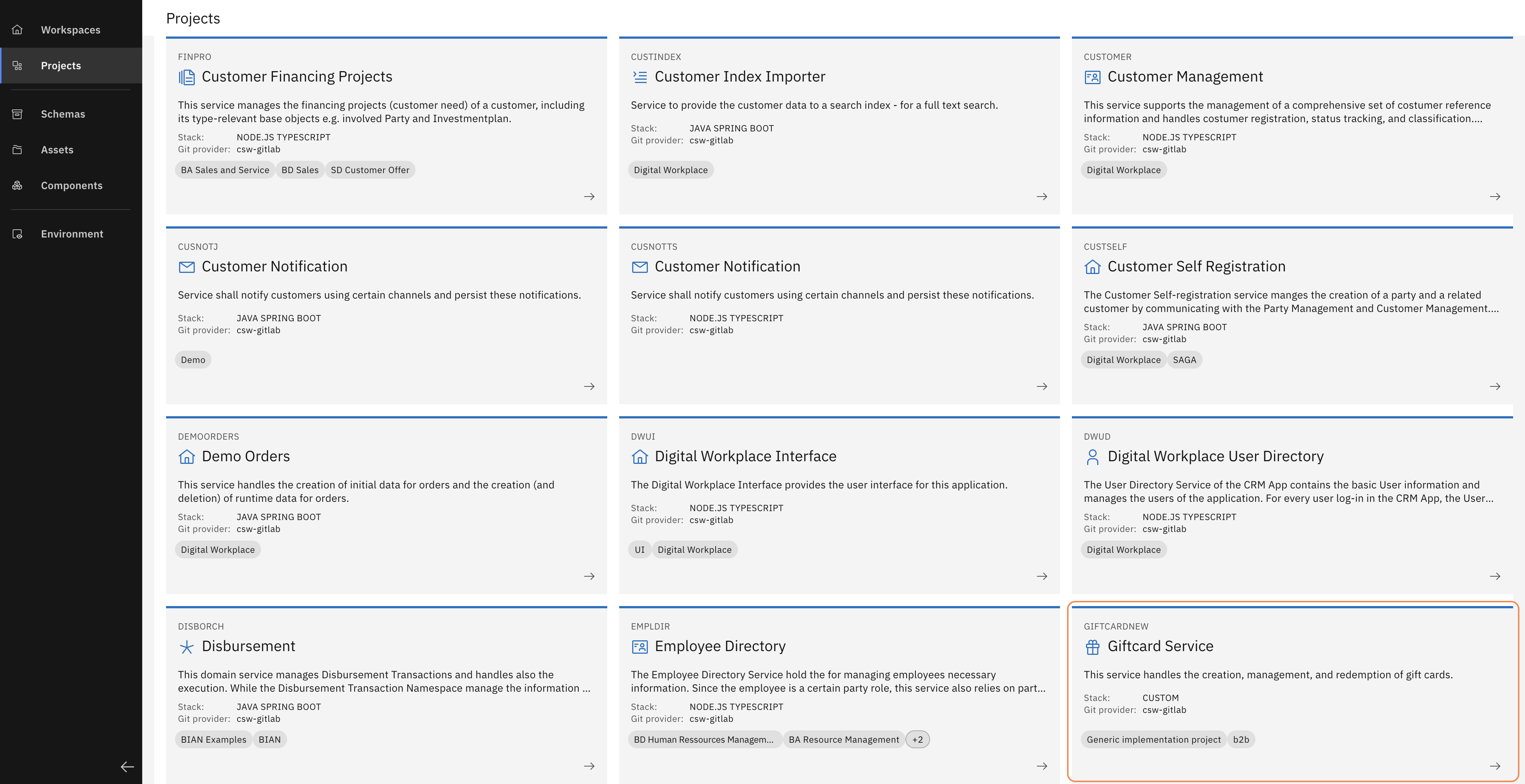
Select the "eCommerce Demo" workspace and open the "Giftcard Service" project.
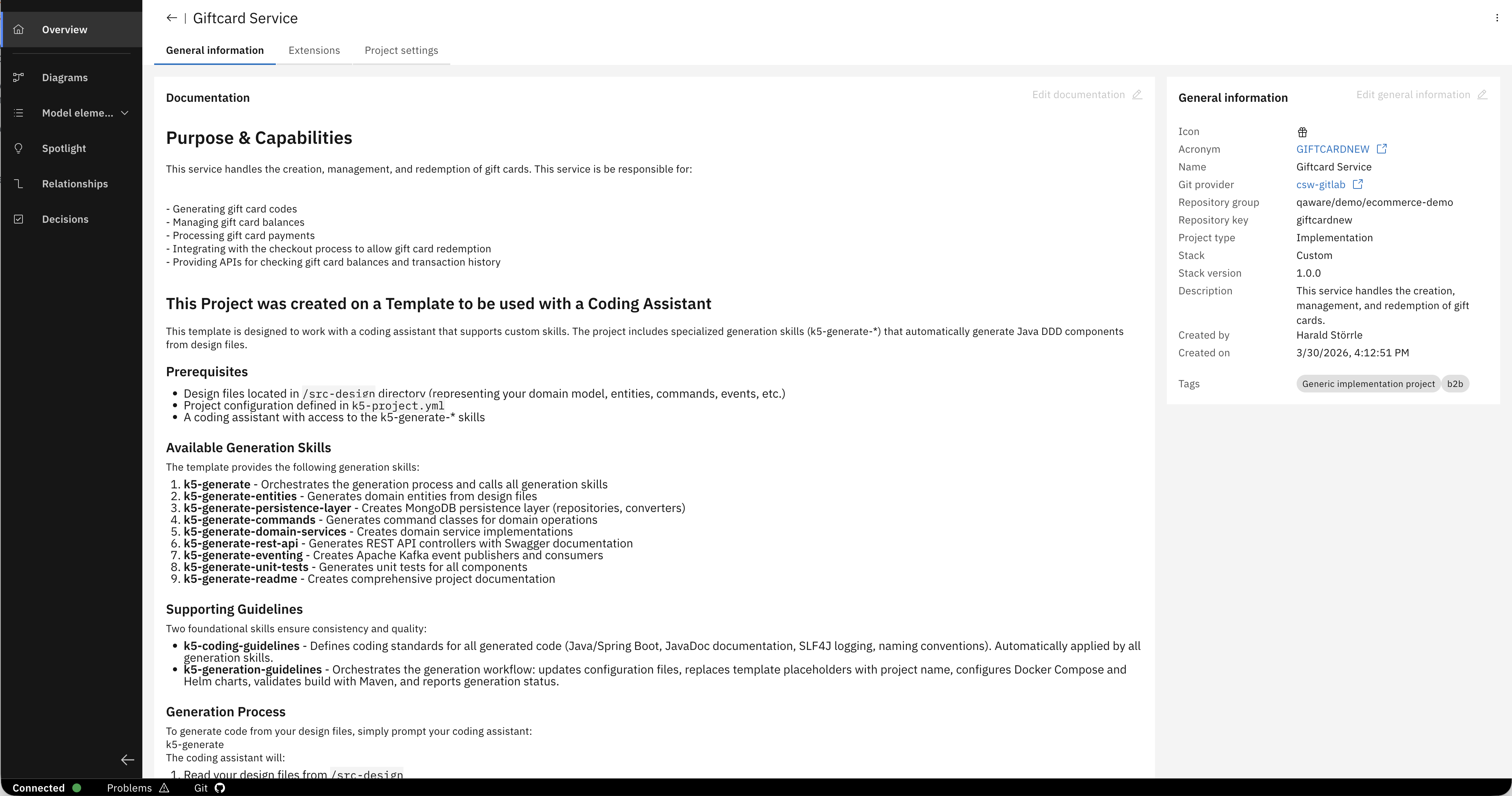
This is where the specification for the Gift Card Service lives and which is just a window to your Git repository. If you like, you could explore the diagrams here, but for now, let's head to our IDE and generate the service based on this specification.
Step 3 — Clone the project and generate the service
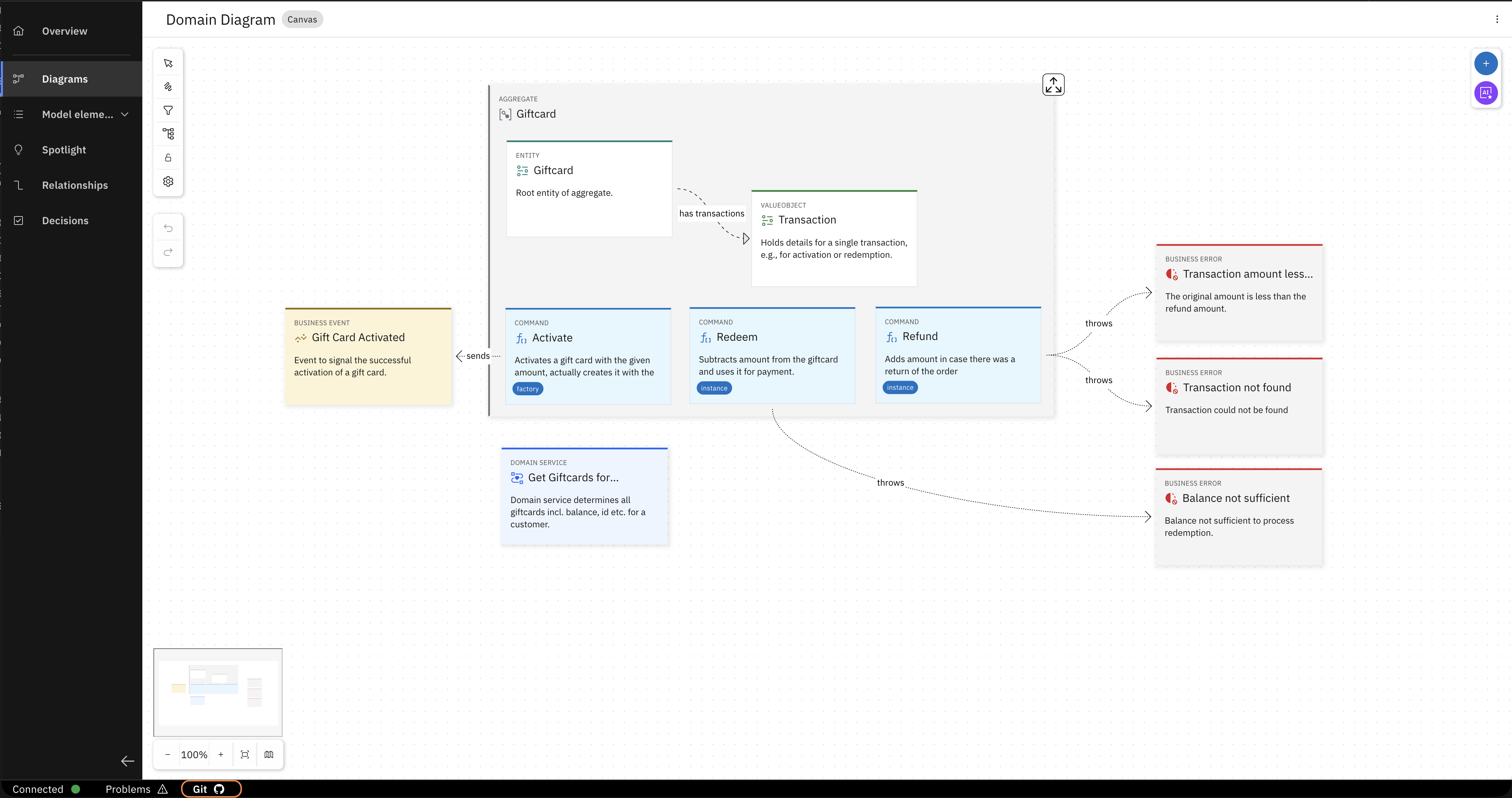
Click on the "Git" tab in the footer of the page.
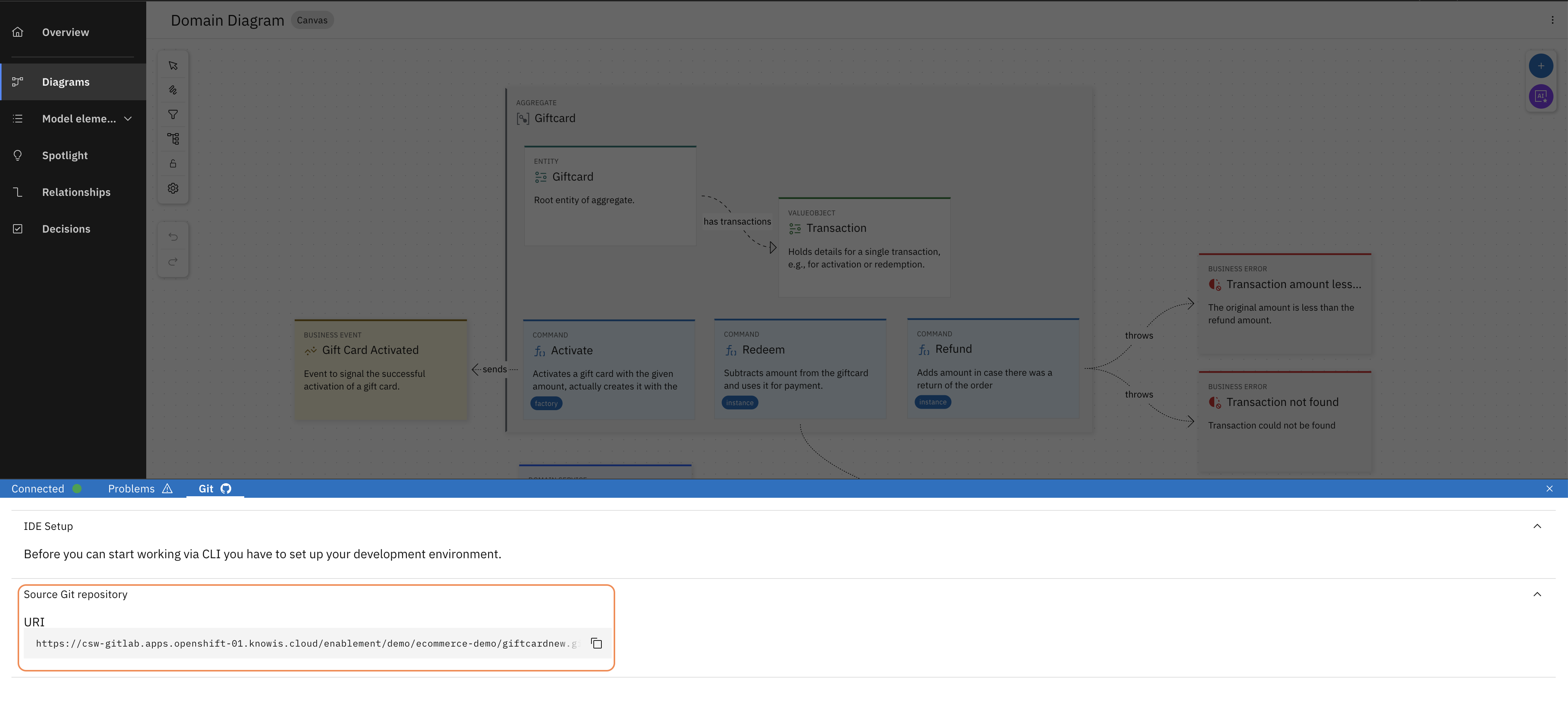
Copy the Git URL of the project. Open a terminal and checkout the project to your local machine.
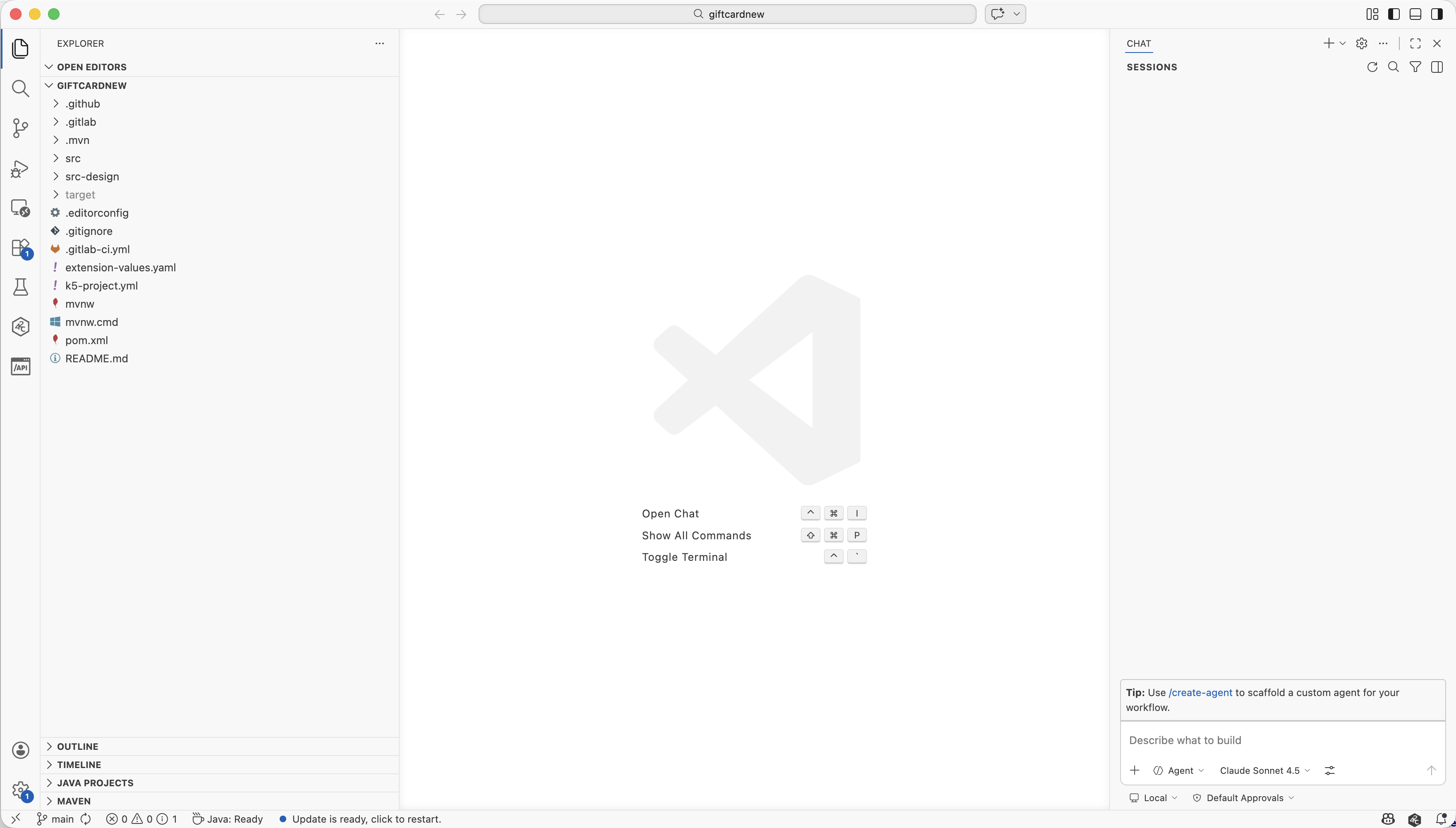
Open the cloned project in your IDE of choice. We are using VS Code with GitHub Copilot for this quick start but any IDE and coding assistant will work.
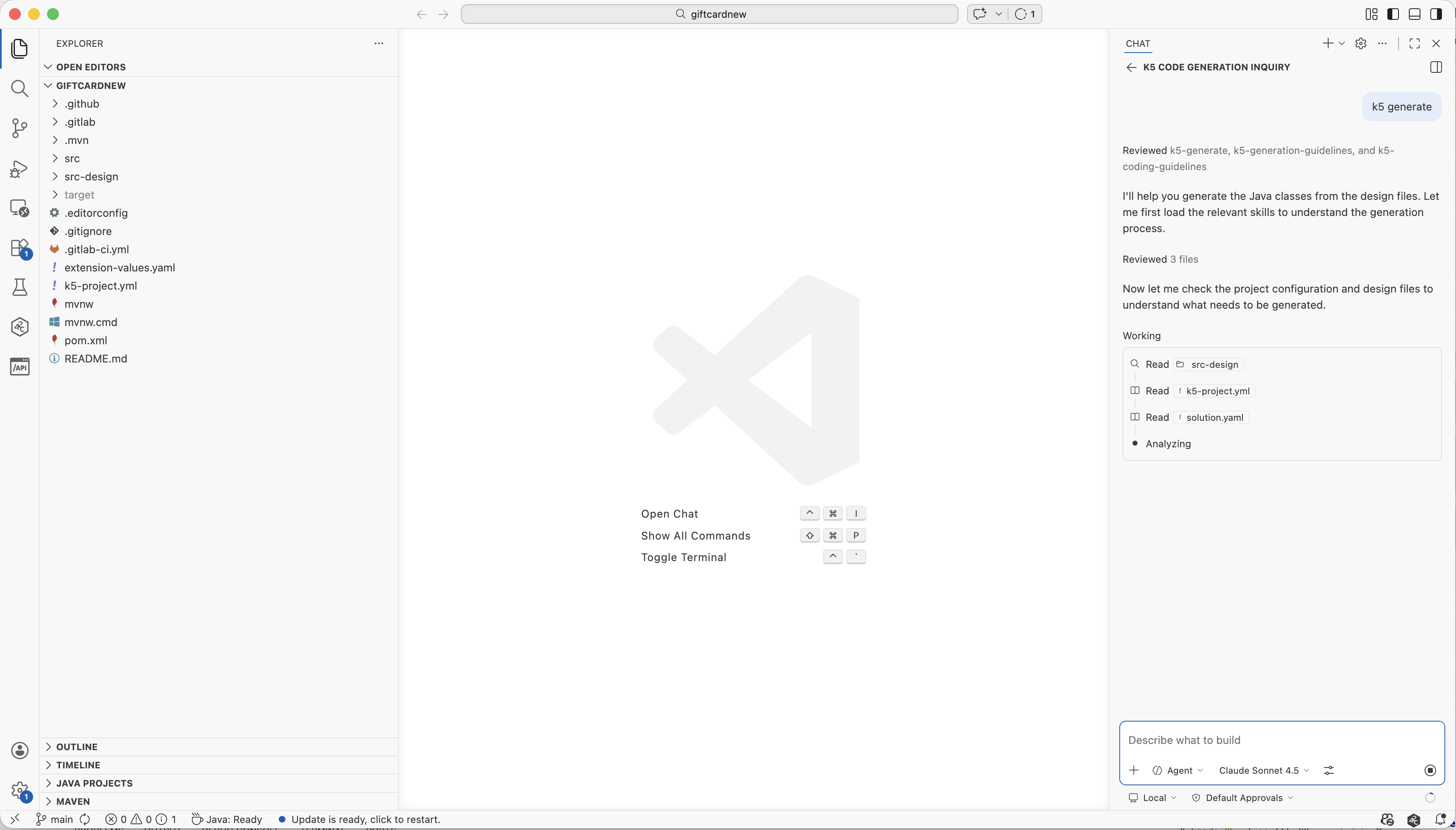
Open a new Chat (Agent Mode) of your Coding Assistant (and connect it to the project if needed). Enter the prompt "k5 generate". This single command will generate the entire Giftcard Service, just as your Java expert and your architect intended. This will take a few minutes. Move to the next step while it runs.
This will take a few minutes. You don't have to wait for it to finish. Move to the next step while it runs.
Step 4 — Explore while it generates
While the service is being generated, stay in your IDE and open the project. You will find a set of files that define how k5 generates code.
Browse the files
Open the .github folder in the project. Here you will find the skills that k5 is applying to generate the service.
If you are using a different coding assistant, the name of the folder would be different (e.g., .cursor, .claude, ...).
These files serve two purposes:
- They encode the knowledge of your organisation's experts: your Java specialist's entity patterns, your architect's structural conventions, your compliance rules. They define how code should be written.
- They assemble the full design intent for the AI at generation time, pulling in the design model: the service name, the domain entities, their relationships, the interfaces, the architectural decisions your team attached in the Workbench.
This is the compounding effect that makes Workbench different. An expert contributes once. That contribution becomes part of every generation run, and is the same for every developer and across services — without anyone needing to remember or enforce it.
One command. No description required.
Notice that you didn't have to describe any of this to the AI. No prompt explaining the entity relationships, no text describing which external services the Giftcard Service depends on, no instructions about how adapters should be wired. All of that is already in the model — relationships between entities, dependencies on other services, interface contracts — modeled precisely, leaving no room for interpretation.
k5 generate is short because the design is complete.
Step 5 — Read what the AI read
Go back to the Workbench and open the Giftcard Service project. While your service is being generated, this is what the AI is working from.
The domain model
Open the Domain Model diagram. You are looking at the Giftcard aggregate — the core of the service.
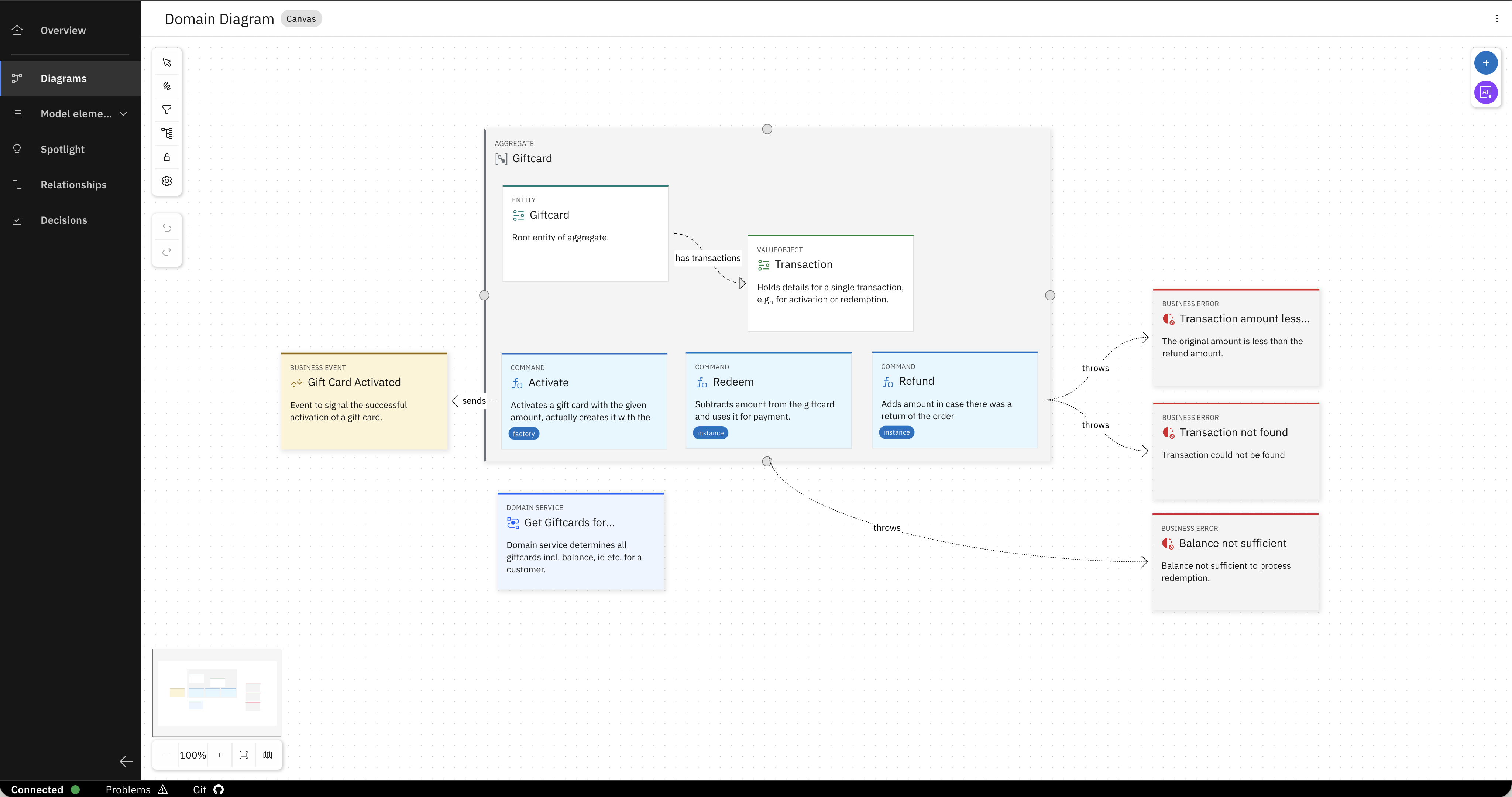
Notice what is already defined here:
- The Giftcard entity and its relationship to the Transaction value object, where every redemption, activation, and refund is recorded as a transaction
- The three commands Activate, Redeem and Refund
- The business errors and when they are triggered: balance not sufficient, transaction not found, refund amount exceeds original
- The business event Gift Card Activated — signalling the outside world when activation succeeds
Now click on the Redeem command. In the details panel on the right, open the description. This is the business logic your architect wrote:
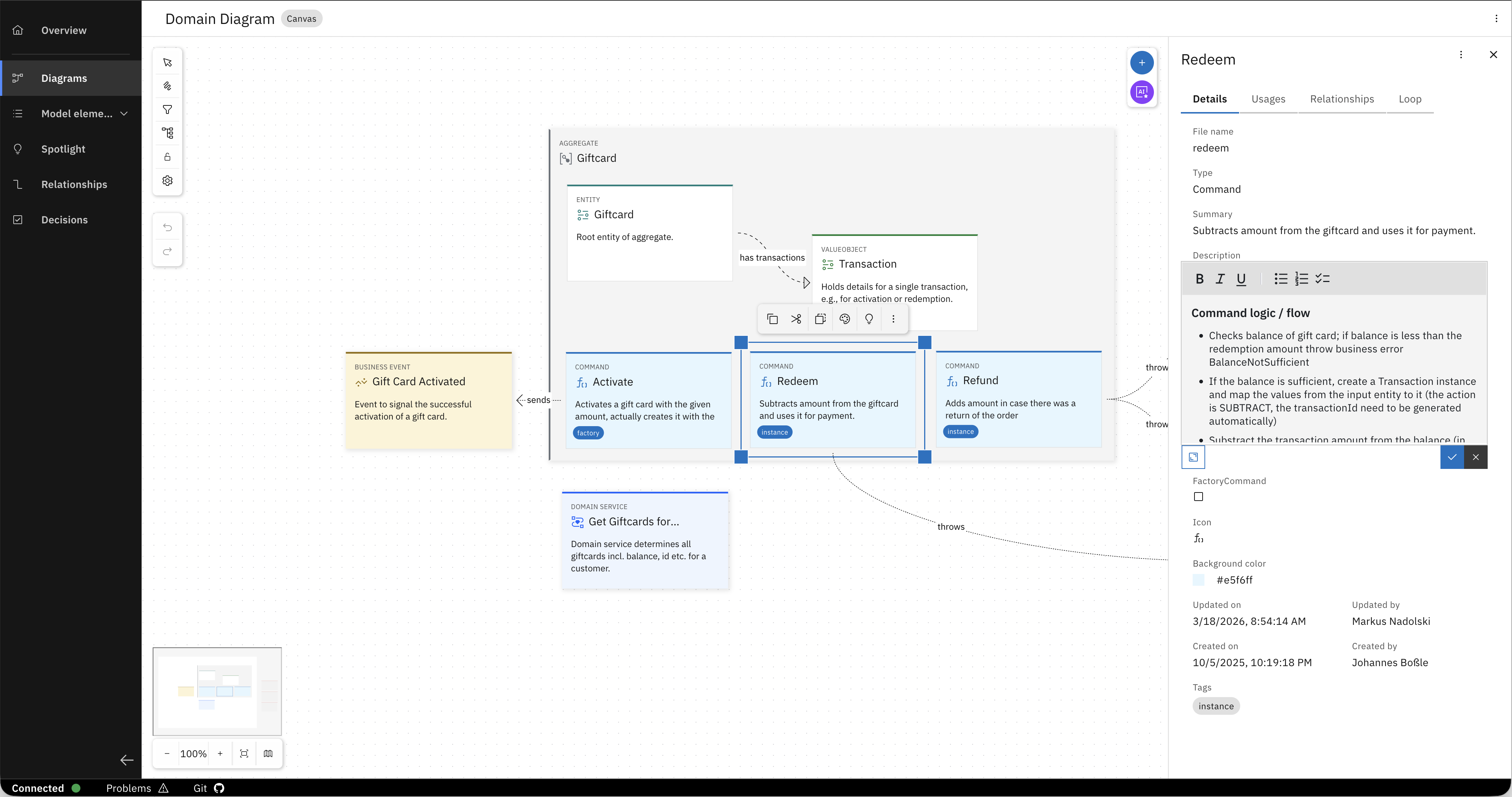
- Check the balance; if insufficient, throw
BalanceNotSufficient - If sufficient, create a Transaction instance, subtract the amount, generate a transaction ID
Everything is here: the technical decisions, the description of the business logic. It is structured and attached to the element it describes, which means the AI has precise context without needing to guess at what you meant.
The API
Open the API diagram. The commands you just read surface here as REST operations — Redeem, Refund, Activate, each mapped to an endpoint. The DB collection is explicit. The domain service is there.
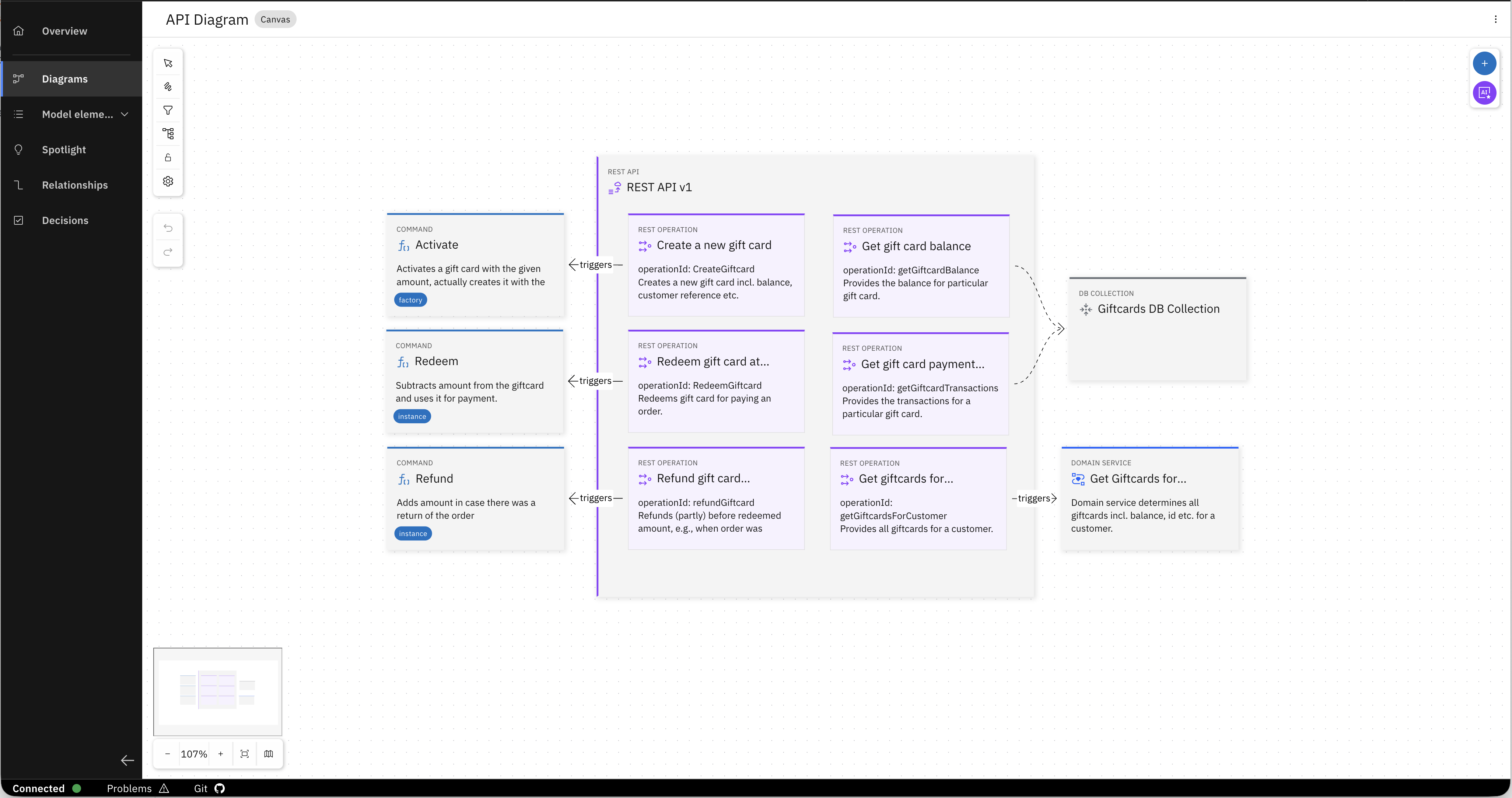
The relationship between the domain entities and the API was defined in the model, and the generator followed it.
A developer joining this team tomorrow could open this project and understand the service without asking anyone. And so could the AI. And with the guidelines defined once by the organisation's experts, the AI can generate a service that is consistent with the team's standards. Every time, for every developer.
Step 6 — Explore the generated service
Head back to your IDE. When the generation is complete you have a fully functioning Java Spring Boot microservice - ready to be deployed.
Dependent on the LLM you choose, generation might not yet be completed. Check out the files that have already been generated by your Coding Assistant.
Browse through what was created:
- Entities — the
Giftcardentity and theTransactionvalue object, with the relationship you saw in the domain model - Persistence layer — repository and database wiring, ready to connect to the Giftcards DB Collection
- Commands —
Activate,Redeem,Refund, each as a structured class reflecting the command logic you read in the Workbench - Domain services — the
GetGiftcardsForCustomerservice, as defined - REST API — controllers and endpoints mapping directly to the API diagram you explored
- Eventing — the
GiftCardActivatedbusiness event, wired up and ready - Unit tests — generated alongside the code right away
- README — documenting the service structure automatically
The entity relationships, the error conditions, the API structure — none of it was described in a prompt. It was modeled, and the Coding Assistant followed it.
Find the Redeem command class. You will notice the business logic described in the Workbench — the balance check, the transaction creation, the error handling — is already implemented.
What just happened
You gave the AI something real to work from.
Not a lengthy text prompt describing your architecture. Not a ticket that assumed the developer already knew all the architectural decisions that have been made for the system. A machine-readable design model — with service boundaries, domain entities, interfaces, and architectural decisions all attached where they belong. And guidelines encoded in the model that ensure that each service is generated the same way as the next.
Without any background about the system, or searching for instructions on how to create a Java Spring Boot service for RoboFlow, you generated a fully functioning microservice that is consistent with the rest of the system.