User Directory Service
Overview
In order to design a CRM system, it is necessary to manage user information even if the information is managed in a user repository. Adam, Jack and Alexander thought about how to manage the user information for logged-in users. They have identified that they need an additional User Directory which manages user information in the context of CRM system and can create a user with first login. Therefore it is necessary to manage the user information independently from the user repository. Hence they have decided to design the User Directory service which maintains a set of user information like creation of user, status of activating and deactivating of user.
Introduction
This document describe the User Directory service and the required attributes that should be designed to store user related information. As you read through these documents, you can identify the different levels at which the service is designed.
What is the scope of the User Directory service
This service manages various user information of a user, for example how to create a customer, how to update customer details, how to activate and deactivate a customer and so on.
Here is an overview of entities that have been created for the User Directory service:
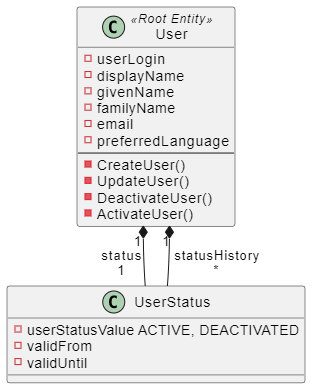
Designing of User Directory Service
The design of the service has been classified into the following namespaces:
Domain Namespace
The User Directory service contains the single domain namespace User. As already mentioned in the context of the previous service, domains are used to encapsulate the business logic. The User Directory can be accessed through its root entity User and can be associated with other entities to form an aggregate.
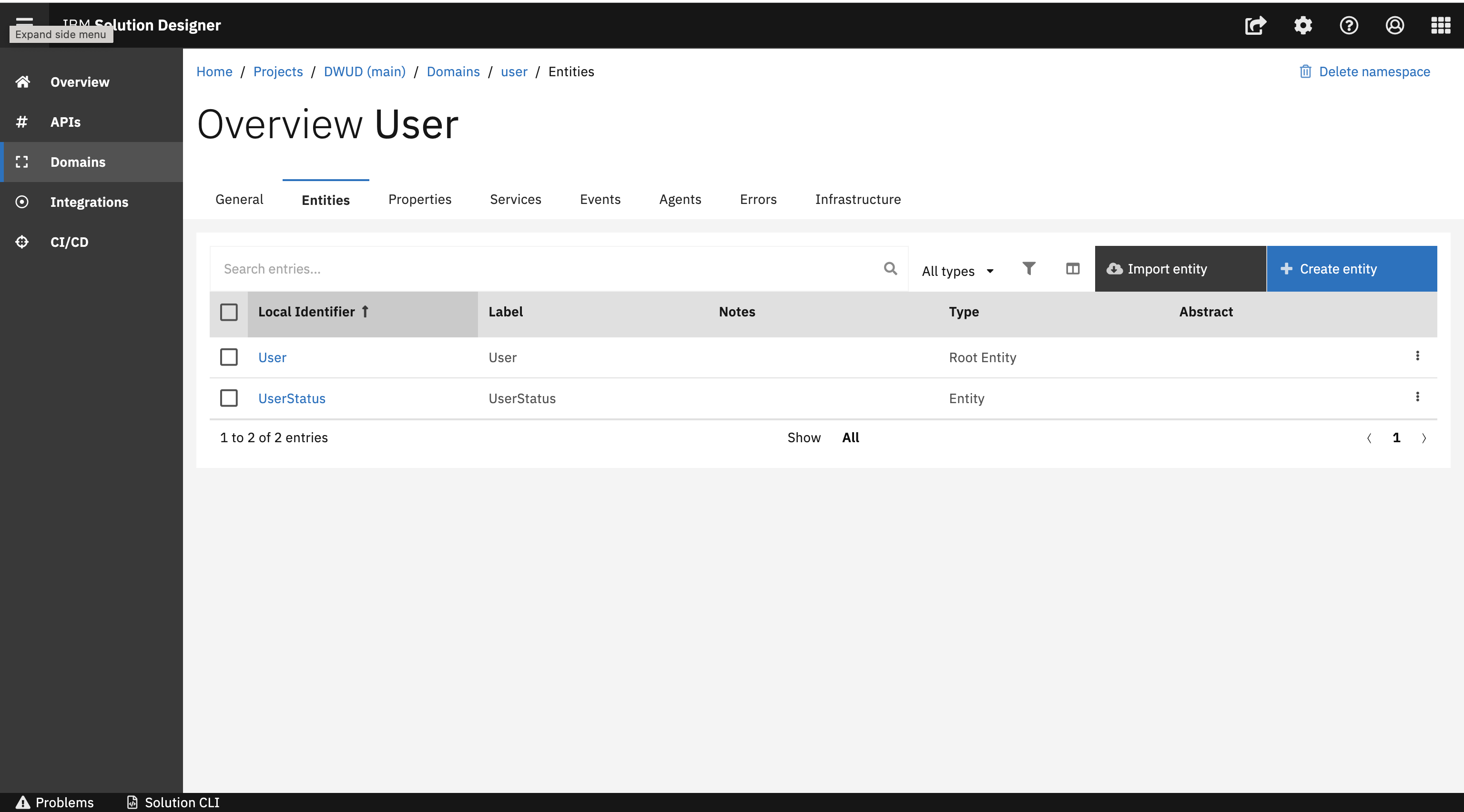
The two business analysts Jack and Alexander have designed all the important artefacts around the domain namespace. The domain namespace in the service holds several attributes like root entity, commands, business event and business error which manages the user information. Business events and business errors are used within the lifecycle of a user to change the status of a user.
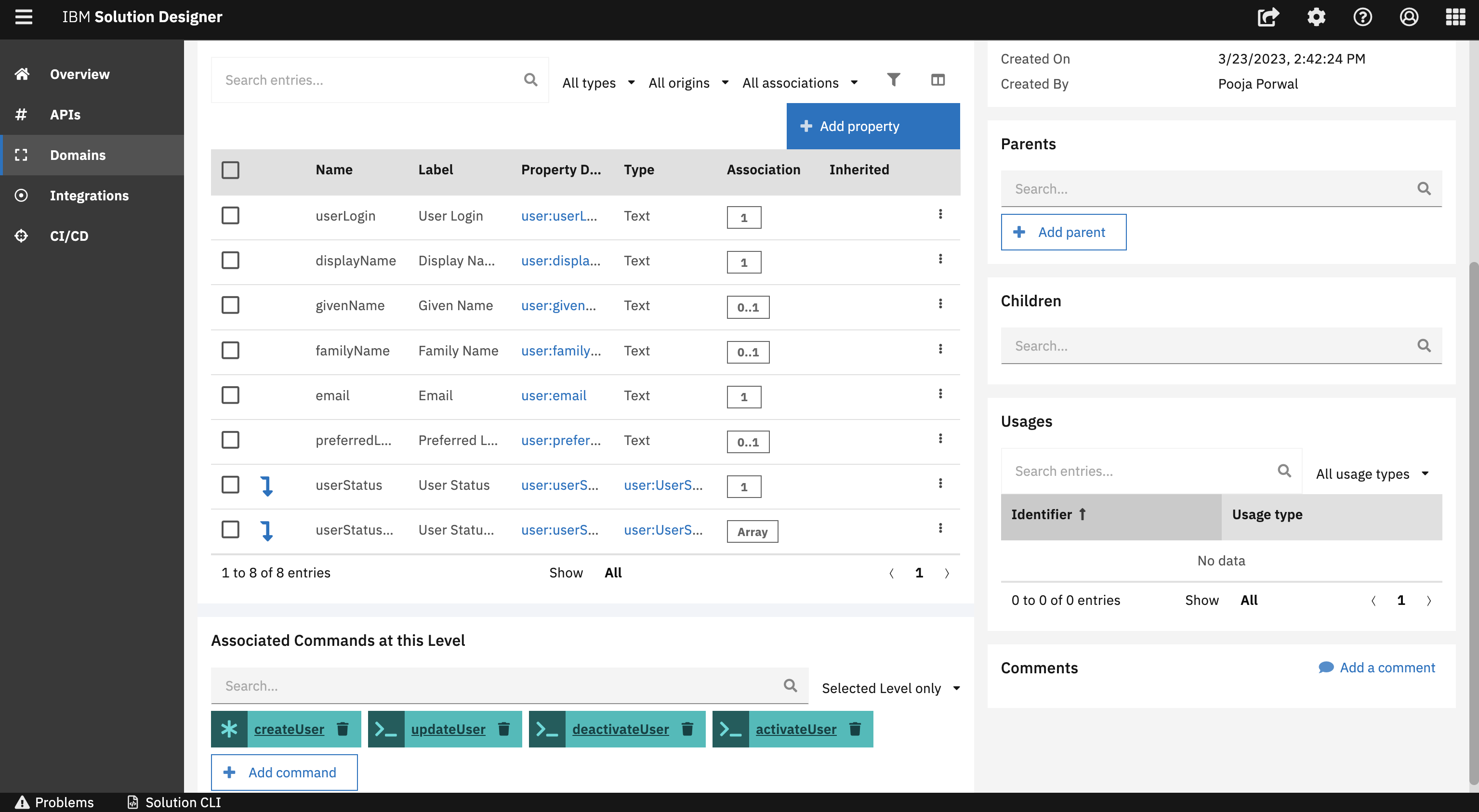
API Namespace
After designing the domain namespace, Jack and Alexander covered important points around the API namespace. This section guides you through the different parts of an API. Please find a quick overview in the following:
Path
Jack designed several paths which can be performed as part of the API in the User Directory Service. Paths are typically provided as endpoints for APIs. For each path in the User Directory service, multiple operations can be created to perform the desired action based on the HTTP verb.
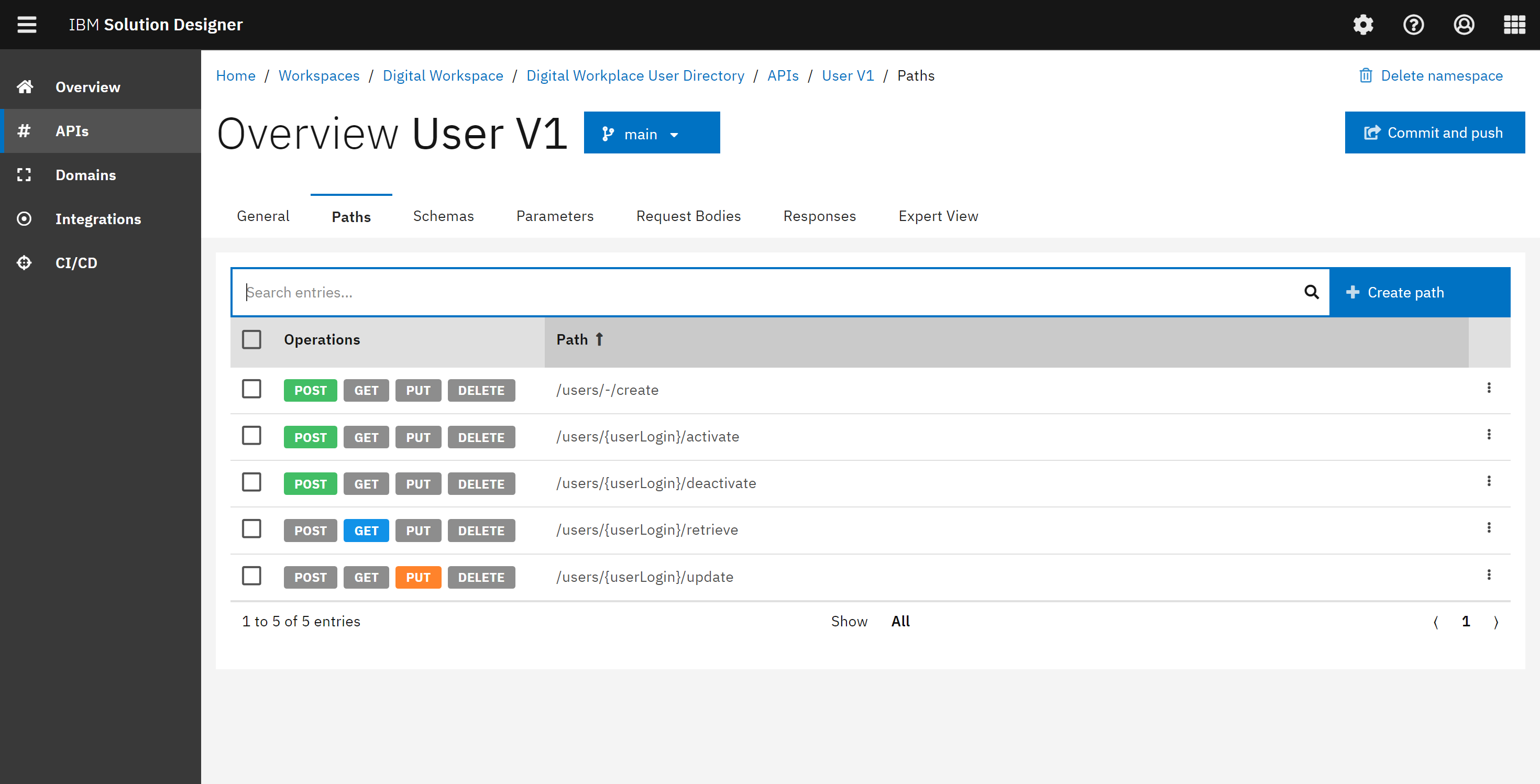
Schema
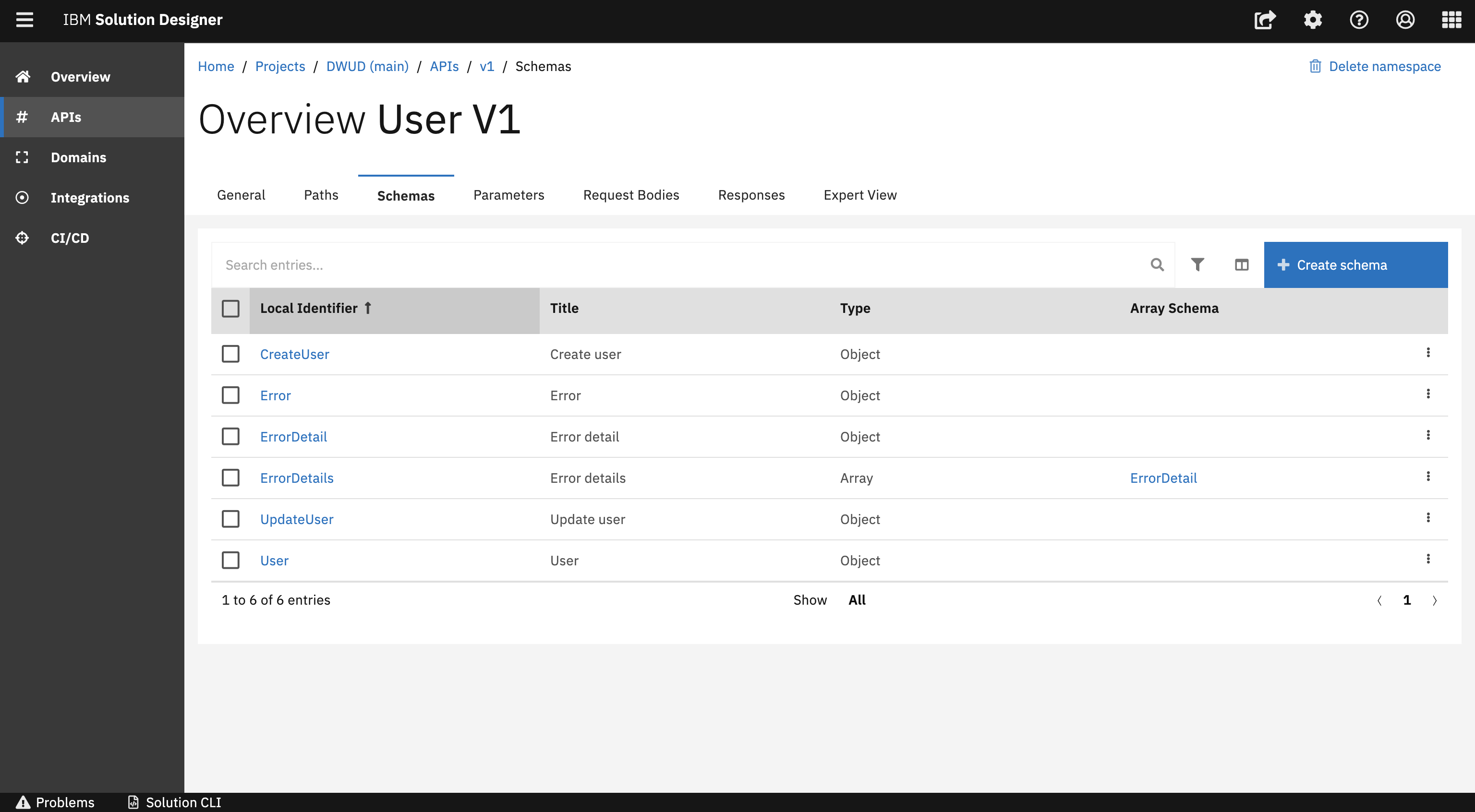
Jack has also designed schemas within an API namespace. A schema represents a data type of an API. The API namespace of the User Directory service contains Object schemas as well as Array schemas. In this service the CreateUser is a object schema which is considered as a complex schema as it holds the collection of properties. The service also contains ErrorDetails as an array schema which represents a list of error details. Schemas can be reused in multiple places in the API like request bodies, parameters and responses.
Parameter
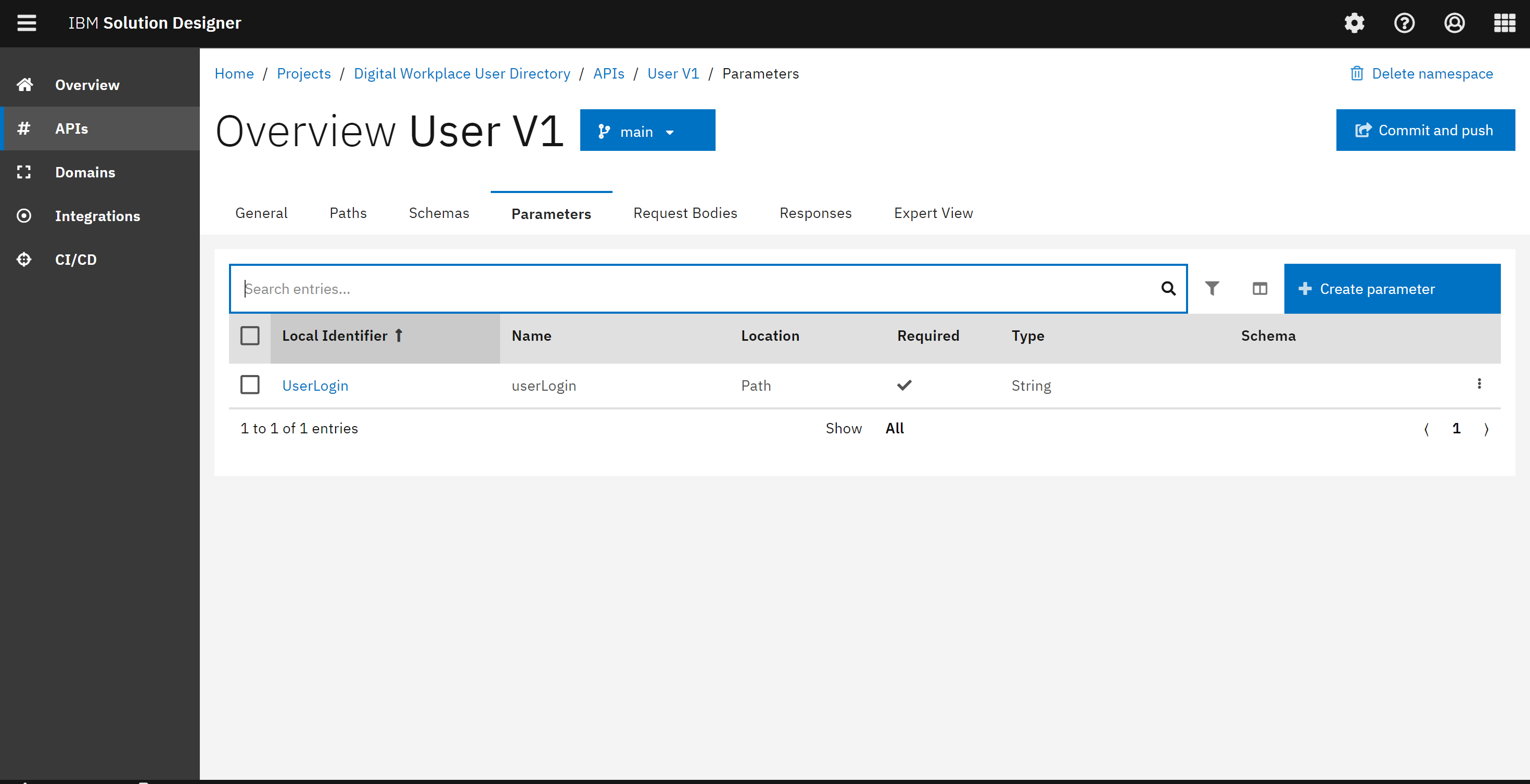
During the discussion, Jack has suggested to define Parameters as well. Parameters are defined either as header, query or path parameters. In the UI, you can define all parameters for the request. If you have specified the path parameter in the path, it is necessary to define it into the operation as well.
Request Body
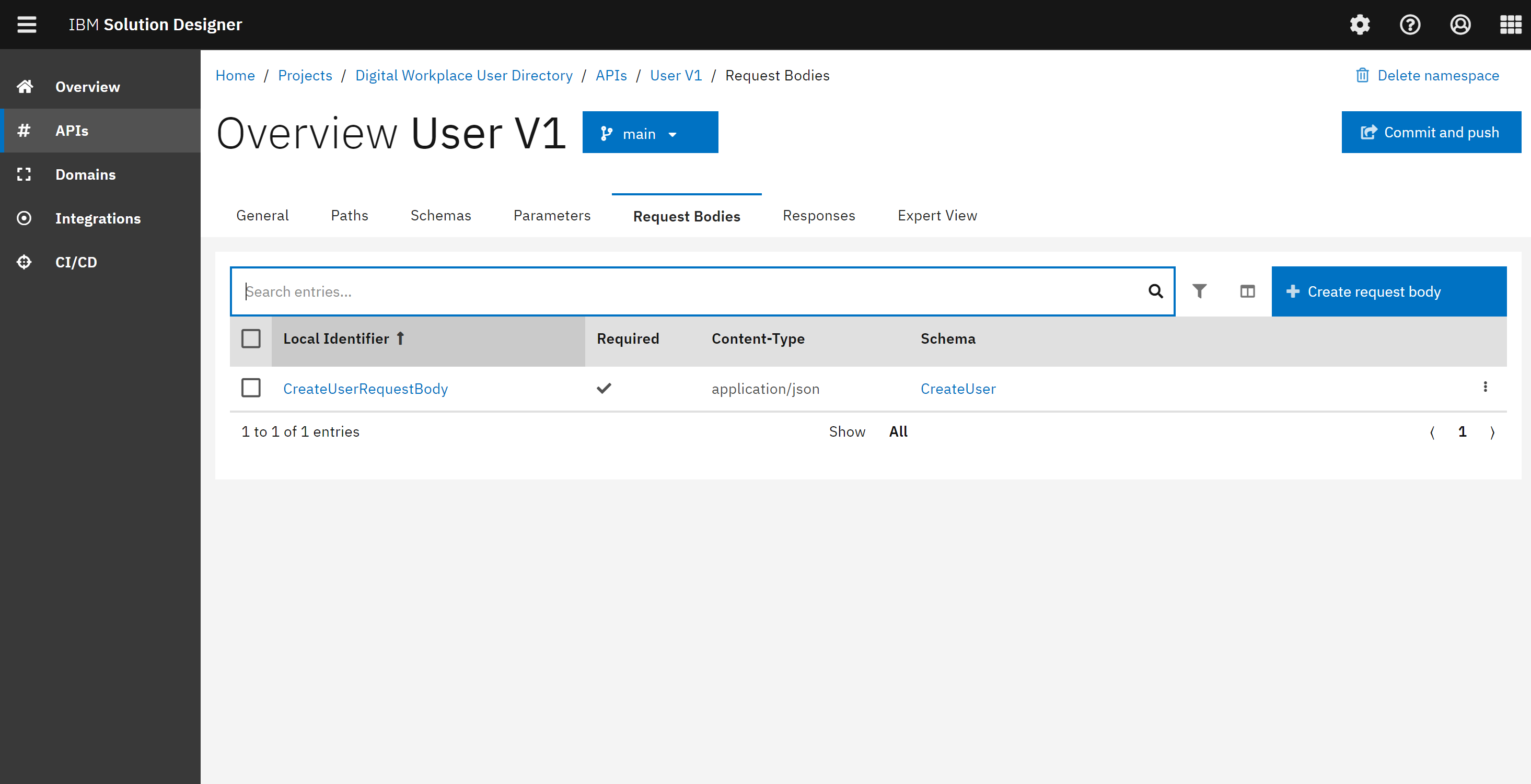
Jack has defined all the needed request bodies for the API operations. Request bodies are typically used to create or update instances in the database and are located in POST and PUT operations. A request body always consist of complex structure, either an object or an array.
Response
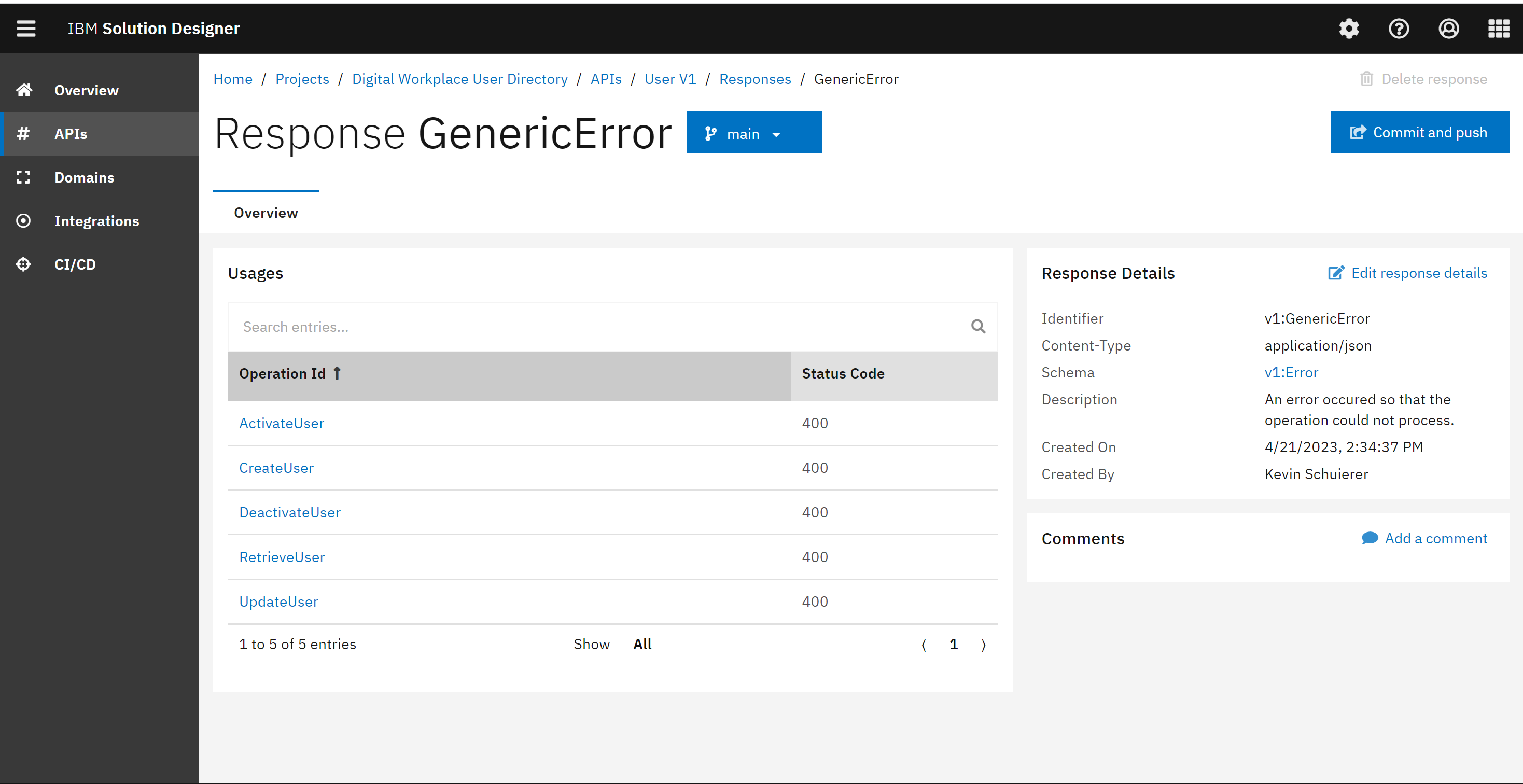
There is also a possibility to define the responses for an operation. You can also have multiple responses. One for success case and one for the warning error case. Every Operation needs to have at least one response, if that is not given, a validation error will be shown and will prevent you to commit and push your changes to the git repository.
Expert View
If Jack and Alexander wants to see the auto-generated API specification, the API namespace offers Expert View which can help them to see all of the components of an API. Lets have a quick overview in the following:
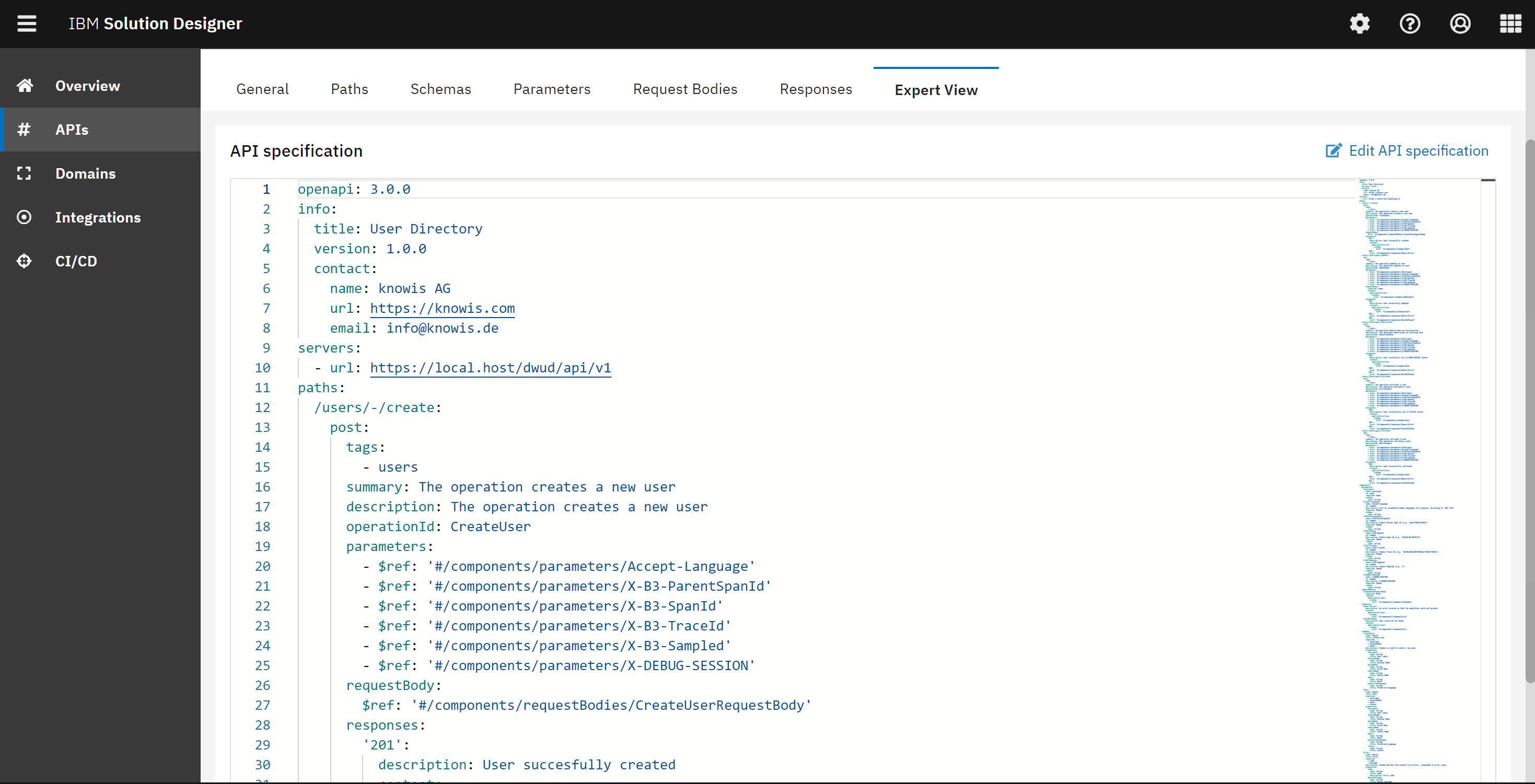
The Expert view displays the auto-generated OpenAPI 3 specification containing all of the components of the API Namespace, and it's a preview of how the generated specs will look like when committing the project to the git repository. The Expert view is accessed through the Expert view tab in the API Namespace.
Integration Namespace
Integration namespaces are used to consume other REST APIs. In this layer, every service is organized with the namespaces and every namespace represents the external API. For User Directory service, no external API has been integrated.
Building and Deploying of the service
The last step was to develop the User Directory service using TypeScript Domain Service. Clara and Julia had a discussion on how the service should be developed and started the development. They also agreed on testing criteria for the service. Once the service has been developed and tested, it can be easily explored in the CI/CD section. The deployed service can be easily found on the dashboard and the Open API can be tested by using Swagger.
You have successfully covered important aspects of the User Directory service.