Employee Directory Service
Overview
To design the CRM system, we also need to deal with employees as we want to know who is managing which customer. Hence it was necessary to manage the employee related information. Adam, Jack and Alexander have decided to design the Employee Directory service which contains specific information of an employee. During the design discussion, they have agreed to have an External Entity in the service which contains basic information of a Person (which is a subtype of a Party). The comprehensive details of a Person are managed in the Party Service (which already exists). The Person managed as External Entity in the Employee Directory service, would be considered as a deputy of the Person in the Party Service and contains only some basic information which is necessary to identify it and to minimize requests against the Party service.
Introduction
This document describe the Employee Directory service and the required attributes that should be designed to store the employee related information. As you read through these documents, you can identify the necessary artefacts for designing the Employee Directory service.
What is the scope of the Employee Directory Service
This service manages all the information related to the employee.
Here is an overview of entities that have been created for the Employee Directory service:
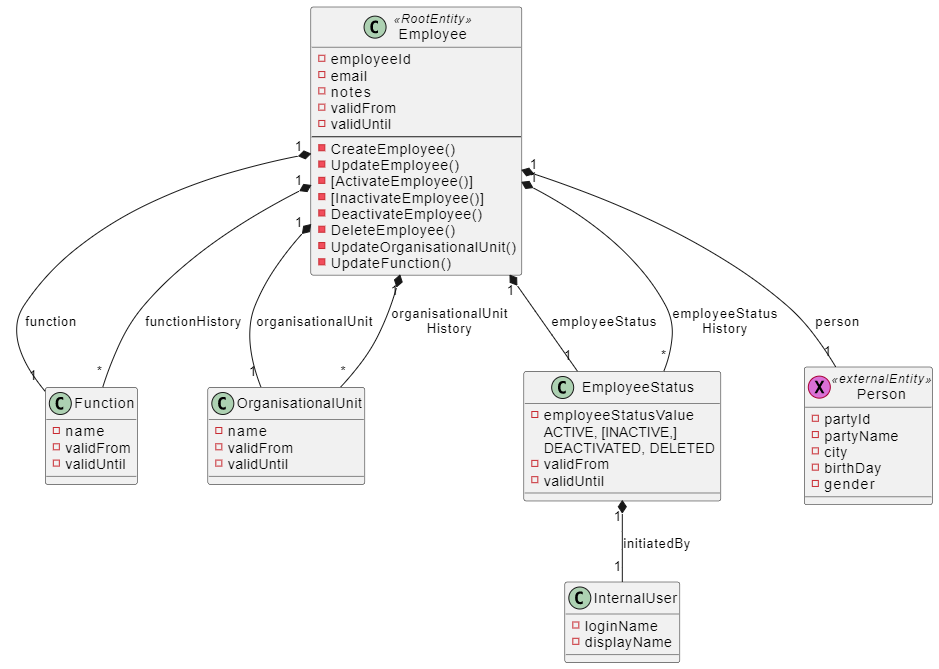
Designing of Employee Directory Service
The design of the service has been classified into the following namespaces
Domain Namespace
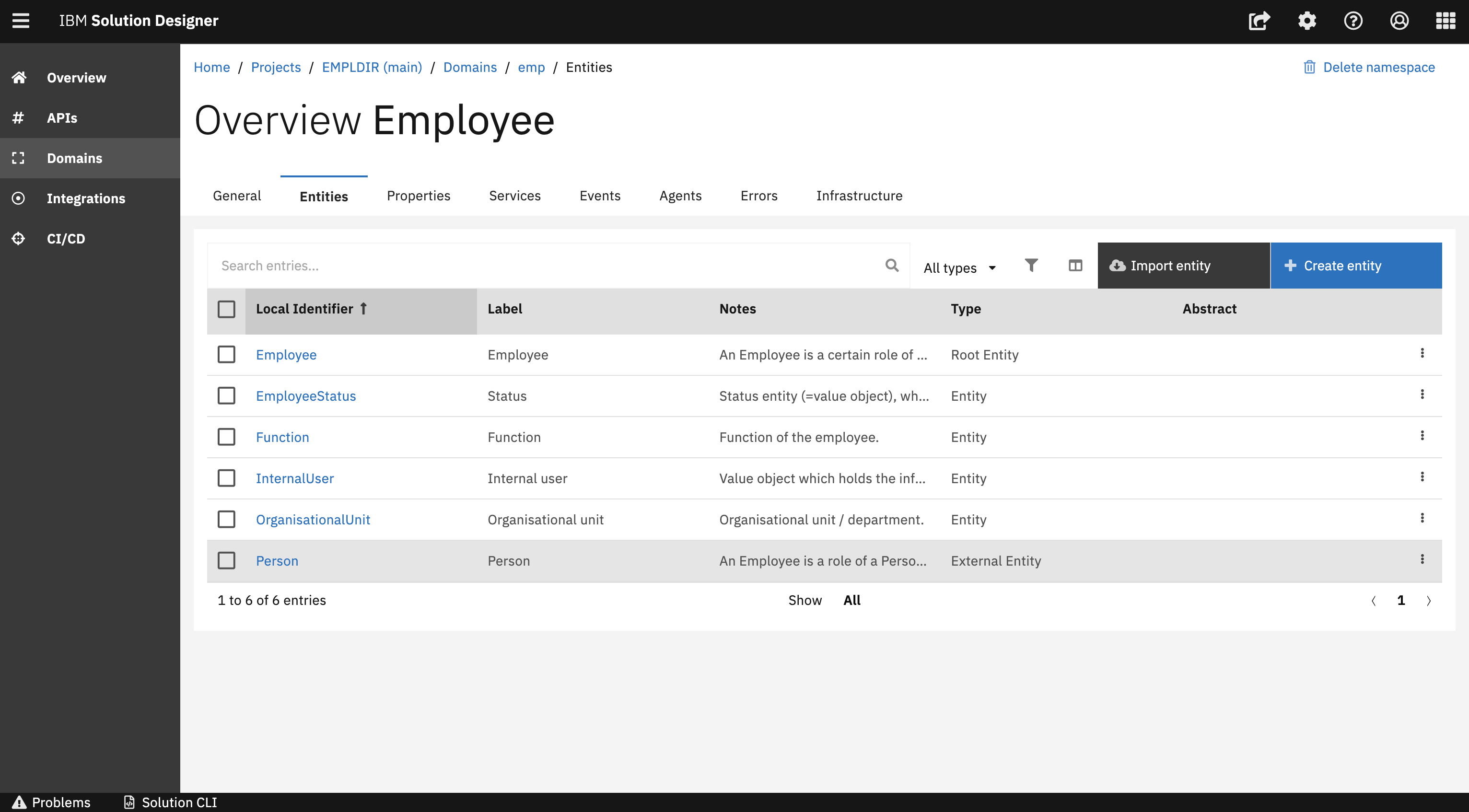
The Employee Directory service contains the single domain namespace Employee and also contains various types of entities like Root Entity, Entity and External Entity which manages the employee information. The two business analysts Jack and Alexander have designed all the important artefacts around the domain namespace.
External Entity
This section guides you through the External Entity of the Domain namespace. An external entity designed in Solution Designer acts as a pointer to an entity that may reside in another system. In the Employee Directory service Person is created as an External Entity. Please have a quick overview in the following :
API Namespace
After designing the domain namespace, Jack and Alexander covered important artefacts around the API namespace. In this section, Jack and Alexander will walk you through the different sections in the API namespace that specify more details like Parameter, Request Body and Response which can be reused in the operation when created individually.
Managing Parameter,Request Body and Response
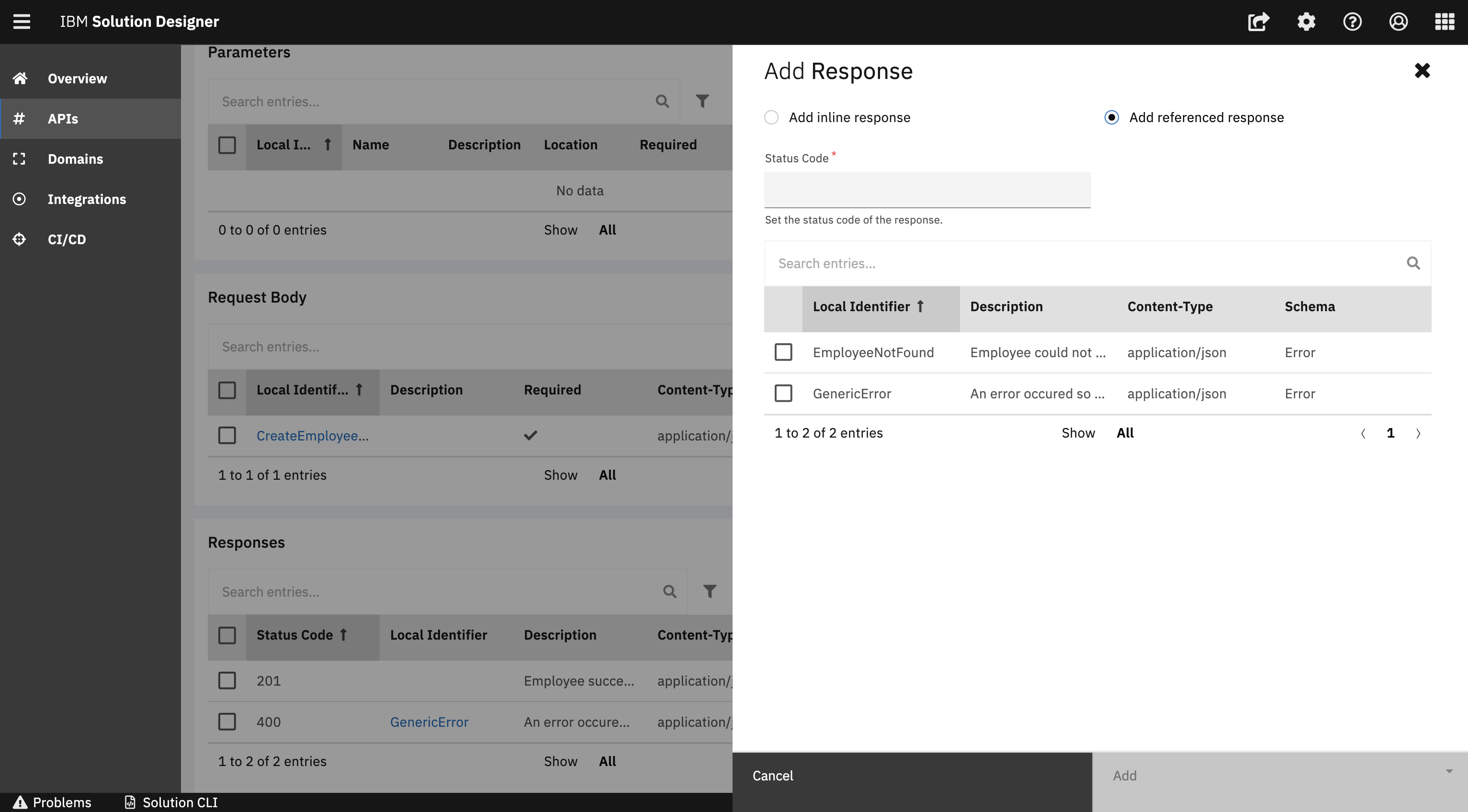
It is also possible to add Parameter, Request Body and Response in the respective section by using the Add capability. This can be done either by an inline parameter or a referenced parameter. When choosing Add inline option a new Parameter will be created respectively from scratch. Inline option is especially useful for parameters that are used only in one operation. If you choose to Add referenced option you can select an existing Parameter/Request Body and Response from the list. Reference option can be used especially when a parameter, request body or response can be used for multiple operations.
Please have an quick overview of inline /Reference :
Integration Namespace
Integration namespaces are used to consume other REST APIs. In this layer, every service is organized with the namespaces and every namespace represents the external API. For Employee Directory service, Party Directory service has been integrated as an external API.
Building and Deploying of the service
The last step was to develop the Employee Directory service using TypeScript Domain Service. Ben and Julia had a discussion on how the service should be developed and started the development. They also agreed on testing criteria for the service. Once the service has been developed and tested, it can be easily explored in the CI/CD section. The deployed service can be easily found on the dashboard and the Open API can be tested by using Swagger.
You have successfully covered important aspects of the Employee Directory service.