Customer Service
Overview
In order to design the Customer Service Adam, Jack and Alexander discussed, which customer-related information should be stored. For example, they planned to record the contacts that belong to a customer and the internal employees who are responsible for a particular customer. Hence, the team has decided to set up a customer service that covers all customer-related scenarios.
Introduction
This document describe the Customer Service and the required artefacts that must be designed for the service. As you read through this document, you will discover the different levels at which the Customer Service is designed and the key themes that describes the Customer Service.
What is the scope of the Customer Service
This service maintains a comprehensive set of customer information and handles the registration, updating of customers and managing its states. It also contains and manages contacts, responsible and customer classifications.
Here is an overview of the entities that have been created for the Customer Service
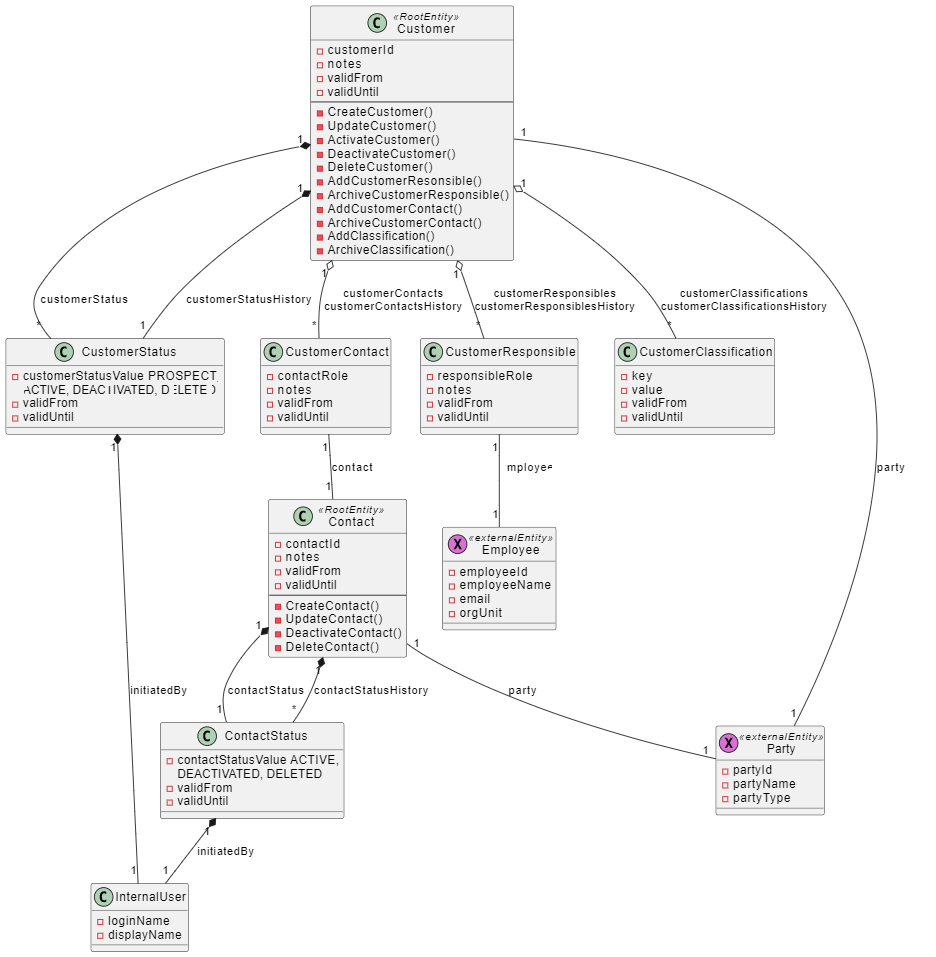
By taking the reference from the above UML, Jack and Alexander have designed and built the service in the tool. As mentioned in the context of the Minute Service, the tool provides the three layers API, domain and integration namespace that make the service functional. The Customer Service has been designed with multiple namespaces which covers the different information around the customer. Since Clara and Julia are experienced typescript developers, the service was created as a TypeScript domain service.
Designing of Customer Service
The designing of the service has been classified into the following namespaces:
Domain Namespace
The Customer Service has two domain namespaces which are Contact and Customer. Each namespace contains its own aggregate and thus encapsulates the entire business logic. The aggregates are accessed through their root entities, which together with the associated entities form the entire aggregate.
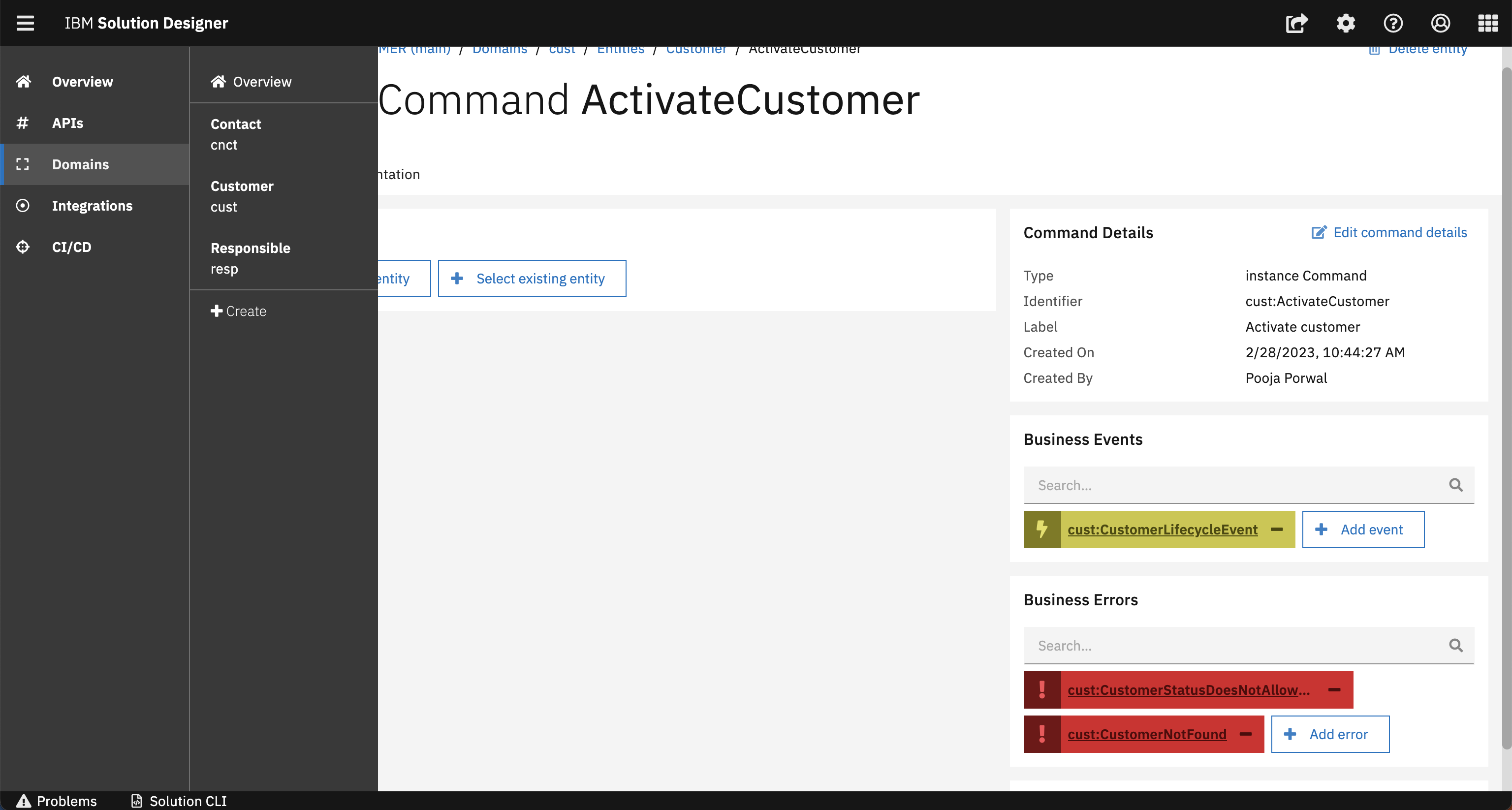
The Domain Namespace in the Customer Service has the Business Event and Business Error as artefacts to fulfill specific purposes.
Business Event
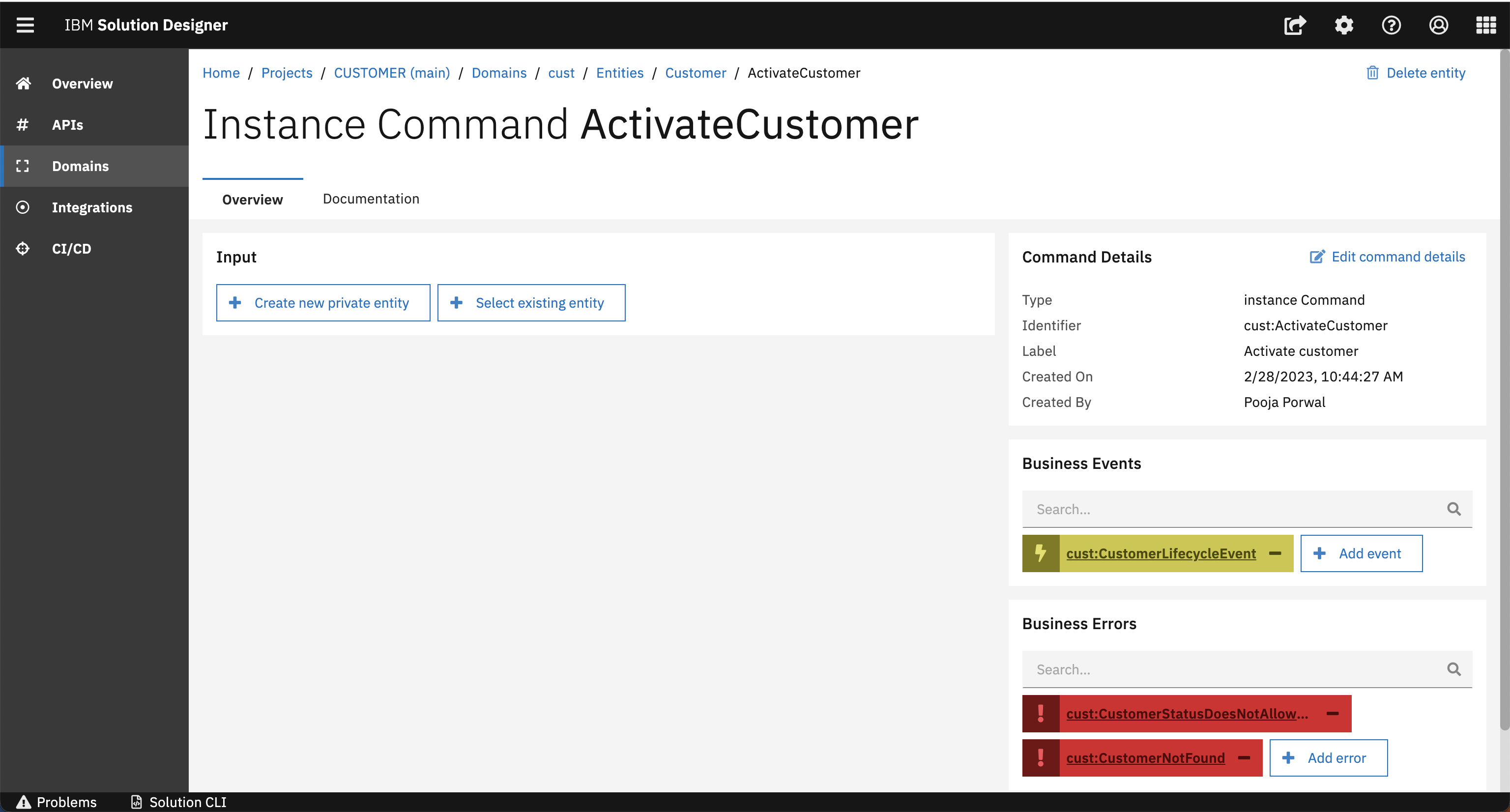
A business event define something that happened during the execution of business logic. Events can be triggered by commands and services. Events are an important building block for communication in a microservice architecture. In Customer Service, the Activate Customer command triggers an event called CustomerLifecycleEvent which informs interested other services about the changes in the lifecycle of the customer changing the status of the customer to "Active". So, every interested service will be enabled by consuming this event that the customer has changed to another phase in its lifecycle. Event also contains the event payload which contains specific information about the event.
Business Error
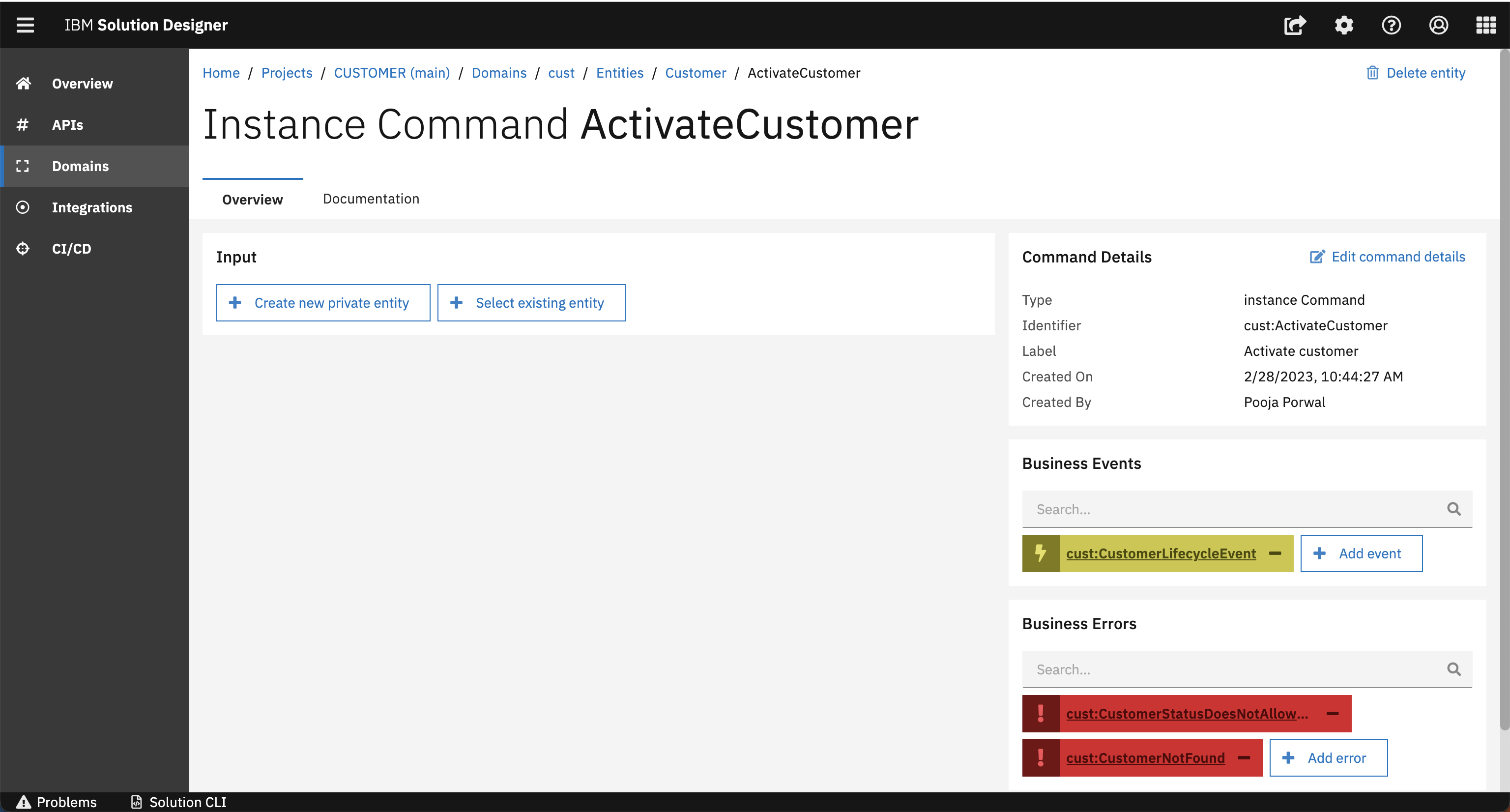
The business error defines business exceptions. When a business error occur, the normal business flow cannot be executed. In the Customer Service an Error called CustomerStatusDoesNotAllowChanges has been created on the command AddCustomerContact which will be triggered when the customer status does not allow to change the Customer (which also means no contacts can be added)
API Namespace
After designing the domain namespace, Jack and Alexander covered important artefacts around the API namespace. In this section, Jack and Alexander will walk you through the different sections in the API operation that specify more details like Parameter, Request Body and Response. Please find a quick overview in the following image:
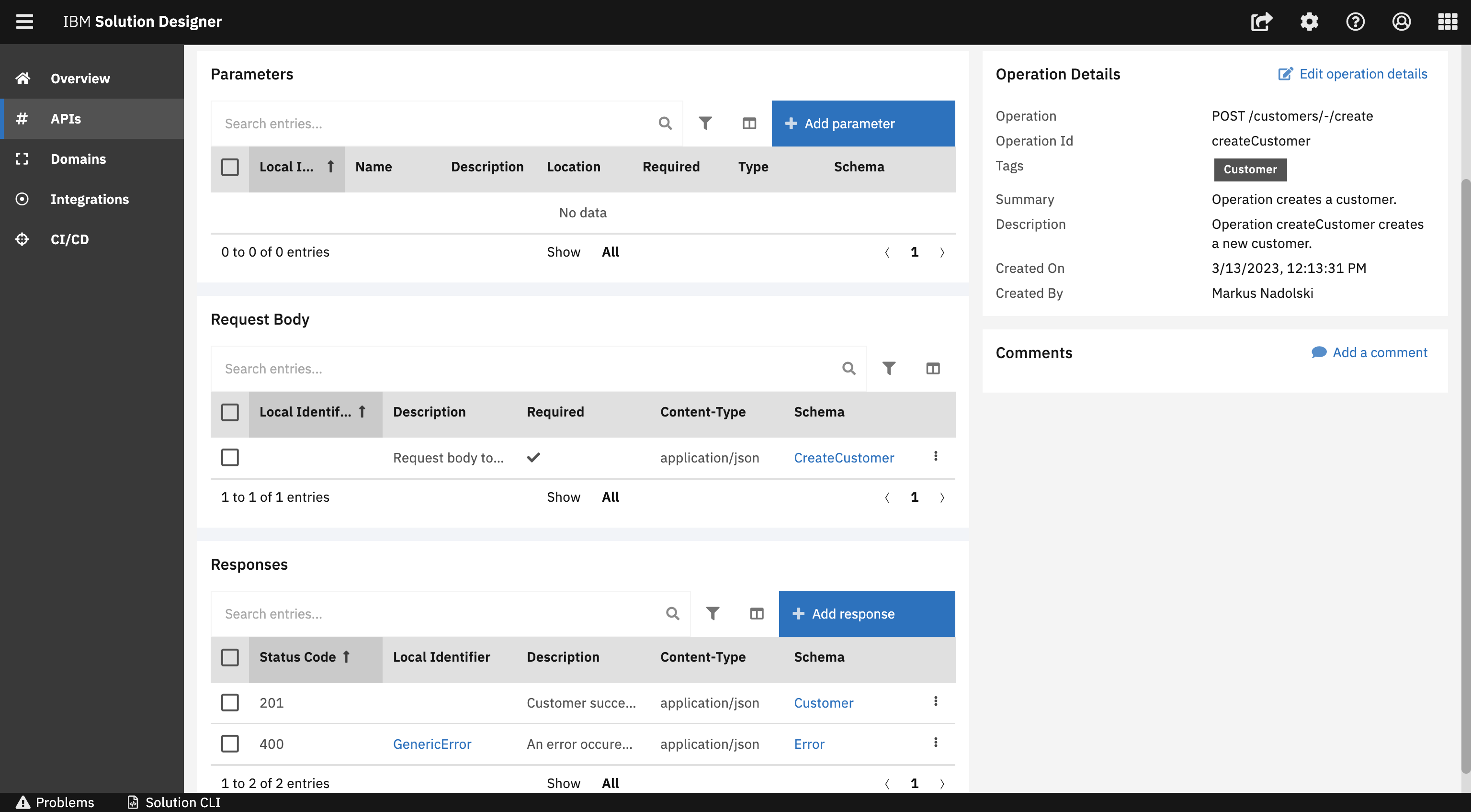
While designing the Customer Service, we have identified that Parameter, Request Body and Response are essential parts of API Operations. Lets discuss the important facts about each one of them and how they are being used in the DSW.
Parameter
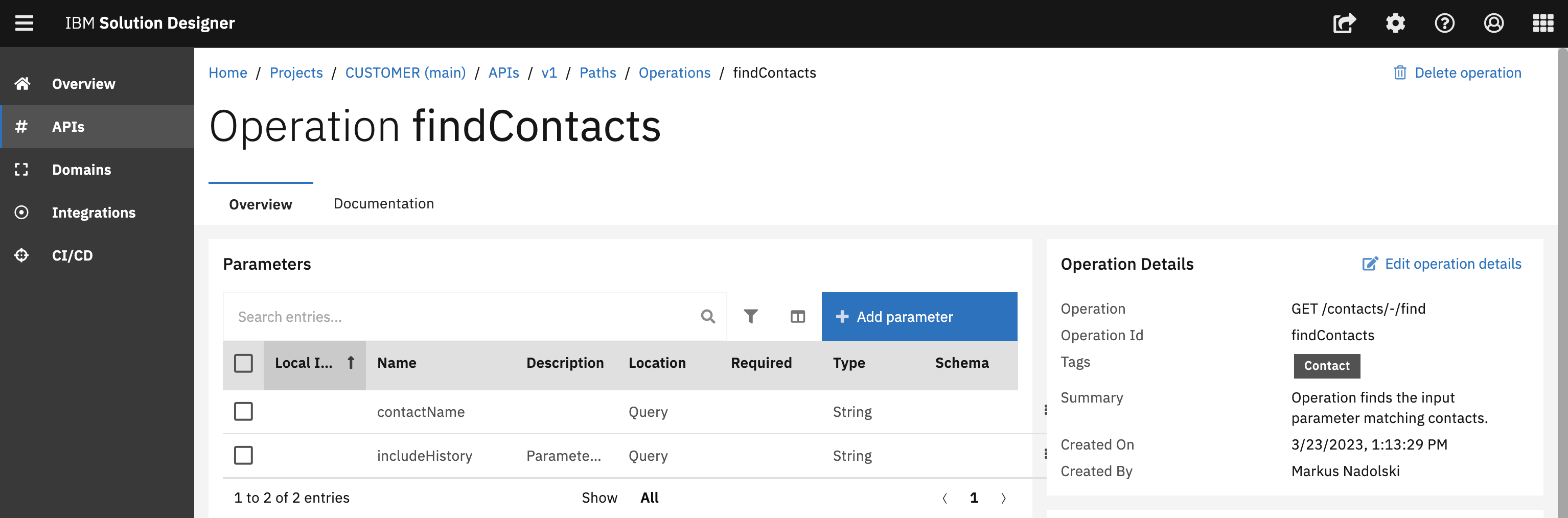
Parameters are defined either as header, query or path parameters. In the UI, you can define all Parameters for the request. The findContacts operation contains the contactName and includeHistory as a parameter which can be considered as an input to find the matching parameters. If you have specified the path parameter in the path, it is important to define it into the operation as well.
Path parameters are used to identify the resource in a request. Query parameter are used to filter the items in the request. For more details about parameters, please refer to this blog.
Request Body
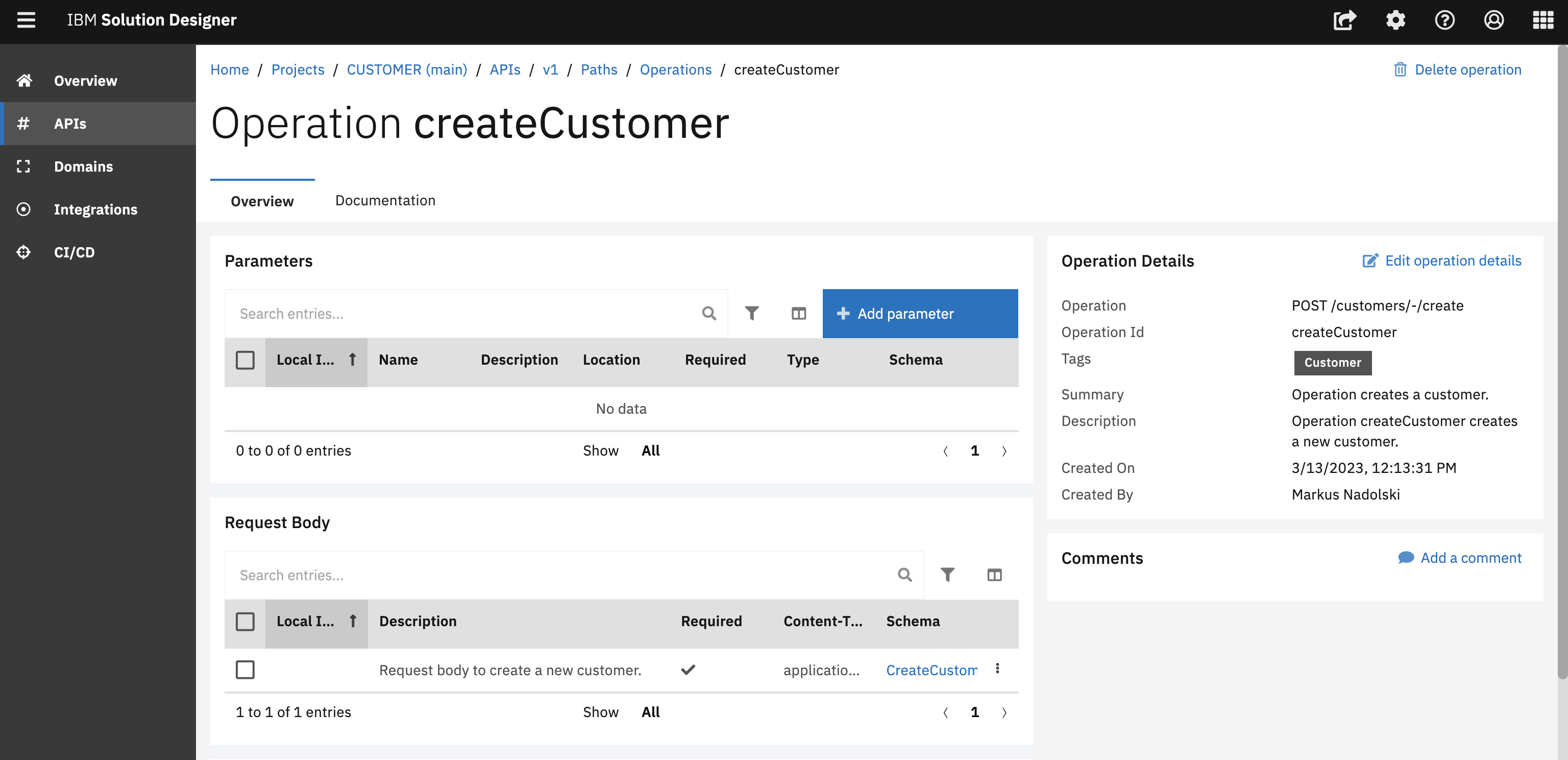
Request bodies are typically used to create and update the operations (POST, PUT). A Request Body always consist of complex structure. It can be an Object or an Array. The createCustomer operation, for example contains the request body which internally holds the details about the Customer that needs to be created.
Response
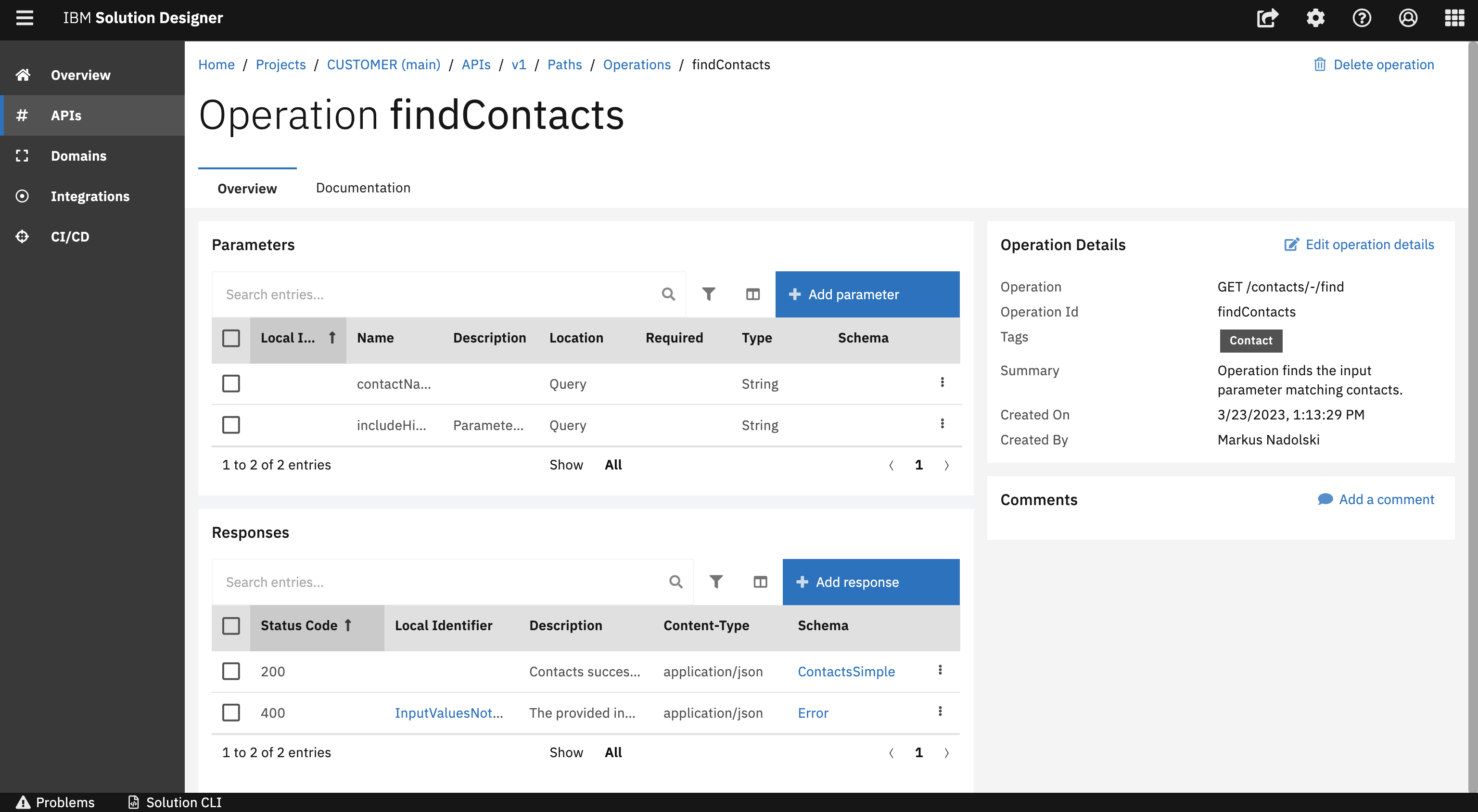
There is also a possibility to define the responses for an Operation. You can also have multiple responses. One for success case and one for the warning error case. Every Operation needs to have at least one response, if that is not given, a validation error will be shown and will prevent you to commit and push your changes to the git repository.
Integration Namespace
Based on how we have designed our customer service and our UML sketch displayed earlier, it can be seen that data from the Party service and Employee service is needed. Jack started designing and implementing the integration namespaces accordingly. Integration namespaces are used to consume other REST APIs. In this layer, each external API is represented by one namespace in the integration layer. The Customer service integrates with the Employee service and the Party service as external APIs, where each contain an API Dependency and modelled entities.
Employee Integration namespace
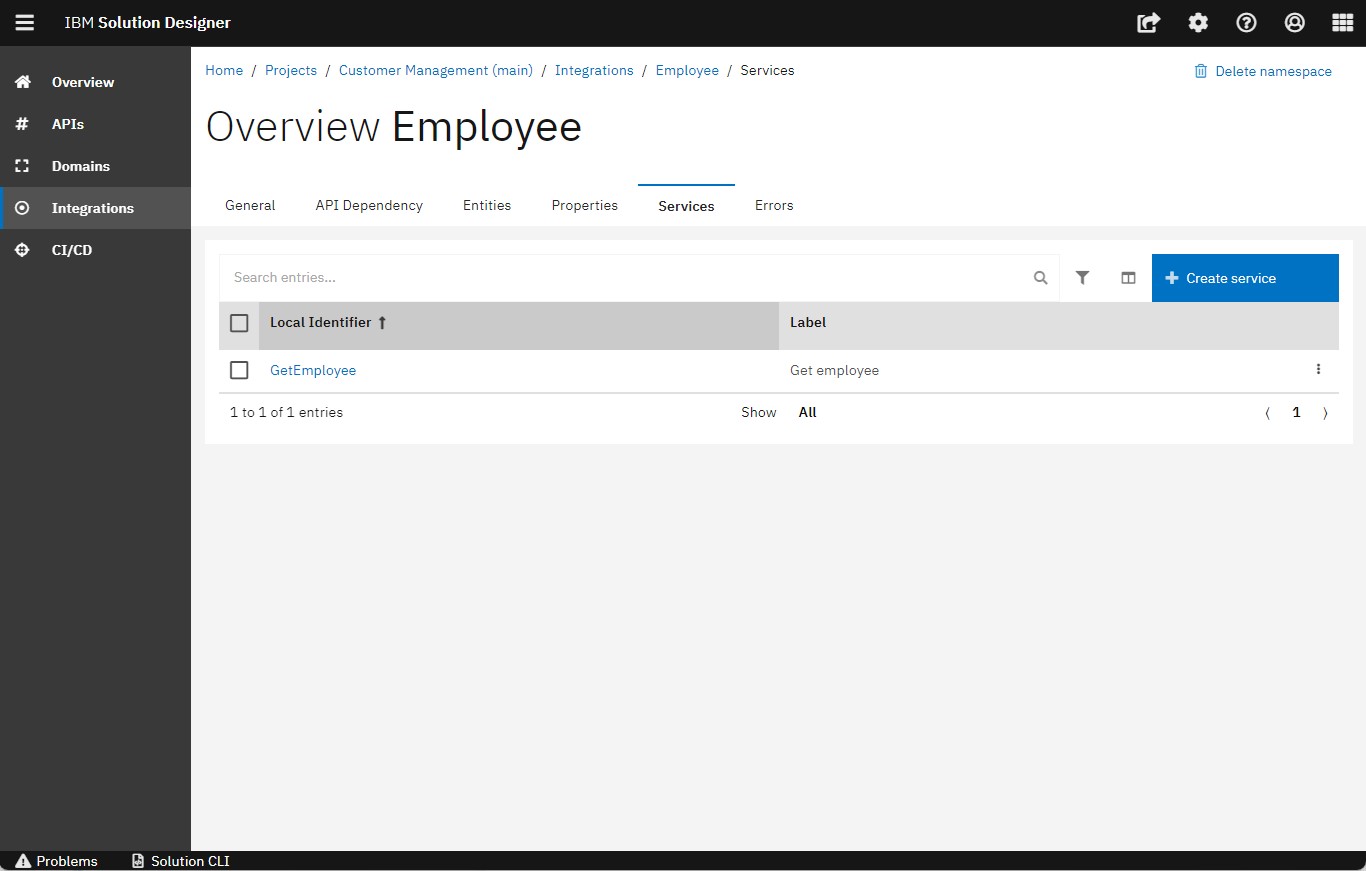
1. Services
In the Services section of the Employee Integration namespace, Jack created one service named getEmployee that actually calls the API of the integrated namespace. In our case, a service that retrieves one employee for the given Employee ID.
2. Entities
To proceed, Jack also started the modelling of the entities in the getEmployee service which are needed for the input and output. Entities are needed to represent the data that we pass on and obtain from the external API. For the output, we clearly need the Employee entity, which contains the person entity as well. Therefore Jack modelled both entities.
Employee entity:
Person Entity:
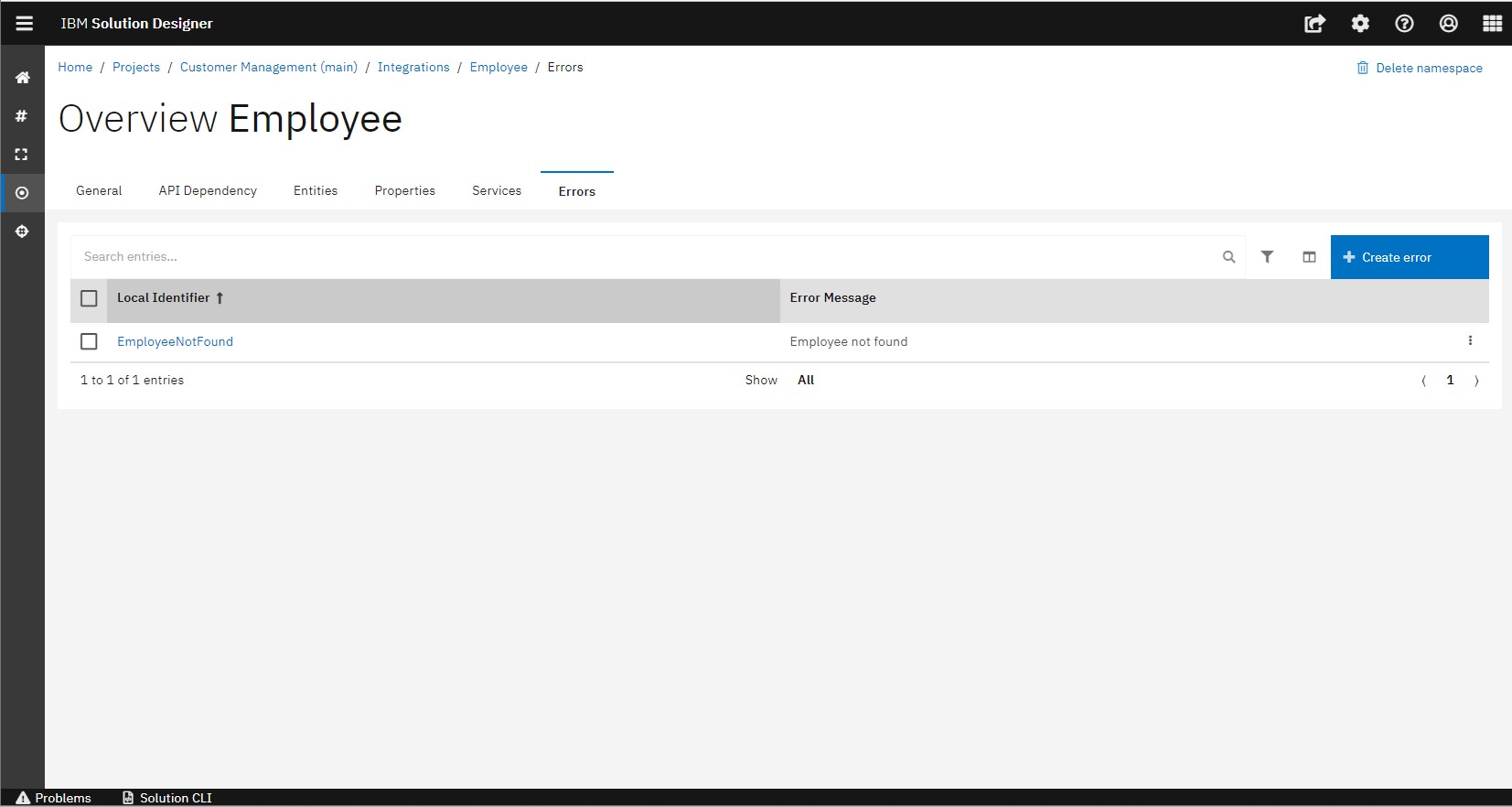
3. Errors
It is essential to include all components of the API operation of the integrated service. Therefore, the API operation errors should also be modelled and implemented. In our case EmployeeNotFound which is a part of the API call in the employee service.
4. API Dependency
We want to show how the employee service is designed, so Jack also configured the API dependencies. APIs we integrate with generally come with API specifications in OpenAPI format that can be imported by uploading the spec YAML files.
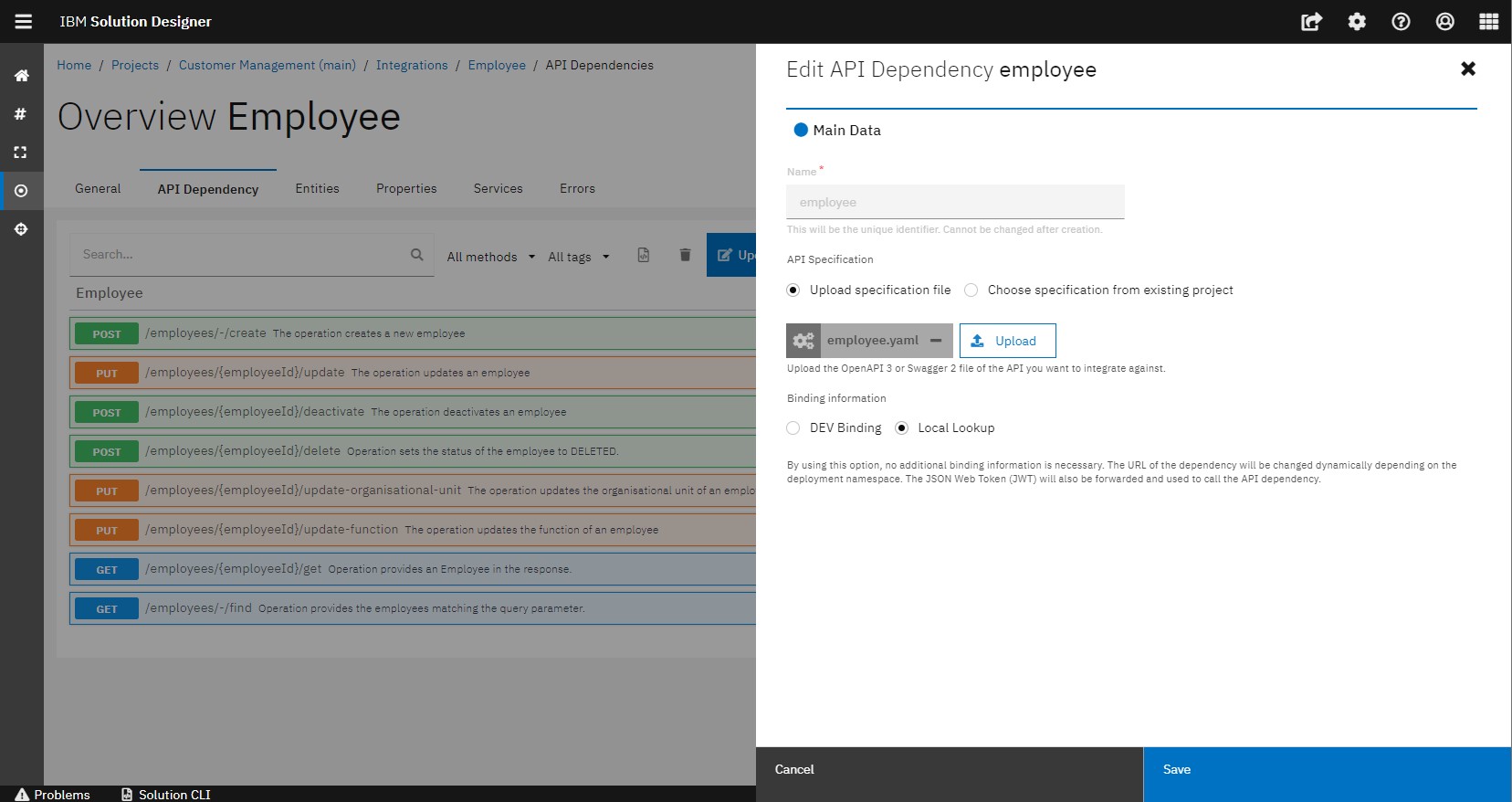
You can retrieve the YAML file from the API specification in the Employee service. You can find that in the Expert view of the API namespace.
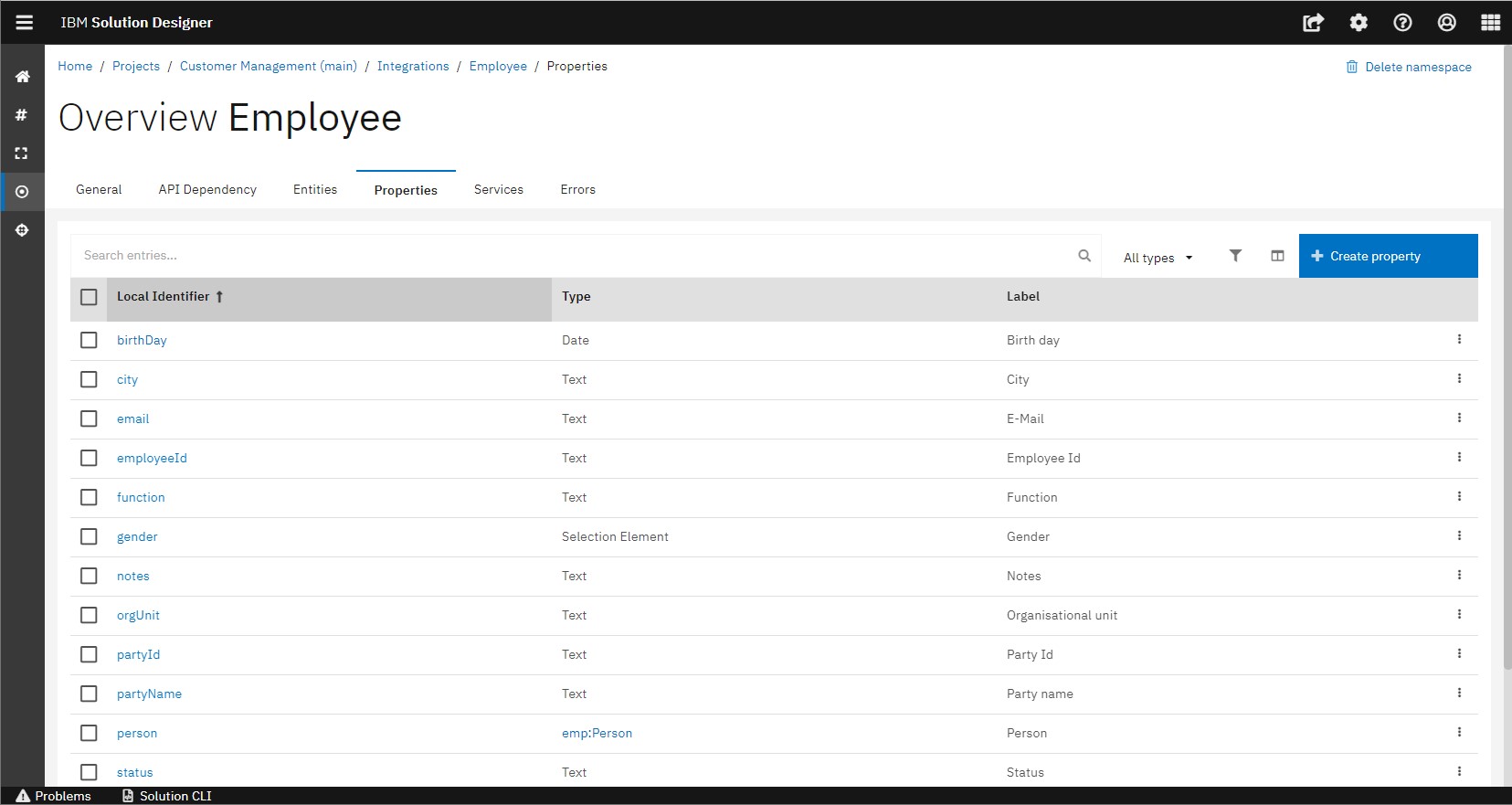
5. Properties
We don't need to modify the properties, once Jack has created the entity, the corresponding properties are automatically updated and shown in the properties tab.
Party Integration namespace
After finalizing the Employee Integration Namespace, Jack has done the same steps to design and implement the Party integration namespace.
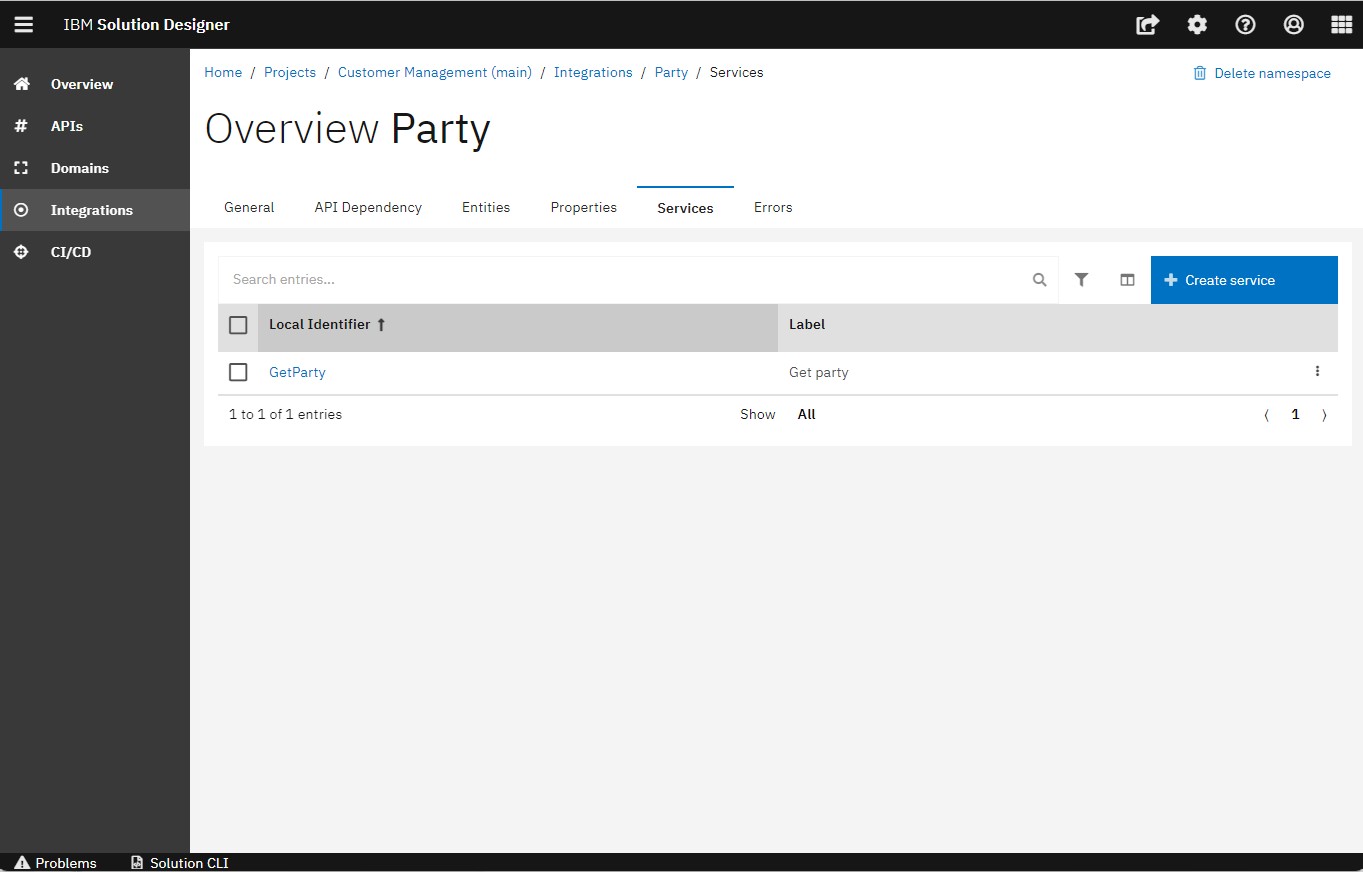
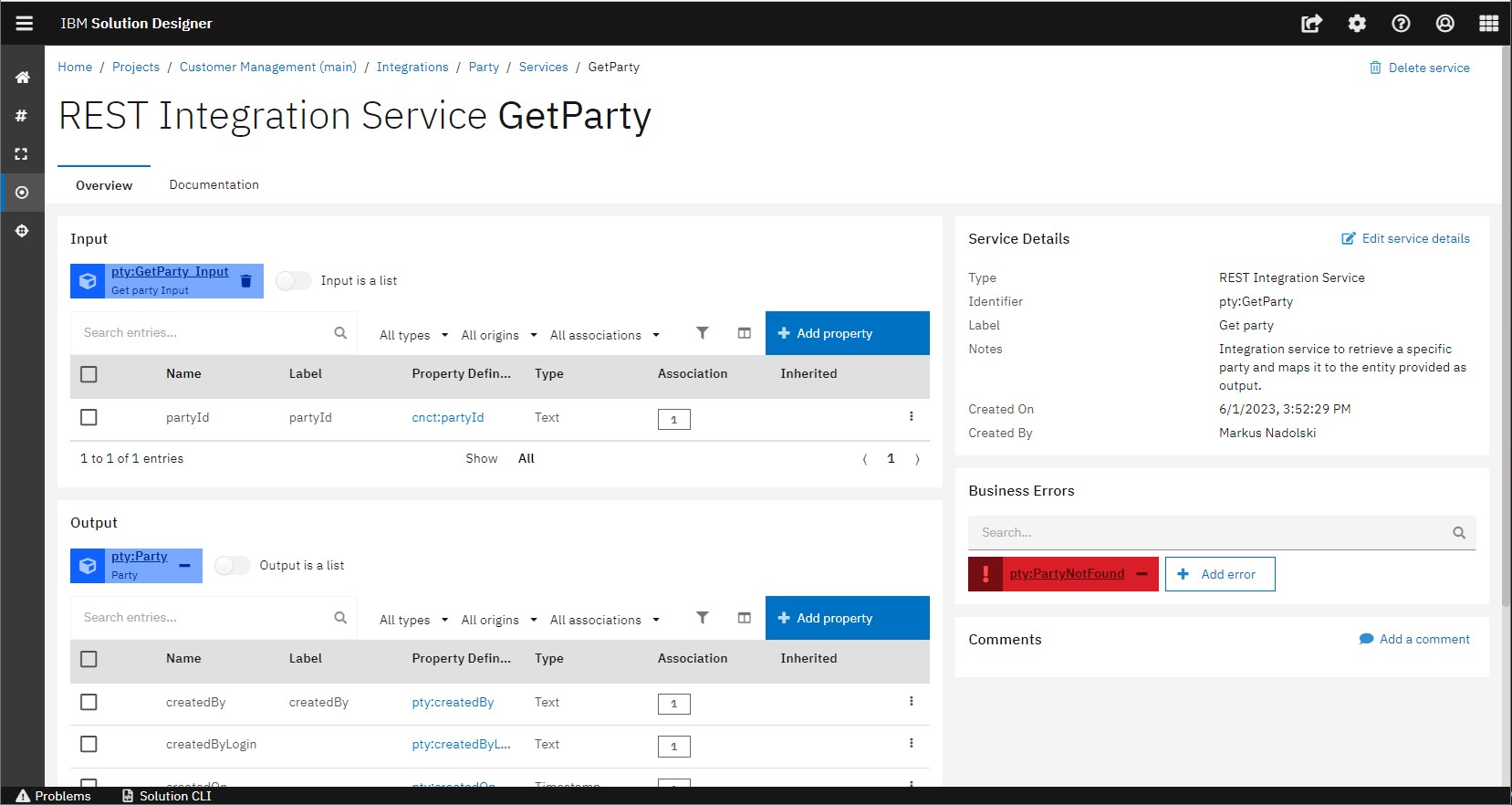
In the Party integration namespace, we have one integration service which is the getParty.
The following is an overview of the getParty Service
You have successfully got an overview about Customer Service.