Limit Deployment Pods of deployed Services
A Pod is a group of one or more containers that shares network resources, storage and configuration. While deployment or debugging, it is very essential that the containers have enough resources to run. Sometimes, it has limited resources and the node runs out of memory and other times the applications take more resources than they should. This How-To will cover the necessary configuration steps to limit pods in your deployed solution.
Description
While deploying your solution, or even debugging a deployed solution, it is very important to make sure your application is not taking more resources than it should. You want to limit pods to reach a better efficiency.
Please note that the links to the workbench tools in this tutorial only apply to the IBM Education Environment we provide. If you are using a different environment, e.g. your own installation, you will need to navigate directly to the required tools.
Steps
-
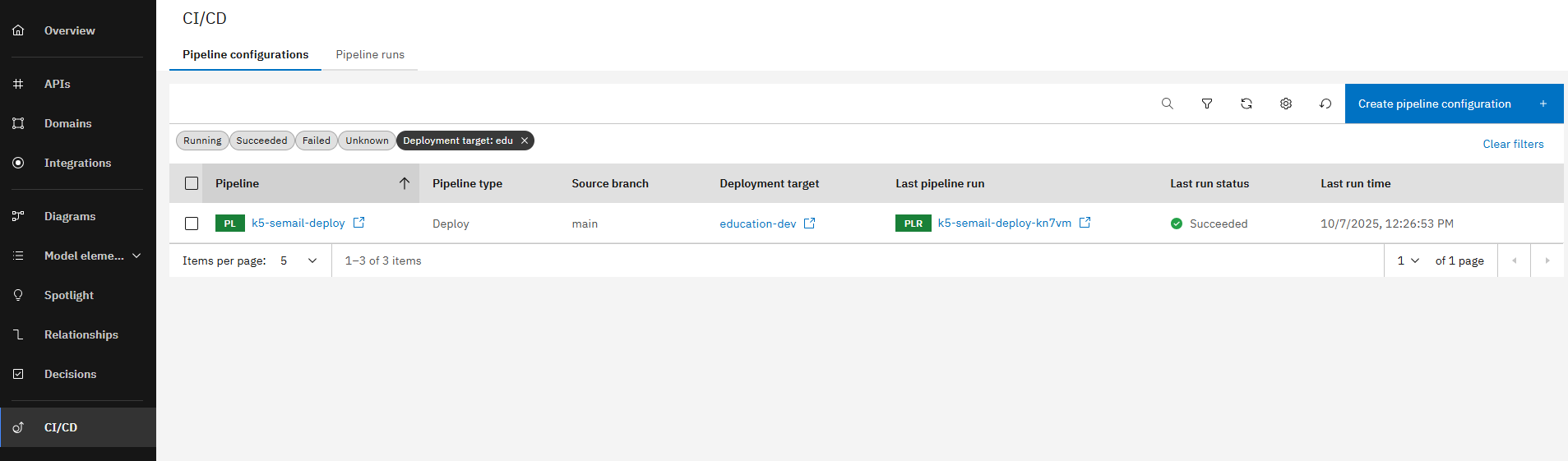
Open your deployed solution, you can see your deployment pipeline from the CI/CD tab in the Solution Designer.
-
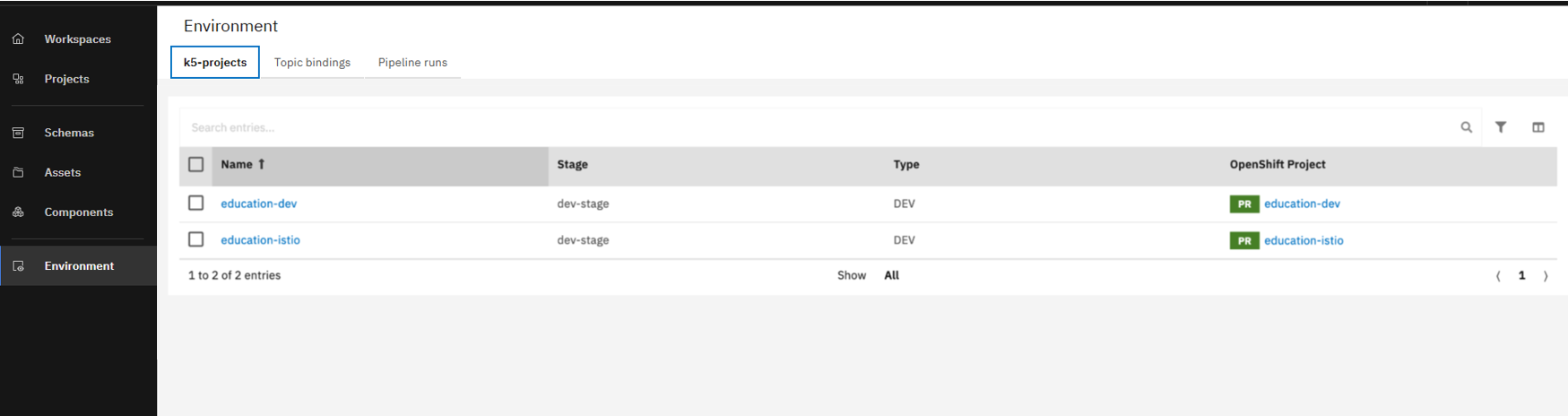
Open your k5-project on the Environment page.
-
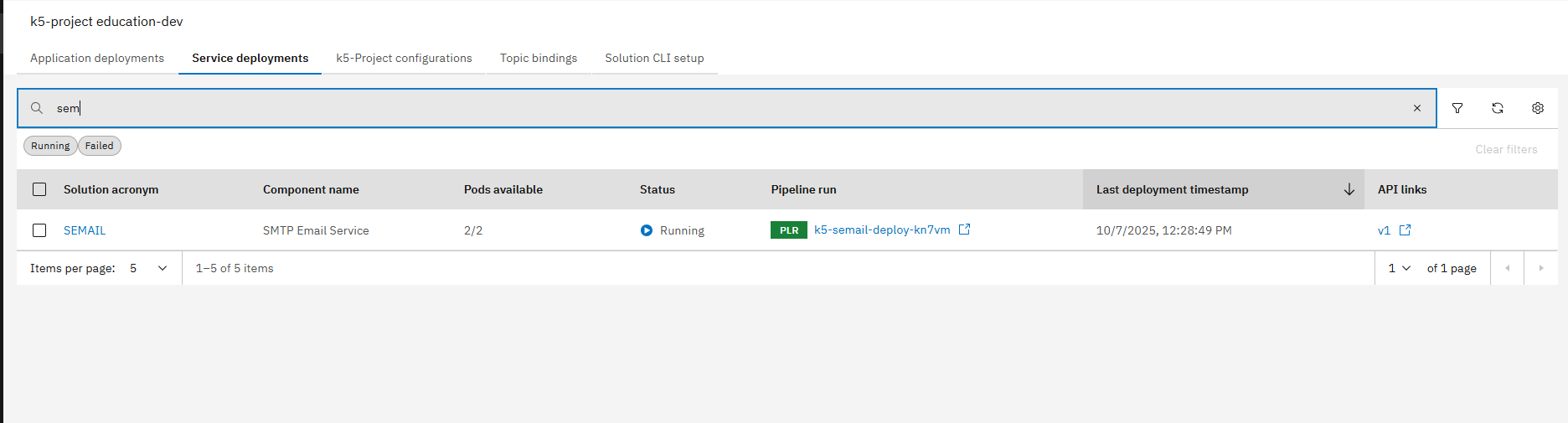
In the service deployments tab, search for your k5-project. In our example, our k5-project is named "semail".
-
Click on your k5-project, in our example "semail" and open Operations tab.
-
Scroll down to see the field named "Max. number of Pods".
You can change the value of the min/max number of pods according to your preference only if you check the setting "enable horizontal scaling".
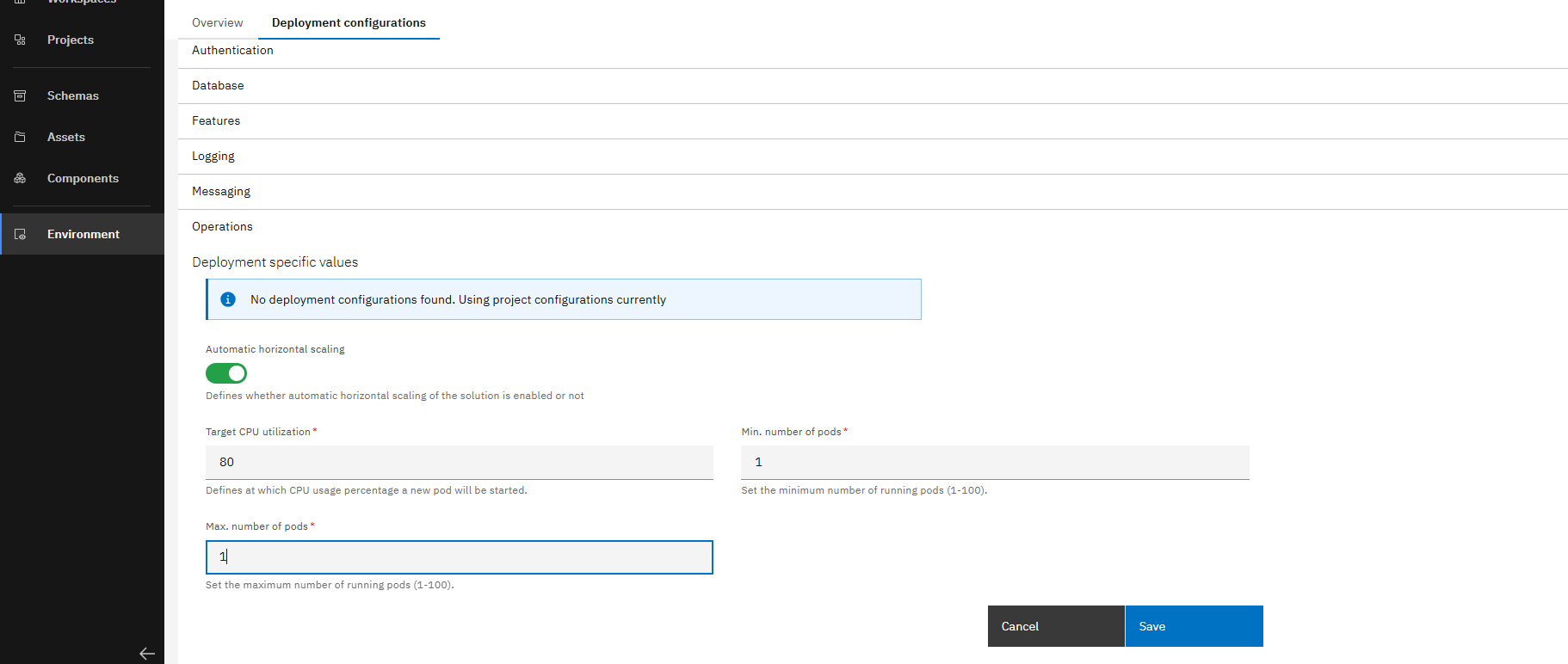
You will have to rerun your pipeline to apply the changes you have made. Take care if you set the the max number of pods to a too high value, it may cause problems.
You have successfully limited your deployment Pods.